

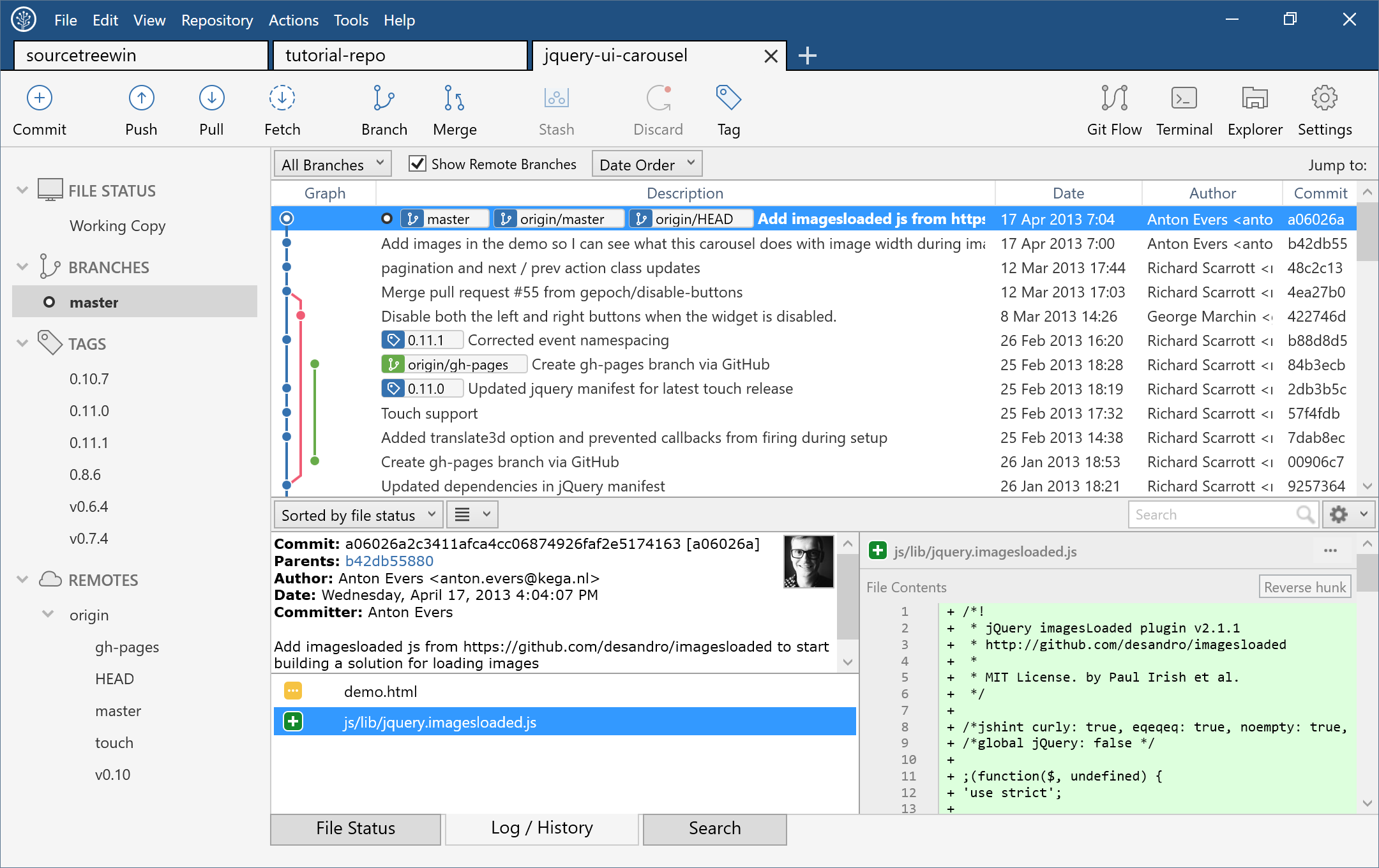
Sourcetree simplifies how you interact with your Git repositories so you can focus on coding. Visualize and manage your repositories through Sourcetree's simple Git GUI.
What is the difference between SourceTree and Git?
SourceTree is a free Git and Mercurial GUI client for Windows and macOS. Git is a popular version control system (VCS) originally authored by Linus Torvalds for development of the Linux kernel back in 2005.
Is SourceTree free for commercial use?
Yes. The SourceTree client is free, even for commercial use, without needing to buy a license.
Can I use SourceTree without an Atlassian account?
No. You must create or use your existing Atlassian account in order to use Sourcetree.
What are the best SourceTree alternatives?
SourceTree and GitHub Desktop offer Windows and macOS applications, but do not offer a Linux client. Other favorites like SmartGit and GitKraken are compatible with Windows, macOS and Linux.
Does SourceTree support GitHub?
Yes, SourceTree works with different Git repositories like GitHub, Bitbucket Cloud, Bitbucket Server, GitHub, GitLab, and VSTS.
Features
Simple for beginners
Say goodbye to the command line - simplify distributed version control with a Git client and quickly bring everyone up to speed.
Powerful for experts
Perfect for making advanced users even more productive. Review changesets, stash, cherry-pick between branches and more.
Visualize your code
Seeing really is believing. Get information on any branch or commit with a single click.
Git and Hg on your desktop
A fully-featured GUI that offers an efficient, consistent development process right out of the box. Works with Git and Mercurial.
What's New
Windows version updated to 3.4.31
- Changes: Added support for force fetching tags from the Fetch and Pull dialog
- Changes: GitLab integration to support viewing repositories by group
- Fixed: Branch colors in the history graph changed after interactions
- Fixed: GitLab repositories not appearing or being searchable in the Remote Repositories view
macOS version updated to 4.2.19
Bug Fixes
- Mac: Stability improvements and bugfix
- Mac : Repository Renaming Not Working and Repository Name Display Issues in Folder List
- Enforce TLS 1.2+ in Mercurial SSL Context
Changes
- Native support for Apple Silicon [SRCTREE-7446]
- Mac: Stability improvements and bugfix
- Mac:Unable to access preferences tabs in Russian
- Mac:Unable to access preferences tabs in Portuguese(Brazil), Italian, French, Spanish, German
- MAC: Pipeline troubleshooting
- Mac:Unable to access preferences tabs in Ukrainian
Bug Fixes
- [SRCTREE-8153] The Chinese localized language
- [SRCTREE-8089] Push All Tags should not be the default behavior
- [SRCTREE-4742] The edit field of the "Rename Branch" dialog cannot be accessed via the keyboard
- [SRCTREE-8194] Dialogs not showed correctly
- [SRCTREE-7857] Checkboxes do not update in push dialog
- [SRCTREE-7786] Unable to access Advanced preferences tab in Japanese.
- [SRCTREE-8204] Crash when dragging
- [SRCTREE-8198] Cannot get SourceTree 4.2.11 to run on Mac OS 15.3.1

