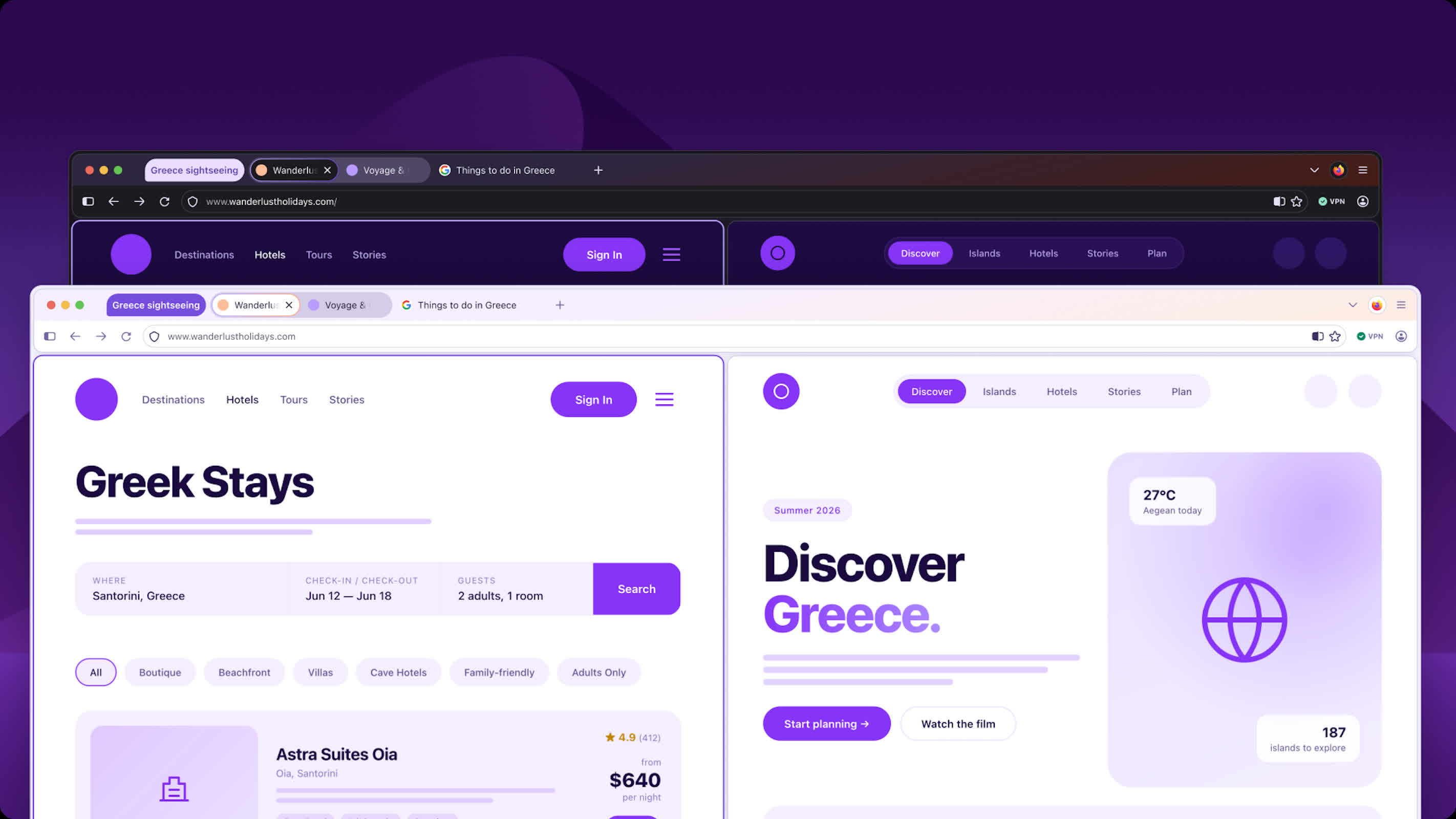
First look: Mozilla is reworking Firefox in ways that go beyond a visual refresh, tying design changes directly to how users interact with newer technologies like on-device AI. The update, called Project Nova, is expected to roll out later this year with the goal of making the browser feel more transparent and adaptable without adding needless complexity.
The biggest change is inside the Settings menu. Mozilla is redesigning it to make privacy controls easier to find and understand, including a single toggle that lets users shut off all current and future AI features. As browsers add more AI features, centralized controls like this become more important, and Mozilla seems focused on letting users decide what gets enabled.
Firefox is also more careful about how AI features are delivered. Models are not downloaded unless a user actively decides to use them, which helps avoid unnecessary storage use. For those who do opt in, Firefox makes it clearer which models are installed and how much space they take up.
The visual side of Project Nova is hard to miss. Mozilla is introducing softer, rounded elements across the interface, including tabs that now have a more fluid, bubble-like shape. The color palette is being refreshed with tones inspired by Firefox's branding, and icons are being standardized to ensure consistency across light and dark modes. The changes aim for a cleaner, more cohesive look.
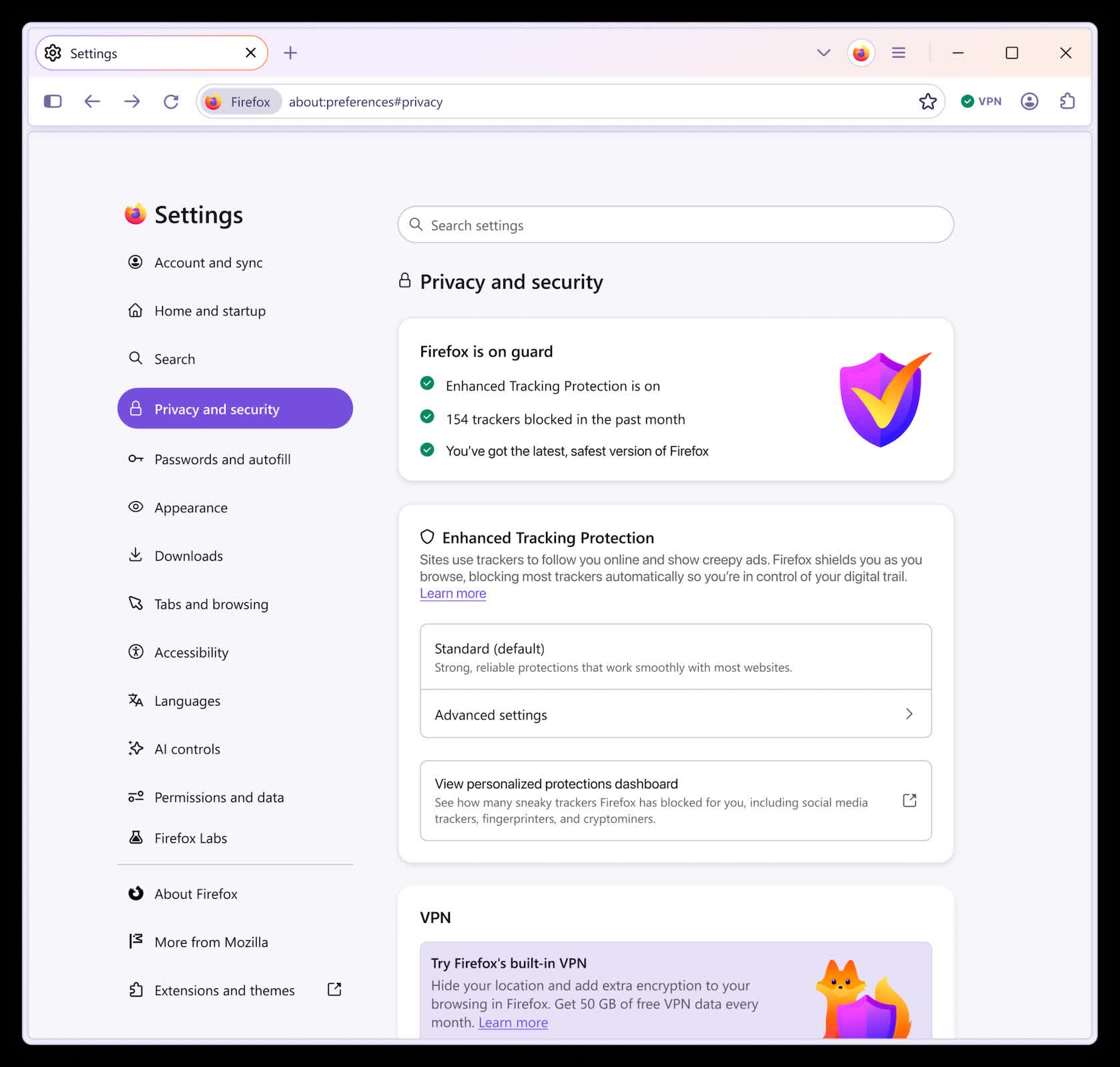
Mozilla is also bringing back some practical features. Compact mode, which reduces the size of navigation controls, is making a return. Tools like tab groups, split view, and vertical tabs will be easier to access, which should help users who manage many tabs at once.
In addition, Firefox is expanding customization options. The update will offer new theme options that apply across the entire browser window, with both light and dark variations. Mozilla also says it is "exploring" ways to let users adjust the shape of tabs and other interface elements.
Project Nova won't arrive until later this year, but Mozilla is already shipping related features. Firefox 151, which launched this week, includes support for the Web Serial API. The feature allows websites to communicate directly with hardware devices, removing the need for separate native applications in some cases. As Mozilla explains, "For example, websites can control devices or deliver firmware without requiring native applications or installers."
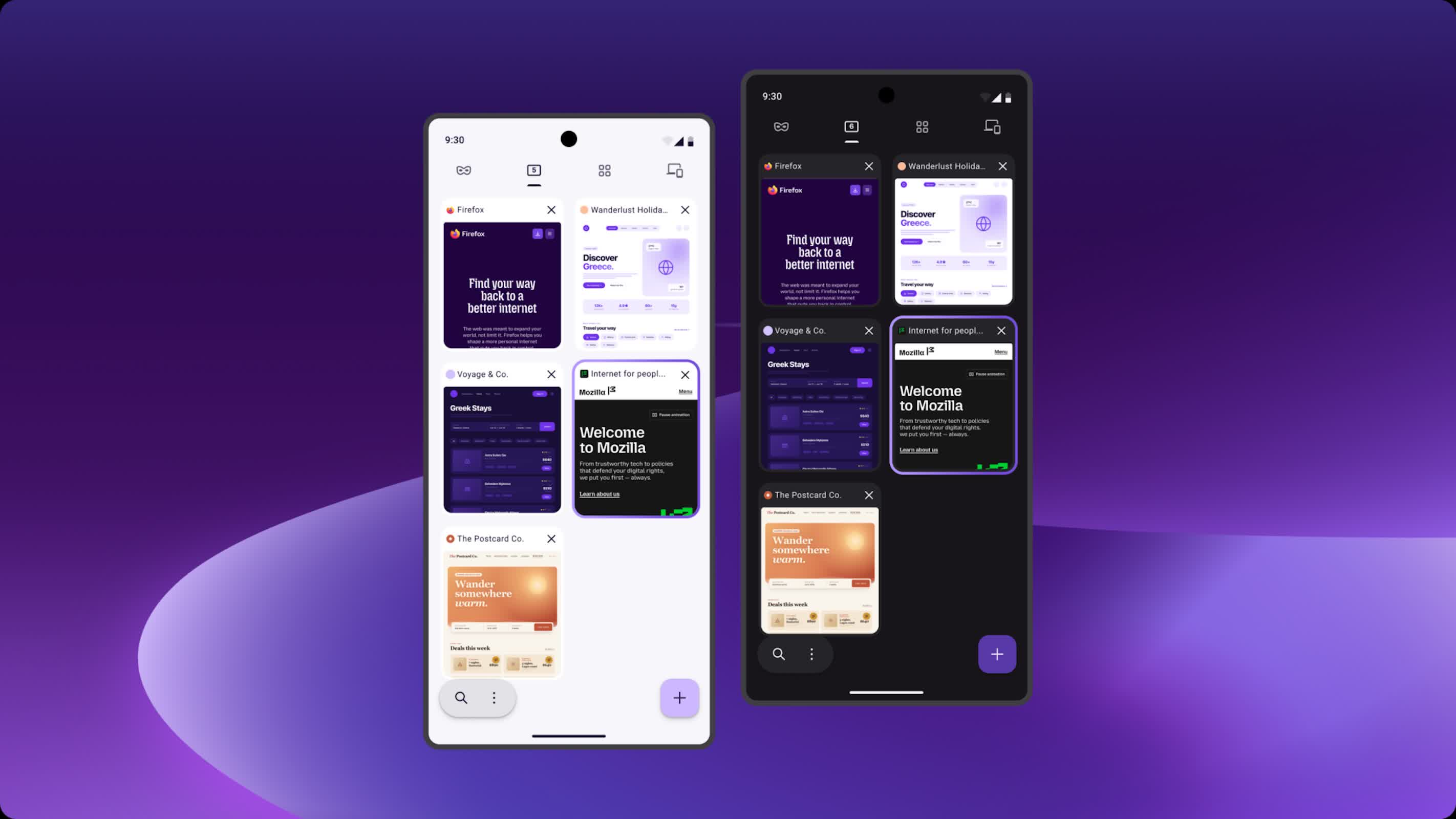
The same release also brings smaller updates, including a refreshed Firefox Home page, new wallpapers, and a built-in option to merge multiple PDFs within the browser. These updates are small on their own, but they all aim to reduce the need for external tools.
What emerges from all of this is a browser that aims to stay lightweight while keeping pace with increasingly complex demands. Mozilla is giving users tighter control over AI while also expanding what the browser can do with hardware devices, making Firefox both more customizable and more capable.