
Wishful thinking: Microsoft is finally stripping the Windows search box down to what many users wanted from it all along: a simple way to quickly find apps, files, and settings without being distracted by additional content. In test builds now rolling out to Windows Insiders in the Experimental channel, the experience looks and behaves very differently from recent versions of Windows.
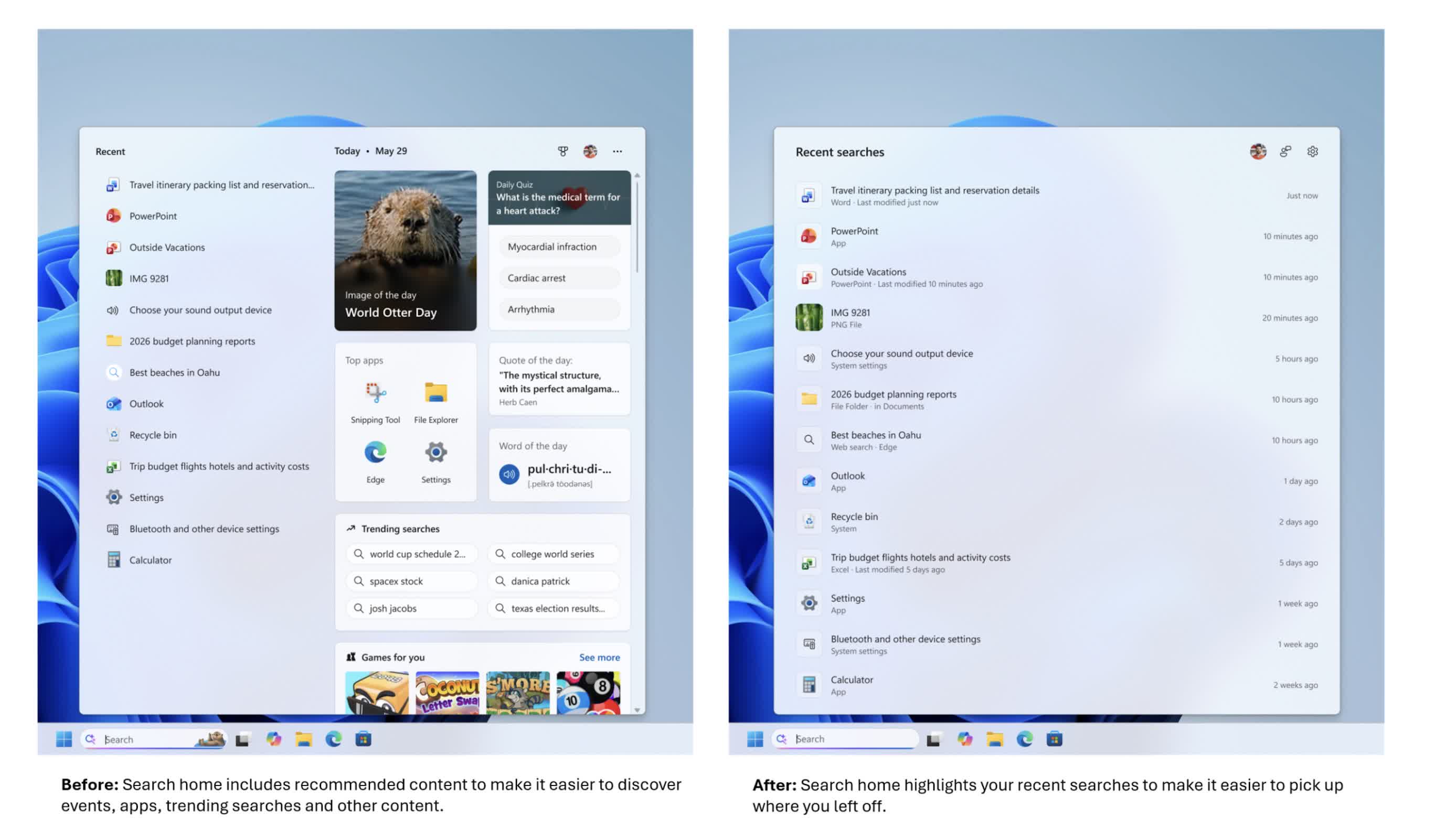
The change appears first on the search home screen. Instead of the old layout – with recently used apps on the left and tiles on the right asking "What day is it today?" or offering features such as "Daily quiz," "Word of the day," "Search trends," and "Recommended games" – the new view is much cleaner.
The home screen now focuses on recent searches and local content rather than making the search box feel like a news or entertainment hub. For people who use search as a starting point, this shift is likely the first thing they will notice.
Beneath the simpler UI, Microsoft is putting more emphasis on helping users understand what they are about to click on. Search results now more clearly identify whether an item is an app, a setting, a file, a web result, or a Microsoft Store suggestion.
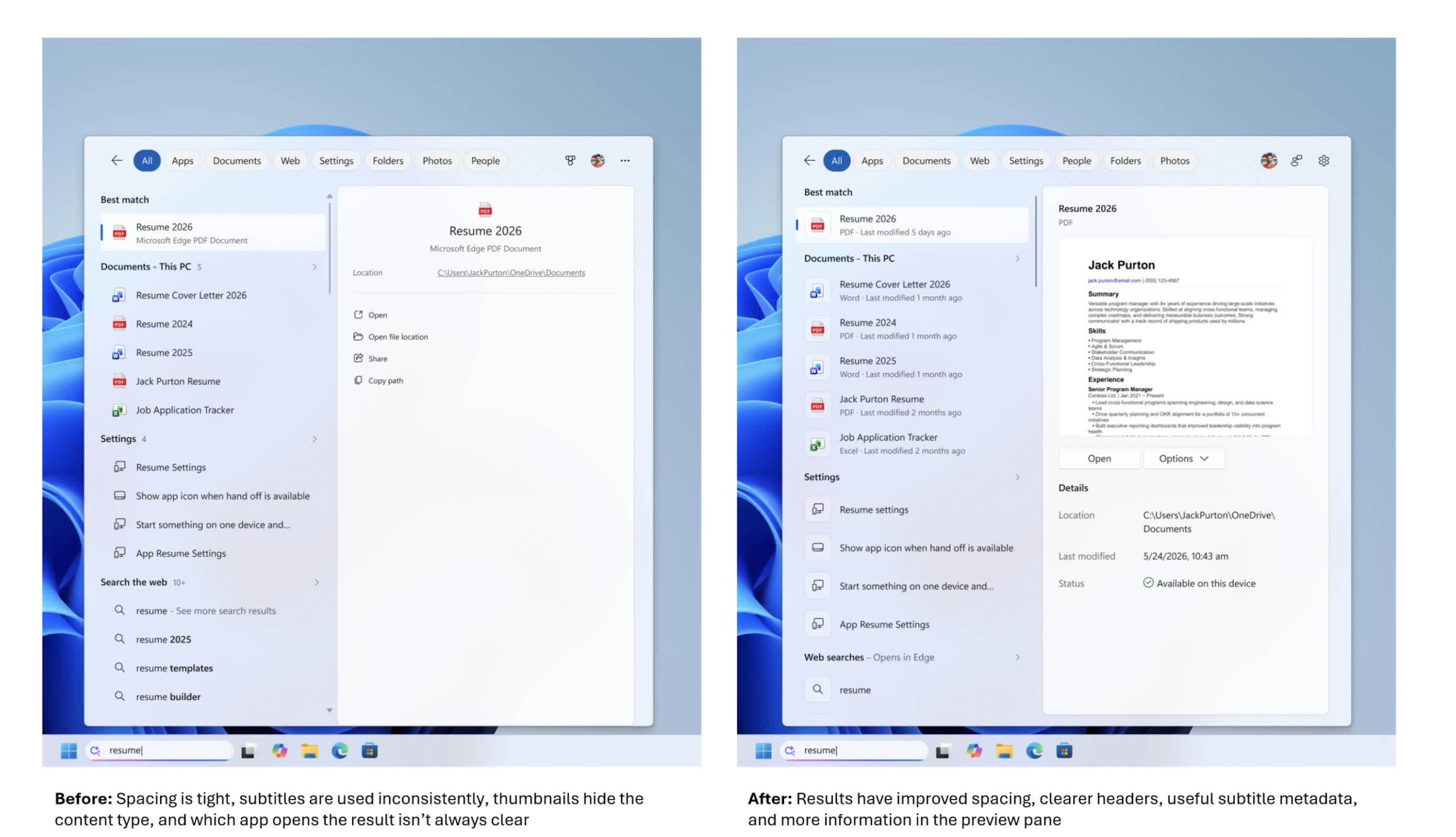
That sounds basic, but the search box has become a primary launch point for opening apps, finding files, changing settings, and getting quick answers from the web. Making the source and type of each result clearer is intended to help users choose the right option more easily.
The company is also removing promotional content from web results. In earlier versions of Windows 11, web results displayed in the search box could begin with product-related suggestions and other promotional material.
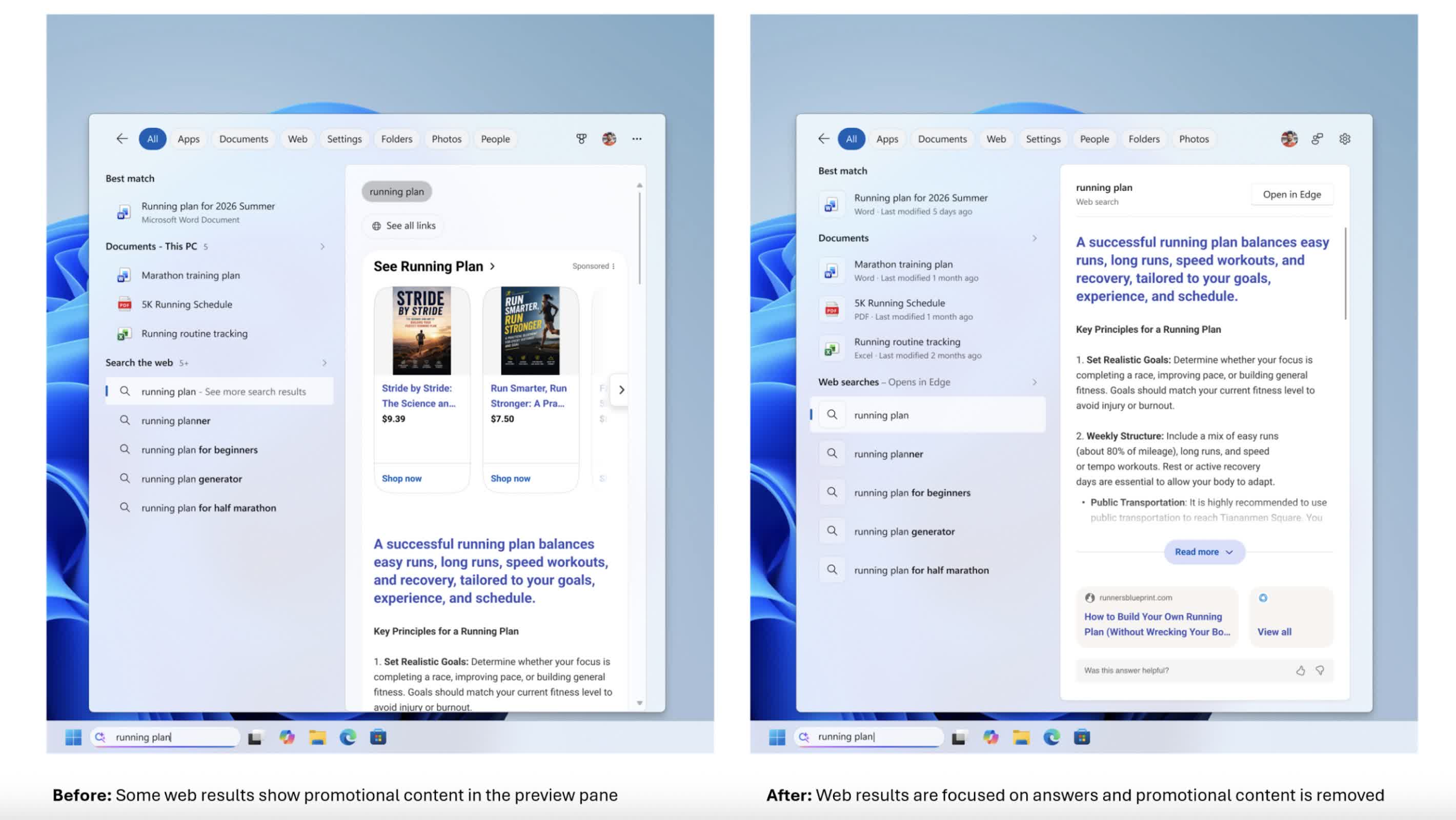
In the new experience, the focus is squarely on the answer itself. Web results are presented more directly, without layers of promotional content appearing above them. For users who rely on the search box to quickly find information, the change makes it feel less like an advertising space and more like a straightforward tool.
Another notable change is the level of control users have over how much online content appears in search results. A new setting under Settings > Privacy & Security > Search allows users to choose whether web and Microsoft Store suggestions appear alongside local results.
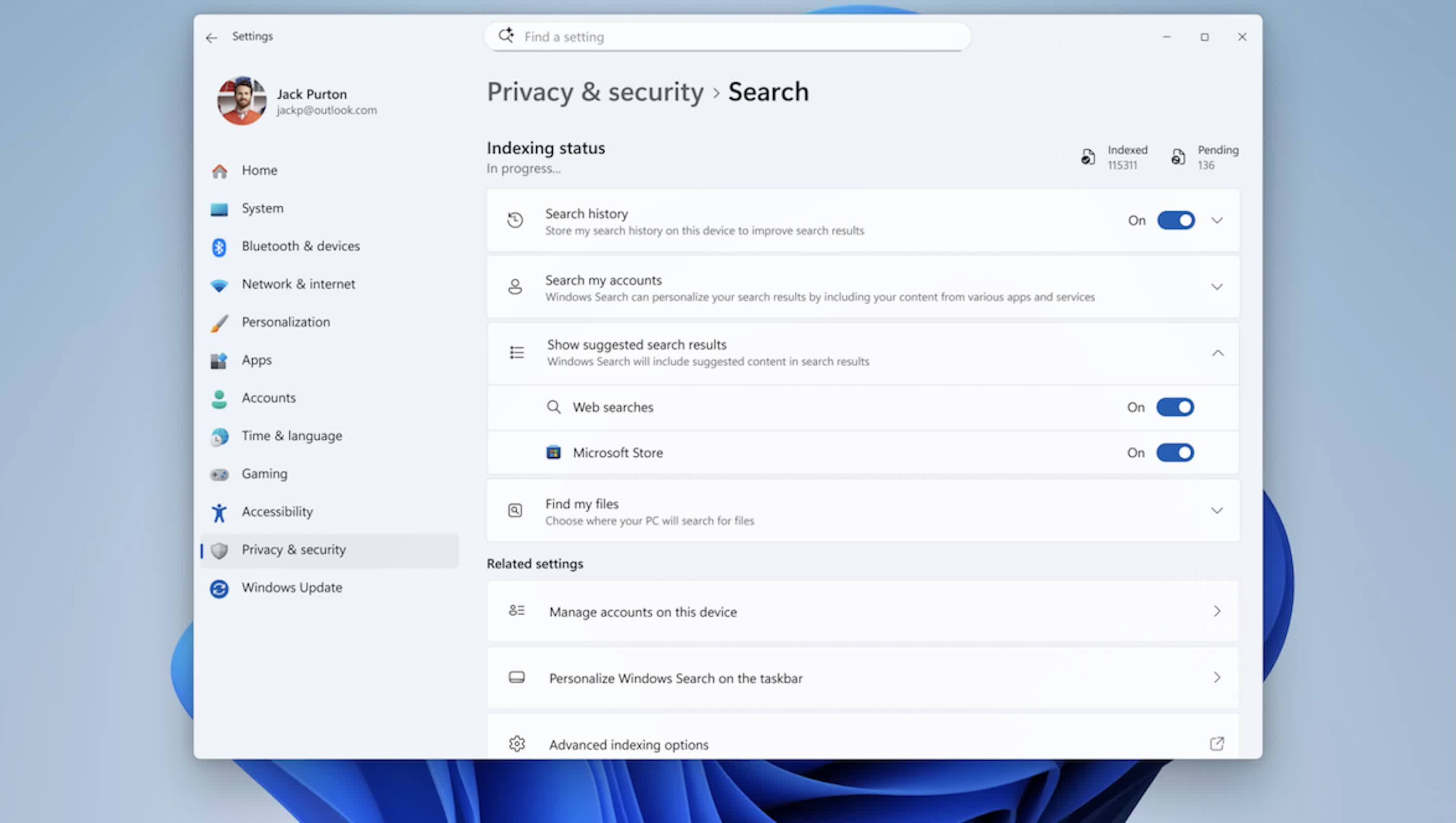
If that option is turned off, the search box behaves more like a local launcher and file finder rather than mixing in web and Store suggestions. The option is simple, but it acknowledges that not everyone wants online suggestions in a workflow focused primarily on opening content that is already stored on the machine.
Behind the scenes, Microsoft has adjusted how it ranks results to better support this local-first approach. Apps, settings, and files are now more likely to appear ahead of web and Store items when they are a strong match for a query.
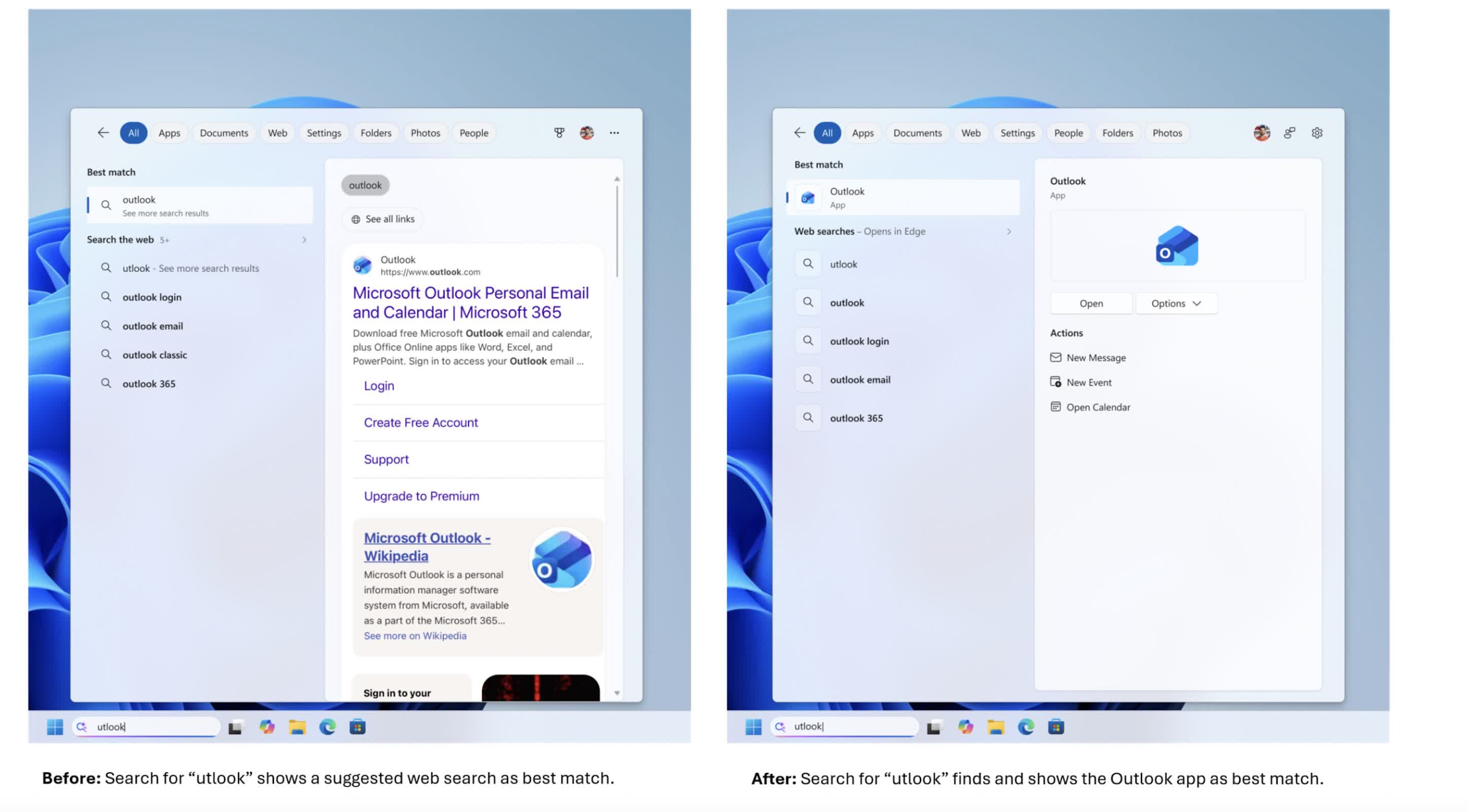
Core system objects, such as This PC and Recycle Bin, now appear more reliably instead of getting lost among tiles and other content. The search engine is also more forgiving of app names, handling typos, extra letters, and partial queries – so something like "utlook" can still find Outlook.
File search has been improved as well. The updated search box can handle very short queries, including two-character strings, which is useful for users working with short codes or brief file names.
Microsoft has also improved how cloud and connected files are surfaced, bringing them into view when they appear to be a better match than local content. The goal is to help users move more quickly from entering a search term to opening the document, download, or folder they intended to find, whether it is stored on the device or in online storage.
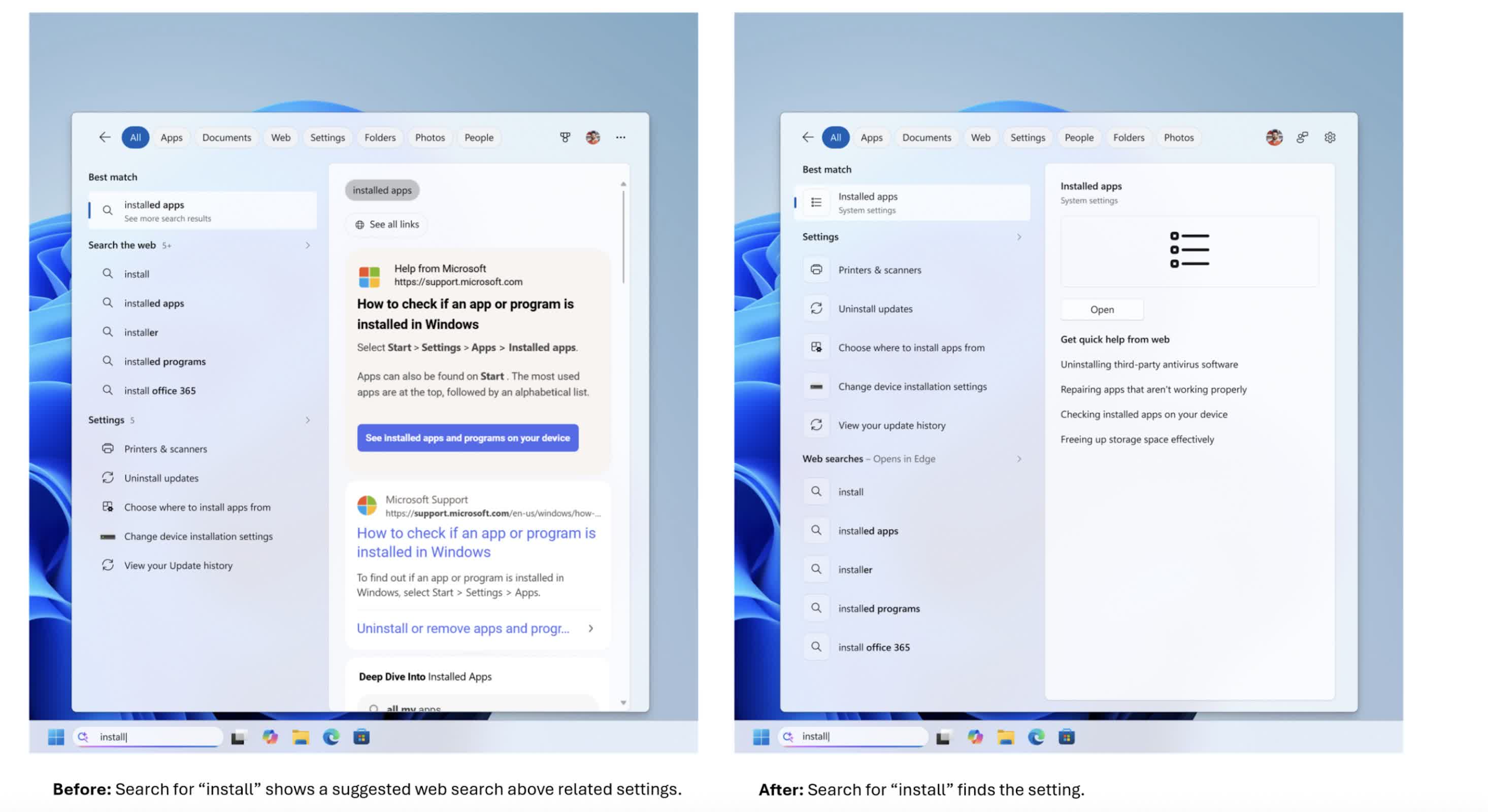
Settings search is getting attention as well. The company has made an initial round of changes to how settings results are ranked, aiming to surface more relevant controls higher in the list.
More tuning is planned as Microsoft collects data and feedback from the Experimental channel, meaning this part of the experience is likely to evolve over time. The company is also working on improving reliability by reducing crashes and search-related loading issues, with additional work still underway.
As with many recent Windows changes, the rollout will be gradual. The new search box is being distributed through Microsoft's Controlled Feature Rollout system, so even users in the Experimental channel may not see it immediately.
Some users may receive the update after a reboot, while others may need to enable it through feature flags. Broader availability will follow as Microsoft refines the feature based on performance data and user feedback. For users who have been asking for a faster, cleaner, and more predictable search experience, this redesign arriving in 2026 represents a significant shift in how Microsoft approaches one of Windows' most visible features.