

Tap to get driving directions or talk to send a text. Even call your mom, hands-free. Android Auto is made to help you focus on the road. And have fun along the way. Just connect and go.
Get help from Google Assistant
With Google Assistant on Android Auto, keep your eyes on the road and your hands on the wheel. Use your voice to get help finding routes and playing your favorite songs. You can even ask for the latest news or check the weather.
- Say "Hey Google"
- Press steering wheel button
- Tap app icons
- Tap mic
Navigation tools to find a better route
With Google Maps, Waze, or another map on your car's display, you can quickly see what's nearby and navigate there. You'll also get real-time alerts to help you avoid traffic. Even ask Google Assistant to find gas along the way, or quickly share your ETA with just a tap. Just say where to. And then go.
- Find routes
- Real-time alerts
- Places on the way
- Share ETA
Call and chat features to stay connected
Google Assistant can read your messages out loud. And you can write back with just your voice, or select a smart reply with just one tap. From making calls to using chat apps, Android Auto makes driving less distracting.
- Make calls
- Messaging
- Chat app s
Entertainment so you can enjoy the ride
Take your media on the road. And control it all with your voice. Pause your road-trip playlist and pick up where you left off. Just talk to start a new audio book. Blast that one song for the hundredth time.
- Play music
- Hear news
- Listen to audio books
How to use Android Auto
Step 1: Check your car.
Make sure your car or aftermarket stereo is compatible with Android Auto. Check compatibility
Step 2: Check your phone.
If you have Android 9 or below, get the Android Auto app on your phone. With Android 10, Android Auto is built in---so you don't need the app to get started. Download Android Auto here.
Step 3: Connect and go.
Connect your phone to your car with a USB cable and see Android Auto on your car display. Some phones and cars can connect wirelessly - check this compatible phone list, and check with your car manufacturer to see if your car has this capability.
What are the requirements to run Android Auto on my car display?
- An Android phone running Android 8.0 and up with a data plan.
- A car or stereo that's compatible with Android Auto.
- A high-quality USB cable.
- For wireless connection: A compatible phone (see list) and a compatible car or a supported aftermarket car stereo from JVC, Kenwood, or Pioneer. Check with the manufacturer to see if wireless is supported.
Which apps can I use on Android Auto?
Android Auto makes it easy to access your favorite music, media, and messaging apps in the car. Check out all the Apps for Android Auto.
How do I get Android Auto to run on my car display?
For most compatible cars or aftermarket stereos, simply plug in your phone using a USB cable. If your car display supports wireless connection, you must pair your phone with your car's bluetooth for set-up. After set-up, depending on your car, either the phone will automatically connect or the Android Auto app icon will appear on your car display.
What's New
Do more and have more fun with the next generation of Android in the car
From the very beginning, our mission for Auto has been simple but powerful – to make every journey more seamless, safe and connected. We're building toward that mission on both Android Auto and cars with Google built-in.
With more than 250 million Android Auto-compatible cars on the road today, we continue to bring the best of your phone to every drive. The next generation of Android Auto features a stunning new experience, premium entertainment and a more helpful Gemini.
And those aren't the only updates we're bringing to your garage. Cars with Google built-in, now available in more than 100 models from 16 brands, are getting new and improved apps, including a more deeply integrated Gemini and Google Maps.
Here's everything that's new.
Android Auto's new experience
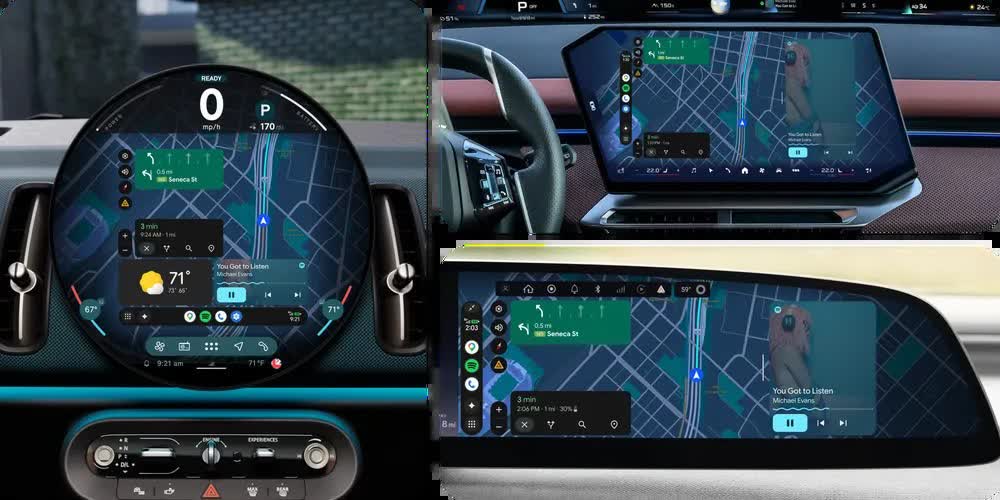
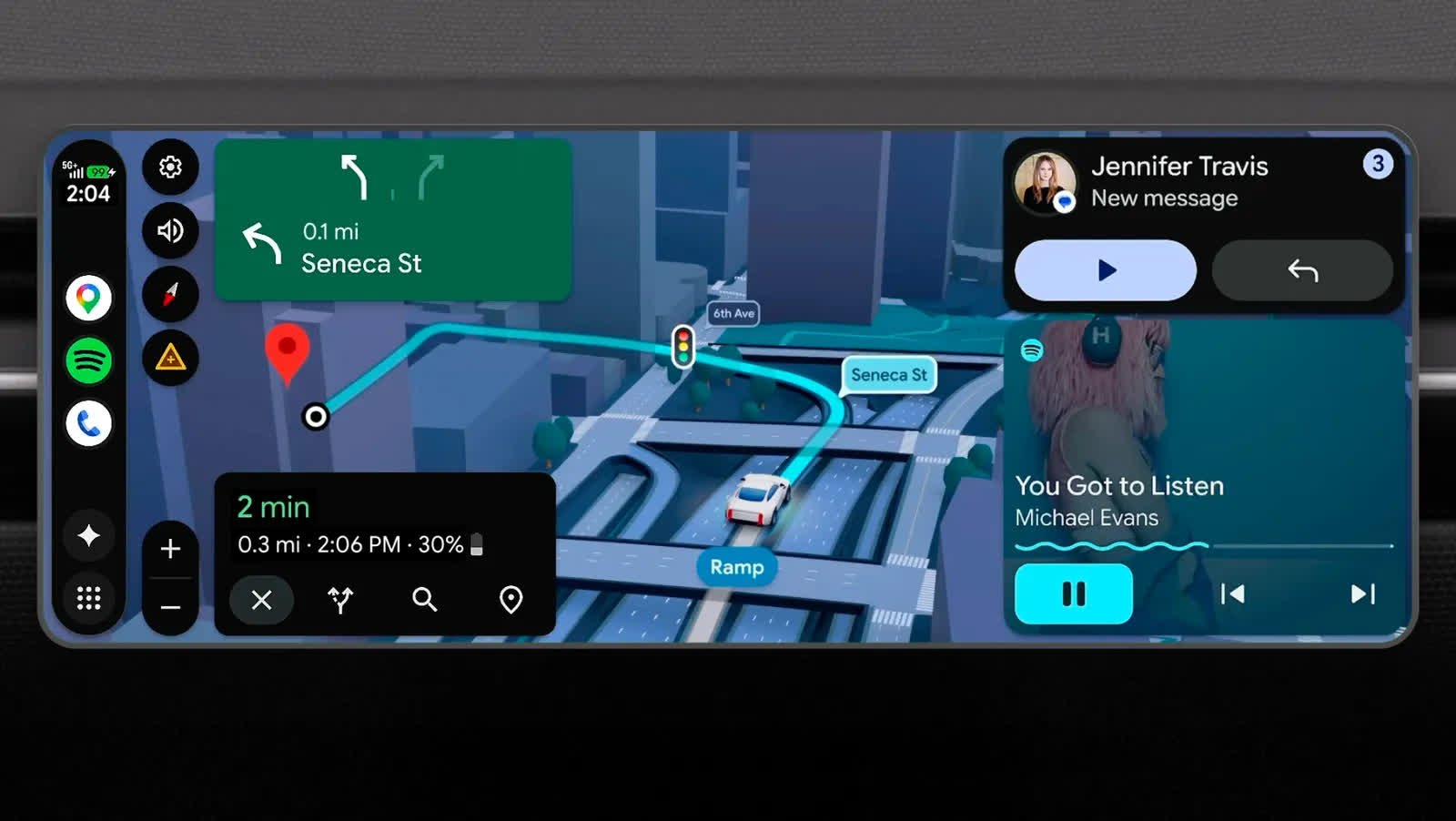
Designed to feel uniquely yours, Android Auto is getting a full refresh that brings personal design touches, widgets you can see at a glance and edge-to-edge Google Maps to your dash. It's also tailored to fit and look great on any car screen, whether it's an ultrawide rectangle, a circle or a unique shape.
To make your dash unique to you, Android Auto brings the Material 3 Expressive design from your phone to your car with expressive fonts, smooth animations and wallpapers.
You can customize even further with widgets, which let you see the things that matter to you at a glance, even while actively navigating. Add a shortcut to your favorite contacts, a one-tap garage door opener, a weather overview and more.
And at the core of this experience is Immersive Navigation – our biggest update to Google Maps in over a decade. Your map will come to life with a vivid 3D view that shows buildings, overpasses and terrain. It will highlight critical details – including lanes, traffic lights and stop signs – to help you make tricky turns and merge confidently.
Premium entertainment with full HD video
With high-definition screens, premium stereo systems and comfortable seating, modern cars can be the perfect personal movie theaters when you're parked or charging. That's why we're introducing a premium entertainment experience.
For the first time in Android Auto, you'll be able to sit back, relax and watch videos on apps like YouTube. Look for it in crisp 60fps full HD in supported cars later this year, starting with BMW, Ford, Genesis, Hyundai, Kia, Mahindra, Mercedes-Benz, Renault, Škoda, Tata and Volvo.
And when you switch gears from parked to drive, videos don't abruptly stop. They safely and seamlessly transition to audio-only in apps that support background audio – perfect for when you want to continue listening to a video podcast you were watching.
Speaking of audio, Android Auto will soon put you at the center of the music with immersive, spatial sound using Dolby Atmos in supported apps and cars, starting with BMW, Genesis, Mahindra, Mercedes-Benz, Renault, Škoda, Tata and Volvo.
And that's not all. Media apps, including YouTube Music and Spotify, are getting visual tune-ups, so they'll be even easier to use in the car.
Gemini Intelligence on the road
Android Auto's next-generation experience doesn't just look and sound great – it has a more helpful Gemini.
Gemini is now widely available in Android Auto to help you get more done, brainstorm ideas or learn something new while driving. And if your phone has Gemini Intelligence, you'll be able to access it in Android Auto later this year. With Gemini Intelligence, your device understands your context, anticipates your needs and gets things done on your behalf.
That means if you get a text from a friend asking for an address, Magic Cue will understand the context of the question, find the answer using information from your text messages, email or calendar, and offer to send a reply with the right information, all in a single tap.
You'll also be able to order dinner while you're driving, starting with Doordash. Just tell Gemini, "Order my usual fish tacos on Doordash for pickup, but double the order." After you confirm your order with a tap, your dinner will be prepped while you're driving and ready when you arrive to pick it up.
Big upgrades to cars with Google built-in
Cars with Google built-in run the best of Google and an ecosystem packed with your favorite apps – including video apps, games and more – directly on your car screen. The improved media apps and seamless video-to-audio transition coming to Android Auto are coming to cars with Google built-in too – plus, access to meeting apps, including Zoom, this year.
Apps like Gemini and Maps are even better in cars with Google built-in, because we worked closely with automakers to integrate deeply with your vehicle's hardware. Gemini, which is currently rolling out to cars with Google built-in, will answer questions that are specific to your actual car – like identifying a mysterious indicator light on the dashboard or letting you know if the TV you're about to pick up will fit in your trunk.
