

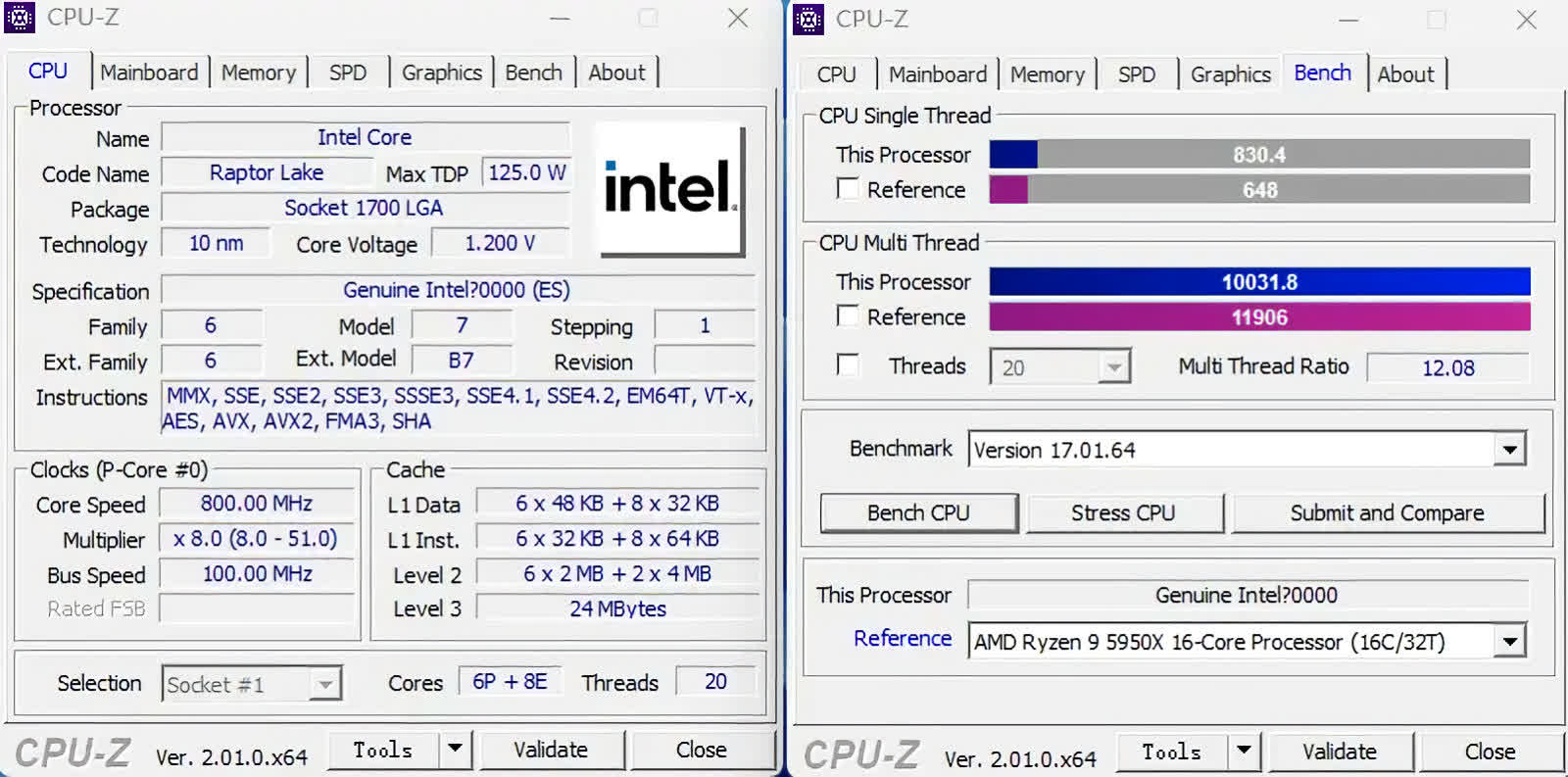
CPU-Z is a freeware application that has been around for over 20 years. Modern CPUs contain a set of instructions, that when activated, provide a wealth of information about the processor: brand, model, number of cores, cache levels, and so on.
In addition to the brains of the computer, it also displays similar information about the motherboard and system memory, including:
- Processor name and number, codename, process, package, cache levels
- Mainboard and chipset
- Memory type, size, timings, and module specifications (SPD)
- Real time measurement of each core's internal frequency, memory frequency
Why is CPU-Z so popular?
CPU-Z is popular among PC enthusiasts as it offers up to date, detailed, and accurate data about the hardware found in your computer. CPU-Z is a relatively simple application that does well what it's supposed to do.
What's one favorite CPU-Z feature?
CPU-Z offers a hardware validation feature. With just a click you will receive a link with all your system specs that you can share with others. You can use this report to show proof of your hardware and its capabilities, or just as a record of your system's status at any given time.
Is the CPU-Z benchmark any good?
CPU-Z is first and foremost a system information and monitoring tool. The included benchmark is a good simple tool, but it's not meant to be thorough. Cinebench is a more comprehensive CPU benchmark, you can also check out our guide on benchmark and hardware analysis tools apps.
Can I use CPU-Z to stress test my CPU overclock?
While CPU-Z includes a basic stress test feature, it's not as rigorous as dedicated tools. For thorough stability testing of overclocks, utilities like Prime95, AIDA64, or OCCT are recommended, as they can apply more intensive and varied workloads to your CPU.
Why doesn't CPU-Z reflect my BIOS overclock settings?
If CPU-Z doesn't show your expected overclocked speeds, it might be due to power-saving features like Intel's SpeedStep or AMD's Cool'n'Quiet, which lower frequencies during idle periods.
Why does CPU-Z show different CPU speeds compared to Task Manager?
CPU-Z provides real-time readings of your CPU's core speeds, which can fluctuate due to power-saving features and dynamic frequency scaling. Task Manager may display an average or base speed, leading to discrepancies between the two.
The Android version of CPU-Z reports information about your mobile devices:
- SoC (System on a Chip) name, architecture, clock speed for each core
- System information : device brand & model, screen resolution, RAM, storage.
- Battery information : level, status, temperature, capacity
- Sensors
CPU
- Name and number
- Core stepping and process
- Package
- Core voltage
- Internal and external clocks, clock multiplier
- Supported instruction sets
- Cache information
Mainboard
- Vendor, model and revision
- BIOS model and date
- Chipset (northbridge and southbridge) and sensor
- Graphic interface
Memory
- Frequency and timings
- Module(s) specification using SPD (Serial Presence Detect) : vendor, serial number, timings table
System
- Windows and DirectX version
What's New
Introducing CPU-Z Validator V3
- CPU-Z Validator is an online tool that validates, analyzes, and lets you share your PC's hardware configuration and performance. It also helps detect potential hardware, software and configuration issues through system health checks and diagnostics.
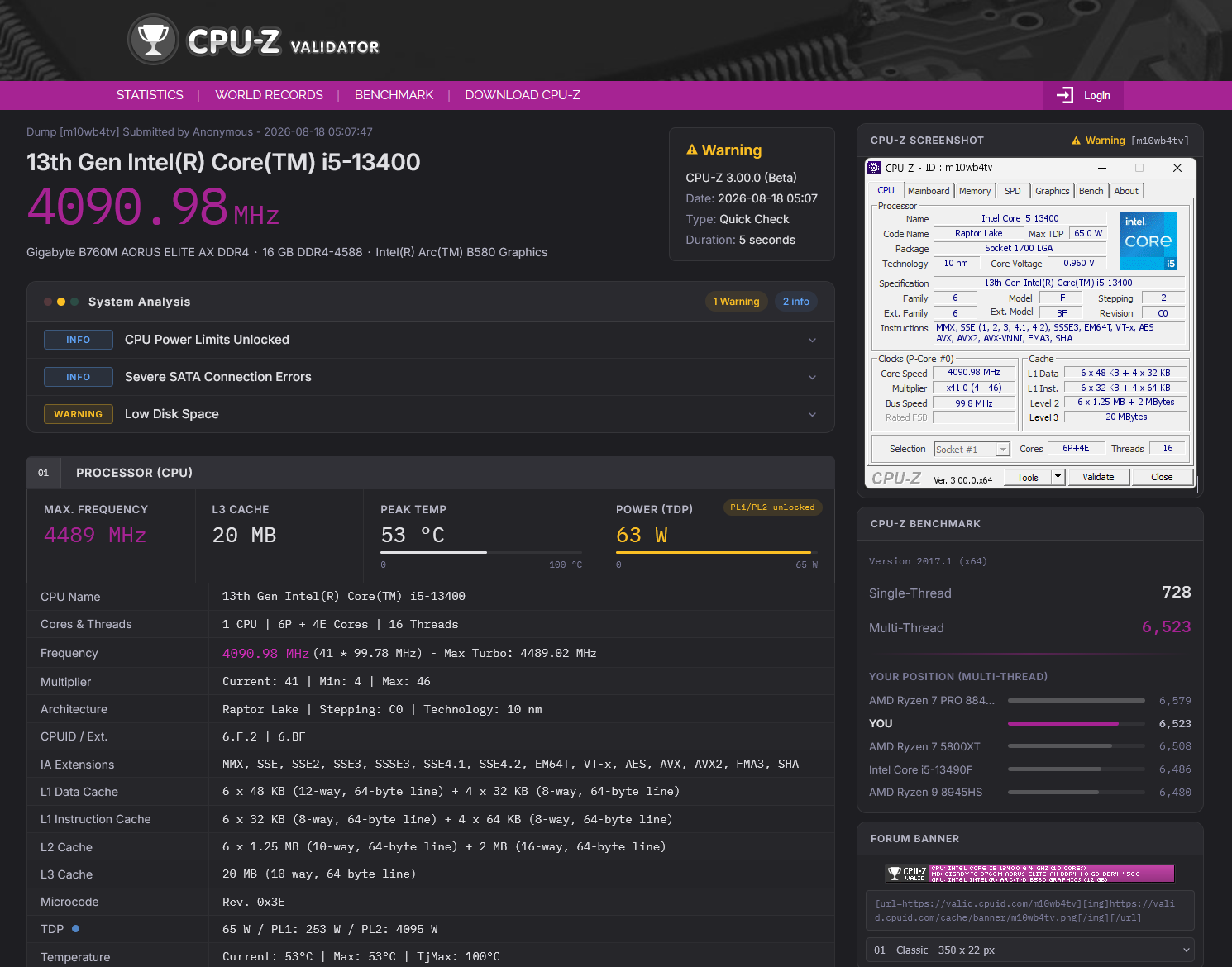
The new CPU-Z Validator V3 page
With CPU-Z Validator V3, our goal is to preserve the overclocking DNA of CPU-Z while expanding its usefulness to a wider audience. Power users and overclockers will still be able to validate and share results of perfectly optimized systems, while less experienced users will gain a clearer understanding of their system and any potential issues.
In addition to the current validation features, V3 will gradually introduce several modular features, starting with a new statistics page and a component analysis feature designed to help users understanding what could be wrong with their PC. The goal is to provide a simple and accessible way to highlight potential issues, inconsistencies, or suspicious configurations based on the detected hardware and software.
We will detail all the available modes here:
Standard Validation
- Instant health check, share your system in less than 10 seconds.
Advanced Validation
- In-depth diagnostic under heavy load, extended benchmarks, live sensors. (Coming Soon)
XOC Validation
- Frequency validation rebuilt for modern CPUs and memory overclocking.
Standard Validation
The standard validation is available from the "Validate" button, exactly as before. A name and email address are optional and are only required to create an account and manage your validations. In less than 10 seconds, a CPU-Z Validation V3 page will be displayed, showing the current health of your computer.
We worked for more than a year with several major support services and repair stores to add meaningful system analysis messages. They're classified according to the usual Critical / Warning / Informational levels.
We cover more than 100 detection points, including, for example, outdated drivers, an overheating CPU or SSD, bloatware, various hardware issues, and much more.
Various tools are available to easily share the validation. Good ol' screenshots and forum banners are still available.
Advanced Validation
The advanced validation is as simple as the standard validation for the user, but it requires much more time to complete, ranging from a couple of minutes to several hours. Advanced Validation is an in-depth diagnostic tool designed to identify hardware issues and check the health of your computer under heavy load. It includes much more complex workloads, along with error-detection engines targeting the CPU, RAM, and GPU.
Advanced Validation also includes a significantly extended benchmarking tool that not only covers CPU performance, as before, but also GPU, RAM, and storage performance. Enhanced sensor monitoring, based on HWMonitor, has also been added to display various live temperatures, frequencies, fan speeds, and more on the validation page.
The Advanced Validation engine has been developed entirely in-house using low-level code to remain lightweight yet powerful. This engine is already being used in production in repair stores and RMA centers, with tens of thousands of computers already tested. A sample report is available here.
XOC Validation
The core feature of CPU-Z for overclocking is the validation of frequencies. 10+ years ago, measuring CPU frequency was quite simple. You just had to check the number of elapsed cycles vs a known timer, read the CPU registers for the current multiplier and you're done.
Today, the situation is MUCH more complex. Any part of the CPU can potentially run at different, desynchronized frequencies. The base (input) clock is altered by numerous internal PLLs controlled by embedded power-management MCUs, which may boost or throttle frequencies, use ratios, "gears," or various other obscure parameters, changing the final frequencies several times per second and at different rates. Tracking everything simultaneously has become extremely difficult.
In addition, memory overclocking has become increasingly important, and the current validation system was not originally designed to handle it properly. As a result, many overclocking attempts are rejected, and the reason is not always clearly explained. This is why we need a new approach.
With CPU-Z Validator V2, the only way to obtain a "validated" status is to use Standard Mode (5-sec load, one-shot measurement, all frequency data sources within 1%). Any drift in one parameter means the dump is rejected. The XOC Mode in V2 removes all load and most internal checks, which leads to the final "unsure" status.
On V3 XOC Mode, we will keep the load disabled, but this time we will calculate both the "effective" frequency (lowest top frequency reached across all data sources) and the "input" frequency. If the effective frequency is lower than the input frequency, the dump will still be validated but the real, effective frequency will be used as the final validated frequency.
Additional details about V3
- The Validation V3 code is evolving daily. Please report bugs or any wanted features to our Discord forum (see below)!
- The CPU-Z validator will change its main URL from valid.x86.fr to valid.cpuid.com. All previous links will remain working.
- CPU-Z 3.xx requires at least a patched Windows 7. The toolchain we use must be upgraded to support new features and it's now impossible to get a signed driver working for older OS.
- CPU-Z 3.xx will be available as 32 and 64 bit builds as previously.
- Many features will be enabled as soon as we have enough validations on the V3 database to process statistics efficiently.
- We will do our best to update CPU-Z Vintage (32 bit) to cover Windows 9x to Windows Vista, but it's quite a challenge. Toolchain for these old OS are extremely old and not supported for decades.
- A small CPUID Discord server has been launched. We don't have much experience with Discord, but we'll do our best to check it regularly. Do not hesitate to report bugs or misdetection, we're here to help.
- Offline validations are still possible.
- Validation V2 (V2.15+) will still accept validations for 60 days after this release, then the V2 database will be switched to read only. Dead line for V2 is October, 20th.
Previous Release Notes:
- AMD EXPO-ULL SPD memory profiles.
- AMD Radeon RX 9050 (Navi 44).
- Preliminary support of Lisuan 7G100 GPU.
- Intel Arc G3 and G3 Extreme (Panther Lake)(2.20.2).
- AMD Ryzen 7 7700X3D (Raphael) (2.20.1).
- AMD Ryzen AI Max+ 495, 492, 488 (Gorgon Halo).
- AMD Ryzen AI Max 490, 485 (Gorgon Halo).
- AMD Ryzen AI Max PRO 495, 490, 485, 480 (Gorgon Halo).
- AMD Ryzen 9 9950X3D2 (Granite Ridge).
- AMD Ryzen 9 PRO 9965X3D, PRO 9945 (Granite Ridge).
- AMD Ryzen 7 PRO 9755, PRO 9745 (Granite Ridge).
- AMD Ryzen 5 PRO 9645 (Granite Ridge).
- AMD Ryzen AI 7/PRO 450G/GE (Gorgon Point 2).
- AMD Ryzen AI 5/PRO 440G/GE (Gorgon Point 2).
- AMD Ryzen AI 5/PRO 435G/GE (Gorgon Point 3).
- AMD Ryzen AI Max+ 392 (Strix Halo).
- Intel Core Ultra 5 250KF Plus (Arrow Lake Refresh).
- Intel Core 7 360 and 350 (Wildcat Lake).
- Intel Core 5 330, 320 and 315 (Wildcat Lake).
- Intel Core 3 304 (Wildcat Lake).
- Intel Core 9 273PQE, 273PTE, 273PE (Bartlett Lake).
- Intel Core 7 253PQE, 253PTE, 253PE, 251TE, 251E (Bartlett Lake).
- Intel Core 5 223PQE, 223PTE, 223PE, 221TE, 221E, 213PTE, 213PE, 211TE, 211E (Bartlett Lake).
- Intel Core 3 201TE, 201E (Bartlett Lake).
- Intel Arc Pro B70 and B65 (BMG-G31).
- Intel Arc Pro B60 and B50 (BMG-G21).
- Support of HUDIMM and HSODIMM memory modules.
CPU-Z 2.19
- AMD Ryzen AI 7/PRO 450G/E, AI 5/PRO 440G/E & 435G/E (Kraken Point 2).
- AMD Ryzen AI 9 HX 470.
- Preliminary support of Intel Wildcat Lake.
- CQDIMM (4-ranks CUDIMM) memory support.
- Fix DLL hijacking vulnerability thanks to Kwangyun Kem.
- New Chinese translation thanks to Shinjo Kurumi.
CPU-Z 2.18:
- AMD Ryzen 7 9850X3D (Granite Ridge).
- AMD Ryzen 5 7500X3D (Raphael).
- Preliminary support of AMD Medusa Point.
- Intel Core Ultra 9 290K Plus, Ultra 7 270K Plus and Ultra 5 250K Plus (Arrow Lake Refresh).
- Improved support of LPDDR5X CAMM2.
CPU-Z 2.17:
- Android version updated to 1.54
- Intel Core Ultra X9 388H, Core Ultra X7 368H and 358H, Core Ultra X5 338H (Panther Lake-H).
- Intel Core Ultra 9 375H, Core Ultra 7 355H and 345H, Core Ultra 5 325H (Panther Lake-H).
- Intel Core Ultra 7 360U, Core Ultra 5 350U and 340U, Core Ultra 3 320U (Panther Lake-U).
- Intel Core Ultra 3 205 (Arrow Lake).
- Intel Core 3/5/7 2xxE (Bartlett Lake).
- Intel Core i5 110 (Comet Lake).
- AMD Ryzen 5 5600F (Vermeer).
- AMD Ryzen 9 PRO 9945, Ryzen 7 PRO 9745, Ryzen 5 PRO 9645 (Granite Ridge)
CPU-Z 2.16:
- AMD Ryzen Z2 and Z2 Extreme (Strix Point).
- AMD Ryzen 9 8945HX, 8940HX, Ryzen 7 8840HX, 8745HX (Dragon Range refresh).
- Improved support of AMD Ryzen AI 7 350 and Ryzen AI 5 340 (Kraken Point).
- Zhaoxin KaiXian KX-U6780A and KX-U6580 (LuJiaZui, 8 cores).
- AMD Radeon RX 9060 XT (Navi 44).
- NVIDIA RTX 5060 Ti (GB206), RTX 5060 (GB206), RTX 5050 (GB207)
CPU-Z 2.15:
- Improved support of Intel Arrow Lake-H processors.
- AMD Ryzen AI Max+ 395 & AI Max+ PRO 395, Ryzen AI Max 390 & AI Max 385 (Strix Halo).
- AMD Ryzen AI 7 350, Ryzen AI 5 340 (Kraken Point).
- AMD Radeon RX 9070 XT & 9070 (Navi 48).
- AMD Ryzen 7 5705G, 5705GE, Ryzen 5 5605G, 5605GE, Ryzen 3 5305G, 5305GE (Cezanne).
- AMD EPYC 9965 (192C/384T), 9845 (160C/320T), 9825 (144C, 288T), 9755 (128C/256T), 9745 (128C/256T), 9655 (96C/192T), 9645 (96C/192T), 9565 (72C/144T), 9555 (64C/128T), 9535 (64C/128T), 9455 (48C, 96T), 9355 (32C/64T), 9335 (32C/64T), 9135 (16C/32T), 9115 (16C/32T), 9015 (8C/16T).
- NVIDIA RTX 5070 Ti (GB203) & 5070 (GB205).
- Added GPU compute units (Graphics tab).
- New Validation Statistics page
Previous Release Notes:
- Nvidia RTX 5090 & 5080 GPUs.
- AMD Ryzen 9 9955HX3D, 9955HX, 9950HX3D, 9950HX, 9850HX, 9845HX (Fire Range).
- Fixed benchmark graphs scaling.
Previous Release Notes:
- Intel Arc B580 GPU.
- Intel Arrow Lake-U preliminary support.
- Improved support of Intel Lunar Lake.
- Intel Q870, B860, H810, W880, HM870, WM890, WM880 chipsets.
- CAMM2 memory modules type.
- AMD Ryzen 7 9800X3D (Granite Ridge).
- Intel Core Ultra 9 285HX, Ultra 7 275HX/265HX/255HX, Ultra 5 245HX/235HX (Arrow Lake-HX).
- Intel Core Ultra 9 285H, Ultra 7 265H/255H, Ultra 5 235H/225H (Arrow Lake-H).
- Intel Core 7 160HL, 150HL, 160UL, 150UL, 150U (Raptor Lake).v
- Intel Core 5 130HL, 120HL, 130UL, 120U (Raptor Lake).
- Intel Core 3 100HL, 100UL, 100U (Raptor Lake).
- CUDIMM DDR5 memory.
Android Release Notes
- MediaTek MT6833, MT6896, MT6985, MT6765X (Helio G36).
- ARM Cortex-X1C, Cortex-A34, Cortex-R52, Cortex-M23, Cortex-M33, Cortex-A65AE, Cortex Neoverse V2.
- Google Tensor G1 and G2.
- ARM Cortex-A715, Cortex-X3, Cortex-A78AE, Cortex-A78C (1.42).
- Qualcomm Snapdragon 870 (1.41).
- HiSilicon Kirin 810 (1.41).
- MediaTek MT6779 (Helios P90/P95) (1.41).
- Qualcomm Snapdragon 888 (1.40).
- Sansung Exynos 2100 and 1080(1.40).
- Qualcomm Snapdragon 765, 765G and 768 (Kryo 475) (1.39).
- Qualcomm Snapdragon 750G (Kryo 570) (1.39).
- Qualcomm Snapdragon 720 and 730 (Kryo 470 and 465) (1.39).
- MediaTek Helio G90 (MT6785) (1.39).
- HiSilicon Kirin 990 and Kirin 9000 (1.39).
- ARM Cortex-X1 (1.39).
- Samsung Exynos 980/990 (1.38).
- MediaTek MT6768 (1.38).
- ARM Cortex-A65, Cortex-A78, Cortex-A76AE, Neoverse N1 & E1 (1.38).
- Fix validation issue (1.37).
- Qualcomm Snapdragon 710/712 and 425 (1.36).

