

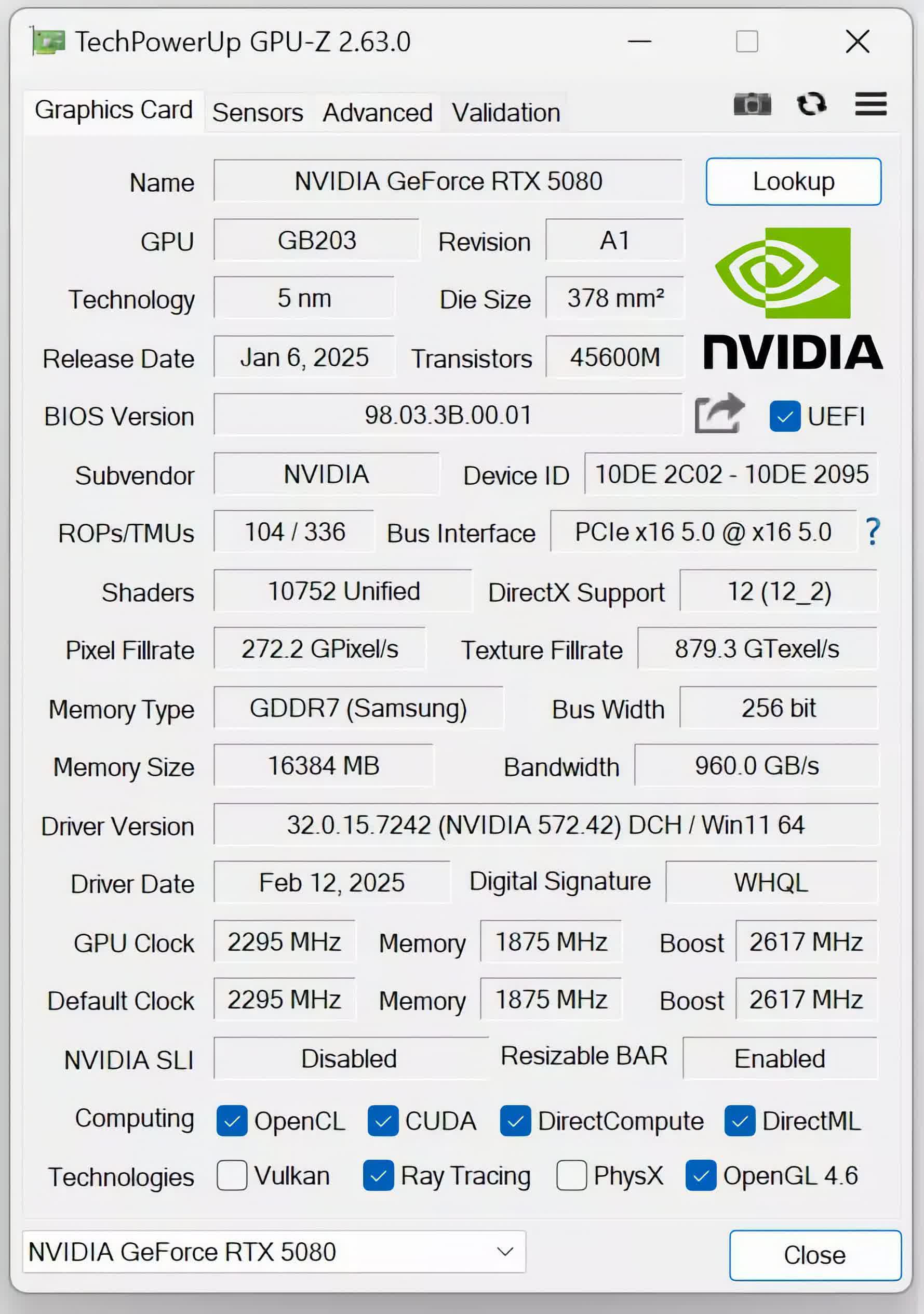
GPU-Z is a lightweight system utility designed to provide vital information about your video card and graphics processor.
Are GPU-Z temperatures accurate?
Yes, GPU-Z's readings are quite accurate. GPU-Z is a popular utility because of its precise readings and broad compatibility with different graphics card makes and brands.
Can GPU-Z increase my GPU fan speed?
No, GPU-Z is an informative utility only. It shows your GPU temps and all the information about your graphics card. For overclocking your GPU you can use instead MSI Afterburner, EVGA Precision X1 or Asus GPU Tweak 3.
What are the best GPU-Z alternatives?
Two great alternatives are Open Hardware Monitor, which is also free and open source, and HWiNFO, but there are a few more like Speccy and AIDA64. You can also check out our feature about apps to analyze and monitor your PC.
What are GPU-Z top features?
- Support for Nvidia, AMD, and Intel graphics cards
- GPU-Z includes a GPU load test to verify PCI-Express lane configuration
- GPU-Z can create a backup of your graphics card BIOS
- Support for Windows XP, Vista, Windows 7, Windows 8, Windows 10 and 11, both 32 and 64 bit versions are supported.
Features
- Supports Nvidia, AMD, ATI and Intel graphics devices
- Displays adapter, GPU and display information
- Displays overclock, default clocks and 3D clocks (if available)
- Includes a GPU load test to verify PCI-Express lane configuration
- Validation of results
- GPU-Z can create a backup of your graphics card BIOS
- No installation required, optional installer is available
- Support for Windows XP / Vista / Windows 7 / Windows 8 / Windows 10 (both 32 and 64 bit versions are supported)
- .. and yes, the author of CPU-Z has granted us permission to use a name similar to his product. Thanks Franck.
What's New
- Added GeForce 50 Hot Spot thermal sensor and the hottest memory chip is also reported (tooltip shows all memory chip temperatures)
- Added an "overclocking" readout on the advanced tab for NVIDIA, reporting OC frequencies, including XBAR, SYS, video clock and boost lock status
- Added support for reading NVIDIA SYS, L2 and Video clocks. These can be enabled in sensor settings, they are disabled by default
- Added a sensor that reports PCI-Express bandwidth throughput numbers in GB/s for NVIDIA GPUs
- When a sensor is not logged to file, its dropdown arrow on the sensors tab will be grayed out
- Fixed NVIDIA GP102 transistor count
- Fixed LPDDR5X memory detection on Intel Meteor Lake and Arrow Lake
- Fixed LPDDR5 frequency on Intel Alder Lake
- Fixed memory bandwidth reporting on some DDR5 systems
- Fixed Qualcomm Adreno 726 unit counts
- Added support for NVIDA RTX 5060 (GB205), RTX 4070 10 GB, RTX PRO 4500 Blackwell Server, H100 PCIe variant, Tesla V100-SXM2-16GB variant, P102-101
- Added support for AMD Steam Machine GPU and Radeon PRO V710 (second variant)
- Added support for Intel Panther Lake, Lunar Lake, Arrow Lake H (285H, 265H, 255H, 235H, 225H), RPL-H Refresh (240H, 210H), Twin Lake (N355, N350, N250, N150)
- Added support for Qualcomm Snapdragon X2-90, X2-85, X2-45
GPU-Z 2.68.0 Changelog
- Added support for Nvidia GeForce RTX 5050 Laptop, RTX Pro 2000 Blackwell Laptop, RTX 3050 A Laptop
- Added support for Moore Threads S3000E
- Improved driver file security during unpacking
- Fixed crash after running installer
- Updated "Monster Notebook" vendor name to "Monster Computer"
- New low-level driver for hardware access that fixes some potential security issues
- Added support for NVIDIA GeForce RTX 5050 and RTX 5050 Mobile, RTX 3050 A (AD106-A), RTX Pro 6000 Blackwell Max-Q and Server, GRID A100D-40C, Tesla PG503-216
- Added support for AMD Radeon AI Pro R9700
- Added support for Intel Arc Pro B50 and B60
- Added release date for RX 9070 GRE
- Fixed 0 MHz clock readings on some older ATI/AMD GPUs, especially when no driver installed
- Improved detection of Windows Server OS versions
- Fixed Windows XP sometimes showing Resizable BAR support
- Added detection for subvendor "Manli"
- Updated "Tongfang" subvendor name to "AIstone"
