
It's time for our mid-year update to the best laptops you can buy right now. The first half of 2026 has been one of the most eventful stretches for laptops in years – and also one of the most expensive, thanks to a global memory shortage that has almost doubled DRAM prices. Prices across the board are higher than they've been in years, and that's not expected to ease anytime soon.
The MacBook Neo launched in March at $599, but it's been somewhat hard to find ever since, now Apple means to double production to keep up with demand. It may be Apple's most disruptive Mac product in years, and it's changing what people expect from a budget laptop.
Our latest update includes a brand name that's never appeared in this guide before. We've also chosen one Windows Ultraportable option for each major platform – Intel, AMD, and Qualcomm – and all three categories have seen meaningful changes since we last updated this list.
A note on Nvidia's RTX Spark
Computex 2026 brought a wave of announcements that will reshape this guide by the end of the year. Most significantly, Nvidia revealed the RTX Spark, its first-ever Arm CPU/GPU for Windows laptops, co-developed with MediaTek. The first Spark devices are confirmed from Microsoft, Dell, Asus, HP, Lenovo, and MSI, arriving this fall. The chip combines a 20-core Arm CPU with a Blackwell GPU and up to 128GB of unified memory, and it's positioned squarely against the MacBook Pro in terms of both ambition and price.
Pricing is expected to start around $2,000 - $2,500 for entry models, and more for flagship N1X variants. No independent benchmarks exist yet, and all performance claims come directly from Nvidia. RTX Spark is aimed at AI developers and users running large models locally, not at buyers looking for an efficient everyday ultraportable. If that describes you, the current picks below remain the right choices. If you're specifically in the market for a local AI workstation in laptop form, it's worth waiting to see what fall brings – though given the memory crisis, don't expect bargain pricing.
Whether you want a thin-and-light machine, a budget-friendly notebook, a desktop replacement, or a gaming beast, check out our picks below.

- Best Ultraportable
- Best Windows Ultraportable
- Best Budget Laptops
- Best for Productivity
- Best Gaming Laptops
Best Ultraportable
Apple MacBook Air M5

When it comes to ultraportable laptops, you simply cannot beat the MacBook Air. Apple's slim-and-light machine takes the top spot again in our list, and this 2026 model comes with Cupertino's latest M5 chip.
For portability, we've always opted for the 13-inch version of the MacBook Air, which starts at around $950 on Amazon (official MSRP is $1,099) with 16GB of unified memory and 512GB of storage, though you can push that price to a stunning $2,699 by maxing out all the hardware options.
The design remains familiar, but that's no bad thing when it's one of the laptop's best elements. The 13-inch MacBook Air is only 0.44 inches thick and weighs 2.7 pounds, making it one of the easiest machines to carry around. You also get the same excellent aluminum chassis, large trackpad, comfortable keyboard, MagSafe charging, and fanless design, so it remains completely silent no matter where you're using it.
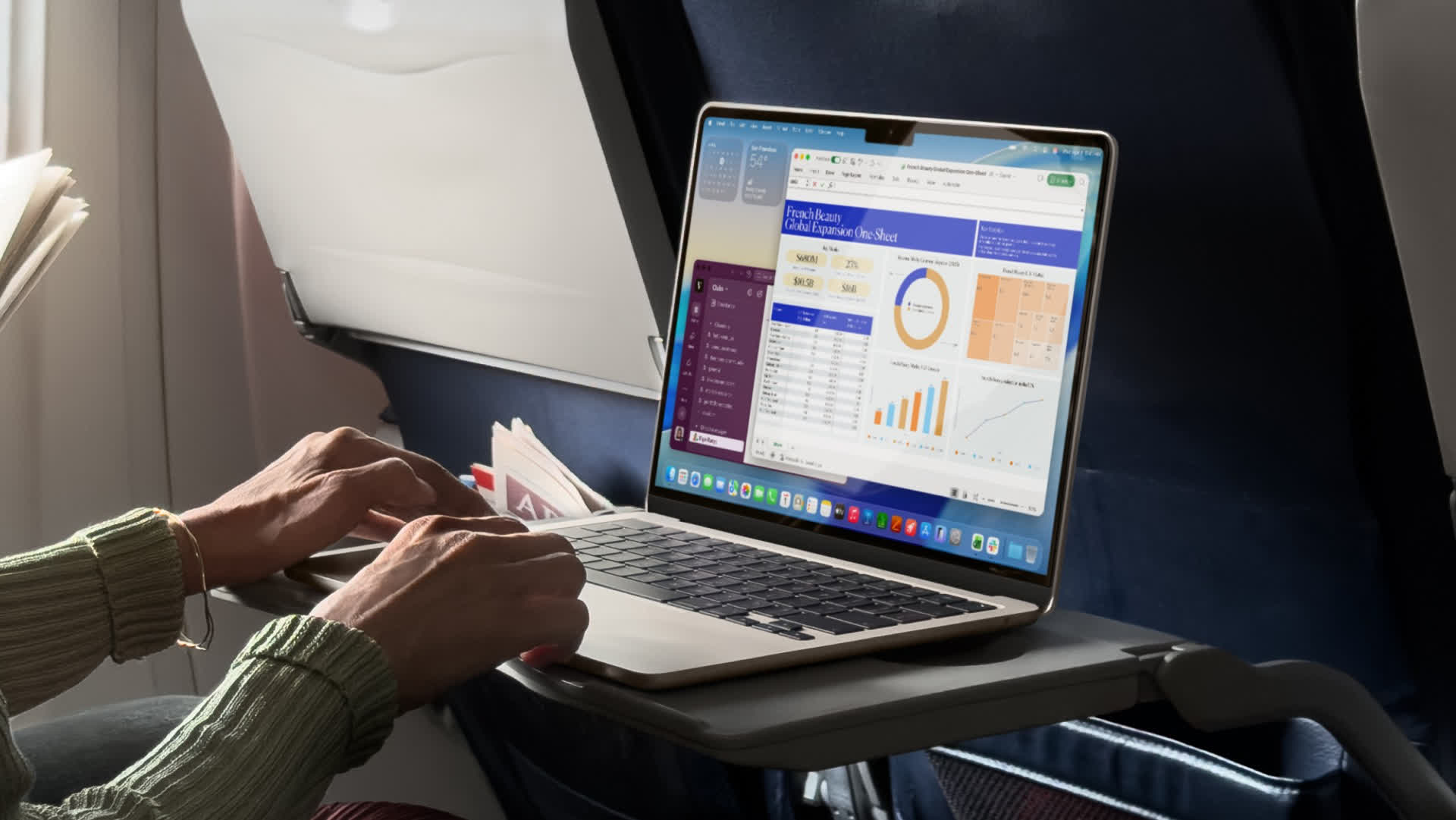
The M5 chip is the big upgrade this year. The base model combines a 10-core CPU with an 8-core GPU, while higher configurations move to a 10-core GPU. Either way, performance is more than enough for the kind of work most ultraportable buyers need, from office apps and video calls to media editing and light creative workloads. The 16GB of standard memory also means the entry-level model feels much less compromised than older base MacBook Airs.
Apple has improved other specs, too. The 512GB SSD is now standard, the 12MP Center Stage webcam is excellent for calls, and wireless connectivity has moved to Wi-Fi 7 and Bluetooth 6. The 13.6-inch Liquid Retina display remains bright and sharp, with 500 nits of brightness, P3 wide color, and True Tone support.
Battery life remains one of the Air's biggest strengths, with Apple rating it for up to 15 hours of wireless web use and 18 hours of video streaming.

The main complaints are familiar. You still only get two Thunderbolt 4 ports, the display remains a 60Hz IPS panel rather than a faster OLED or mini-LED, and Apple's RAM and storage upgrades are painfully expensive.
It's also worth noting that M4 and M3 MacBook Airs can still turn up at a discount and remain excellent buys if you find one at the right price. Just don't count on the deep deals that were common a year ago, the memory situation has made aggressive discounting rarer across the whole laptop market.
As the best all-around ultraportable right now, the MacBook Air M5 is the one to beat.
Best Windows Ultraportables
Dell XPS 14 | Framework 13 Pro | Asus Zenbook A14

For Windows diehards, there are several laptops we really like in the ultraportable category, covering Intel, AMD, and Qualcomm processors.
Starting with the Intel option, we love the Dell XPS 14. The base model pairs an Intel Core Ultra 5 325 processor with 16GB of LPDDR5X memory and 512GB of SSD storage, with pricing starting at around $1,699, depending on Dell's latest discounts and configuration availability. That's not cheap, especially next to the MacBook Air, but the XPS 14 isn't really trying to be a budget ultraportable, this is Dell's answer to Apple's 14-inch MacBook Pro.
We previously picked the XPS 13 in this category, and that remains a good option if you want something smaller and lighter. In fact, Dell just announced a redesigned XPS 13 at Computex that starts at $699 (or $599 for students) and is gunning directly for the MacBook Neo, we'll have more to say about that laptop once it's been released.
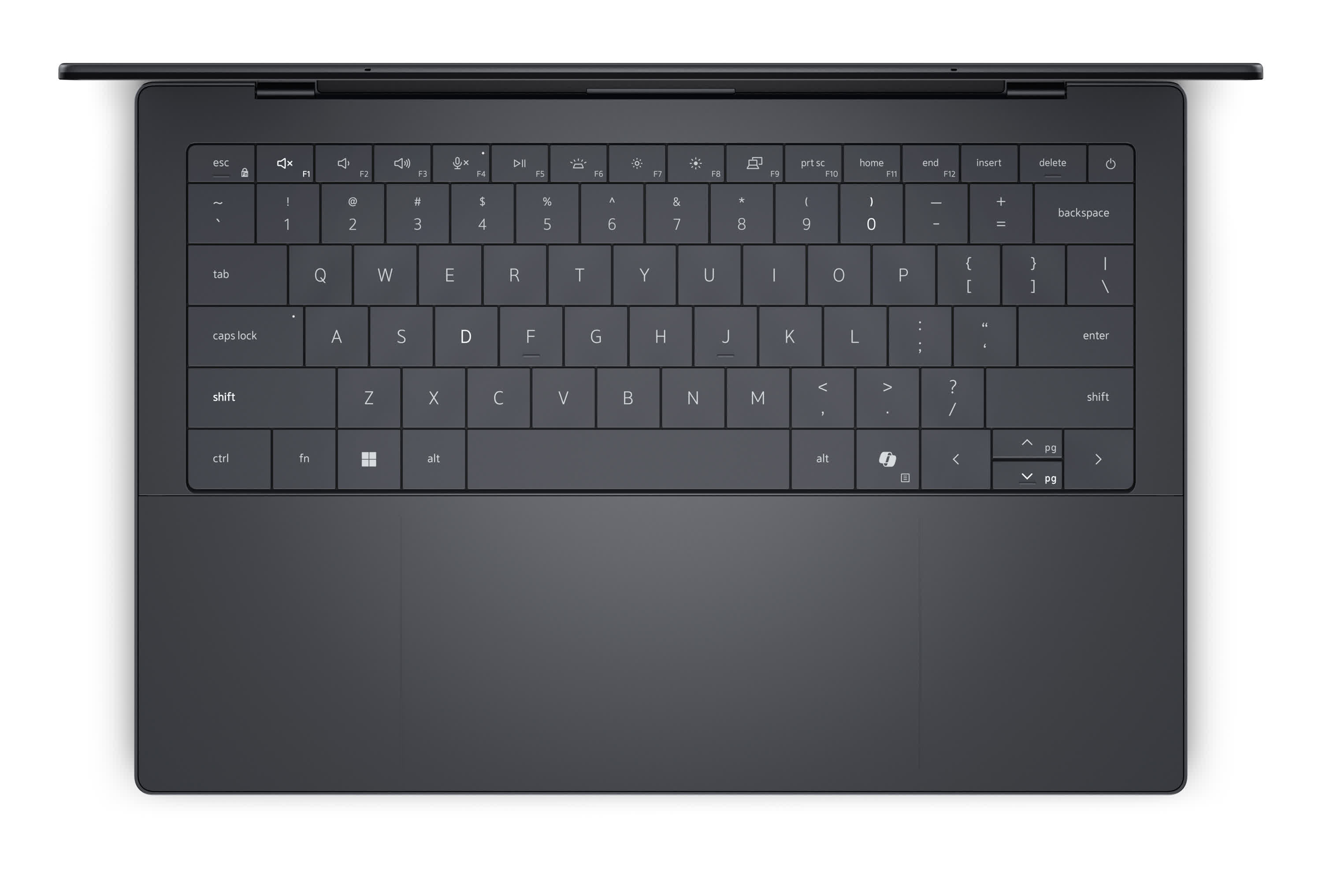
For now, the XPS 14 remains our Intel pick here because it gives you more of everything: a larger display, better speakers, a bigger battery, more thermal headroom, and a more capable chassis for users who want an ultraportable that can also handle heavier workloads. It's still compact at around three pounds and just 0.6 inches thick, but it feels like a more complete machine than the smaller XPS.
The latest model also fixes some of Dell's more controversial recent design choices. The capacitive function row is gone, replaced by proper physical keys, while the clean aluminum-and-glass design still gives the XPS line the premium feel it has long been known for. You also get three Thunderbolt 4 ports, Wi-Fi 7, Bluetooth 6.0, a sharp 14-inch display, an 8MP/4K HDR webcam, and a quad-speaker setup with Dolby Atmos support.
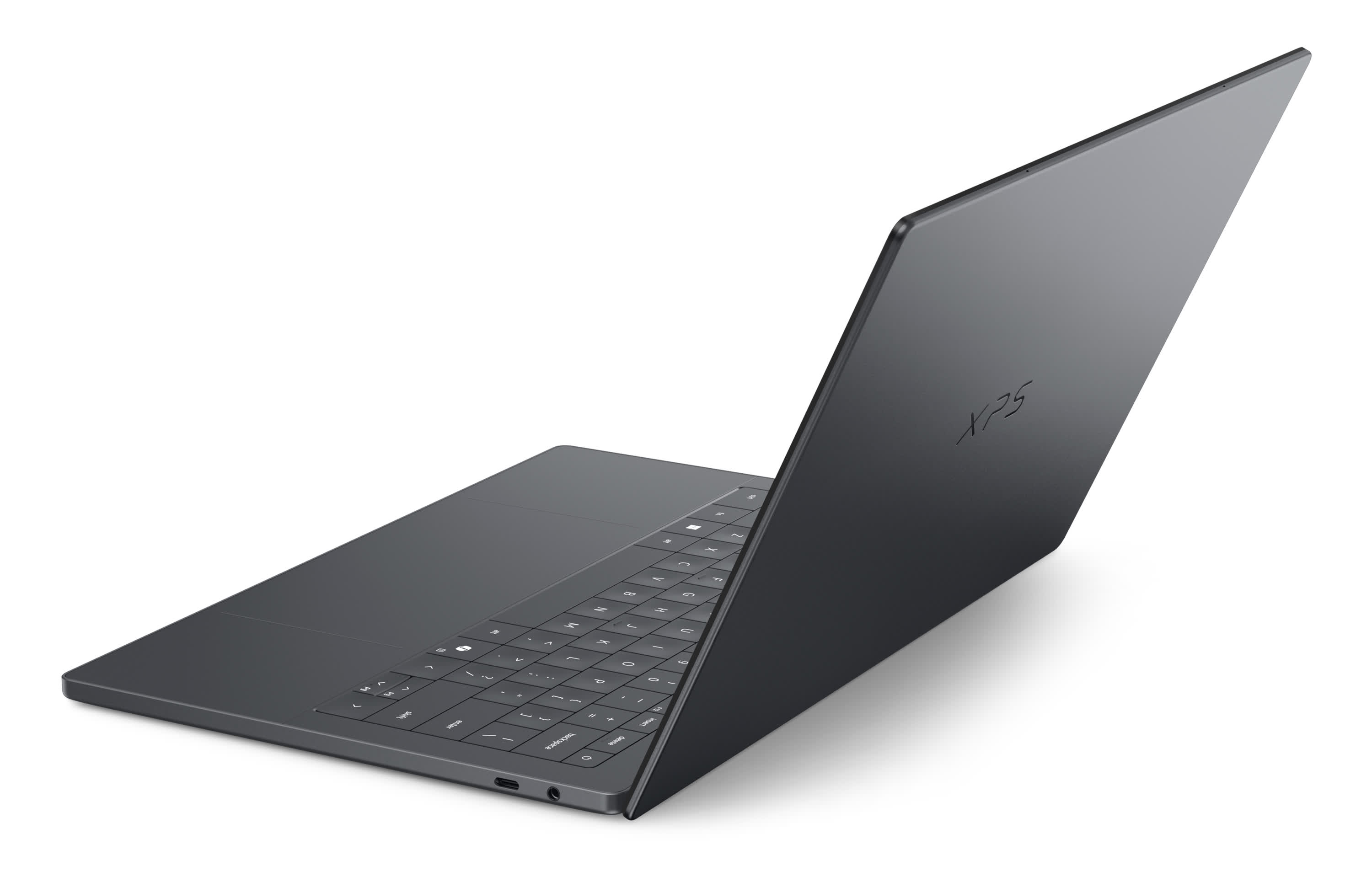
The base Core Ultra 5 325 model is not the most powerful version of the XPS 14, but it should be plenty for the kind of work most ultraportable buyers need. It also has excellent battery life, especially with the non-OLED display. Reviews have shown the LCD model lasting more than 20 hours in some tests, putting it much closer to MacBook territory than many Windows laptops have managed in the past.
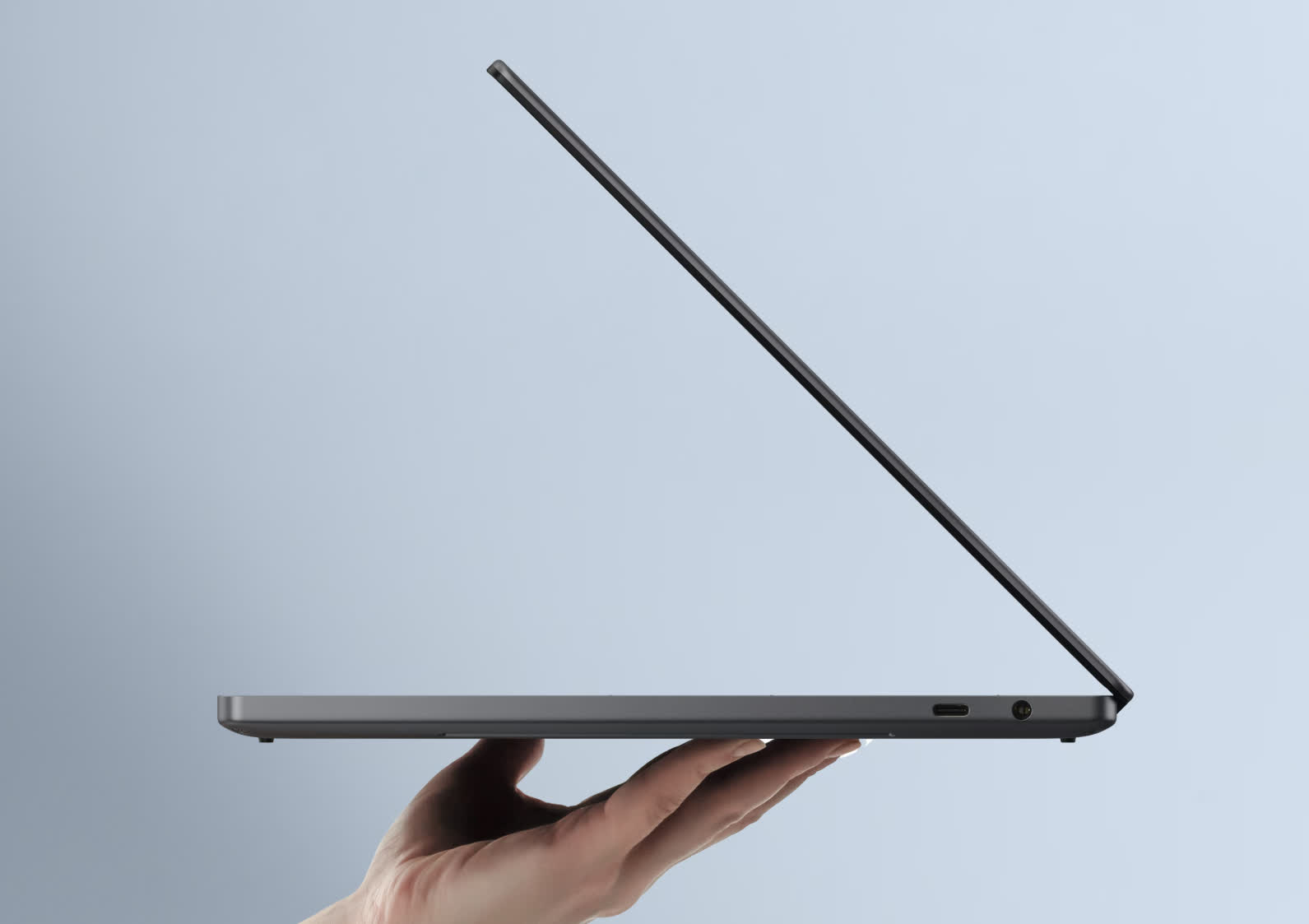
The downsides are predictable for a premium ultraportable. The price climbs quickly, the base 512GB SSD feels stingy at this level, and there is no HDMI port or SD card reader, both of which Apple still includes on the MacBook Pro.
Some buyers may also want to step up to the Core Ultra X7 model for heavier creative workloads. But as a general Windows ultraportable, the XPS 14 is probably the best option currently available: premium, portable, long-lasting, and powerful enough to make Apple's 14-inch MacBook Pro look over its shoulder.
An AMD Option
Framework Laptop 13 / Pro
For those who want something a lot more customizable, repairable, upgradable, and sustainable, the Framework Laptop 13 Pro is our pick, and the reason this brand appears in our guide for the first time.
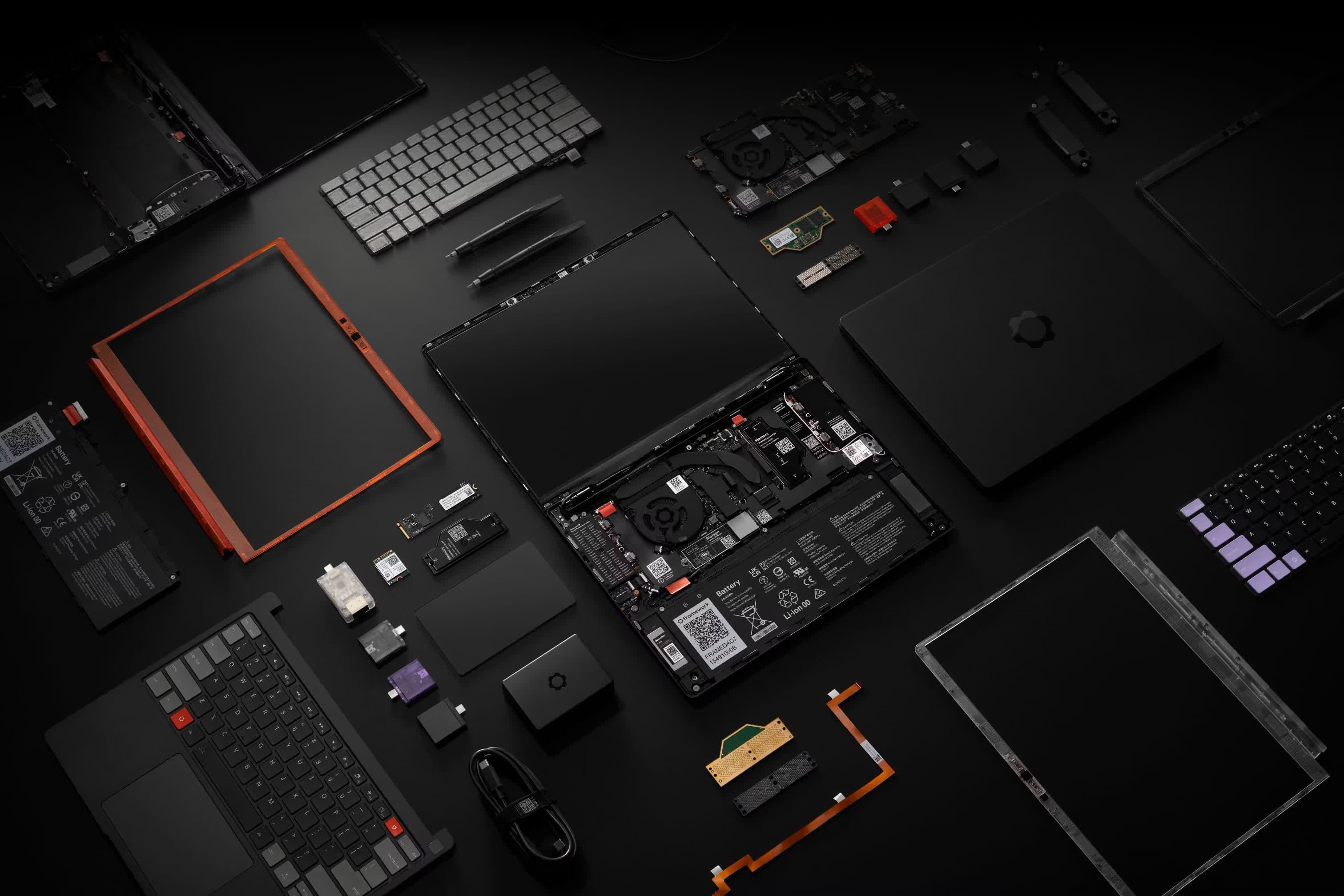
As the new favorite laptop brand of many enthusiasts, Framework has built its reputation on doing almost the exact opposite of the rest of the industry. Instead of soldering everything down and making repairs difficult, Framework lets you replace or upgrade major parts yourself, from the memory and storage to the battery, keyboard, display, mainboard, and even the ports.
That last one remains one of Framework's best tricks: the expansion card system lets you choose the connections you actually need, whether that means USB-C, USB-A, HDMI, DisplayPort, Ethernet, microSD, or extra storage.
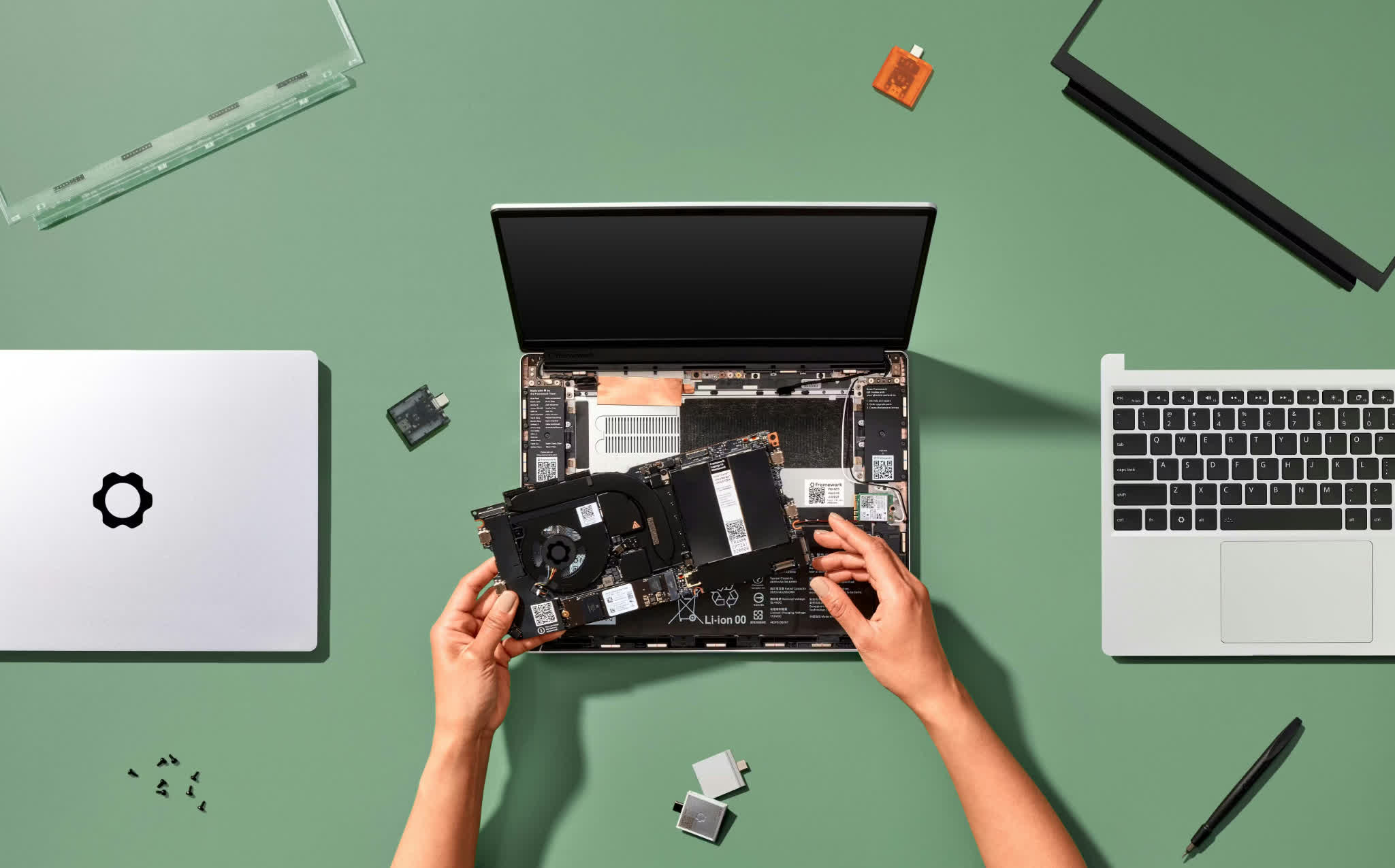
Our recommendation here was going to be the well-regarded Framework Laptop 13, but the upcoming Laptop 13 Pro variant is a complete ground-up redesign that, at least on paper, fixes most of what held the original back.
The chassis is now fully CNC-milled aluminum, there's a new haptic touchpad, the 13.5-inch 3:2 display now includes touch support and a 2.8K 120Hz panel option, and the battery has jumped from 61Wh to 74Wh, with Framework claiming over 20 hours of runtime. Every person we know who has gone hands-on with pre-production units has described the improvements as significant, particularly the chassis rigidity and keyboard feel.
Under the hood, the Pro supports Intel Core Ultra 3 (Panther Lake) processors up to the Core Ultra X9, alongside an AMD Ryzen AI 300 option for Team Red buyers. Pricing starts at $1,199 for the DIY Edition and $1,499 for the pre-built.
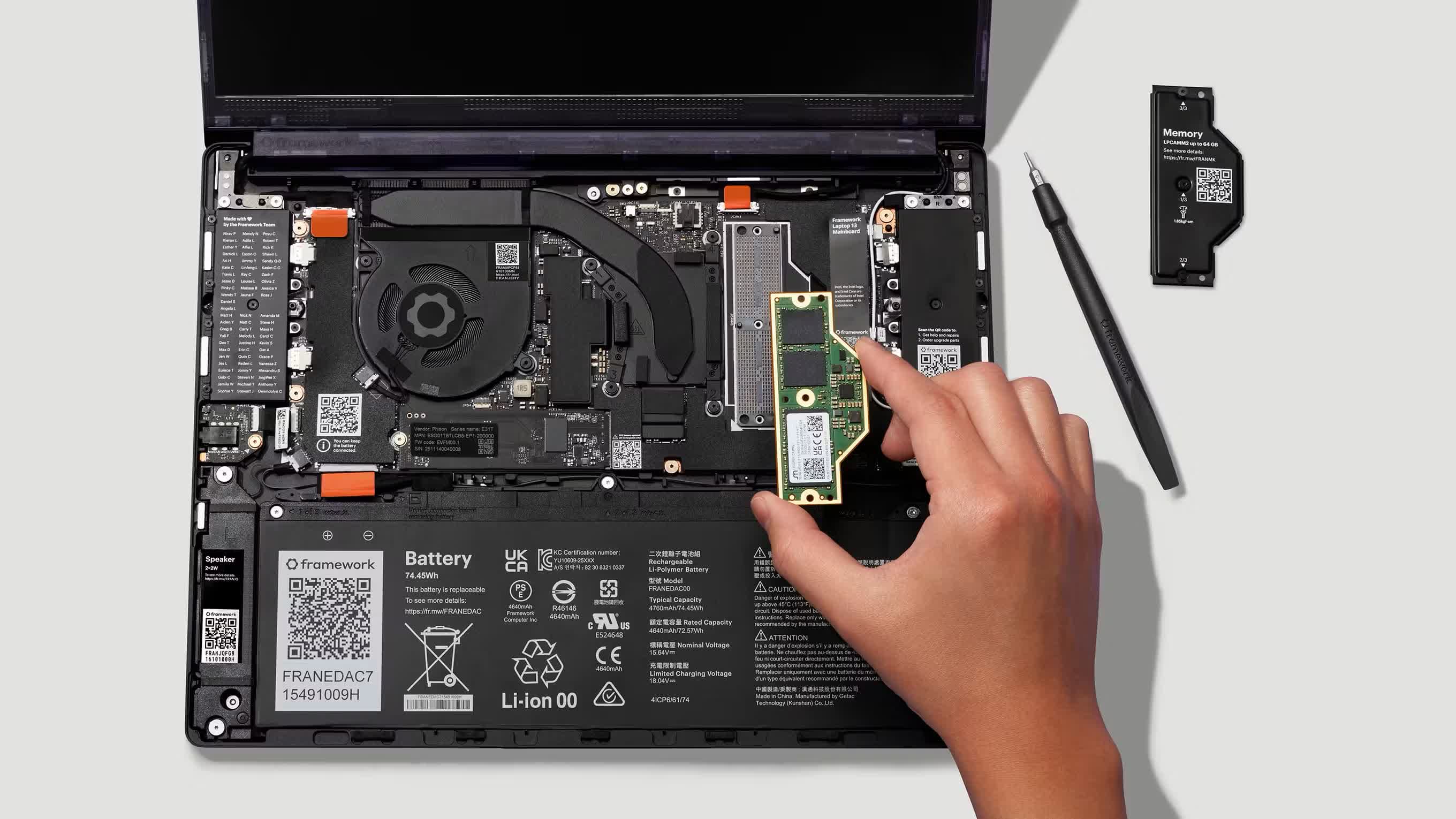
Because we haven't tested it yet, we can't recommend it blindly. But based on everything we know so far, the Laptop 13 Pro should be the machine the concept always deserved. If you're in the market now and can't wait, the outgoing Laptop 13 with Ryzen AI 300 remains available and is still a fine choice.
Opting for Arm
Asus ZenBook A14
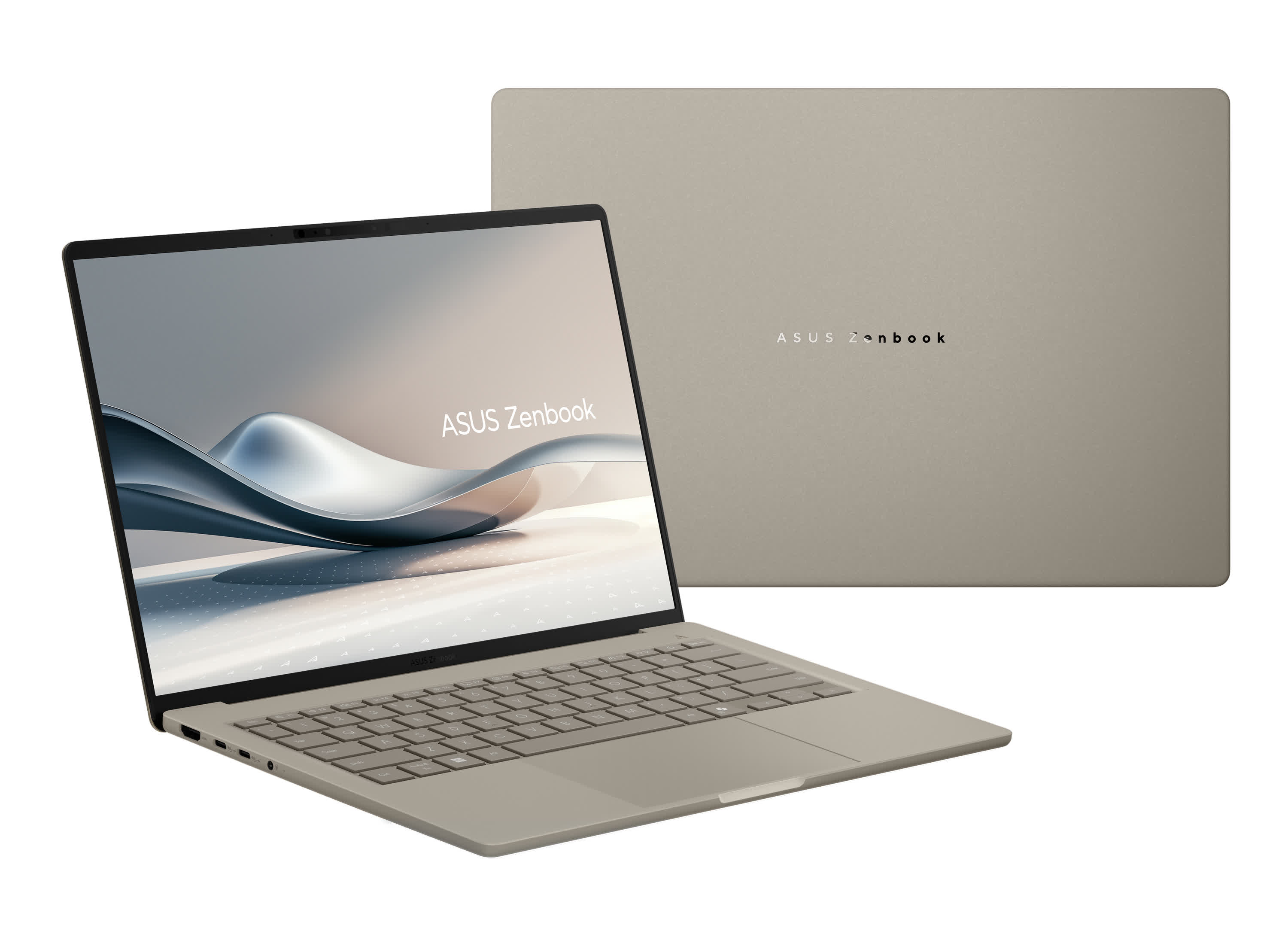
Finally, our Windows-on-Arm pick. The platform has come a long way since launch, and the 2026 Asus Zenbook A14 is one of the best examples of why Snapdragon laptops aren't going away.
Powered by Qualcomm's Snapdragon X2 Elite, the Zenbook A14 combines the usual Arm strengths: long battery life, cool operation, and excellent efficiency, with performance that no longer feels like you're settling. The X2 Elite brings a meaningful performance step up over the previous X Elite generation, and top configurations now come with 32GB of RAM.
This isn't a gaming laptop or a workstation, but for web work, office apps, video calls, streaming, travel, writing, and general productivity, it feels fast, modern, and very easy to live with.
The hardware helps, too. The A14 weighs under one kilogram (genuinely sub-2.2 pounds), yet still packs a 14-inch OLED display, a 70Wh battery, Wi-Fi 7, USB4, USB-A, HDMI, and a headphone jack.
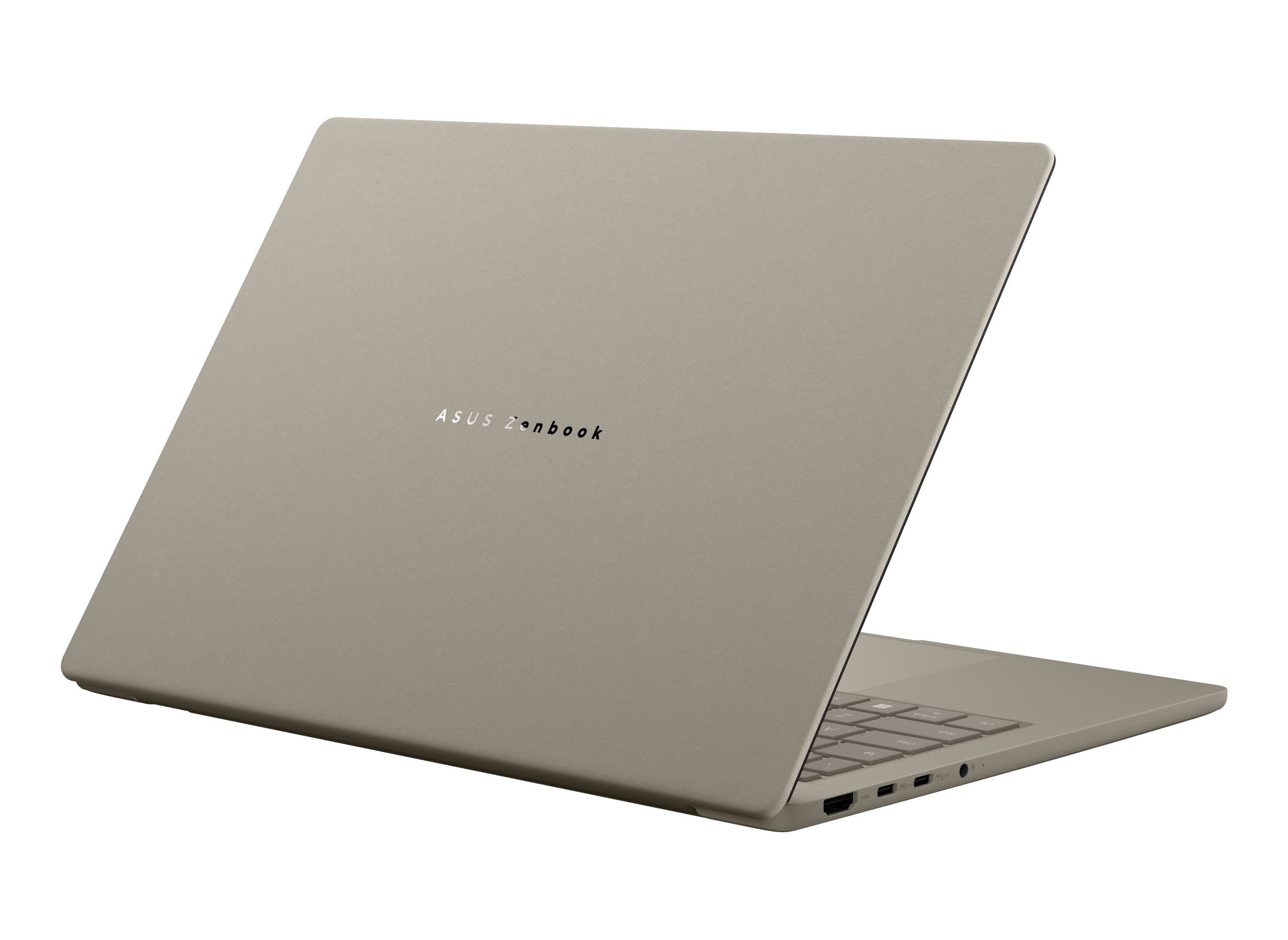
That's a far more practical port selection than many ultraportables offer, especially for something this thin and light. Asus' Ceraluminum chassis also gives it a distinctive feel without pushing the weight into MacBook Pro or XPS 14 territory. Asus claims up to 32 hours of battery life; real-world reviews have consistently measured 16 – 20 hours of mixed use, which is still great for a Windows laptop.
The big caveat remains software. Windows on Arm is much better than it used to be, and x86/x64 compatibility through Prism has improved to the point where most mainstream apps either run natively or work well enough through emulation. But it is still not perfect.
Some older apps, niche utilities, drivers, peripherals, and games (especially those involving anti-cheat) can still cause problems. The arrival of Nvidia's RTX Spark platform this fall will bring more competition to the Windows-on-Arm space, but those devices won't be here for months and will cost considerably more.
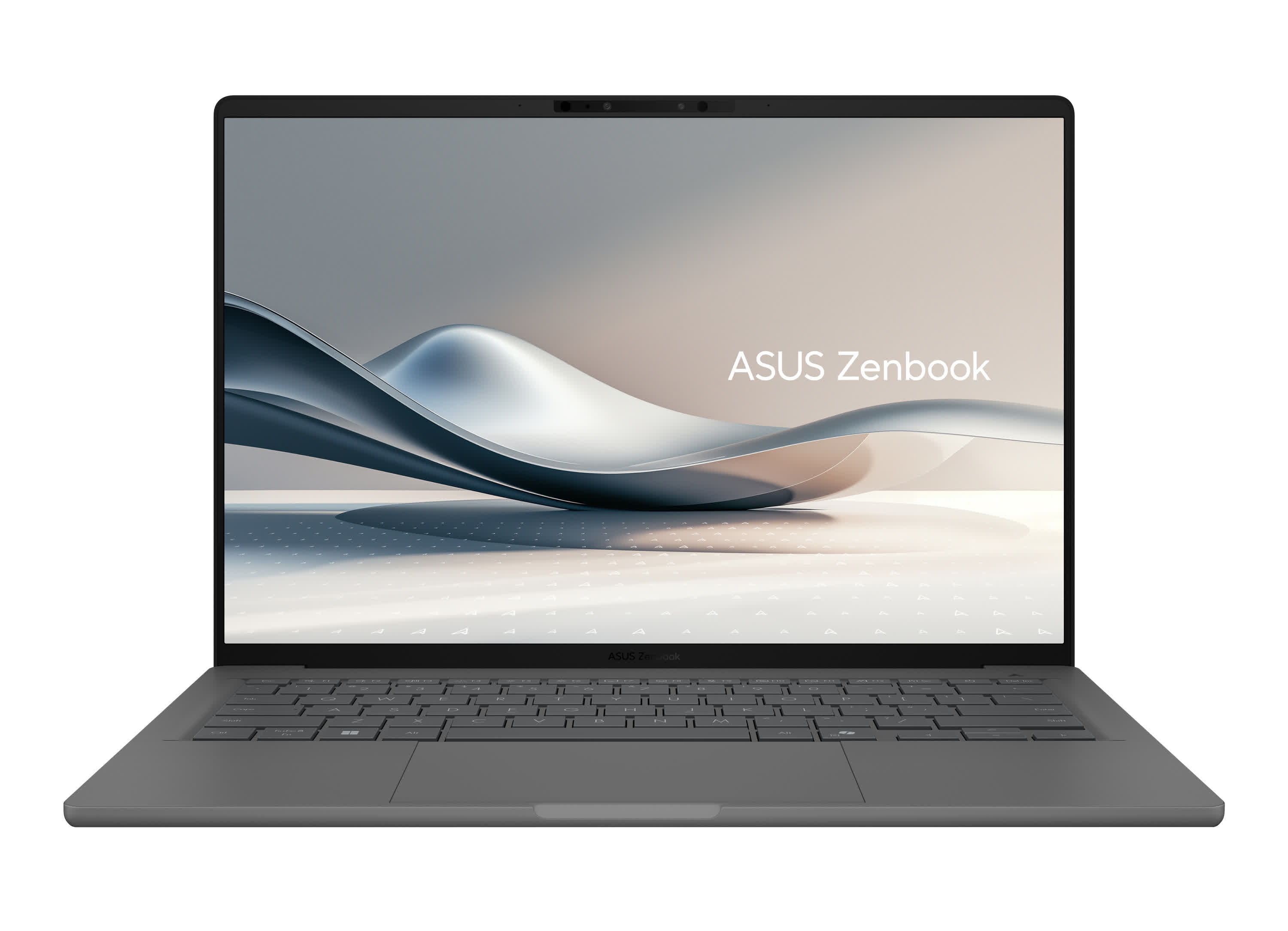
That means the Zenbook A14 isn't the safest recommendation for everyone. But for buyers who mostly use modern productivity apps and want a lightweight Windows machine with excellent battery life, quiet operation, and strong performance, it remains the Arm-based ultraportable to beat right now.
Best Budget Laptops
Apple MacBook Neo | Asus Vivobook 14

Who could have imagined that Apple would not only release an affordable laptop this year, but also see it become so popular that finding one in stock is now its biggest problem? The MacBook Neo has proved that some products really do deserve the word "disruptive." Starting at just $599, or $499 for students, it's easy to understand why the Neo is in such high demand.
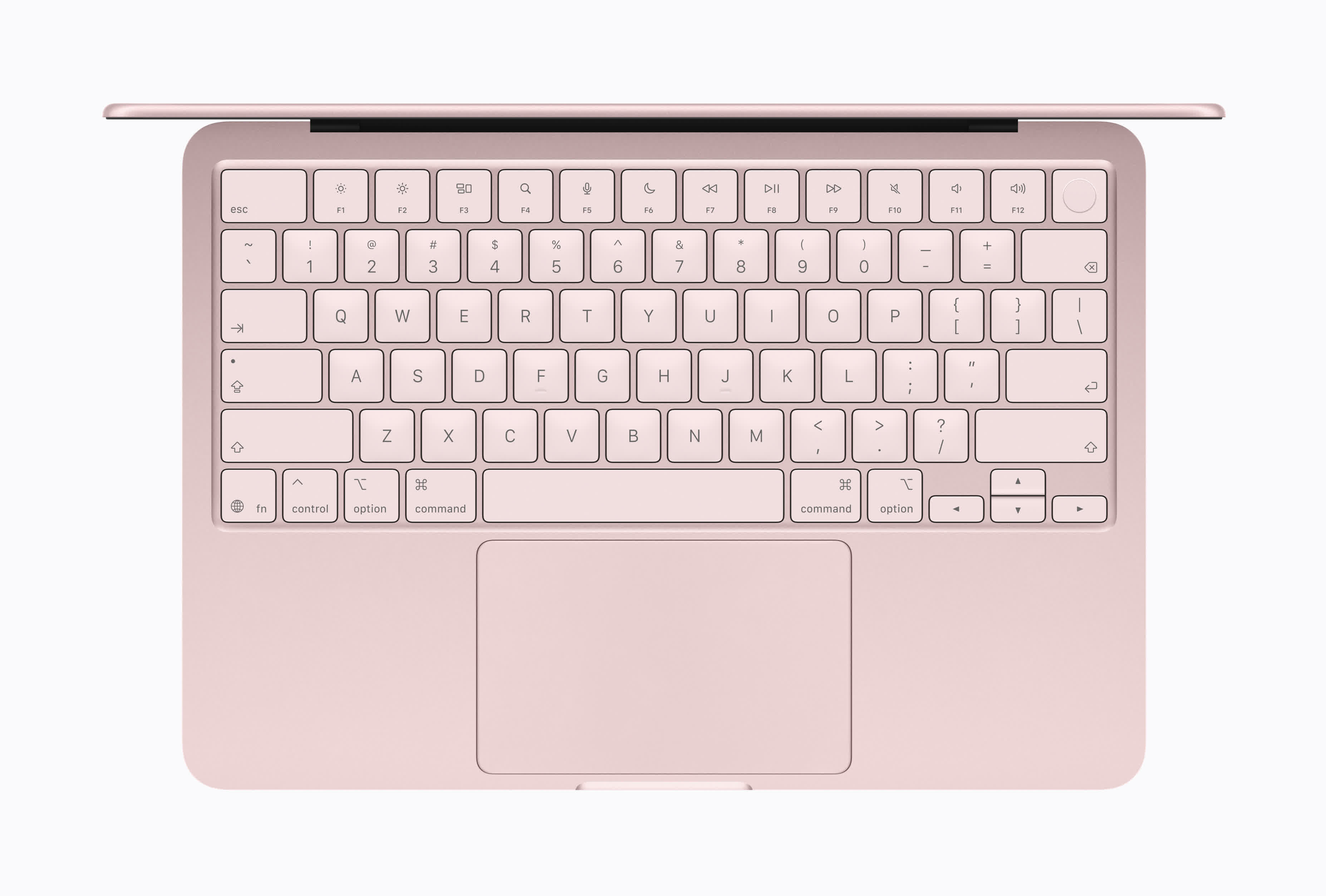
Despite the price, the Neo keeps the build quality and design the company's laptops are renowned for, especially when it comes to the trackpad, keyboard, aluminum chassis, and speakers. The biggest compliment you can pay it is that it feels like a proper MacBook rather than a compromised budget experiment.

It also runs full macOS, supports regular Mac apps, and delivers the same slick day-to-day experience that makes Apple's laptops so easy to recommend. The A18 Pro chip comes from the iPhone 16 Pro line, but it has more than enough performance for the kind of work most people actually do on an affordable laptop: web browsing, office apps, schoolwork, video calls, streaming, light photo editing, and other everyday tasks. The fanless design also means it stays completely silent.
Apple has not skimped too much on the parts users interact with most. The 13-inch (2408×1506) display is sharp and bright, with 500 nits of brightness and support for 1 billion colors, while the large trackpad and comfortable keyboard help make the Neo feel more expensive than it is. Add in solid battery life, compact design, a decent 1080p webcam, and the usual macOS polish, and it is easy to see why the Neo has become such a hit.
The downsides are well-documented. A locked-down 8GB of RAM, no Thunderbolt, a 60Hz screen, and a maximum of 512GB of storage on the $699 model all hold it back. There are also concerns that the memory crisis could push Apple to increase the price of the base model and make availability even worse. Ultimately, though, if you're happy using Apple's ecosystem, there's nothing better at this price.
A Windows Alternative
Asus Vivobook 14 | Dell XPS 13
If you prefer Windows, or simply can't find a Neo, there are two options worth considering, depending on when you're reading this. The Asus Vivobook 14 is available right now and remains a sensible choice. Our preferred configuration pairs an Intel Core 5 120U with 16GB of RAM and a 512GB SSD at around $550.
Like the Neo, it's built for everyday tasks rather than flashy extras, and it gives Windows users more storage out of the box, which matters if you don't want to rely heavily on cloud services. The 14-inch display gives you a little more room than the Neo's 13-inch panel, and practical touches like a 180-degree lay-flat hinge and a physical webcam shield are welcome at this price.
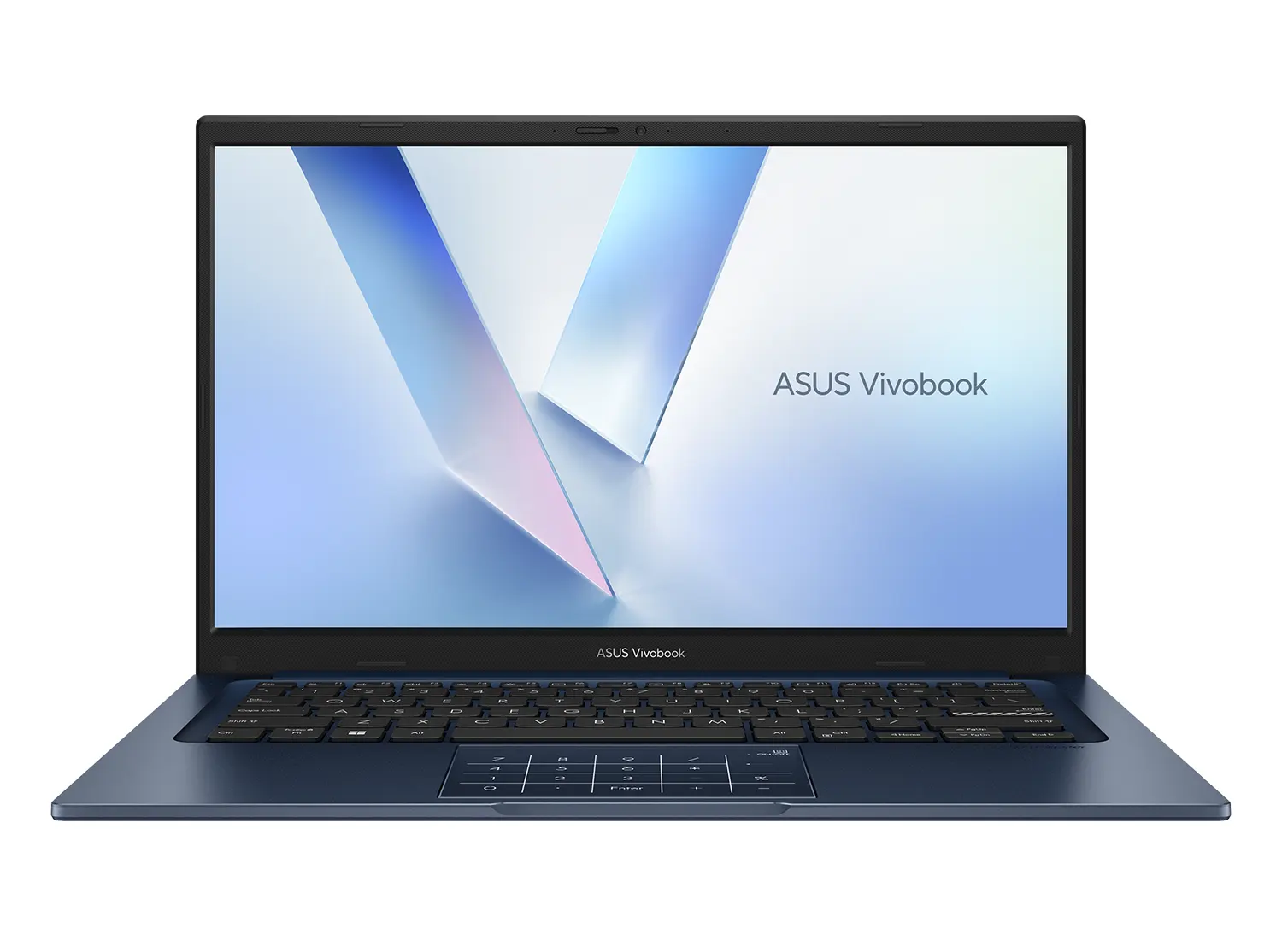
The downsides are the expected ones: a 60Hz FHD screen that isn't especially bright, integrated graphics suited to basic use only, and battery life that's decent but not exceptional. Build quality is also a notch below the Neo. Still, as an immediately available Windows option at this budget, it holds up.
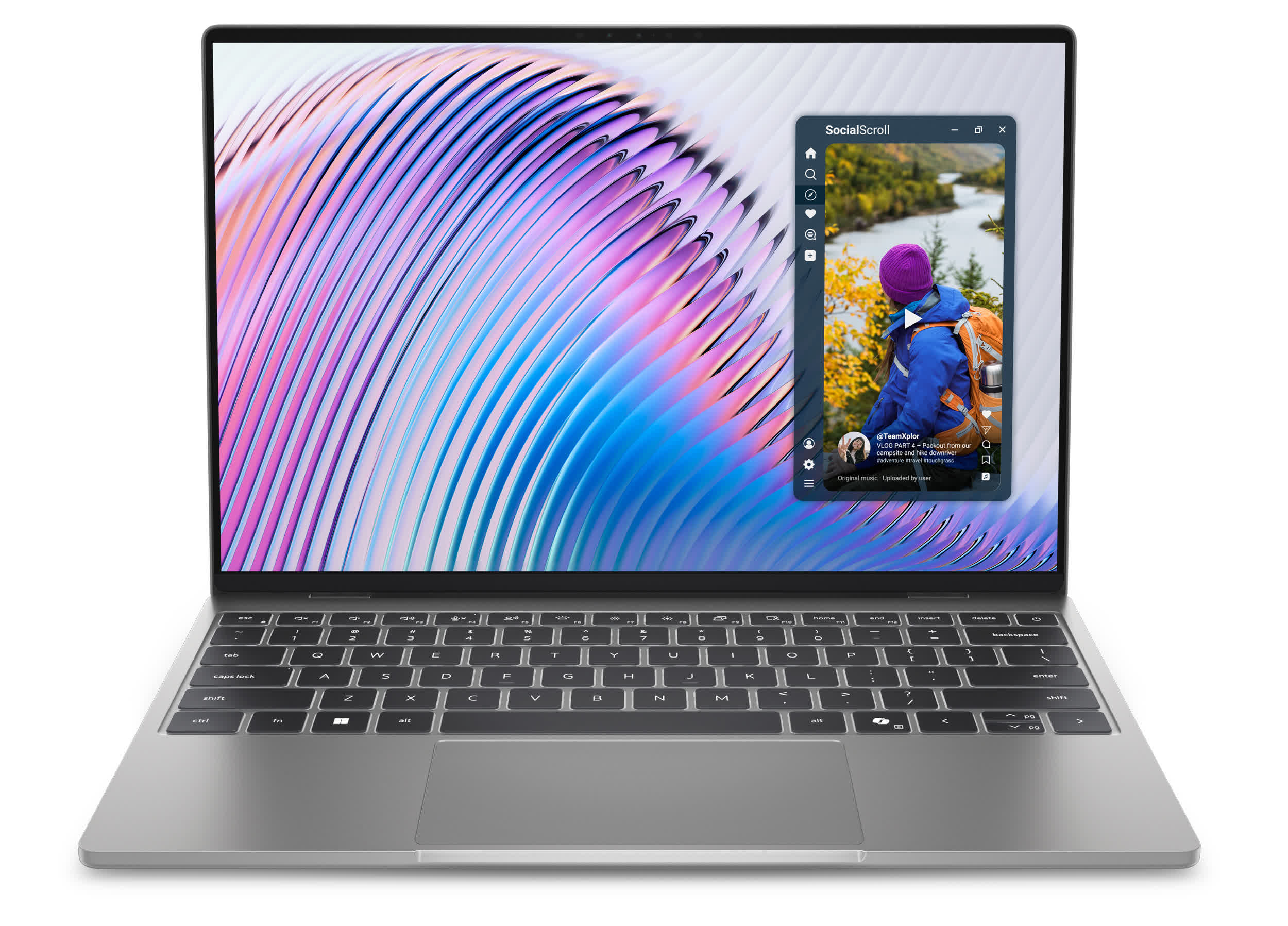
A potentially more exciting development is the new Dell XPS 13, announced at Computex and launching very soon. Starting at $699 ($599 for students), it's a direct shot at the Neo: CNC aluminum chassis, 2.5K 120Hz touchscreen with Dolby Vision, quad speakers, backlit keyboard, and Windows Hello face unlock.
It actually checks several boxes the Neo doesn't. We haven't tested it yet, but if early impressions hold, it could quickly become the Windows recommendation in this category.
Best Productivity Powerhouse
Apple MacBook Pro 16 | Razer Blade 16

The productivity category is another that Apple has long dominated. As with the Ultraportable winner, the main change this year is an upgraded M-chip: the MacBook Pro 16 M5 Pro.
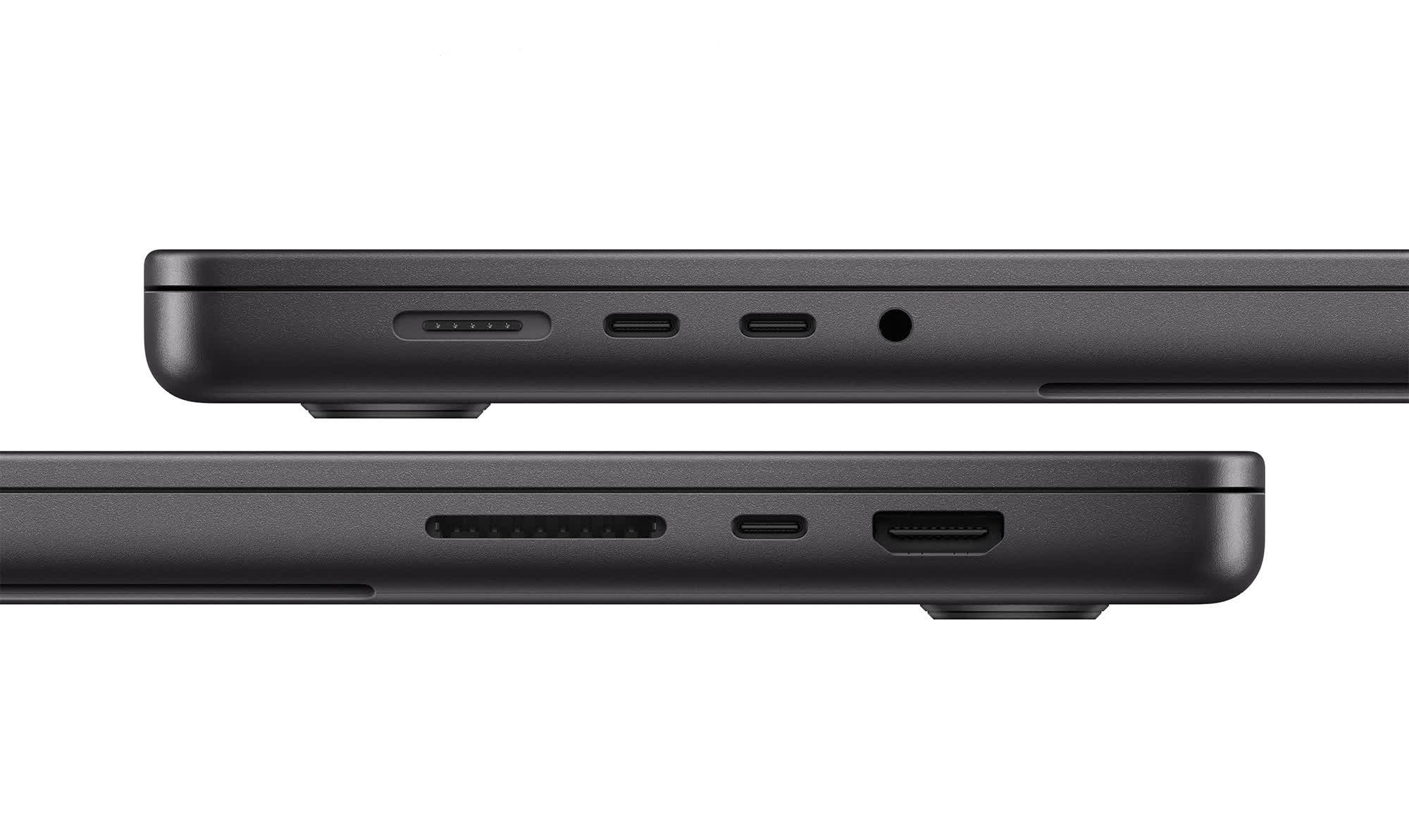
The same excellent aluminum chassis returns, along with the 16.2-inch Liquid Retina XDR display, superb keyboard and trackpad, MagSafe charging, HDMI, an SDXC card slot, a headphone jack, and three Thunderbolt 5 ports. The display remains one of the best you can get in a portable machine, with 120Hz ProMotion, excellent color accuracy, deep blacks, and up to 1,600 nits peak HDR brightness.

There aren't many external changes here, but this is one of those cases where Apple didn't need to alter much. The biggest gains are inside.
The M5 Pro features an 18-core CPU and 20-core GPU, while opting for the M5 Max gets you up to a 40-core GPU and 128GB of unified memory, should you need that much. Apple has also added Neural Accelerators directly into every GPU core, which is where much of the claimed AI performance uplift comes from.
Compared to last year's M4 Pro and M4 Max models, Apple says the new chips deliver up to 4x faster AI performance, up to 50% better graphics performance, and significantly faster LLM and image-generation workloads.
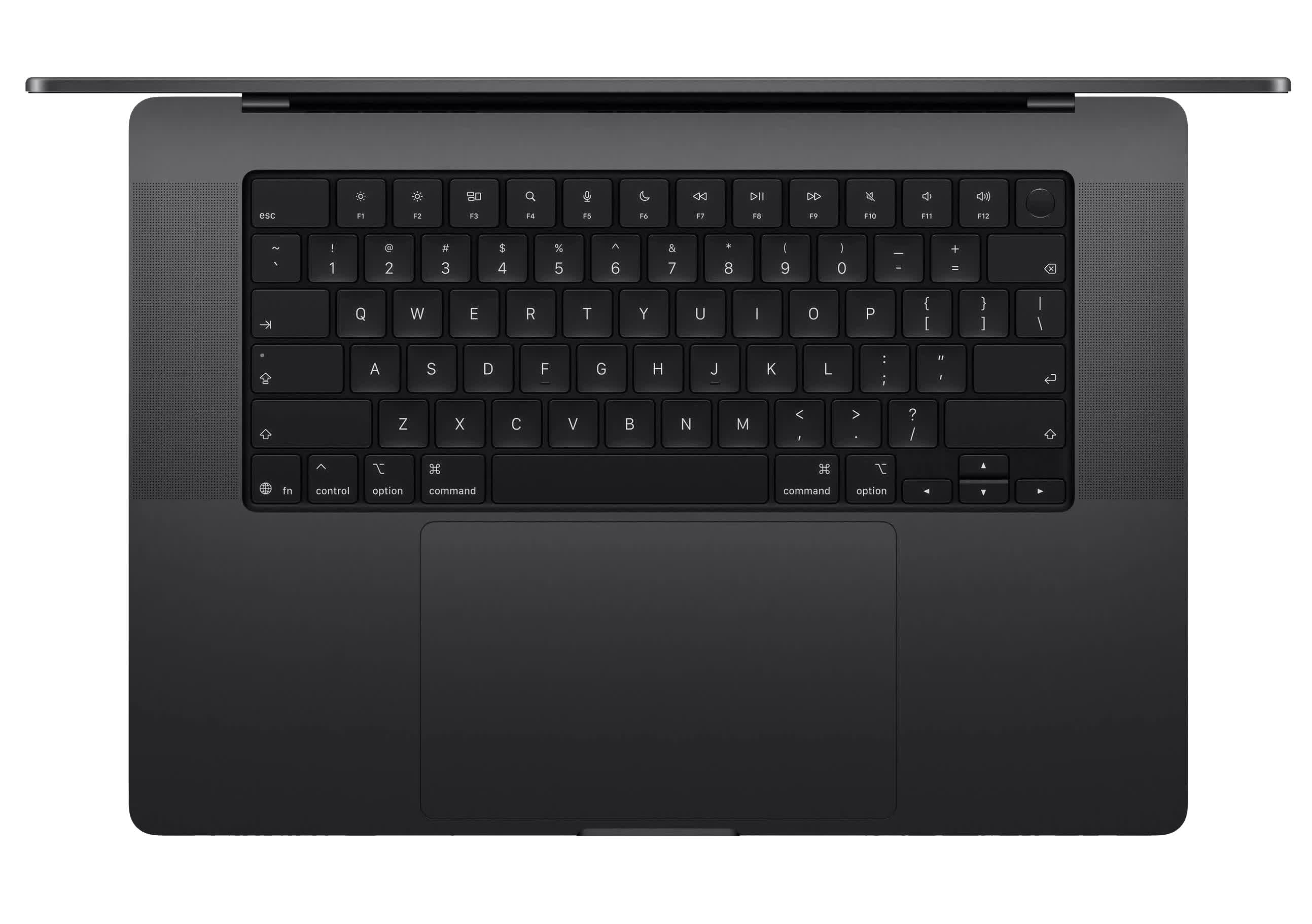
There are more practical upgrades too. Base storage now starts at 1TB on the M5 Pro model and 2TB on M5 Max, while SSD performance is rated at up to twice the speed of the previous generation.
The new N1 wireless chip brings Wi-Fi 7 and Bluetooth 6, the 12MP Center Stage camera remains excellent for calls, and battery life is still insane for this class of laptop, reaching up to 24 hours of video streaming on the M5 Pro model.
The MacBook Pro 16 is aimed at people who actually need this kind of machine: video editors, developers, photographers, music producers, 3D artists, AI researchers, and anyone whose work can punish normal laptops.
It starts at $2,699 for the M5 Pro 16-inch ($3,899 for the M5 Max). RAM and storage upgrades remain painfully expensive, and the 16-inch body is more portable workstation than everyday carry. If productivity is the priority and money is not the main concern, the latest MacBook Pro 16 remains the one to beat.
A Surprising Alternative
Razer Blade 16
If you want something as luxurious as a MacBook Pro, with similar or greater raw power, but prefer to stay on Windows, the latest Razer Blade 16 is an alternative that might not immediately spring to mind.
It's known primarily as a gaming laptop, but like Apple's machine, the Blade 16 is expensive, beautifully built, and aimed at people who want desktop-class performance in a laptop that feels premium. Razer's CNC-milled aluminum chassis remains one of the closest things Windows has to a MacBook Pro in terms of design and construction, and the 2026 model keeps that understated black-slab aesthetic while squeezing serious hardware into a chassis that is just 14.9mm thick and around 4.6 pounds.
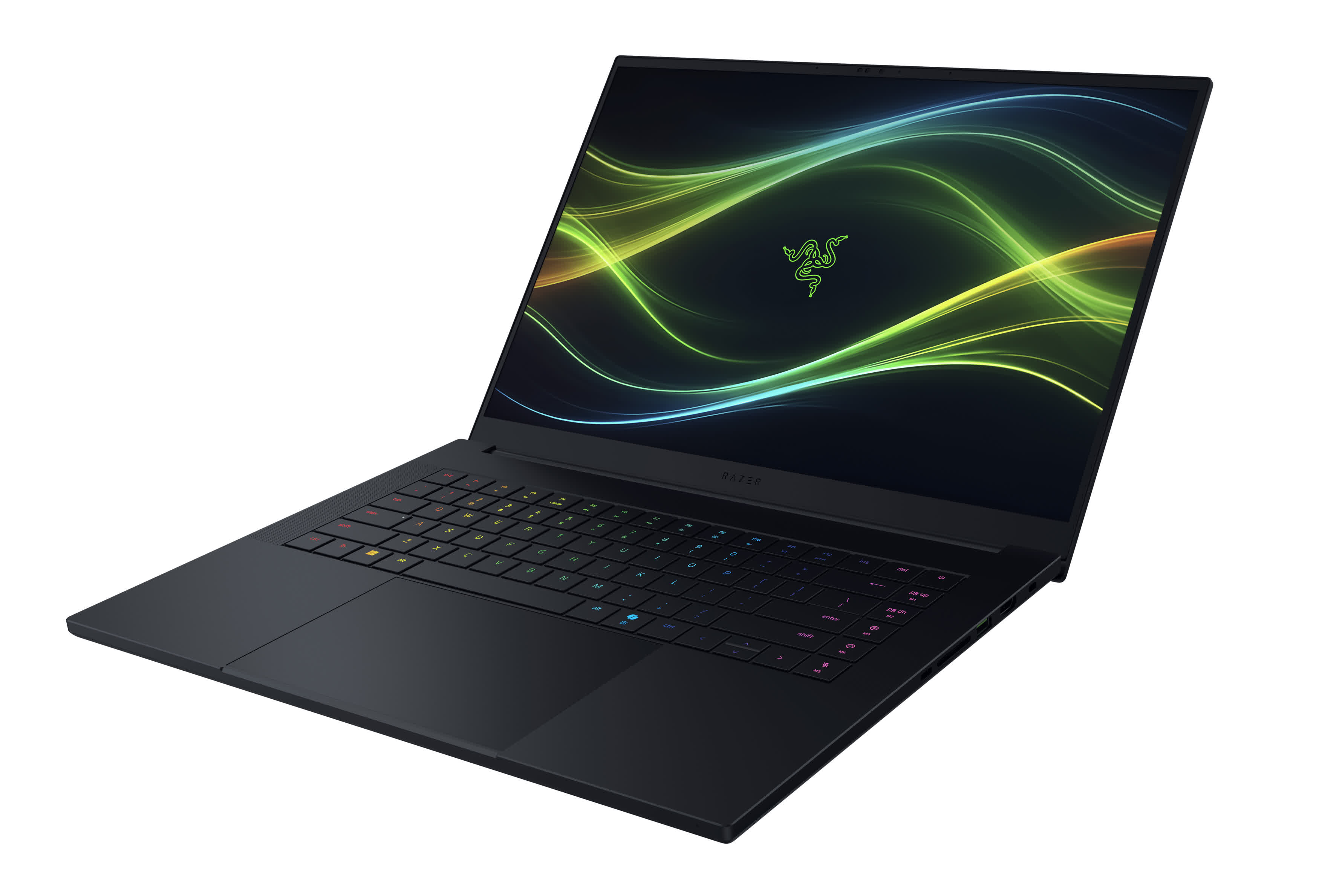
The 2026 version of the Blade moves to Intel's Core Ultra 9 386H processor (Panther Lake), paired with Nvidia RTX 50-series laptop GPUs ranging from the RTX 5080 to the RTX 5090. That makes it more gaming-focused than the MacBook Pro, obviously, but the GPU earns its place in a productivity context too.
Video editing, 3D rendering, Blender work, AI image generation, local AI models, CUDA-accelerated apps, and Nvidia Studio workloads are all areas where the Blade can make a compelling case for itself – and CUDA support alone is something Apple simply can't offer.
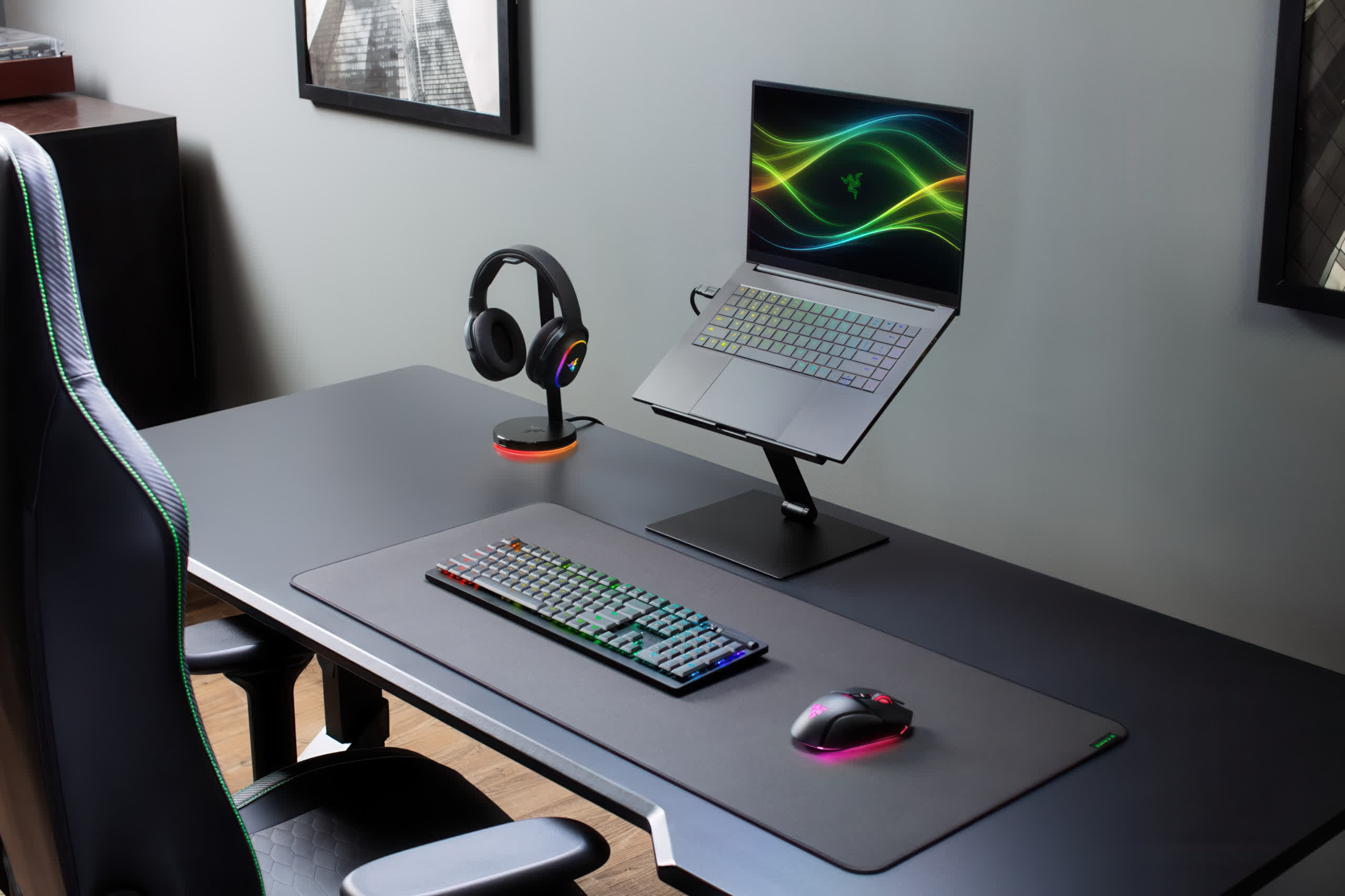
The display is a highlight. You get a 16-inch QHD+ OLED panel with 240Hz, a 0.2ms response time, and improved brightness over the previous generation, up to 500 nits in standard mode and 1,100 nits in HDR. Razer has also updated the supporting specs with LPDDR5X-9600 memory, Thunderbolt 5, Wi-Fi 7, Bluetooth 6, and a six-speaker audio setup.
The downsides are there as well and they're not insignificant. Intel configurations with the RTX 5080 start around $3,499, with the RTX 5090 models pushing well past $4,500, considerably more than the base MacBook Pro 16.
Razer's pricing in the current RAM crisis can make Apple's upgrade costs look almost reasonable by comparison. The memory is soldered. Battery life and fan noise under load don't come close to the MacBook Pro. And it's heavier than its slim profile suggests once you factor in the mandatory power brick for sustained performance. But, if you want a premium Windows machine that pulls double duty as a high-end creative workstation and gaming system, the Blade 16 remains one of the most accomplished MacBook Pro rivals available.
Best Gaming Laptops
Asus ROG Strix Scar 16 | Lenovo Legion Pro 7i

While the Razer Blade 16 was also one of our Best Premium Gaming Laptops picks, it shared the honor with two others: The Asus ROG Strix Scar 16 and Lenovo Legion Pro 7i Gen 10.
The Asus ROG Strix Scar 16 has long been one of Razer's closest rivals in the premium gaming segment. One note upfront: the current model you can buy is the 2025 Scar 16, powered by the Intel Core Ultra 9 275HX. Asus has since shifted its 2026 flagship attention to the newly announced Scar 18, which brings a new 4K 240Hz Mini-LED display and a 320W power envelope, but that's an 18-inch desktop replacement, not a direct successor here.
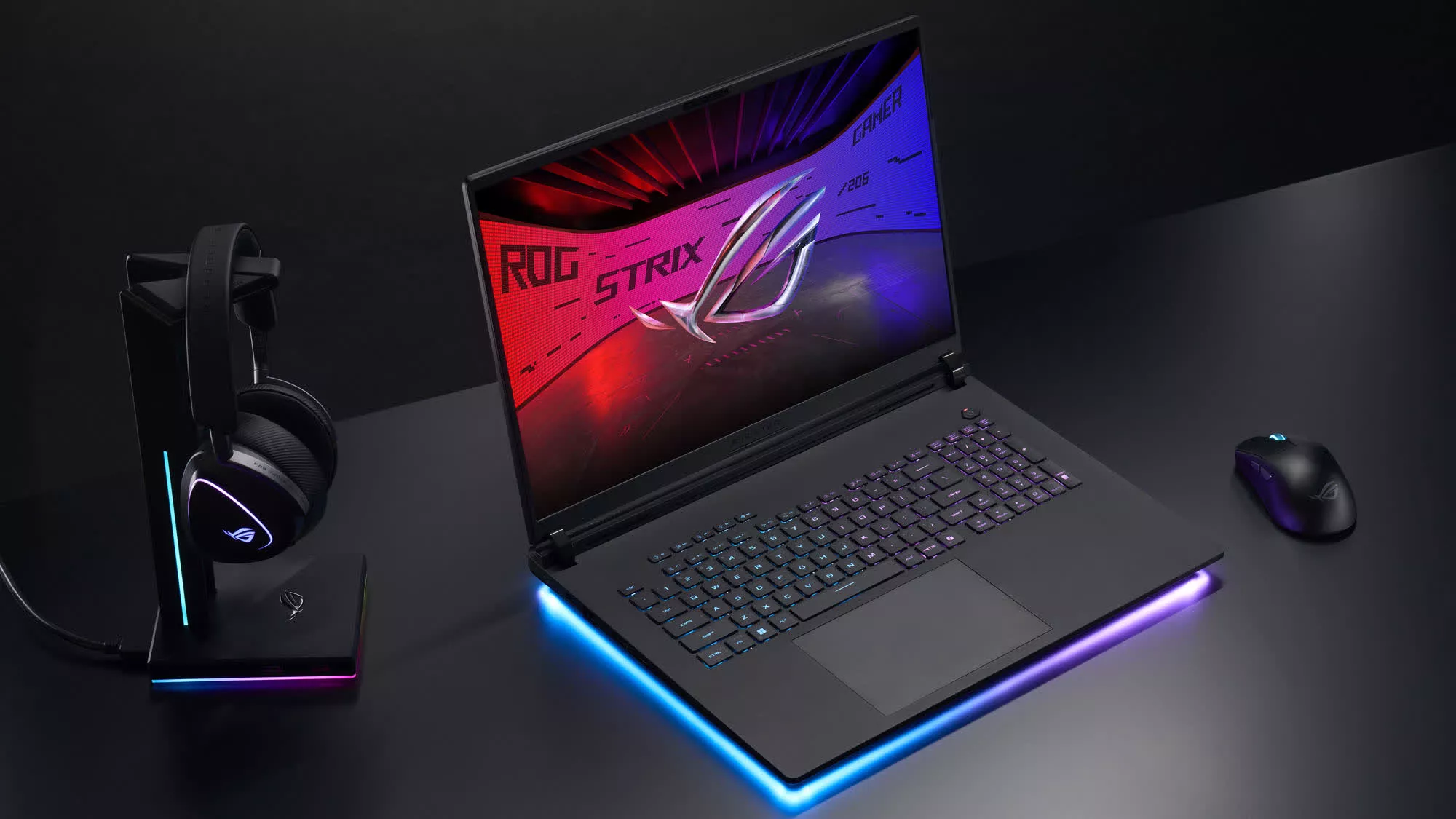
It comes equipped with serious specs: Core Ultra 9 275HX, up to an RTX 5090, 32GB of RAM, and a 2TB SSD – while offering easy access to both RAM slots and dual M.2 bays for future upgrades.
The 2.5K 240Hz Nebula HDR Mini-LED panel supports G-Sync, Dolby Vision, and 100% DCI-P3 coverage, giving it one of the best screens available in a gaming laptop. The chassis is well-built, cooling is strong, and the port selection is excellent: Thunderbolt 5, HDMI 2.1, 2.5 GbE, Wi-Fi 7, and plenty of USB-A connectivity.
The tradeoffs are the expected ones at this tier. At over six pounds and with a bulkier profile than the Blade 16, it's not built for carrying around all day.
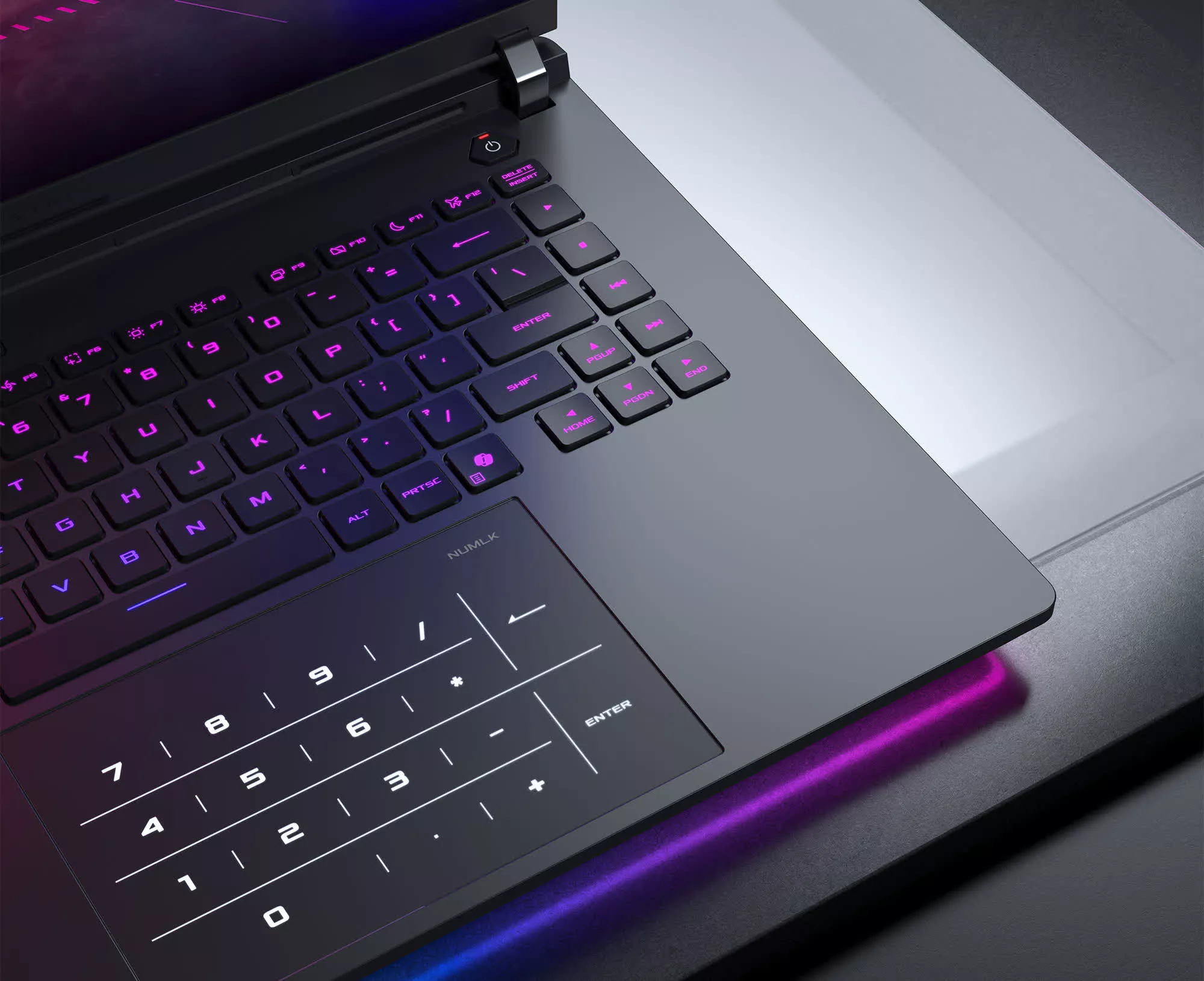
The $3,300 starting price (with RTX 5080) is steep, and the RTX 5090 configuration pushes past $4,300. If you can wait, a 2026 Scar 16 refresh may arrive later this year, but nothing has been announced yet. For now, the 2025 model remains a very compelling pick if you want maximum 16-inch performance without stepping up to an 18-inch desktop replacement.
Beefier Power Option
Lenovo Legion Pro 7i Gen 10
If the Blade 16 represents sleek premium design, the Legion Pro 7i Gen 10 is its more muscular counterpart. Lenovo prioritizes sustained performance over slimness, offering configurations up to an Intel Core Ultra 9 275HX and an RTX 5090, backed by a robust cooling system and a sturdy aluminum chassis.
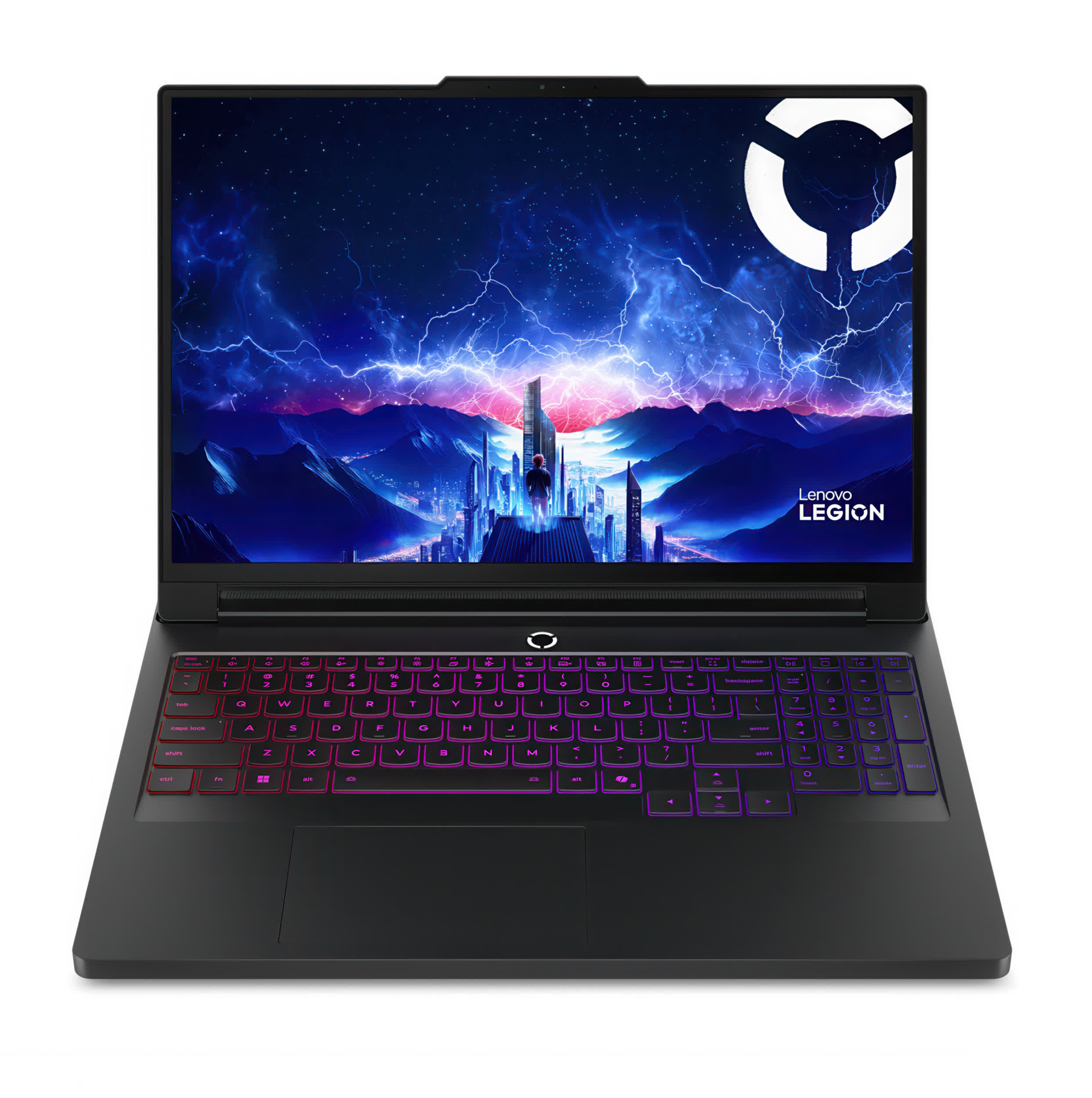
The 16-inch 240Hz QHD+ OLED display delivers rich colors, deep contrast, and HDR 1000 support, sitting comfortably among the best panels in any gaming laptop.
The Legion is heavier and bulkier than the Blade 16, but that extra size helps it sustain higher performance over long sessions, especially in demanding games and workstation-style workloads.
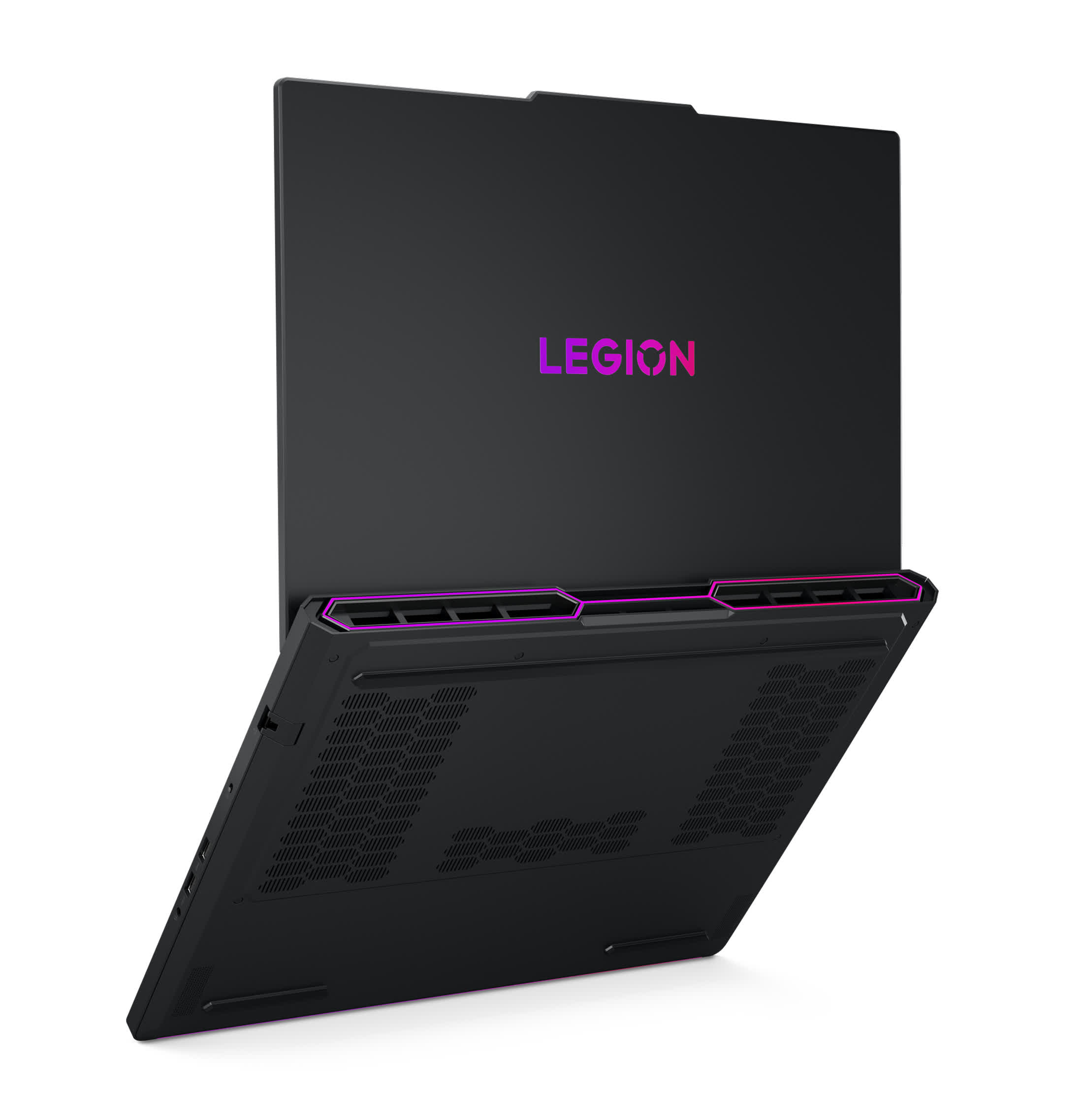
Pricing varies heavily by configuration and discounts, but it starts in premium territory and climbs sharply once you move toward RTX 5080 and RTX 5090 models.
The Legion starts at around $3,200 for RTX 5070 Ti configurations and climbs sharply from there. Battery life and portability also take a hit, yet for gamers who prioritize maximum frame rates and desktop-replacement horsepower over thin-and-light design, the Legion Pro 7i Gen 10 is a formidable alternative.