Dell's new XPS 14 dominates MacBook Air with 43 hours of battery life in web browsing test

DragonSlayer101

Posts: 982   +14
Staff
The big picture: The new XPS 14 was one of the standout laptops showcased at CES 2026, thanks to its sleek design, powerful processor, fast LPDDR5X memory, multi-terabyte storage options, and high-refresh, high-resolution OLED display. A new report suggests it may also offer the best battery life of any Windows laptop currently on the market.
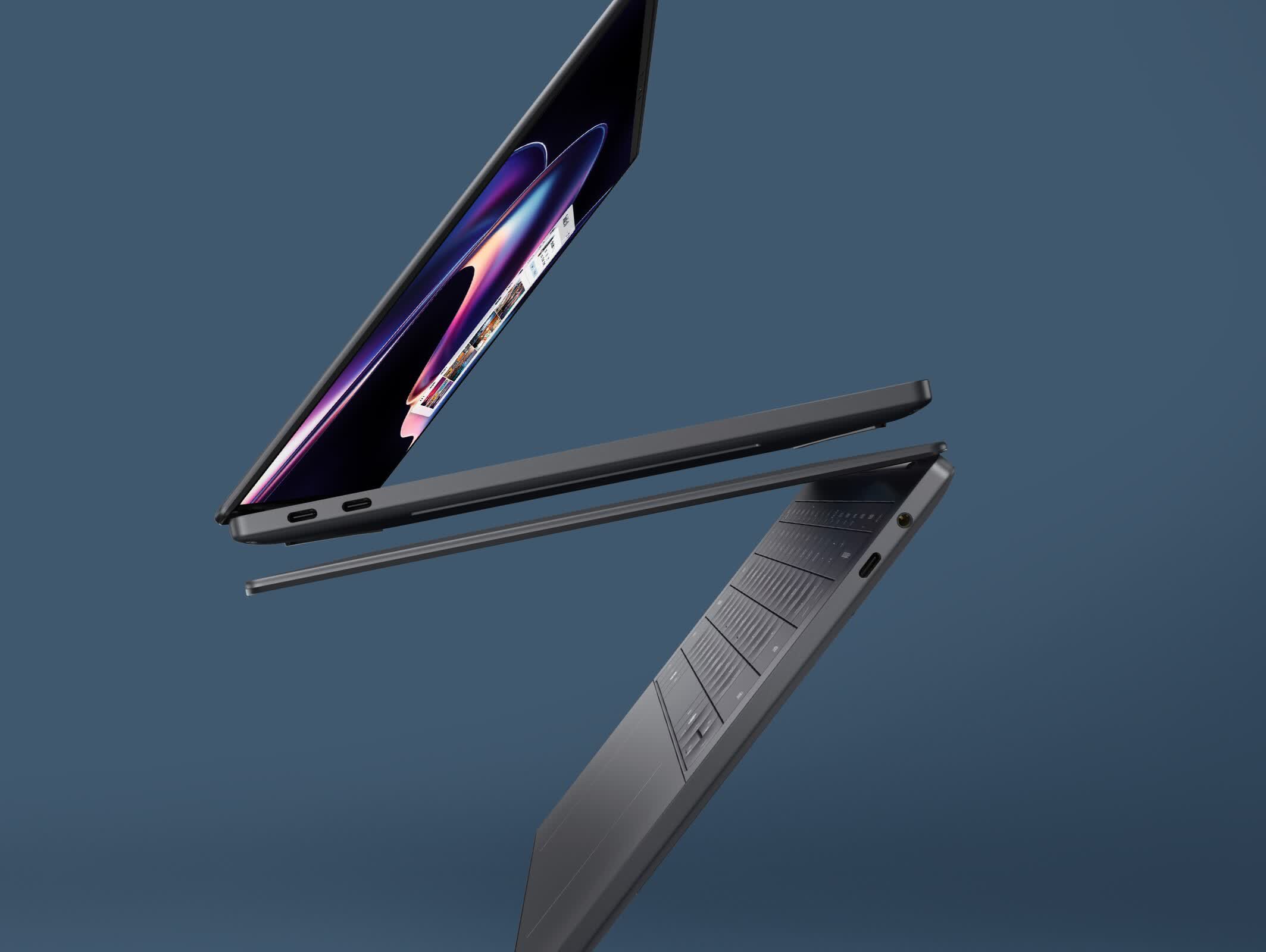
Tests conducted by Hardware Canucks show that the XPS 14 delivers exceptional battery life, lasting more than 43 hours on a single charge while browsing the web with variable refresh rate enabled. During the test, the screen refresh rate was reduced to 1Hz. The laptop tested features an Intel Core Ultra 7 355 "Panther Lake" processor with a 25W base TDP and a 55W Max Turbo power rating.

While variable refresh rate has become relatively common in high-end laptops, the XPS 14's display introduces a novel 1Hz battery-saver mode that refreshes on-screen images only once per second. Designed for maximum efficiency, this mode is impractical for most real-world use cases, except for handling static workloads such as editing spreadsheets.

In more demanding workloads, such as continuous 4K video playback on YouTube, the XPS 14's battery lasted an impressive 20 hours and 21 minutes on a single charge. If these tests are accurate, it means the latest Dell laptop outperforms the M5-powered 15-inch MacBook Air, which managed only 14 hours and 2 minutes under the same conditions.

The one area where the XPS 14's efficiency fell short was gaming. The laptop lasted around two hours and 30 minutes when running a mix of casual and demanding games at unspecified settings. In comparison, the MacBook Air ran for over four hours in the gaming stress test, suggesting that the M5 remains more efficient than Panther Lake in certain workloads.

It's worth noting that other reviewers have reported different battery life numbers for the XPS 14. NotebookCheck found that the device could run for only 16 hours and 45 minutes in a Wi-Fi browsing test at 150 nits, with VRR disabled and the screen refresh rate set to 120 Hz. The tested model was powered by the Core Ultra X7 358H, which shares the same 25W base TDP as the 355 but has a higher 80W Max Turbo power rating.

Regardless, Panther Lake appears to be significantly more power-efficient than its Lunar Lake and Arrow Lake predecessors, which is good news for both Intel and its customers. The positive coverage should also please Dell, which revived the XPS brand with the launch of the new XPS 16 and XPS 14 in January.

Permalink to story:

 
Yeah, right. We also got ourselves Dells with 20 hour battery lives.

Somehow they never managed to run for longer than 6-8 hours, but never mind.
 
"…lasting more than 43 hours on a single charge while browsing the web with variable refresh rate enabled. During the test, the screen refresh rate was reduced to 1Hz."

Wow 1 FPS is a Windows selling feature nowadays? Precisely how far down are we dumbing our computers down for 43 useless hours of 1 Hz battery life?

A 12-14 hour battery life work time is a pretty good spec, there's no need to go 1 Hz for 2 days of battery life. If I can't find a place to charge within half a day I probably have bigger problems to worry about.
 
"…lasting more than 43 hours on a single charge while browsing the web with variable refresh rate enabled. During the test, the screen refresh rate was reduced to 1Hz."

Wow 1 FPS is a Windows selling feature nowadays? Precisely how far down are we dumbing our computers down for 43 useless hours of 1 Hz battery life?

A 12-14 hour battery life work time is a pretty good spec, there's no need to go 1 Hz for 2 days of battery life. If I can't find a place to charge within half a day I probably have bigger problems to worry about.
Every time you look at a static display, you are burning unnecessary energy to refresh the screen 60+ times. This is how the iPhone 17 pro/max managed significant battery life improvements over the 16 pro.
 
Every time you look at a static display, you are burning unnecessary energy to refresh the screen 60+ times. This is how the iPhone 17 pro/max managed significant battery life improvements over the 16 pro.

But how often do you look at a static screen? And the OLED panel makes it worse for cases where you would be looking at static images as OLED is worse for text than LED
 
But how often do you look at a static screen? And the OLED panel makes it worse for cases where you would be looking at static images as OLED is worse for text than LED

This is the exact problem.

Nobody will get even vaguely close to the 43 hour runtime because computer screen elements are always changing. I can imagine where a phone might be a reasonable case if you're reading something as that's taking up 100% of the screen. But when using a PC screen you usually have multiple windows open doing various things, including stupid animated ads killing your 1 Hz screen ideal, never mind mouse movements, email updates, etc.

I love that 43 Hrs is *technically* possible, it shows there are efficiency improvements possible in all aspects of computing. But real world improvements will be far more modest. What I don't get is where NotebookCheck tested the screen at 120Hz when 60Hz makes more sense when working on battery but then 16+ Hrs is pretty great runtime so all is good?
 
This is the exact problem.

Nobody will get even vaguely close to the 43 hour runtime because computer screen elements are always changing. I can imagine where a phone might be a reasonable case if you're reading something as that's taking up 100% of the screen. But when using a PC screen you usually have multiple windows open doing various things, including stupid animated ads killing your 1 Hz screen ideal, never mind mouse movements, email updates, etc.

I love that 43 Hrs is *technically* possible, it shows there are efficiency improvements possible in all aspects of computing. But real world improvements will be far more modest. What I don't get is where NotebookCheck tested the screen at 120Hz when 60Hz makes more sense when working on battery but then 16+ Hrs is pretty great runtime so all is good?
Does it give you the option to do 60HZ or does that turn VRR off on the OLED display though as just because it can run at 120Hz doesn’t mean it gets anywhere near it. The iPhone for example can run at 120 but doesn’t get past 90 most of the time.
 
Does it give you the option to do 60HZ or does that turn VRR off on the OLED display though as just because it can run at 120Hz doesn’t mean it gets anywhere near it. The iPhone for example can run at 120 but doesn’t get past 90 most of the time.

It would be very strange for the laptop not to offer other refresh rates as I've never seen one locked only to a single rate but LOL that doesn't mean Dell wouldn't try that. However I could see them having the VRR option only at 120 Hz so if you choose 60Hz that's all you get with no VRR. And according to Dell's website, this 1 Hz display is still *coming soon. So nobody really knows.
 
It would be very strange for the laptop not to offer other refresh rates as I've never seen one locked only to a single rate but LOL that doesn't mean Dell wouldn't try that. However I could see them having the VRR option only at 120 Hz so if you choose 60Hz that's all you get with no VRR. And according to Dell's website, this 1 Hz display is still *coming soon. So nobody really knows.
I would expect you to be able to lock it in windows but then you’re deviating from the default settings and how else would you change things for battery management? If you’re turning the refresh rate down why not reduce the chips power state in XTU?
 
But how often do you look at a static screen? And the OLED panel makes it worse for cases where you would be looking at static images as OLED is worse for text than LED
Every time you stop to read something?

Also its not just 1 hz. Watching a film? It goes to 24 hz. And since it polls every refresh, it is constantly switching up and down.

It's a great tech that works well.
 
I'll see where prices on the competition are in June before I make a decision. I was considering getting my mother a pink Mac Book Neo.
 
Every time you stop to read something?

Also its not just 1 hz. Watching a film? It goes to 24 hz. And since it polls every refresh, it is constantly switching up and down.

It's a great tech that works well.
Which most displays do anyway as most support? Point is that you’re rarely ever going to use that low of a frame rate to get near 40 hours and the cases where you would use it OLED just isn’t the right choice for that
 
"…lasting more than 43 hours on a single charge while browsing the web with variable refresh rate enabled. During the test, the screen refresh rate was reduced to 1Hz."

Wow 1 FPS is a Windows selling feature nowadays? Precisely how far down are we dumbing our computers down for 43 useless hours of 1 Hz battery life?

A 12-14 hour battery life work time is a pretty good spec, there's no need to go 1 Hz for 2 days of battery life. If I can't find a place to charge within half a day I probably have bigger problems to worry about.

Sir, you should go for the presidents, because you're acting, like you're reading 60 pages per second.
 
Which most displays do anyway as most support? Point is that you’re rarely ever going to use that low of a frame rate to get near 40 hours and the cases where you would use it OLED just isn’t the right choice for that
Most displays don't do that.
I think you're not really getting the point of LTPO... which is that when the screen is truly static, the refresh rate can descend to 1 Hz.

But if the screen needs to be at 24, 60, 120, the screen has the VRR built in to do that as needed.
 
Breaking news (on a slow day at a certain website):

Dell's XPS uses less battery power while browsing and beats the MacBook Air while playing games!!

How amazing is that!!

In other amazing news:
The Fiat 500 uses less gas at idle than any Ferrari at full speed!!! Sorry Ferrari, they got you beat!!
 
That's nice but if I close the lid without turning it off and put it in my backpack with 99% battery on a Friday will it still have usable battery left on Monday? The only windows laptops that have met that benchmark so far are arm based and the only intel laptops that could do it were MacBooks.
 
"…lasting more than 43 hours on a single charge while browsing the web with variable refresh rate enabled. During the test, the screen refresh rate was reduced to 1Hz."

Wow 1 FPS is a Windows selling feature nowadays? Precisely how far down are we dumbing our computers down for 43 useless hours of 1 Hz battery life?

A 12-14 hour battery life work time is a pretty good spec, there's no need to go 1 Hz for 2 days of battery life. If I can't find a place to charge within half a day I probably have bigger problems to worry about.

If you are browsing the web and the sites don't send you useless and unwanted video content that auto-rolls, something that we should outlaw because it wastes both power and internet bandwidth, 1 Hz is enough most of the time. It can jump up whenever you actually scroll, while staying at 1 Hz most of the time. It would work just fine on THIS site, for example, because all the graphic content is static unless you ask for it to play.
 
Which most displays do anyway as most support? Point is that you’re rarely ever going to use that low of a frame rate to get near 40 hours and the cases where you would use it OLED just isn’t the right choice for that

OLED doesn't have to be a power hog. Recent designs are better than older ones. Also, dark mode is your friend if you're using an OLED display; unlike an LCD-based display, few pixels lit directly translates to lower power consumption.
 
OLED doesn't have to be a power hog. Recent designs are better than older ones. Also, dark mode is your friend if you're using an OLED display; unlike an LCD-based display, few pixels lit directly translates to lower power consumption.
Was talking about the readability of text on OLED being worse than LED
 
Back