New Windows 11 beta brings more changes to Control Panel settings

Alfonso Maruccia

Posts: 2,559   +950
Staff
Editor's take: Microsoft has spent years trying to phase out the traditional Windows Control Panel. Since Windows 10, the company has pushed users toward a modernized settings interface, but the transition remains incomplete – and often frustrating. The end of this drawn-out development process still appears far off.
Microsoft recently released new Dev and Beta builds of Windows 11 to Insider testers. According to prolific build explorer "phantomofearth," the updates introduce another change to how users manage system settings. Windows 11 users now have one less reason to rely on the familiar Control Panel.

Microsoft has apparently moved another Control Panel setting to the Windows 11 "Settings" app. The change is currently hidden and not enabled by default, so Insiders must activate it manually. The newly migrated options, including the keyboard character repeat delay and repeat rate, now appear under the Accessibility > Keyboard section in the Settings app.

Microsoft recently moved all remaining options from the mouse properties dialog box to the Settings app and is now moving the same with keyboard-related settings. These options still allow users to customize how applications and Windows respond to keystrokes, but they now appear in a new location for operational consistency.

Keyboard options remain in the traditional Control Panel tool under Keyboard settings. Microsoft typically tests new features and changes with Insider builds before rolling them out to the latest "stable" OS updates. However, no guarantees or fixed timelines exist for these changes.
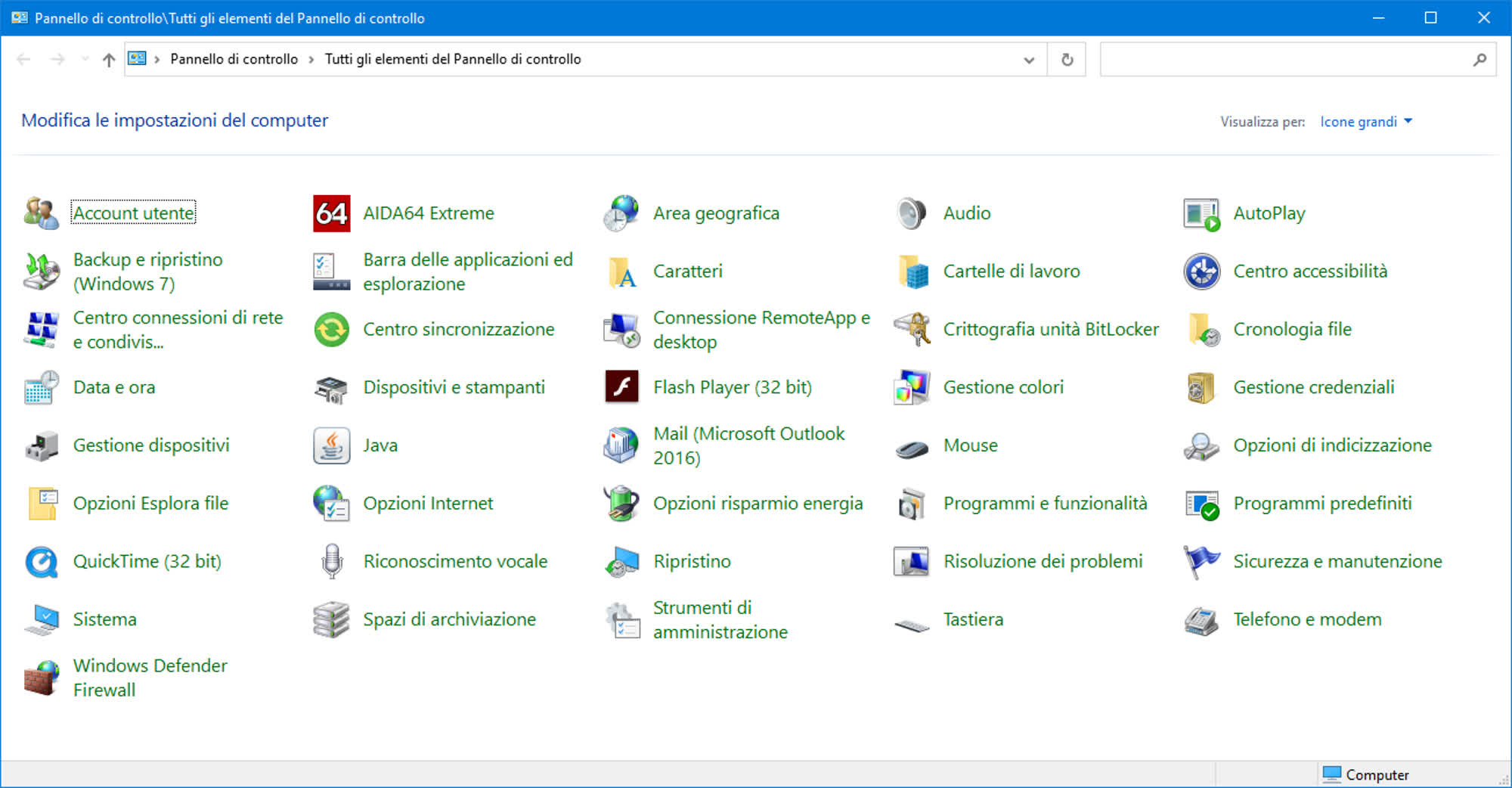
The Control Panel's demise is proceeding at a particularly slow pace. Microsoft started replacing the legacy settings app in 2020 and confirmed a year ago that it would depreciate the feature for good. The Control Panel has been a part of Windows since version 1.0, released forty years ago. It took its "modern" form with Windows 95, offering a special folder containing shortcuts to various configuration applets stored as .cpl files on the system volume.

Most Windows options are now available in the modernized Settings apps on Windows 10 and Windows 11. However, a few loose ends remain in the aging Control Panel window. Given the pace at which Microsoft is moving with this migration, the now-depreciated feature will likely still be with us in time for Windows 12 and beyond.

Permalink to story:

 
The thing is, I don’t mind most of it going to the “modern” settings app, but there’s some stuff that’s just easier in the old UI, changing settings on network adaptors for example, half the options are missing or deliberately hidden away in settings.

Honestly Microsoft, the control panel is not something windows users were complaining about, what a waste of development time.

All you’re actually doing is alienating your longtime users and making them look at other options, Linux GUI’s have easier settings menu’s than Windows 11 does.
 
Just today I had an issue which required the Control Panel instead of Settings. I have an ethernet port that was acting up, it wouldn't power on (no lights) or detect the cable but everything else appeared fine. I did a hard reset (turning off the PSU) and it came back - only to discover that it wouldn't connect even after detecting the cable. The problem then was that even though Settings showed the port configured for DHCP, somehow due to my troubleshooting it was actually set to Manually acquire the IP address. When I opened it up in the Control Panel (after spending 5 minutes fighting with the Settings app), the IPv4 was set to "manual" and none of the fields were filled out. Switched it to Auto and it worked like a charm.

I'm all for Microsoft getting their act together and putting everything in Settings (they've been working on this for more than a decade, the Settings app was around even back in Windows 8 if I recall), but they need to work out the bugs and limitations in this app before they sunset the Control Panel.
 
I'm all for Microsoft getting their act together and putting everything in Settings (they've been working on this for more than a decade, the Settings app was around even back in Windows 8 if I recall), but they need to work out the bugs and limitations in this app before they sunset the Control Panel.

Nah. Windows 8 doesn't exist. I refuse to acknowledge Windows 8 ever existed.
 
Impressive that after 40 years the Control Panel has achieved what no software ever does: unofficial immortality. I fully expect it to still exist somewhere in Windows 15, right next to AI-generated Clippy.
 
Its the same issue as windows 8 and metro... things so giant and gross. cant find anything. control panel is easy to see and get what you want. even today with sound settings if you dont use control panel you cant fine tune sounds...
 
Another brainless idea from Microsoft, let's remove the Control Panel because is useful and fast with something dumb and stupid, just the Microsoft in the last 15years.
 
Another brainless idea from Microsoft, let's remove the Control Panel because is useful and fast with something dumb and stupid, just the Microsoft in the last 15years.
I don't remember the Control Panel ever being fast or intuitive and I've been using it since windows 95. It was a mess back then and it still is a mess.

The problem is that they haven't finished moving everything from one place to another even after so many years and they still can't untangle the mess of settings being scattered around in different sections.
 
Change for the sake of change. Another tweak nobody is asking for, and with it, no doubt more bugs, glitches, and trouble that needs a patch.
 
To make me try to start using the new settings app they need first to allow opening multiple settings windows at the same time (it's called Windows). Can't stand that whatever setting screen I try to open will open in the previous setting Window which I needed open
 
Back