Windows is finally killing off the Control Panel

DragonSlayer101

Posts: 979   +14
Staff
The big picture: A senior Microsoft engineer has confirmed that the company plans to phase out the Windows Control Panel in favor of the more modern Settings app in the near future. He added that File Explorer and the Start Menu will also receive a UI overhaul and performance improvements over the next few months, beginning with the April update next week.
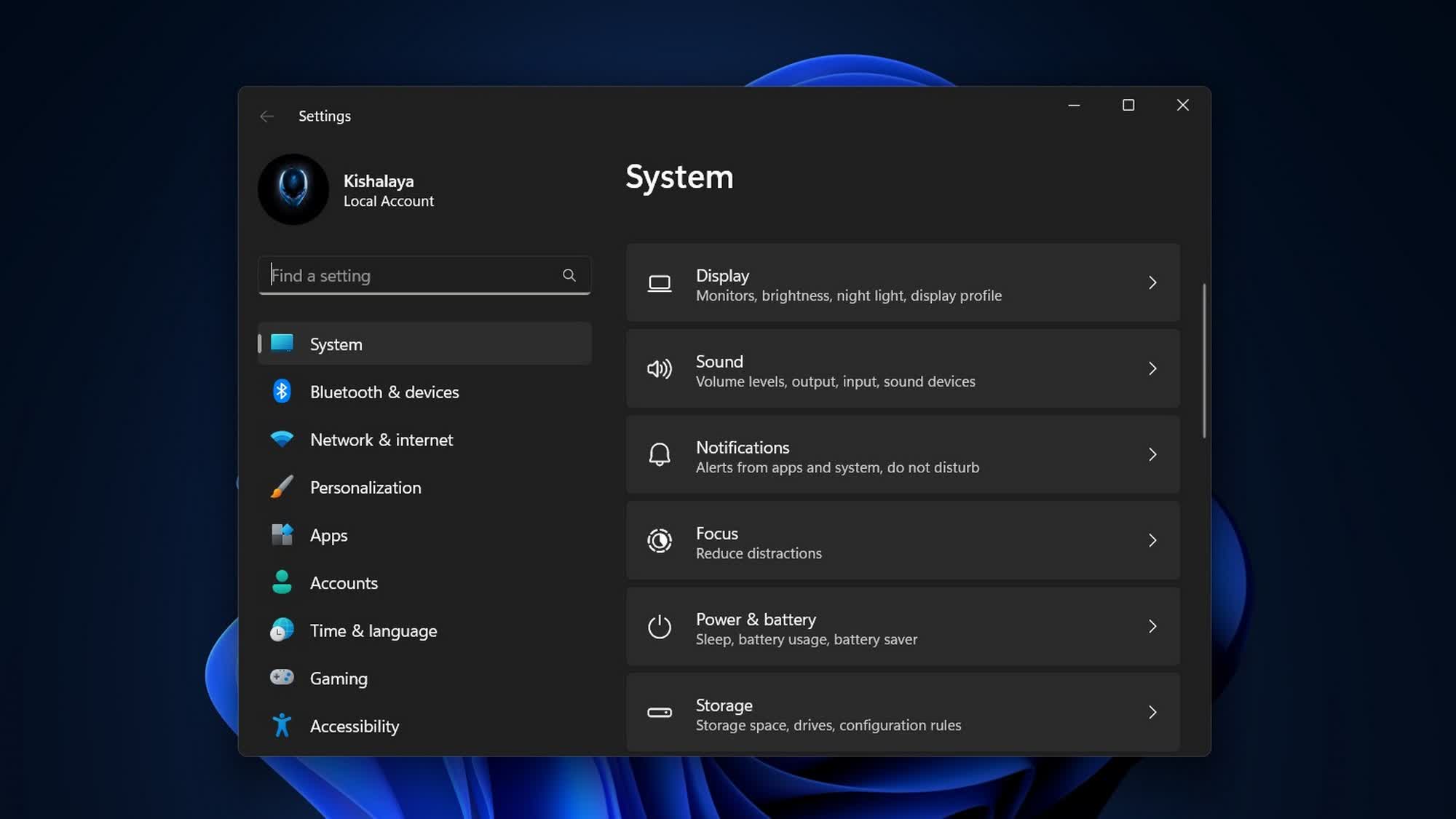
Speaking to Windows users on X this week, Microsoft's Director of Design, March Rogers, said the company is working to address several UI issues across Windows 11. To that end, all settings options are being consolidated in a single location, ensuring users will no longer need to switch between the Control Panel and the Settings app for basic tasks such as configuring networks or printers.

Rogers revealed that the migration process is taking time because the Control Panel contains many different device and driver configuration options, and engineers are ensuring that nothing breaks while migrating those settings. He added that the Settings app pages are being redesigned for improved clarity and better dark mode compatibility.

Users can also expect several other changes as part of Microsoft's renewed focus on speed, stability, and performance, including a more coherent UI experience across Windows 11. Following years of complaints about bugs, interface issues, and lag, the next few updates are expected to deliver more polish and improved usability rather than introducing major new features.
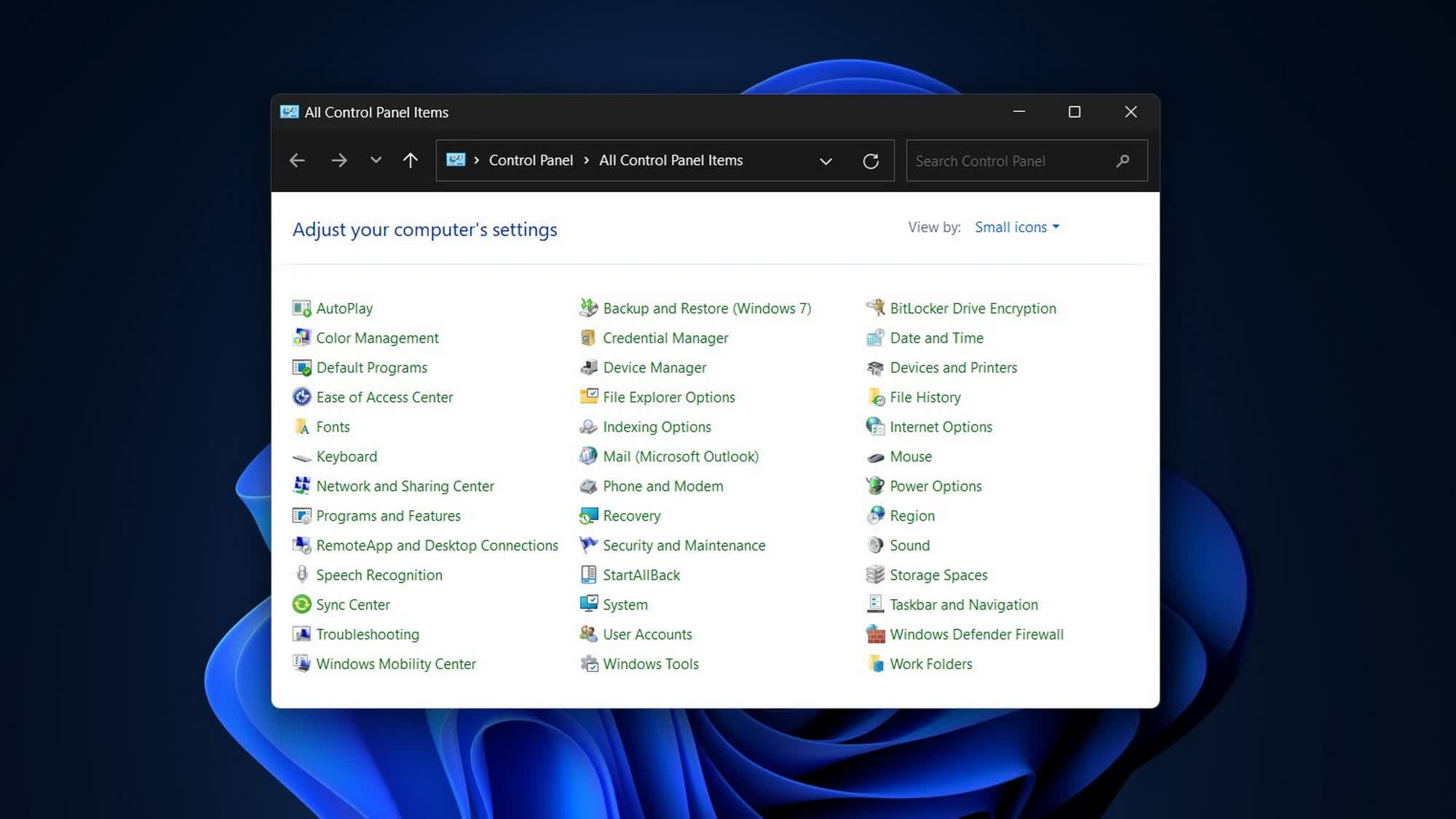
Some of the changes expected to roll out this month include updated account dialogs with dark mode support, Copilot integration for Narrator on all devices, additional options in pen settings for the pen tail button, voice typing support for renaming files in File Explorer, and other thoughtful additions aimed at improving the overall user experience.

Rogers also reiterated that File Explorer is receiving a major overhaul, with improvements to its UI, performance, and reliability. The Start Menu is receiving a similar update, featuring a notable performance boost, improved search indexing, and bug fixes. Microsoft is also modernizing the classic Command Prompt, incorporating several features from the open-source Windows Terminal.

Permalink to story:

 
For god no, please don't, while the settings app is getting better, the CP is so much easier in many things.

For example, sometimes when you try to uninstall a program, it will give you an error like you don't have permission or so, do it with the CP and you will be warned the program will require a restart to fully uninstall and that's it.
 
AGREED! I ran into that issue also, the windows modern uninstaller errors out sometimes and the control panel actually doesn't. In addition there are a TON of things in the control panel that isn't in the settings app. Also, there are a lot of nuances in the control panel also that allow you to do lots of things that you cannot do in the settings app. How in the world are we suppose to access them! I work in help desk and constantly use it all the time. It's not because I do not like settings, I've actually been trying to get use to it for quite some time because I knew this time would come but didn't know they would do away with it all at once. I can understand doing it slowly, but all in one shot when much of the features are still in control panel is a no go. What are we suppose to do with computer management? How about the network properties, even the device and printers is better in the control panel, the settings app doesn't show everything for some reason, or what about all the sub-tabs in the printer properties, or what about ALL of the plethora of power options such as usb devices, wireless adapter settings, device manager etc? There are SO many things not in settings yet. I'm hoping this only affects Win11 Home Editions and not the pro editions. They need to leave the pro editions alone for commercial spaces.
 
Last edited:
There are some things that I can only find in the control panel. Idk if there are other ways to access them (probably are), but I still use the control panel. Microslop, stop getting worse and fix your updates.
 
AGREED! I ran into that issue also, the windows modern uninstaller errors out sometimes and the control panel actually doesn't. In addition there are a TON of things in the control panel that isn't in the settings app, in addition there are a lot of nuances in the control panel also that allow you to do lots of things that you cannot do in the settings app. How in the world are we suppose to access them! I work in help desk and constantly use it all the time. It's not because I do not like settings, I've actually been trying to get use to it for quite some time because I knew this time would come but didn't know they would do away with it all at once. I can understand doing it slowly, but all in one shot when much of the features are still in control panel is a no go. What are we suppose to do with computer management? How about the network properties, even the device and printers is better in the control panel, the settings app doesn't show everything for some reason, or what about all the sub-tabs in the printer properties, or what about ALL of the plethora of power options such as usb devices, wireless adapter settings, device manager etc? There are SO many things not in settings yet. I'm hoping this only affects Win11 Home Editions and not the pro editions. They need to leave the pro editions alone for commercial spaces.

I don't find the difficulty in navigating the Settings menus, nor do I find what settings are lacking. Running 25H2 and all the settings found under Power Options in Control Panel are present in Settings->Power. The few options left on the Control Panel for Networking are some network sharing, the adapter settings and advanced sharing are in the Settings menus. All Printer settings are in the Settings menu, Printers & Scanners->'choose printer'->Printer properties, printer preferences and advanced printer settings are all listed (just click). Wireless & Ethernet adapter settings are in Settings, Network & Internet->WiFi->Hardware Properties->More adapter options->clicking on edit brings up the wifi adapter settings. In Control Panel->Network and Internet->Network and Sharing Center->click "Change adapter settings" link on the left, does the same. Device manager can be accessed in Settings->System->About->Device Manager.

Microsoft has not said what will happen with Computer Management or the other utilities in "Windows Tools", but they are still accessible.

The Settings & Control Panel changes are and will affect all Windows 11 versions, I run Enterprise and the changes are taking place there as well.
 
Last edited:
I don't find the difficulty in navigating the Settings menus, nor do I find what settings are lacking. Running 25H2 and all the settings found under Power Options in Control Panel are present in Settings->Power. The few options left on the Control Panel for Networking are some network sharing, the adapter settings and advanced sharing are in the Settings menus. All Printer settings are in the Settings menu, Printers & Scanners->'choose printer'->Printer properties, printer preferences and advanced printer settings are all listed (just click). Wireless & Ethernet adapter settings are in Settings, Network & Internet->WiFi->Hardware Properties->More adapter options->clicking on edit brings up the wifi adapter settings. In Control Panel->Network and Internet->Network and Sharing Center->click "Change adapter settings" link on the left, does the same. Device manager can be accessed in Settings->System->About->Device Manager.

Microsoft has not said what will happen with Computer Management or the other utilities in "Windows Tools", but they are still accessible.

The Settings & Control Panel changes are and will affect all Windows 11 versions, I run Enterprise and the changes are taking place there as well.
All the printer settings are not in the settings menu. Anything beyond the basic add printer open the old control panel context menu. Same with power setting. The accursed fast startup option? Only in Control panel. Same with networking.

We are FAR away from control panel being actually sunsetted.
 
If they do this then I'll go back to 10 lol. The first thing I do is turn UAC "off" when I fresh install Windows. Where's that setting in the settings app?
Hey, don't worry. They will still allow you the (few) things They Know you need.
And they'll take care of the rest of the settings for you.
/s
 
I'm fairly confident at this point that Microsoft no longer fully understands their own operating system, so it's taken them nearly 12 years to provide people with a consistent method for configuring it. What shape will they twist themselves into next?

Microsoft's desktop OS failures after Windows 7 are a great example of how it is difficult for any company to consistently offer a great product. It is obvious to anyone who has been using PCs for 30 or more years that the hardware and the Windows OS peaked around the time of Windows 7 or *maybe* Windows 10. By that time, one could get a reasonably priced PC with a good SSD, MORE than enough RAM, and a good video card for a reasonable price. No one had to put up with a problem like you had with Windows 95 with 4 MB of RAM and a tired 512 MB IDE HDD. So we have great hardware but MS can't just proclaim the OS had peaked and they'll maintain that. They have to keep shuffling things around and adding things most people don't want. How about steamlining the OS for speed and stability? Or removing the GUI from the OS so it is more easily skinable? Or letting the user remove ALL of the crap they don't want, like Cortana, copilot, 3dpaint, xbox whatever, and everything else.
 
I'm fairly confident at this point that Microsoft no longer fully understands their own operating system, so it's taken them nearly 12 years to provide people with a consistent method for configuring it. What shape will they twist themselves into next?
Windows 7, the "last good version of Windows", debut in 2009―17 years ago. Halo Infinite was released in 2021, 5 years ago. It was revealed, some 3 or so years afterwards, that up to 50% of the developers on Infinite were contractors. Even though Windows and Xbox are different departments of Microsoft, they probably follow similar hiring policies.

Which is to say, in the 12 years between the debut of Windows 7 and the release of Halo Infinite for Xbox, non-full time employment likely became standard procedure at Microsoft. In their quest to cut corners and reduce headcount, they unintentionally created a QA vacuum.

Investing $80 billion in OpenAI certainly did not help.
 
Perhaps Microslop should fix Windows first, they've been saying the control panel was going to be killed off for years, but so many things depend on the control panel they haven't actually integrated everything into the settings menu.
Although MS could just have their AI slop code a finished settings menu and let the users beta test how horrible it would be.
 
In a fantasy world, I'd delete Settings; restore Aero and the general spirit of 7's metaphor, including Start menu; remove Copilot, making it optional; remove web-based and C# GUI code; remove Microsoft account requirements, unnecessary telemetry, and OneDrive; restore the setting to disable updates; lengthen time between updates; shrink Windows' size; be formal in messages; bring back the colourful, curvaceous four-pane window branding; hire thousands of testers to break Windows from every angle; and optimise all sluggish parts so that competing OSes have no argument to stand on.
 
Last edited:
Microsoft's Windows seems to me like an outdated and directionless product. The entire platform is being carried by it's market share amassed in it's former years. Windows is pre-installed on almost all PCs and MS Office is THE standard. It's incredible how far early success can carry you despite anything else.
 
Back