

Bazzite is a Fedora-based Linux distribution tuned for gaming and everyday desktop use. Built on the Universal Blue project, it delivers a preconfigured, ready-to-go environment with Steam, HDR/VRR support, improved CPU scheduling, and community tools that streamline both gameplay and streaming.
It also supports games outside of Steam through Lutris and other launchers, integrating titles from platforms like Epic, GOG, EA App, Ubisoft Connect, itch.io, Rockstar and more directly into Steam Gaming Mode.
Is Bazzite good as a general-purpose desktop OS?
While gaming is its focus, many use it as a daily driver. It inherits Fedora's stability and security, and the Btrfs-based atomic updates make rollbacks and maintenance easy.
Is Bazzite suitable for handheld gaming PCs?
Bazzite has dedicated builds for devices like the Steam Deck, Asus ROG Ally, Legion Go, and other x86 handhelds. These builds include controller support, UI tweaks, and performance optimizations.
What is the difference between SteamOS and Bazzite?
SteamOS is Valve's Arch-based, immutable operating system engineered specifically for the Steam Deck, focused on power management, input layers, and a tightly controlled Steam-centered user experience, while Bazzite is a Fedora Atomic derivative that generalizes the same "console-like" model to a wide range of PCs and handhelds.
Bazzite delivers broader hardware support, full desktop variants, and pre-integrated tooling for non-Steam launchers (Heroic, Lutris, and others), along with Fedora's rpm-ostree updates, SELinux, and more flexible system customization.
What hardware does Bazzite work best on?
Bazzite runs on most modern PCs and handhelds, but users often highlight especially smooth experiences on Steam Deck – class hardware and AMD-based systems thanks to strong driver and kernel support.
Do I need to tweak anything after installing?
Most people report that almost nothing needs manual setup. Steam, Proton, drivers, and gaming optimizations are already configured, so it feels close to a console-style "install and play" experience.
How well does Bazzite handle non-Steam games?
Support for Lutris, Heroic, and various third-party launchers is integrated by default. Users consistently note that Epic, GOG, Ubisoft, and EA titles launch with minimal fuss.
New to gaming on Linux?
Check out Bazzite's Gaming Guide for up-to-date tips and tricks.
How can you dual-boot Bazzite?
What are some of the utilities that Bazzite ships?
- Boxkit: Tool used for custom OCI Distrobox/Toolbox containers, and anything from DaVinci Resolve to OBS Studio Portable can be accessed with this. (The software is in their own special container, so dependencies do not affect your host.)
- Handheld Daemon: Tool for configuring and managing handheld devices from gyro, LEDs, paddles, and TDP.
- Ptyxis: Terminal with first-class container support.
- ScopeBuddy: A manager script to make Gamescope easier on the Desktop.
- ujust: Execute custom commands based on recipes.
Features
On all your favorite devices
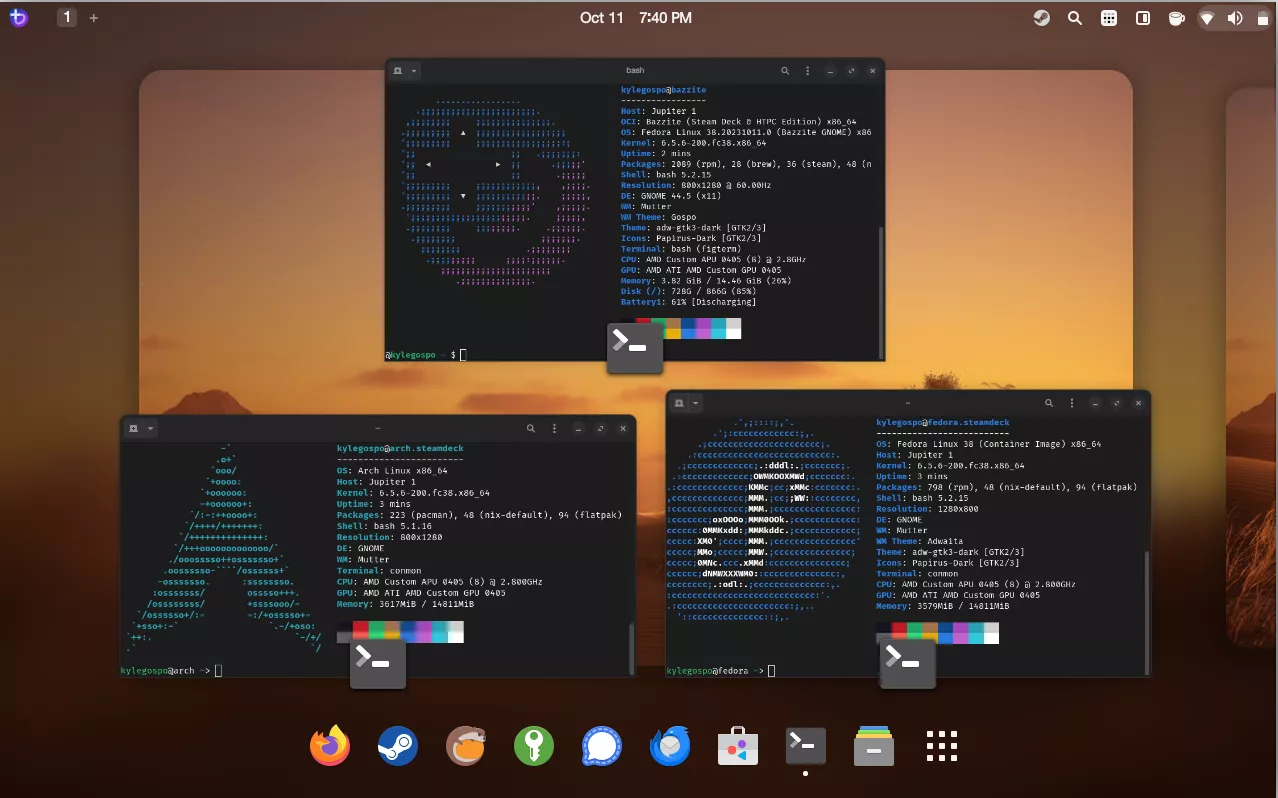
Bazzite works for you whether you prefer to game on your handheld, chill on the couch with your home theater PC, lug your laptop to the LAN party, surf the subway with your tablet, or pretend you're getting work done on your desktop - no judgement, we're hopelessly addicted to Deadlock too.
Take your game library anywhere
Your MicroSD card game library can be shared between multiple Bazzite installs no matter which devices you're using.
Update fearlessly, Rollback fearlessly
Bazzite is image based meaning that after every update the previous version of the operating system is retained on your machine. Should an update cause any issues, you can select the previous image at boot time.
Images of the operating system are retained in our repositories for ninety days and can be switched to via the terminal. Nvidia driver update broke something you needed? No worries, rebase to the last known good release and pin it so that it's retained as long as needed.
Secure by default
Experience enterprise class security with out-of-the-box SELinux, Secure Boot support, signed container images, and LUKS disk encryption with optional automatic TPM unlocking.
Modern app stores provide attestation, sandboxing, and the most officially verified applications of any Linux application repository.
Work with your hardware, not for it
Bazzite focuses on hardware compatibility out of the box, with full support for accelerated video encoding and decoding, built in Nvidia drivers, additional HID drivers, and just about every udev rule you could need.
Let your operating system work with your hardware so you don't have to.
Complete Handheld PC Support
Bazzite features Handheld Daemon, offering enhanced functionality and support for handhelds from manufacturers such as ASUS, Ayn, GPD, and Lenovo - all accessible by double tapping the quick access menu button.
Customize your handheld experience with in-depth controller emulation, including paddles, touchpad, rumble, face buttons, RGB lighting, and more.
Use your favorite desktop environment or handheld experience
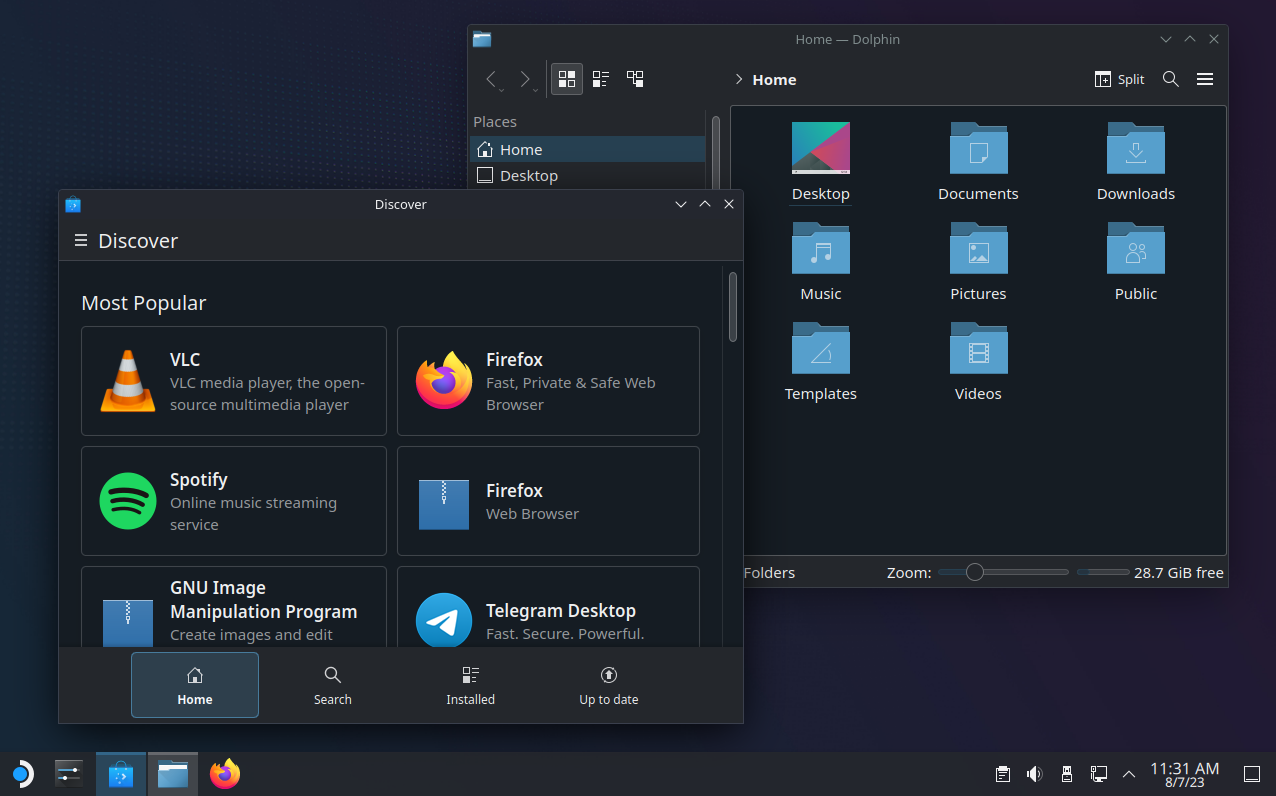
The latest and greatest by the KDE community built from Fedora Kinoite. KDE offers a highly customizable and modern UI that Windows users would find right at home, with a bottom taskbar, start menu, and widgets. Valve's themes and customizations present in SteamOS come pre-installed.
Steam
From your handheld to your home theater PC, Steam Gaming Mode offers the premier console-like experience, and can be extended with community-developed plugins and themes thanks to Decky Loader.
Android
Waydroid brings the Android apps and games you love to Bazzite, working side by side with your other Linux applications. Visit our Waydroid setup guide for more information.

What's New
The Bazzite 44 update is here for our desktop users! This is the big one – new kernel, new versions of GNOME/KDE, and more!
Major changes include
- KDE Plasma 6.6 w/ new Plasma Login Manager
- GNOME 50
- OGC Kernel 6.19.x, with 7.0 coming in the near future. (Yes, we will include the Valve VRAM patchset with 7.0)
- Mesa 26.0.5
- Bazaar 0.7.15
- Ptyxis has been dropped from our KDE images, and the new Konsole terminal is available with container support.
- SBOMs (Which now power our changelogs), Build Attestation, OpenSSF security scanning, and signed ISOs.
- Built in support for Elgato 4K capture cards
- Images reduced by 1GB thanks to moving in-image QEMU and ROCM to Bazzite-DX for users who need them
- Access to the latest and greatest ASUS Linux patches for use with ASUSCtl (A brew package for this is being explored to make it even easier)
- New brew installer for Sunshine via ujust. Sunshine is no longer preinstalled in-image.
For our deck users, we will be opening Bazzite 44 builds for deck in testing in the near future. We are slow-rolling this update due to the nature and amount of changes present in it to ensure that the vast majority of our existing users have a good experience. We'll update you on our progress in the coming weeks and look forward to testing it with you.
Bazzite 43 Release Notes
Todays update brings Bazzite up to Fedora 43, with new device support and and under-the-hood fixes from our team. Check out what's new below.
Donate to Bazzite!
New with this update, we are introducing ways for you to donate to Bazzite as a whole. As Bazzite matures, we begin to tackle more ambitious projects, such as proper secure boot, support for more handheld devices, and conference attendance, which means more costs for us. And we would gladly appreciate the help in covering them!
This begins with us setting up shop on Open Collective, in which we are creating European and US collectives. If you do not know what Open Collective is, think of it like Patreon but backed by foundations, which means more transparency for you as how we spend your donations, and perhaps more importantly, esp. as the year closes, a potential tax deduction for your donation *.
You can donate to either the EU or US collective we set up regardless of where you are in the world and it makes little difference (excl. deductions*), this is true for us as well.
New Handheld Support
Xbox Ally
- This update adds full support for the Xbox Ally, mirroring the one we have for the original Ally and Ally X units (RGB, fan curves, back buttons, you name it). For this to happen, we had to coordinate with AMD to fix sleep (as it uses the same chip as the Steam Deck), tweak the amplifier driver to drive these new amazing speakers, and fix some RGB quirks caused by the dynamic lighting feature in Windows.
Xbox Ally X
- This support extends to the new Ally X unit as well. However, this unit features an even more powerful dual amplifier speaker setup, and we find some of you have clipping at above 80% volume. We are waiting a reply from the Texas Instruments (the company that made the amplifier) maintainers about this, so until then, exercise some restraint and stay at around 80% volume (your ears will bleed anyway; the speakers are super loud and amazing).
Legion Go 2
- While not technically improved by this update, we gradually added fixes for the new Legion Go 2 by Lenovo (incl. for sleep). Still missing on our radar is HDR PQ support, so you only get Gamma22 HDR, which we know will not satisfy some of you HDR purists, and support for the two new buttons below the d-pad. Everything else, including dual controller gyro, is there from the original Legion Go.
OneXPlayer X1 Air
- We also add support for the OneXPlayer X1 Air, with RGB and controller support. However, as this unit is an Intel variant, we do not have granular TDP controls for it yet, and you will only get two TDP modes (15W and 25W) by toggling the Turbo button of the device.
SuiPlay0X1
- We've also added support for the SuiPlay0X1 for you HODLers out there craving a Web2.0 gaming experience.
NVIDIA Turing/Volta/Ampere update
- In the previous update, we said that the future of the nvidia-closed image powering Nvidia GPUs up to ~GTX 1000 series was uncertain. Well, it is not uncertain anymore, it is here to stay!
- For more context, in around one month, the Nvidia 590 driver releases, which drops support for those cards, and as we previously could only offer the last Nvidia driver version in our images, this made its future uncertain. However, powered by our new kernel build process, which features dual Nvidia driver modules and a new nvidia-drivers mirror (thanks Antheas), we will be able to offer the last driver to support these cards (580) on the -closed builds indefinitely! This driver is an LTS release and will be supported for the next three years, so you will enjoy security fixes for this period of time as well.
- Therefore, we are proud to say welcome to all Windows 10 expats, including the RTX Nvidia ones. If you are using Bluefin or Aurora, this is also your queue to migrate, as those will not be continuing to support the closed driver cards.
GNOME 49 & KDE Plasma 6.5
- Thanks to the new Fedora 43 base, Bazzite now has the latest and greatest from GNOME and KDE.
Latest & Greatest Bazaar
Bazaar has been upgraded to the latest stable release, delivering:
- Improved memory and performance efficiency
- A refreshed UI for the Flathub page and sidebars
- Overall smoother and faster navigation
- Give it a spin and let us know what you think!
Steering Wheel Support
- As part of our new kernel magic that enabled Nvidia closed to stay, we added a bunch of steering wheel drivers. Specifically, hid-tmff2 for Thrustmaster, new-lg4ff for Logitech, hid-fanatecff for FANATEC, and t150_driver for Thrustmaster T150.
- Combined with Oversteer - a fantastic control panel for customizing your wheel's settings and profiles you can pick in Bazaar, we hope this creates an amazing racing experience on Bazzite.
We also welcome your feedback about what you want to see on Bazzite racing-wise.
