

Cherrytree is a hierarchical note taking application, featuring rich text and syntax highlighting, storing data in either a single file (xml or SQLite) or multiple files and directories.
Features
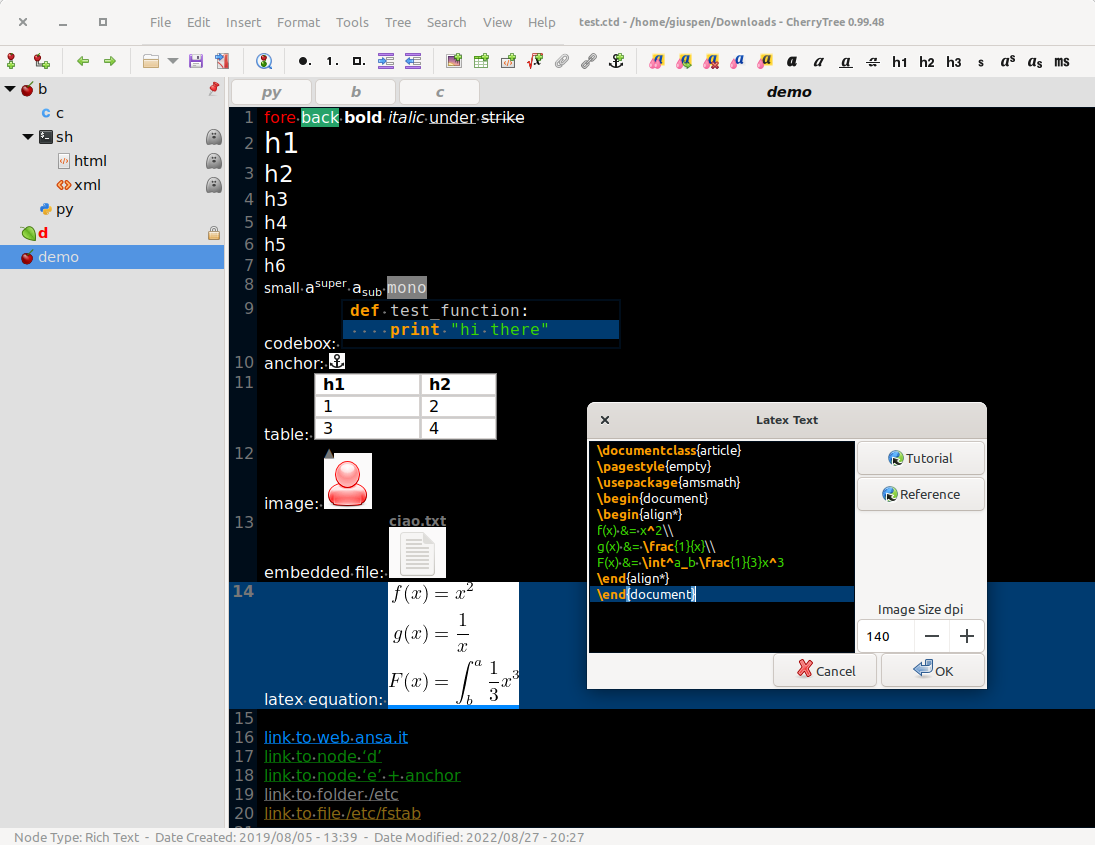
- Rich text (foreground color, background color, bold, italic, underline, strikethrough, small, h1, h2, h3, h4, h5, h6, subscript, superscript, monospace)
- Syntax highlighting supporting several programming languages
- Images handling: insertion in the text, edit (resize/rotate), save as png file
- Latex math equations rendering
- Embedded files handling: insertion in the text, save to disk
- Multi-level lists handling (bulleted, numbered, to-do and switch between them, multiline with shift+enter)
- Simple tables handling (cells with plain text), cut/copy/paste row, import/export as csv file
- Codeboxes handling: boxes of plain text (optionally with syntax highlighting) into rich text, import/export as text file
- Execution of the code for code nodes and codeboxes; the terminal and the command per syntax highlighting is configurable in the preferences dialog; an embedded terminal is available on linux and mac os
- Alignment of text, images, tables and codeboxes (left/center/right/fill)
- Hyperlinks associated to text and images (links to webpages, links to nodes/nodes + anchors, links to files, links to folders)
- Spell check (using gspell)
- Intra application copy/paste: supported single images, single codeboxes, single tables and a compound selection of rich text, images, codeboxes and tables
- Cross application copy/paste (tested with libreoffice and gmail): supported single images, single codeboxes, single tables and a compound selection of rich text, images, codeboxes and tables
- Copying a list of files from the file manager and pasting in cherrytree will create a list of links to files, images are recognized and inserted in the text
- Print & save as pdf file of a selection / node / node and subnodes / the whole tree
- Export to html of a selection / node / node and subnodes / the whole tree
- Export to plain text of a selection / node / node and subnodes / the whole tree
- Toc generation for a node / node and subnodes / the whole tree, based on headers h1, h2, h3, h4, h5, h6 and text sections between headers collapsible
- Find a node, find in selected node, find in selected node and subnodes, find in all nodes
- Replace in nodes names, replace in selected node, replace in selected node and subnodes, replace in all nodes
- Iteration of the latest find, iteration of the latest replace, iteration of the latest applied text formatting
- Import from html file, import from folder of html files
- Import from plain text file, import from folder of plain text files
- Import from basket, cherrytree, epim html, gnote, keepnote, keynote, knowit, mempad, notecase, rednotebook, tomboy, treepad lite, tuxcards, zim
- Export to cherrytree file of a selection / node / node and subnodes / the whole tree
- Password protection (using http://www.7-zip.org/) available only for storage as single file – NOTE: while a cherrytree password protected document is opened, an unprotected copy is extracted to a temporary folder of the filesystem; this copy is removed when you close cherrytree
- Tree nodes drag and drop
- Automatic link to web page if writing the URL
- Automatic link to node if writing node name surrounded by [[node nam
