
DR DOS carries forward the legacy of Gary Kildall's groundbreaking work in operating systems. Originally developed by Digital Research Inc. in 1988, DR DOS was a technically superior alternative to MS-DOS, offering better performance and compatibility.
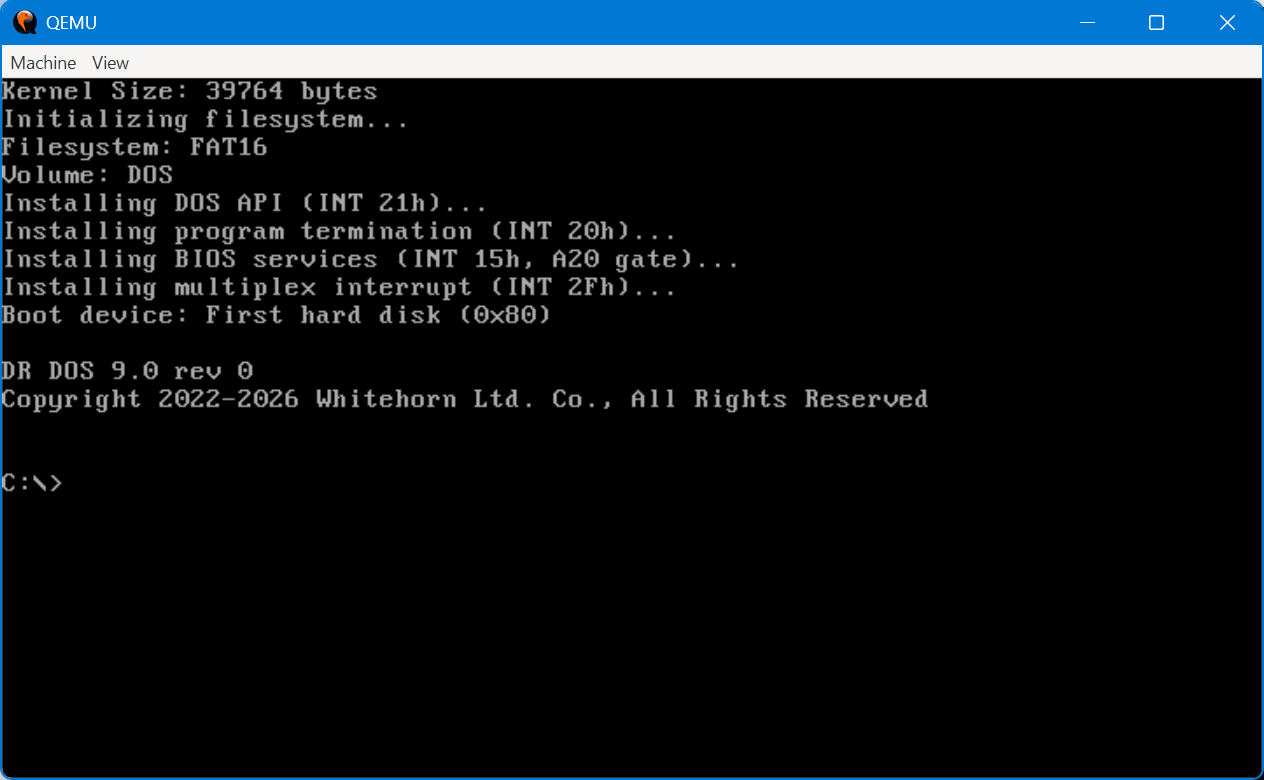
This is not just another DOS clone. DR DOS 9.0 is a faithful clean-room reimplementation, built from scratch to honor Kildall's vision while creating a modern, legally unencumbered DOS for the next generation of enthusiasts, developers, and hackers.
What's Included
DR DOS 9.0 comes with a comprehensive set of commands and utilities:
- Core File Management: CD, COPY, DEL, DIR, MD, MOVE, REN, TYPE, and more
- EDIT Text Editor: Full-featured editor with colored display, menus, keyboard shortcuts, and clipboard support
- System Utilities: MEM (memory information), VER (version), DATE, CLS, MORE
- Advanced Tools: HEXDUMP for debugging, MOUSE driver support, REBOOT utility
- Low-Level Access: PEEK, POKE, and JMP commands for direct memory manipulation and code execution - perfect for hackers and experimenters
For Hackers: DR DOS 9.0 includes unique memory manipulation commands (PEEK, POKE, JMP) that allow direct access to system memory, making it an excellent platform for learning about operating systems, testing low-level code, and DOS development.
DR DOS 9.0 revision 291 focuses on core DOS functionality with stability and correctness as top priorities. This beta release executes standard .COM and .EXE programs and is compatible with most DOS file utilities.
Current limitations in this revision:
- FAT16 filesystem only (FAT32 support planned for future releases)
- Fixed disk support limited to C: and D: drives
- Wildcard characters limited in COPY command (work normally in other commands like DIR and DEL)
- FOR loops not supported in batch files
- SET command not available to modify environment variables
- Input redirection and append redirection not yet implemented
These limitations reflect our clean-room development approach, where we're building features methodically to ensure quality and stability. Check our release notes to see what's been added in each revision.
Quick Installation Guide
Getting started with DR DOS is straightforward:
- Download the boot16.img.7z file from the links above
- Extract the 7z archive to get the boot16.img disk image
- Write the image to a USB drive or CompactFlash card using dd or similar disk imaging tool
- Boot your computer or virtual machine from the media
- DR DOS will start automatically - no installation required!
For detailed installation instructions, virtual machine setup, and troubleshooting, please see our comprehensive software manual.
Who Is This For?
DR DOS 9.0 is ideal for:
- DOS enthusiasts and retrocomputing hobbyists
- Developers interested in operating system development and low-level programming
- Educational purposes and learning about operating systems
- Testing classic DOS software compatibility
- Embedded systems requiring a minimal DOS environment
- Anyone curious about the heritage of PC operating systems
Important: For non-commercial users, we highly recommend that you do not install DR DOS on a device with important data, as the risk of data loss is possible during this beta phase.
What's New
9.0 rev 291 - 2026-03-07
- EMM386.SYS driver for EMS compatibility
- Add EMS 4.0 functions 47h-51h (handle directory, alter page map)
- Add INT 33h functions 13h, 1Ch, 24h to mouse driver
- Fix XMS move for extended memory blocks
- Fix mkdir directory extension for multi-cluster directories
- EMS no longer advertised when EMM386.SYS not loaded (MS-DOS compatible)
System Requirements
DR DOS 9.0 runs on a wide variety of x86 hardware, both real and virtual:
- Processor: Intel 386 compatible or higher
- Memory: 2 MB RAM minimum
- Display: VGA-compatible display adapter
- Storage: FAT16 hard disk partition
- BIOS: LBA or CHS disk addressing capability
DR DOS 9.0 works on both real vintage hardware and modern virtual machines including QEMU, VirtualBox, VMware, and others.
