

PureMac is a free Mac cleaning utility that runs entirely offline and focuses on practical system maintenance without the usual overhead. The open source project allows anyone to inspect its code, reinforcing a transparent, privacy first approach to managing macOS.
Alongside cache and log cleanup, it supports full app uninstallation with leftover file removal, positioning itself as a straightforward alternative to tools like CleanMyMac without subscriptions or background data collection.
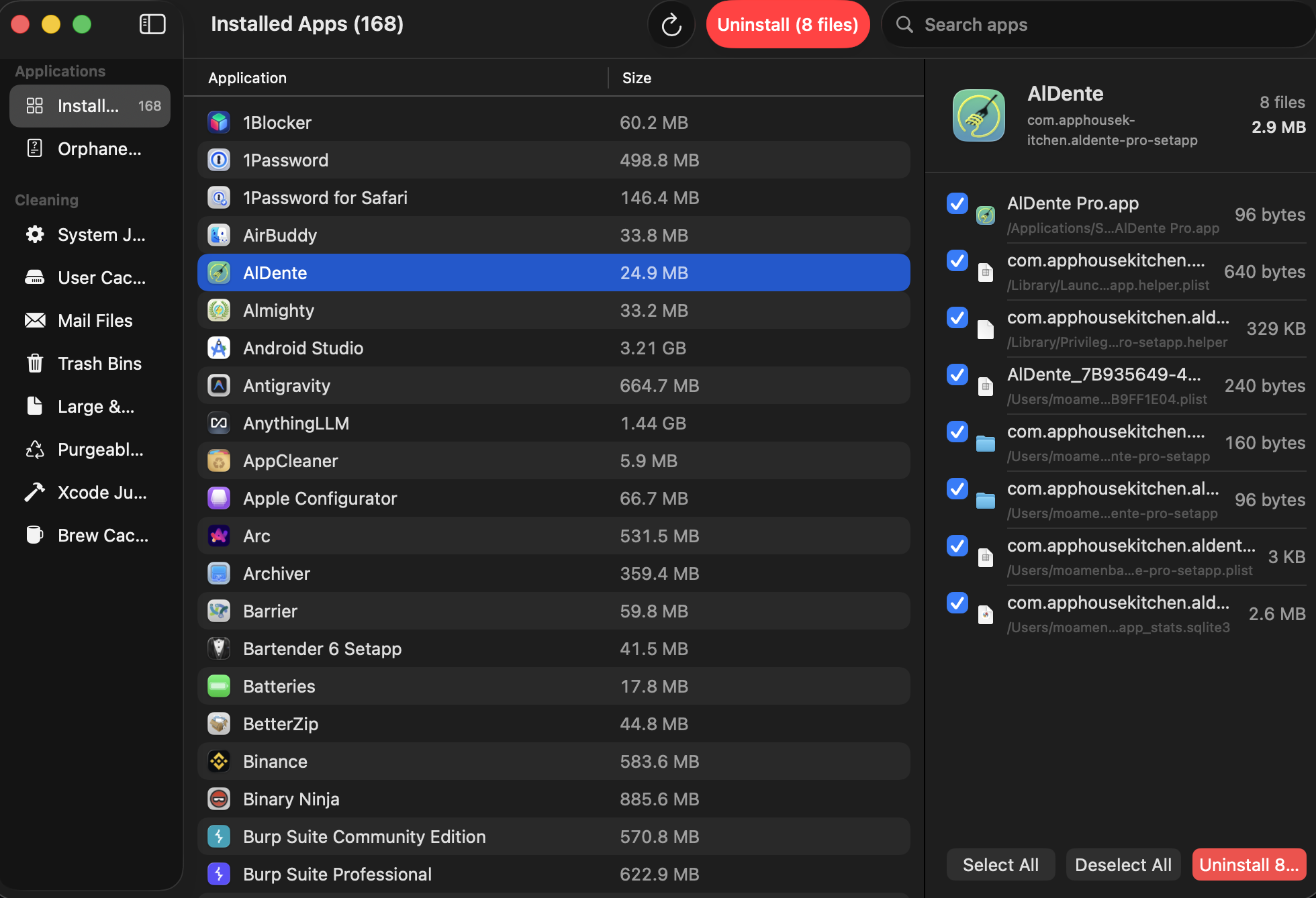
Features
- Smart Scan - One-click scan across all categories
- System Junk - System caches, logs, and temporary files
- User Cache - Application caches and browser data
- Mail Attachments - Downloaded mail attachments
- Trash Bins - Empty all Trash bins
- Large & Old Files - Files over 100 MB or older than 1 year
- Purgeable Space - APFS purgeable disk space (Time Machine snapshots)
- Xcode Junk - Derived data, archives, and simulator caches
- Homebrew Cache - Homebrew download cache
- Scheduled Cleaning - Automatic scans on configurable intervals
- Auto-Purge - Automatically purge purgeable files on schedule
- Click-to-inspect - See exactly what will be removed before cleaning
- 100% free - no trial, no premium tier, no subscriptions
- 100% private - no analytics, no telemetry, no network calls
- 100% native - built with SwiftUI, no Electron, no web views
- 100% open source - MIT licensed, audit the code yourself
- Signed & notarized - Apple Developer ID, no Gatekeeper warnings
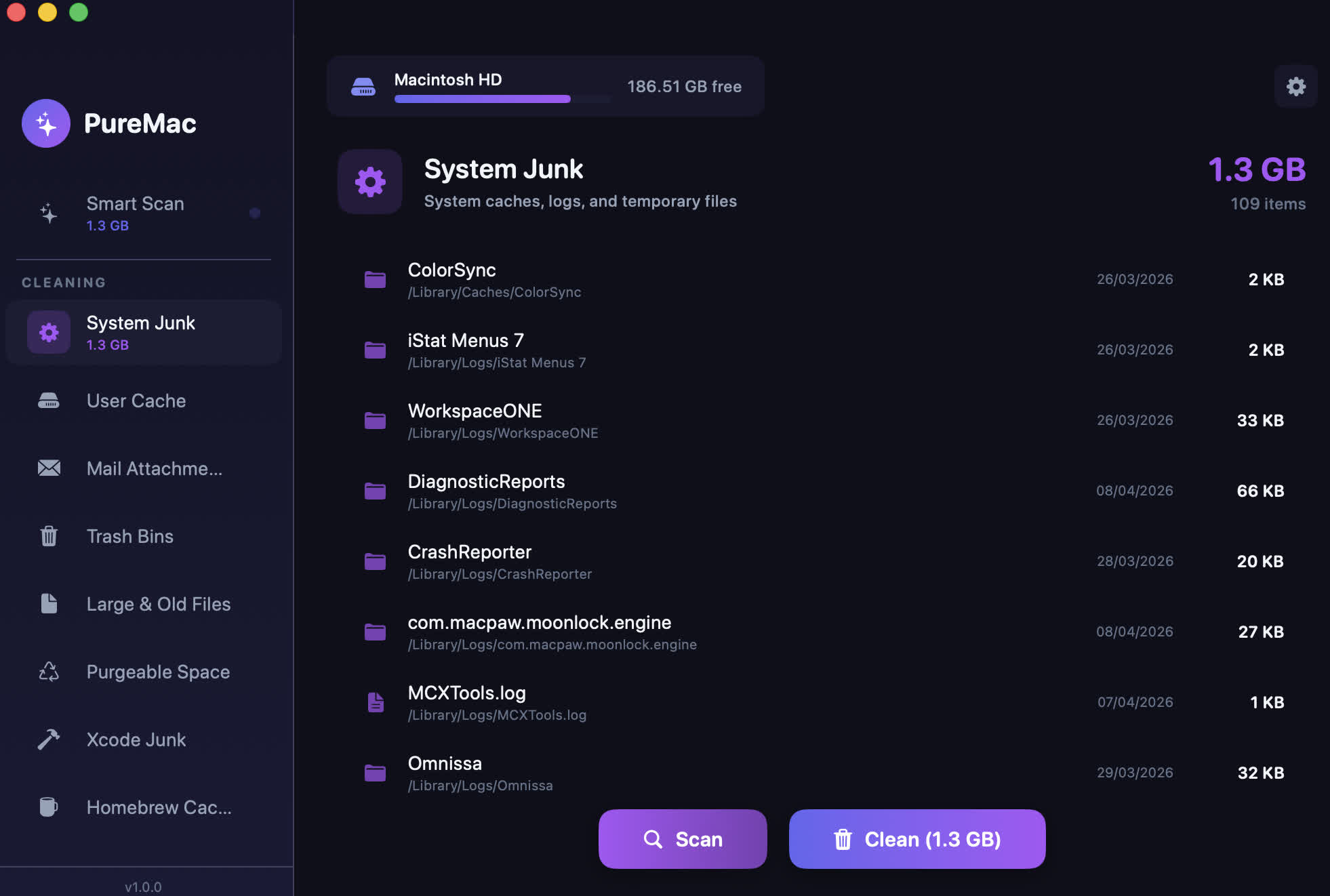
App Uninstaller
- Discovers all installed apps from /Applications and ~/Applications
- Heuristic file discovery engine with 10-level matching (bundle ID, company name, entitlements, team identifier, Spotlight metadata, container discovery)
- 3 sensitivity levels: Strict (safe), Enhanced (balanced), Deep (thorough)
- Shows all related files: caches, preferences, containers, logs, support files, launch agents
- System app protection - 27 Apple apps are excluded from the uninstall list
- Master-detail view: app table on left, discovered files on right
Orphaned File Finder
- Detects leftover files in ~/Library from apps that have been uninstalled
- Compares Library contents against all installed app identifiers
- One-click cleanup of orphaned files
System Cleaner
- Smart Scan - one-click scan across all categories
- System Junk - system caches, logs, and temporary files
- User Cache - dynamically discovers all app caches (no hardcoded app list)
- Mail Attachments - downloaded mail attachments
Trash Bins - empty all Trash
- Large & Old Files - files over 100 MB or older than 1 year
- Purgeable Space - APFS purgeable disk space detection
- Xcode Junk - DerivedData, Archives, simulator caches
- Brew Cache - Homebrew download cache (detects custom HOMEBREW_CACHE)
- Scheduled Cleaning - automatic scans on configurable intervals
Native macOS Experience
- Built with SwiftUI using native macOS components
- NavigationSplitView, Toggle, ProgressView, Form, GroupBox, Table
- Respects system light/dark mode automatically
- No custom gradients, glows, or web-app styling
- First-launch onboarding with Full Disk Access setup
Safety
- Confirmation dialogs before all destructive operations
- Symlink attack prevention - resolves and validates paths before deletion
- System app protection - Apple apps cannot be uninstalled
- Large & Old Files are never auto-selected
- Structured logging via os.log (visible in Console.app)
What's New
Universal binary (Intel + Apple Silicon). Signed and notarized.
New in v2.0
- App Uninstaller - heuristic file discovery with 10-level matching
- Orphaned File Finder - detect leftovers from uninstalled apps
- CLI - puremac scan, puremac list, puremac disk-info
- Onboarding - first-launch Full Disk Access setup
- Native SwiftUI - system light/dark mode, no custom gradients
- Security - symlink attack prevention, confirmation dialogs
- 120+ search paths, 25 per-app matching rules, 3 sensitivity levels
