
DaVinci Resolve is the world's only solution that combines professional 8K editing, color correction, visual effects and audio post production all in one software tool! You can instantly move between editing, color, effects, and audio with a single click.
This download page is for DaVinci Resolve 16, you can download the latest release of DaVinci Resolve here.
DaVinci Resolve 16 is a major update that adds a revolutionary new cut page specifically designed for editors that need to work quickly and on tight deadlines. In addition, DaVinci Resolve 16 includes dozens of other new features for professional editors, colorists, VFX artists and sound engineers.
Designed specifically for editors working on high end fast turn around work such as television commercials and even news cutting, the cut page is all about speed. It's an alternate edit page with a streamlined interface and revolutionary new tools that will help customers work faster than ever. The cut page lets customers import, edit, trim, add transitions, titles, automatically match color, mix audio and more. Whether you're delivering for broadcast or for YouTube, the cut page has everything customers need to get the job done, all in one place. Plus, the regular edit page is still available so customers can switch between edit and cut pages to change editing style right in the middle of a job.
The cut page challenges the traditional way of working with innovative yet familiar concepts such as source tape mode and an A/B trim tool. Two modern features that are rooted in the past. The cut page isn't about simplification, it's about removing the things customers don't need and building powerful, professional tools that help customers work more quickly. And, sometimes, it means borrowing the things that were great about the past and bringing them into the future.
Back in the days of tape, finding a clip was easy because customers could just spool up and down the tape to see their media and select shots. Today, finding the right clip in a bin with hundreds of files is slow. With source tape, customers no longer have to waste time hunting through bins to find the clip they need. Simply click on the source tape button and all of the clips in their bin appear in the viewer as a single long "tape". This makes it easy to scrub through all of the shots, find the parts they want, and quickly edit them to the timeline. It's an old fashioned concept that's completely modernized to help customers find the shots they need fast.
Zooming in and out and scrolling timelines is extremely slow. The new cut page features an innovative dual timeline so customers never have to zoom in or out again. The upper timeline shows customers the entire program while the lower timeline shows customers the current work area. Both timelines are fully functional, allowing customers to move and trim clips in whichever timeline is most convenient. Want to move a clip all the way to the end of a program? Simply pick it up from the lower timeline and drag it to the end of the upper timeline to move it down the edit.
Can you use DaVinci Resolve on a budget PC?
Yes, you can use DaVinci Resolve on a budget PC, but with limitations. The free version works well for basic editing if your system meets the minimum specs: a decent multi-core CPU, at least 16GB of RAM (32GB preferred), and a dedicated GPU with at least 2 – 4GB of VRAM. Intel integrated graphics may run it, but performance will be poor, especially during rendering or color grading.
Is DaVinci Resolve good for beginners or is it too complex?
While the interface can seem overwhelming at first, Resolve is quite beginner-friendly once you understand the layout. The Cut and Edit pages are simplified for newcomers, and there are many tutorials available that make learning the basics approachable.
Is DaVinci better than Adobe Premiere?
DaVinci Resolve is widely praised for its color grading tools, built-in Fusion for motion graphics, and Fairlight for audio – all in one app. It's particularly strong for filmmakers and editors who want advanced features without needing multiple programs. The free version is powerful and covers most needs.
Adobe Premiere Pro is better integrated with the Adobe Creative Cloud suite, which is a major plus if you rely on After Effects, Photoshop, or Illustrator. It's often preferred in broadcast and commercial environments due to its long-standing industry presence and collaborative tools.
What are other free Premiere alternatives?
In addition to DaVinci Resolve there are plenty of free solid video editors to choose from. Some of which are VSDC Free Video Editor, Shotcut and Movavi Video Editor Plus. Here is a longer list of Adobe Premiere alternatives.
Features
- DaVinci Neural Engine for AI and deep learning features.
- Dual timeline to edit and trim without zooming and scrolling.
- Source tape to review all clips as if they were a single tape.
- Trim interface to view both sides of an edit and trim.
- Intelligent edit modes to auto sync clips and edit.
- Timeline review playback speed based on clip length.
- Built in tools for retime, stabilization and transform.
- Render and upload directly to YouTube and Vimeo.
- Direct media import via buttons.
- Scalable interface for working on laptop screens.
- Create projects with different frame rates and resolutions.
- Apply effects to multiple clips at the same time.
- DaVinci Neural Engine detects faces and auto creates bins.
- Frame rate conversions and motion estimation.
- Cut and edit page image stabilization.
- Curve editor ease in and out controls.
- Tape style audio scrubbing with pitch correction.
- Re-encode only changed files for faster rendering.
- Collaborate remotely with Frame.io integration.
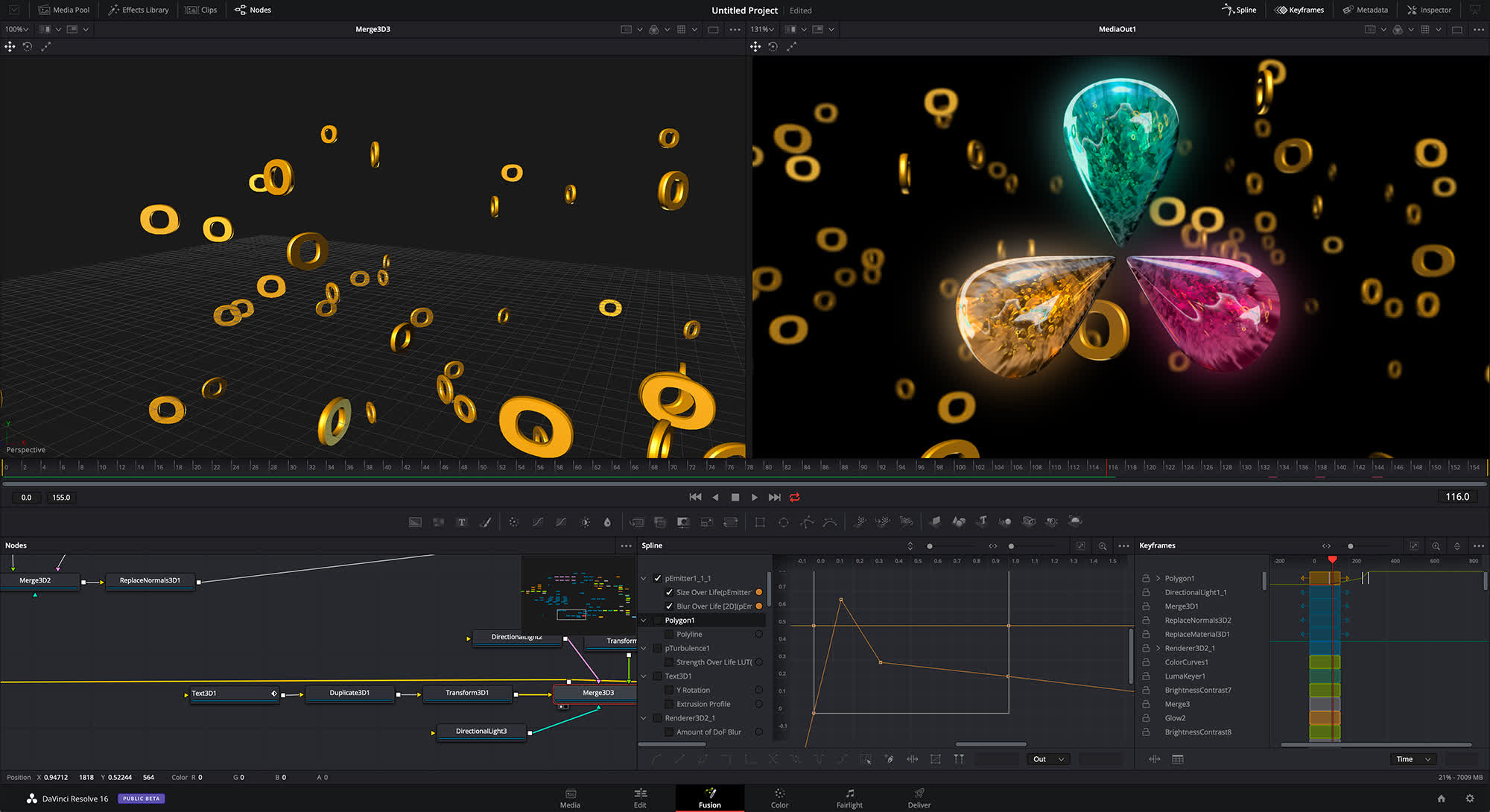
- Improved GPU performance for Fusion 3D operations.
- Cross platform GPU accelerated tools.
- Accelerated mask operations including B-Spline and bitmap.
- Improved planar and tracker performance.
- Faster user and smart cache.
- GPU accelerated scopes with advanced technical monitoring.
- Custom and HSL curves now feature histogram overlay.
- DaVinci Neural Engine auto color and shot match.
- Synchronize SDI output to viewer zoom.
- Mix and master immersive 3D audio.
- Elastic wave audio alignment and retiming.
- Bus tracks with automation on timeline.
- Foley sampler, frequency analyzer, dialog processor, FairlightFX.
- 500 royalty free foley sounds effects.
- Share markers and notes in collaboration workflows.
- Individual user cache for collaborative projects.
- Resolve FX plugins with timeline and keyframes.
What's New
The new DaVinci Neural Engine uses state of the art deep neural networks and learning, along with artificial intelligence to power new features such as speed warp motion estimation for retiming, super scale for up-scaling footage, auto color and color matching, facial recognition and more. The DaVinci Neural Engine is entirely cross-platform and uses the latest GPU innovations for AI and deep learning to provide unparalleled performance and quality. The DaVinci Neural Engine provides simple tools to solve complex, repetitive and time consuming problems. For example, it enables facial recognition to automatically sort and organize clips into bins based on people in the shot.
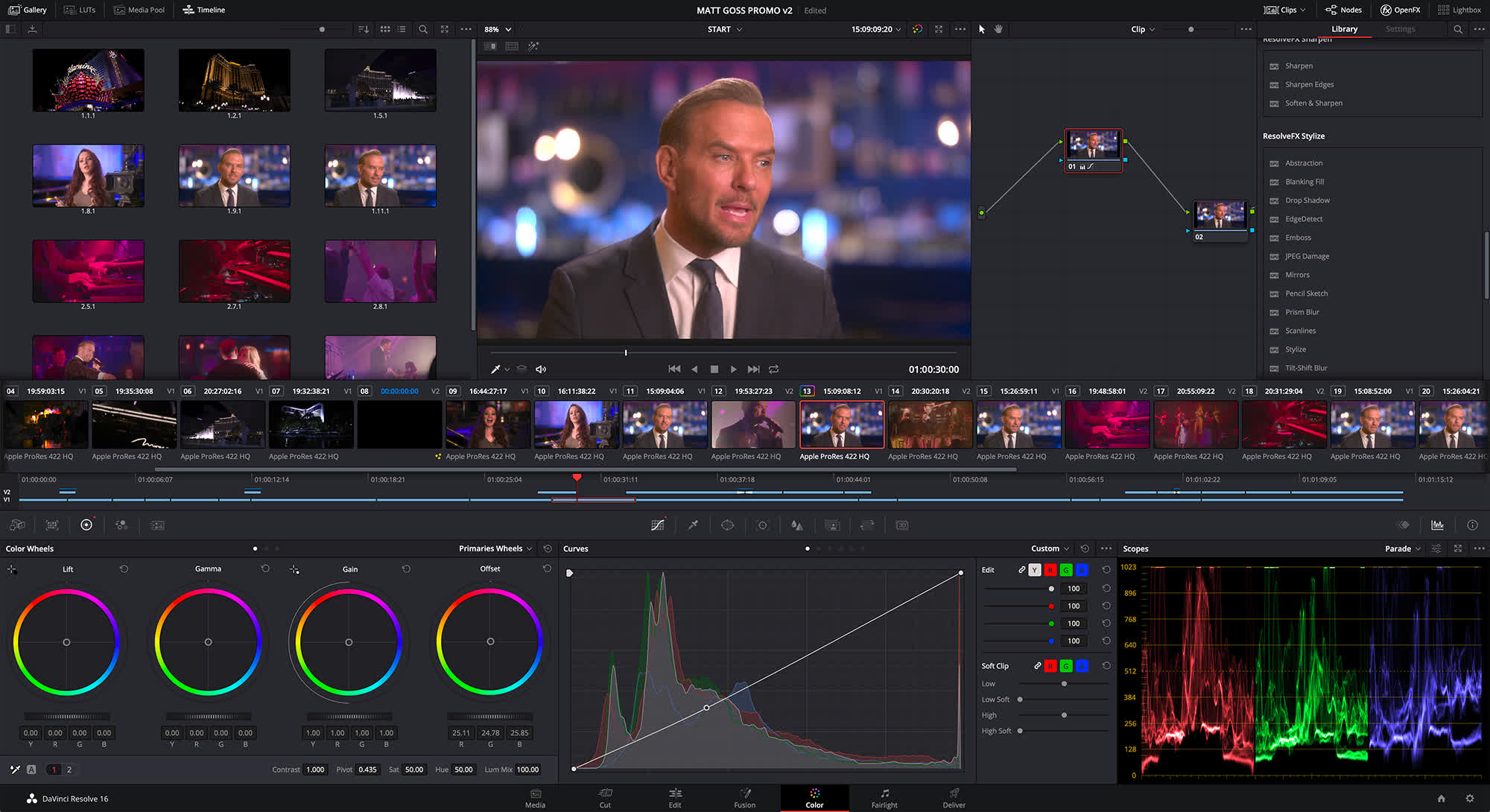
DaVinci Resolve 16 also introduces powerful new features that customers have asked for across the rest of the application. New adjustment clips let customers apply effects and grades to clips on the timeline below, quick export can be used to upload projects to YouTube and Vimeo from anywhere in the application, and new GPU accelerated scopes provide more technical monitoring options than before. The massively updated Fairlight page adds elastic wave alignment so customers can stretch waveforms to precisely sync dialog replacement with video, immersive 3D audio support, new bus tracks, automation previews, dialog sweetening tools and even more FairlightFX.
DaVinci Resolve Studio 16 features major improvements to existing ResolveFX, along with several new plugins that editors and colorists will like. There are new ResolveFX plugins for adding vignettes, drop shadows, removing objects, adding analog noise and damage, chromatic aberration, stylizing video and more. There are also improvements to the scanline, beauty, face refinement, blanking fill, warper, dead pixel fixer and colorspace transformation plugins. Plus, customers can now view and edit ResolveFX keyframes from the timeline curve editor on the edit page or from the keyframe panel on the color page.
"The new cut page in DaVinci Resolve 16 is the first professional editing interface designed to help television commercial and other high end editors meet super tight deadlines on fast turn around projects," said Grant Petty, Blackmagic Design CEO. "It's exciting because we've designed a whole new high performance non-linear workflow! The cut page is all about power and speed. Plus, editors that need to work on more complex projects can still use the regular edit page. DaVinci Resolve 16 gives different editors the choice to work the way they want!"