

UniGetUI is a Windows-first, intuitive GUI for the most common CLI package managers on Windows 10 and 11. Cross-platform builds are also available for macOS and Linux, with support for package managers including WinGet, Scoop, Chocolatey, Homebrew, APT, DNF, Pacman, Flatpak, Snap, pip, npm, Bun, .NET Tool, PowerShell Gallery, and more.
With UniGetUI, you can discover, install, update, and uninstall software from multiple package managers through one interface.
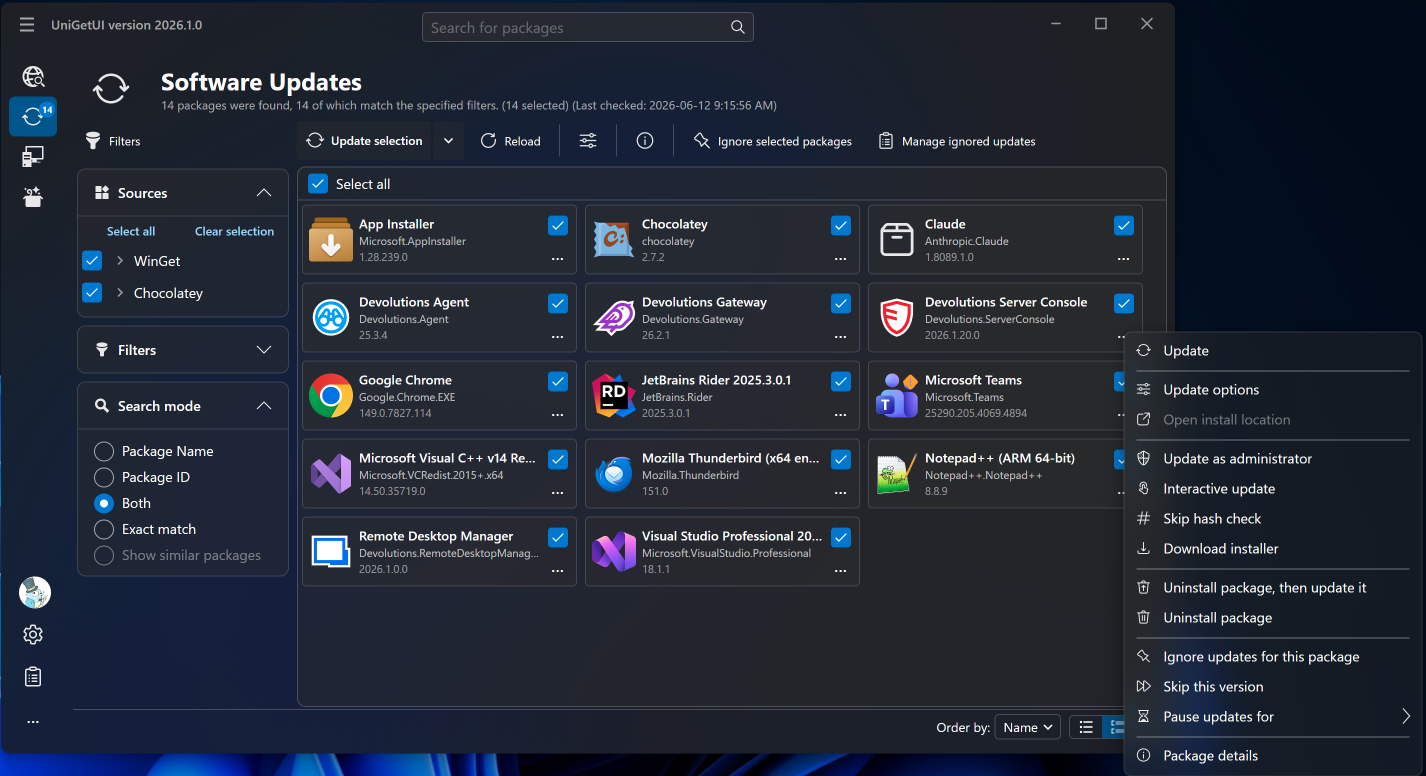
Features
Install, Update & Remove
- One-click install, update, and uninstall. UniGetUI combines packages from Winget, Chocolatey, Scoop, Snap, Pip, Npm, and .NET Tool.
- Single interface for multiple package managers
- View metadata before installing
- Custom installation options per package
- System tray updates notification
Discover & Filter Packages
- Search and filter packages across all supported managers. Find the software you want quickly with detailed metadata.
- Browse by package manager
- Publisher and size info
- Direct download URL
Bulk Operations
- Bulk-install, update, or uninstall multiple packages at once. Select several packages and perform operations in a single batch.
- Select multiple packages
- Auto-update or notifications
- Skip or ignore updates per package
Export & Backup
- Export package lists to import on another machine. Backup your setup to recover in seconds when migrating.
- Export custom lists with parameters
- Import on new machines
- Share packages with friends
What's New
New Features
- Added an experimental Software Catalog and Catalog Editor, turned on in Settings > Experimental. The catalog is a page of approved software that users can install, update and uninstall in one click. Administrators build it with the Catalog Editor: they can manage several catalogs, pin package versions, and add packages straight from Discover.
- You can now reorder the sidebar pages by drag and drop, or with Alt+Up/Down. Keyboard shortcuts follow the new order, and you can reset it in Settings > User interface.
- UniGetUI on Mac now uses macOS's new Liquid Glass look.
Improvements
- The package list now keeps its scroll position when an operation finishes, instead of jumping back to the top.
- Package details and "Download installer" now pick the same WinGet installer as installs and updates, following your scope and architecture settings.
- Screen readers now announce the real names of expanders and package list cells instead of control type names.
Bug Fixes
- Fixed Pip updates that could corrupt the Python environment. Pip operations now run one at a time.
- Fixed PowerShell 7 modules installed for all users that couldn't be uninstalled.
- Fixed Chocolatey packages, such as Python, that need administrator rights not being retried as administrator.
- Fixed several crashes, including at startup, with unreadable icon files, and with screen readers.
- Fixed the restart prompt showing when opening Experimental settings without changing anything.
- Fixed a duplicated top bar and a crash in the terminal UI.
