

The pen, panels and shortcuts working illustrators expect, in a native app that keeps up with you. Open source, and in your browser too.
Features
The workflow you know
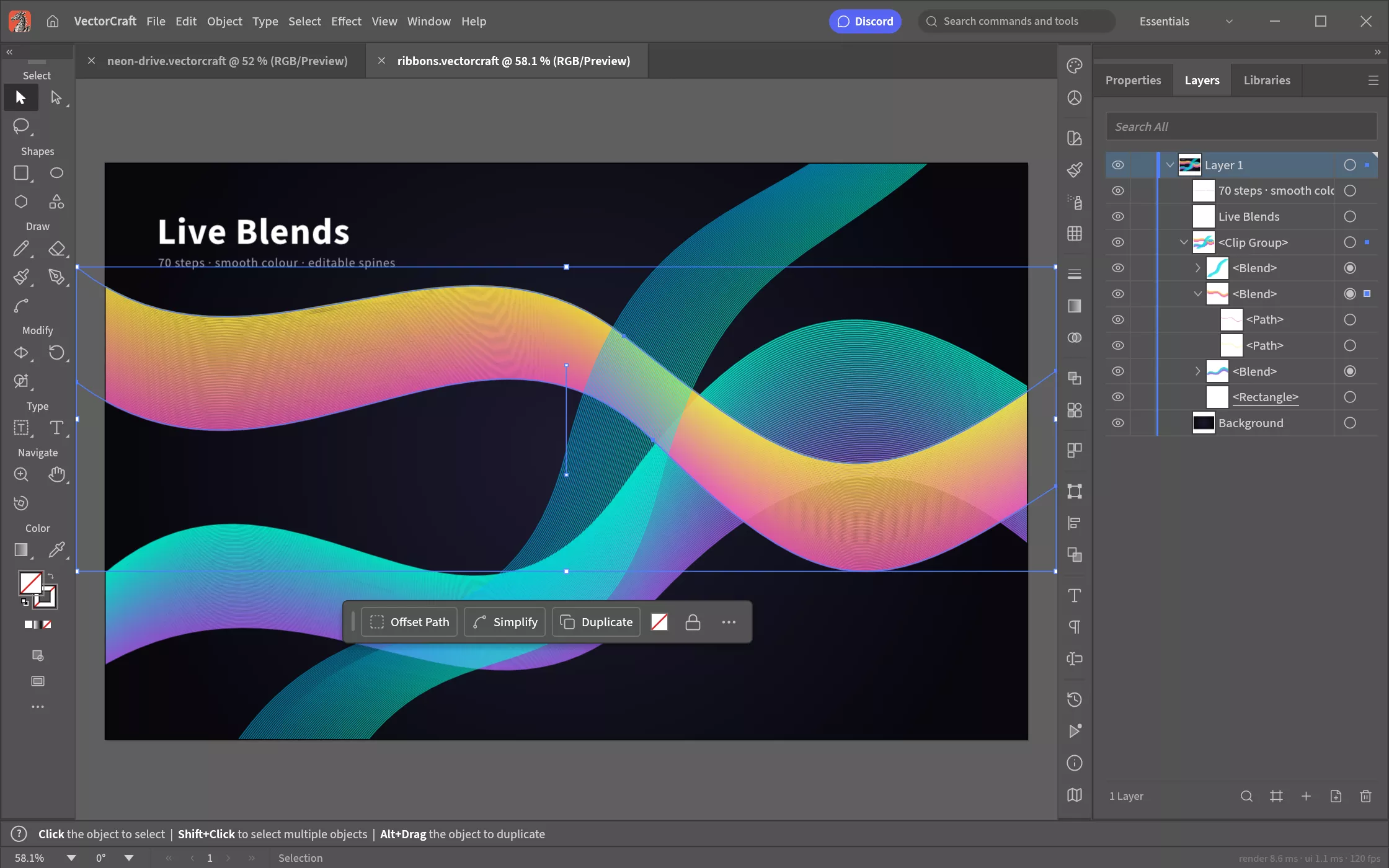
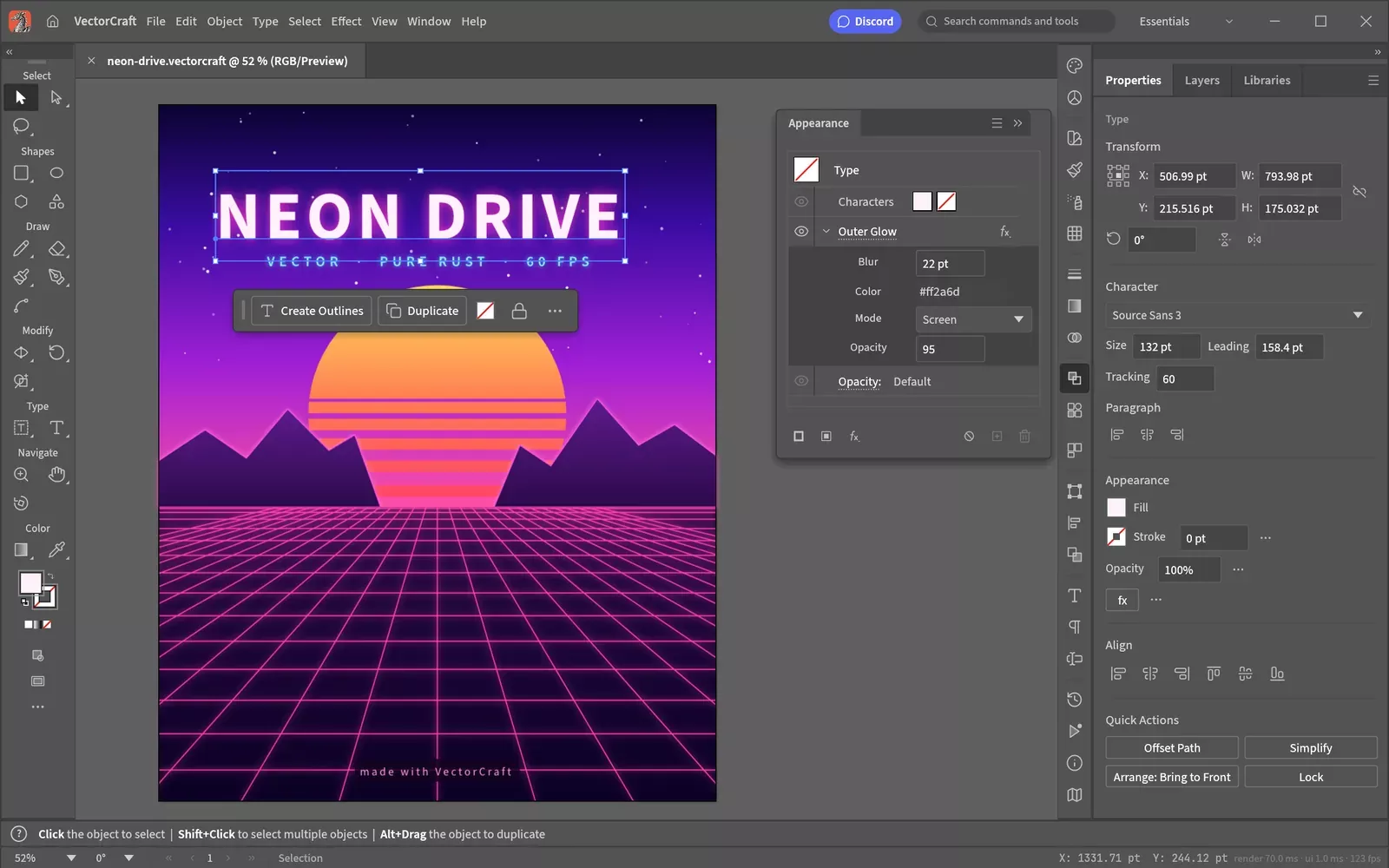
Pen, direct selection, shape booleans, snapping guides and an appearance panel, laid out the way you expect.
Genuinely fast
20,000 shapes render in about 27 ms at retina resolution, and the interface runs at 120 fps.
Booleans that never fail
Exact curve booleans mean no more "cannot perform operation". Unlimited undo means no more fear.
Live, editable effects
Blends, envelope distort, gradient mesh, live radial, grid and mirror repeats, glows and drop shadows - all still editable.
Image tracing
Turn raster images into clean vector paths with 12 tracing presets.
Open formats
Native JSON documents, SVG and PDF import and export, PNG, JPEG and WebP output, and multi-size export for screens.
What's New
- Fix #495: panels, panel groups and the Tools panel undock into floating panels by @bflatastic in #513
- Clean-room: never run, automate or observe Adobe software by @bflatastic in #520
- Fix #502: no startup crash on dual-GPU Linux desktops under Wayland by @bflatastic in #519
- Fix #494: Pen + Cmd edits the path being drawn; Pen + Alt reshapes segments; handle drags fixed and fast by @bflatastic in #517
- Fix #501: a Pen drag out of the first anchor always closes the path by @bflatastic in #521
- Fix #504: Convert corner/smooth for a path selected as a whole with the anchor tools by @bflatastic in #524
- Linux: check the system clipboard for Paste off the UI thread (#510) by @bflatastic in #534
- Fix #508: PDF/.ai import keeps type strokes, wrapped lines and layer order by @bflatastic in #531
- Fix #514: Italian interface (it) by @callmeBalloch in #515
- EPS tests: interpreter programs written from the PostScript Language Reference by @bflatastic in #535
- Fix #498, part of #505: EPS image sources read in turn, restore undoes dictionary changes (PLRM) by @bflatastic in #540
- macOS: the menus live in the system menu bar, settings in the VectorCraft menu by @bflatastic in #509
- Land #542, #523, #528, #527, #538, #529 with review fixes by @bflatastic in #547
- Fix #433: open only file URLs handed to the app (macOS 27) by @imachus in #523
- Type (#432): new type in a Japanese interface starts top-to-top with em box centre alignment by @imachus in #527
- UI: right-click a ruler to swap the document units by @jeremyfry in #528
- Fix #506: drawing tools snap to Smart Guides as the Selection tool does by @bflatastic in #529
- Fix #511: Live Corners on any path's corners (stars, polygons, pen paths) by @bflatastic in #538
- Clippy: use as_chunks for constant-size chunks (Rust 1.98) by @bobtherobot in #542
- Land #533, #548, #549, #552 with review fixes by @bflatastic in #553
- Control bar: Transform link opens the Transform panel; by @dbambus in #533
- Part of #516: the in-window menus' Select All, Cut, Copy and Paste act on a focused field by @bflatastic in #548
- Fix #545: Windows renders through DX12 before Vulkan by @bflatastic in #549
- Fix #543: Object › Image Trace › Make traces with the Default preset by @bflatastic in #552
- Release: VectorCraft v0.7.0 by @bflatastic in #556
Why VectorCraft?
- Familiar. Illustrator's layout, tools, menus, panels and shortcuts: the Pen, Direct Selection, Pathfinder, Smart Guides, Appearance, Swatches, Layers and more. You already know how to use it.
- Fast. Multithreaded SIMD rendering off the UI thread. 20,000 shapes render in about 27 ms at full retina resolution while the interface stays at 120 fps.
- Robust. Exact curve booleans (no "cannot perform operation"), unlimited undo via structural sharing, and property-tested file round trips.
- Open. A documented native format (.vectorcraft, JSON), first-class SVG, PDF (and PDF-compatible .ai) import and export, PNG/JPEG/WebP export, Export for Screens, and SVGZ, templates, GIF, TIFF and BMP on open.
- Agent-native. Every menu item, tool gesture, panel and dialog can be driven over a JSON control channel and an MCP server, so Claude and other agents can draw, edit and export the way a person does.
- Everywhere. One codebase for the desktop apps and the same UI in the browser.
