

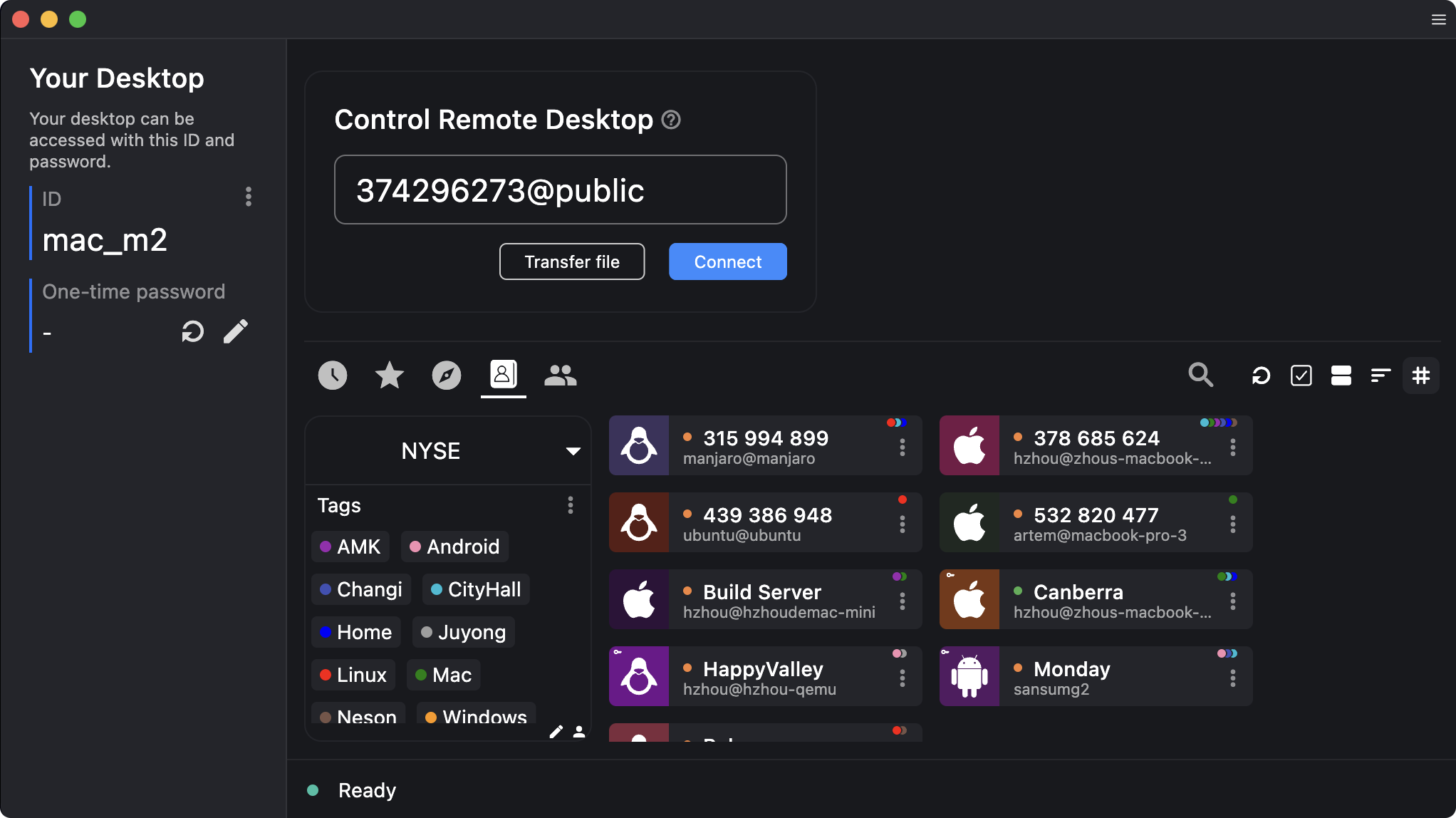
RustDesk is a free and open-source remote desktop software that lets you connect to and control another computer securely over the internet. Written in Rust for speed, RustDesk works out of the box, no configuration required. You have full control of your data, with no concerns about security.
Switch from TeamViewer, AnyDesk, or Splashtop to RustDesk for a secure and reliable remote desktop experience with your own self-hosted servers. Empower your remote access with self-hosted servers.
What is RustDesk and how does it compare to TeamViewer or AnyDesk?
RustDesk is a free and open-source remote desktop software that allows users to connect and control computers over the internet. Unlike TeamViewer or AnyDesk, RustDesk gives users full control over their data by allowing them to self-host their own server infrastructure, which appeals to users concerned with privacy and data ownership.
Does RustDesk support file transfer and clipboard sharing?
Yes, RustDesk supports file transfer and clipboard synchronization between the host and the client. These features work across platforms and are enabled by default in most configurations, offering functionality similar to commercial remote desktop tools.
Is it necessary to self-host RustDesk, or can I use it out of the box?
RustDesk works right out of the box using its public relay and rendezvous servers. However, for maximum privacy and control, especially in enterprise or sensitive environments, many users prefer to self-host the server components. Self-hosting is optional but recommended if you want to avoid using third-party infrastructure.
How secure is RustDesk?
Security is one of RustDesk's core strengths. It uses end-to-end encryption with modern cryptographic standards to ensure that no one – including the server operator – can see your screen data or file transfers.
How does performance compare to other remote desktop apps?
Performance is impressively smooth, especially over local networks or when using a self-hosted relay. RustDesk delivers low-latency input and clear image quality even on moderate connections. While commercial alternatives may have more mature network optimization, RustDesk's lightweight codebase and peer-to-peer design give it a strong edge in responsiveness and reliability.
Is RustDesk ready for business or enterprise use?
Yes, but setup matters. RustDesk can be deployed in offices, schools, or managed IT environments where control and privacy are priorities. Businesses often self-host the RustDesk server for internal access and integrate it with existing network policies. It's ideal for organizations that want an open-source remote access platform without recurring licensing costs.
What's New
Added
- Add advanced option to allow CLI settings when custom client toggles Disable settings #15138
- Add Android device deployment flow #15146
- Drag whole toolbar; snap to all four edges of the remote session window #15051
- Github action hash pinned
- Allow macOS monitor switching in privacy mode #15004
- feat: option, enable-privacy-mode & enable-perm-change-in-accept-window #14875
- impl(cm): implement change_theme and change_language callbacks #14782
- add brute-force protection for one-time password #14682
- add option to hide stop-service when service is running #14563 --deploy, reuse the device token #15035
Changes
- refact(password): encrypt #15073
- Harden os password (terminal windows and headless linux) anti brute force #14985
- mobile: deeplink, disable by default #14824
- stop retrying on restricted mobile access errors #14797
- (keyboard): wayland clipboard input prompt #14700
Fixes
- fix: bytes codec, reserver(), check max #15168
- fix(crypt): symmetric crypt, zero nonce #15144
- fix: add integer overflow check in wf_cliprdr.c #15142
- fix(android): close session on dispose to prevent reconnect wedge #15143
- scrap/wayland: insert videoconvert to fix screencast on COSMIC / DMA-BUF portals #15063
- fix(ipc): scope active-user IPC routing to root CLI main requests #15058
- fix(msi): check install folder, remove files when uninstall #15011
- fix(custom-client): desktop, incoming only, touch drag #14928
- fix(fs): file transfer, reconnect, restore dir #14925
- fix: remove unsafe exec() in wf_cliprdr.c #14924
- fix(android): waiting for image, one cause #14919
- Terminal utf8 and reconnect #14895
- fix(sicter): control side, privacy mode #14880
- fix safari-oidc https://github.com/rustdesk/rustdesk/issues/14861 #14867
- fix(linux): enable mouse side buttons in remote sessions #14848
- fix(client): serialize X11 keyboard grab and debounce focus feedback #14836
- flutter: improve address book pull error handling #14813
- flutter: shift after one shot IME capitalization #14695
- fix(win): exe icon path #14686
- fix: file transfer, path traversal #14678
- fix(ipc): harden local IPC authorization and portable-service bootstrap flow #14671
- fix switch sides for macOS peers #14661
- fix(iOS): preserve local pasteboard sync from Windows hosts #14659
- fix(iPad): keep touch gestures with external mouse #14652
- Fix Windows session-based logon and lock-screen detection #14620
- fix(shell): restrict kv in update_install_option #14564
- fix(linux): prevent X11 BadWindow crash in get_focused_display #14561
- Fix(wayland): improve error message when xdg-desktop-portal is unavailable #12897 #14543
- Fix Linux tray icon collision with other tray-icon crate apps #14530
- Fix: note dialog not shown when closing session from reconnecting screen #14528
- fix: iPad mouse down detection for physical mouse input #14515
- fix(mobile): restore canvas offset after hidding the soft keyboard #14506
- fix empty strategy value cannot apply over default advanced options #14502
- fix(flutter): reduce accidental horizontal trackpad scrolling during vertical pan #14460
- Move port mapping afterwards #14448
- fix(update): macos, test before update #14446
RustDesk 1.4.0 changelog
Added
- Allow logon screen password on lock screen
- Take screenshot
- Hostname as id for Pro
- Auto update on Windows, manual update on Windows and Mac
- Web socket support on all platform
- Trackpad speed adjustment #11680
Changes
- Remove system proxy dep of reqwest
- Capitalize display name
- Only use tcp in socks5 proxy since so many users failed to set up UDP for socks5 including ourselves
- "Exit" changed to "Stop service" on tray to avoid confusion
Fixes
- Virtual F11 key to macOS (11366)
- Tray startup is tried via sudo (and denied) which results in an email #9802
- Http proxy with reqwest
- Hide cm
- Lan discovery
- Rdp #10039
- Mouse scroll, remote tabs #11708
- 2FA login status

