Cutting corners: Chrome has shaped the modern web since its 2008 debut, setting the pace for everything from browser standards to update cycles. Now Google is about to speed that clock up again with a much faster release schedule.
Google has announced a notable shift in how Chrome updates will roll out. Starting September 2026, the Chromium-based browser will move to a two-week release cycle. In practice, that means a new major Chrome version every 14 days, though Google notes that early-stage builds and experimental channels will follow slightly different rules.
Developers point out that Chrome has already been speeding up over the years. Since 2021, the project has shipped a new milestone version every four weeks, and in 2023 Google introduced weekly security updates to further tighten the browser's defenses.
According to the company, moving even faster should help deliver security, reliability, and performance improvements more quickly – ultimately benefiting both the web platform and the people using it.
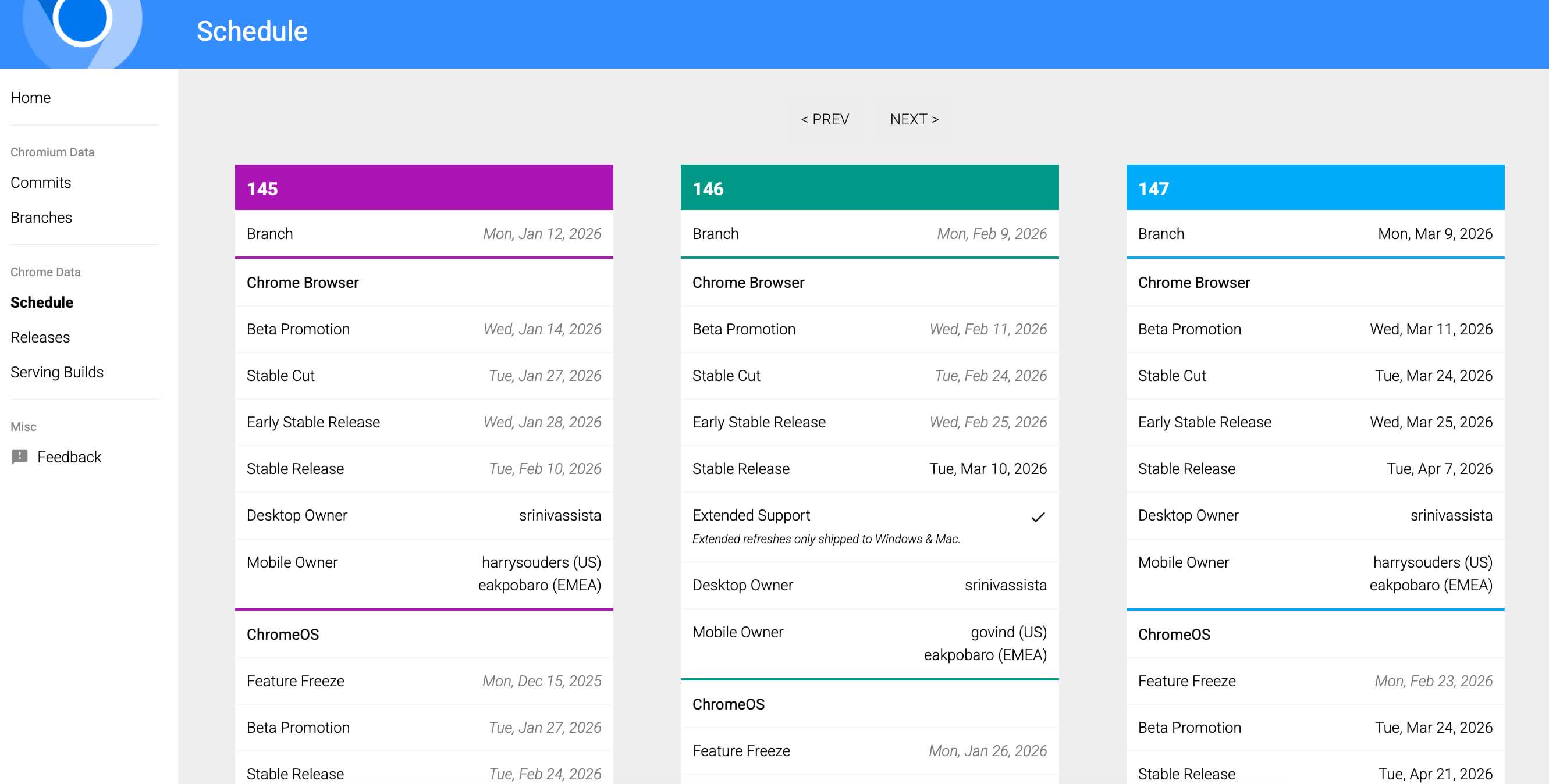
Google's Chromium development schedule currently tracks Chrome milestones weeks in advance, including beta promotions and stable releases.
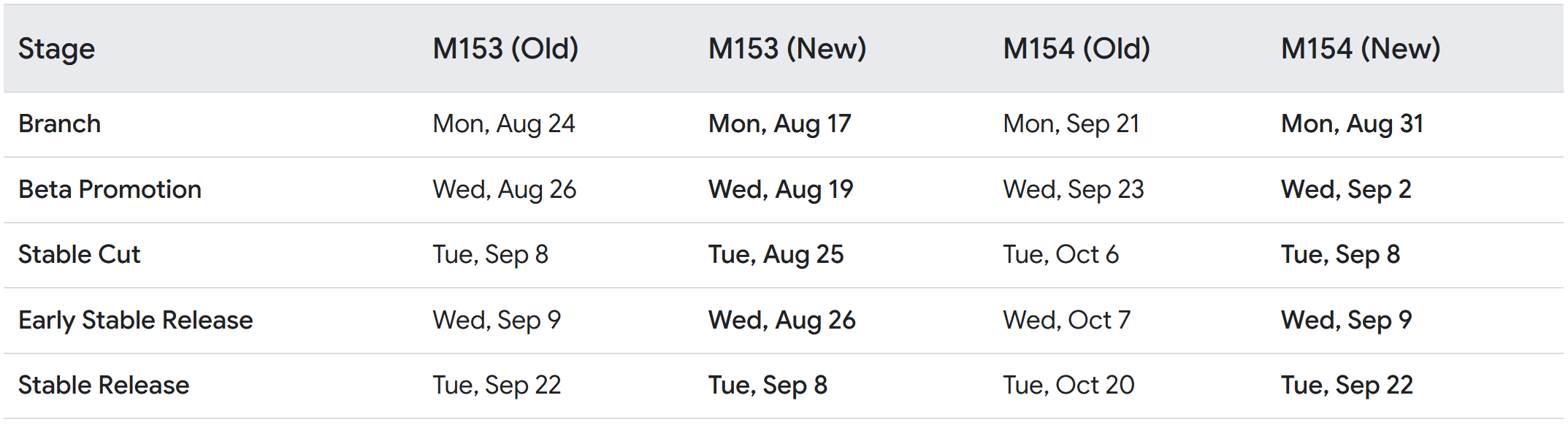
The next phase begins this fall. Chrome 153 is expected to arrive on September 8, 2026, followed by Chrome 154 just two weeks later on September 22. Google says the shift reflects the growing pace of development across the modern web platform. Releases will come more often, but they should also be smaller in scope, a strategy meant to reduce the risk of major disruptions for users and organizations.
The faster cadence will extend beyond the stable channel. Chrome's beta releases will also move to a two-week rhythm across all supported platforms, including desktop, Android, and iOS. For now, however, the Dev and Canary channels will remain unchanged.
Not every branch is speeding up. Google's Extended Stable program – introduced in 2021 to give enterprise administrators more breathing room – will continue operating on an eight-week schedule for both Chromebook and desktop platforms. Over time, though, Google's ChromeOS-powered thin clients are expected to align with the new two-week rhythm as well.
Chrome itself is proprietary software built on Chromium, the open-source project that underpins much of today's browser ecosystem. While Chromium is technically community-driven, Google engineers still contribute the vast majority of its development. Because so many third-party browsers rely on Chromium (like Opera, Tor Browser, Brave, Edge, etc.) changes to Chrome's release model are likely to ripple across the broader ecosystem.
Even Mozilla Firefox, which stands as one of the last independent development efforts in the browser space, was forced to adapt a rapid release model in 2011 to keep pace with Chrome's momentum. As a long-time Firefox user with a particular dislike for constantly updating software, I'm now curious to see how Chrome's next acceleration might influence the future of the Firefox project.
Google will start shipping a new Chrome version every two weeks


