LG monitors caught auto-installing Windows app that acts like adware

Daniel Sims

Posts: 2,484   +76
Staff
A hot potato: Adware is usually associated with pre-built PCs and dubious free downloads, but some users recently discovered that even legitimate monitors can quietly install apps that display pop-ups without permission. Fixing the issue seems to require changing local group policy settings or, in extreme cases, disabling the Microsoft Store altogether.
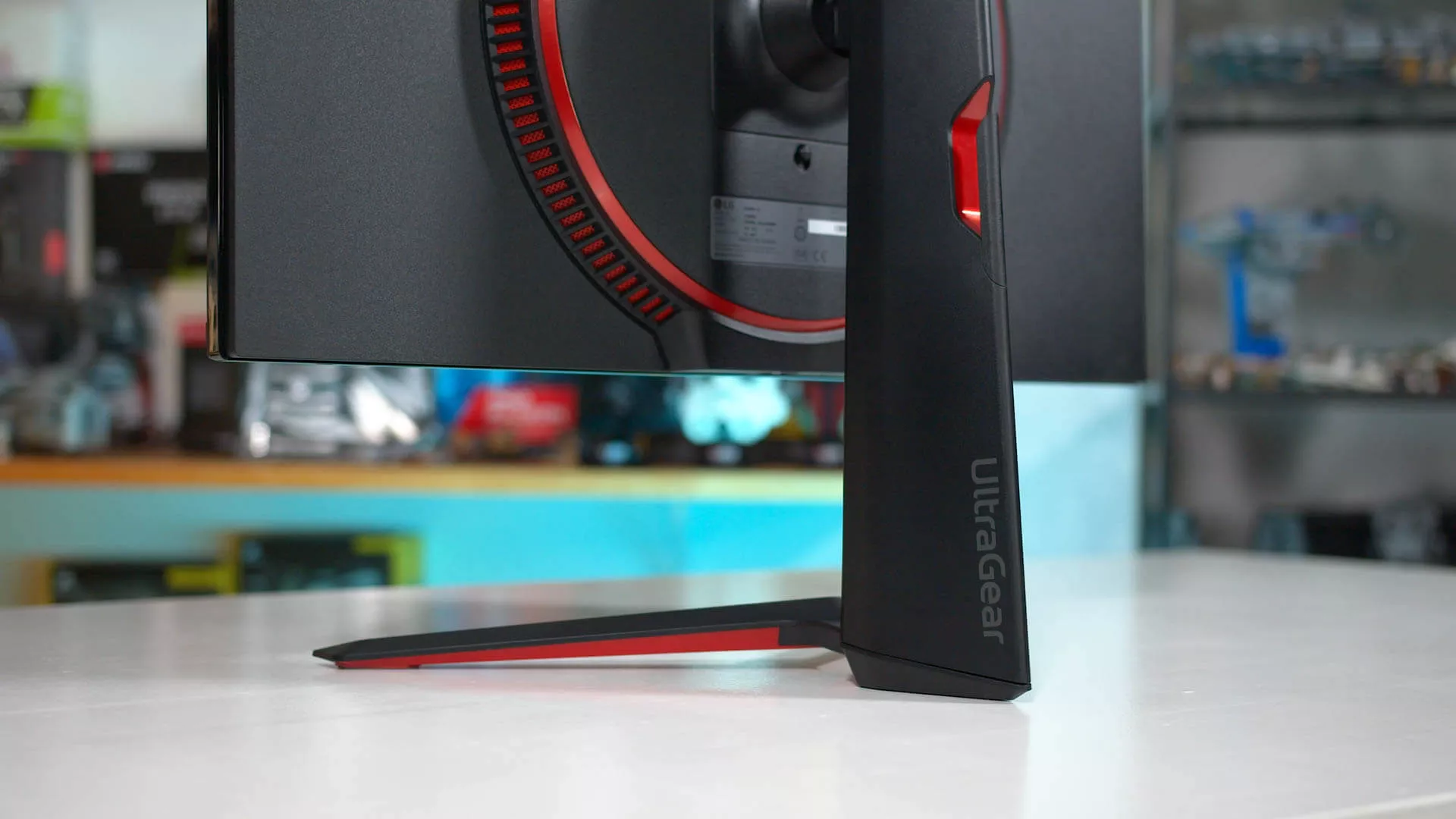
Update (July 22): Dell contacted TechSpot to clarify that current versions of Alienware Command Center require users to approve installation and do not display McAfee or other third-party advertisements. Dell's documentation confirms that Windows can initiate the AWCC installation process after detecting supported Alienware hardware, but says an opt-in prompt was added with AWCC 6.6 in February 2025. We have updated the headline and article to make the distinction between Alienware's device-management software and the McAfee promotions reported through LG's monitor app.

Redditor "Mags_Smash" recently complained about seeing McAfee pop-up ads on his PC despite never having installed the antivirus suite. He eventually traced the ads back to another app that his new LG monitor had installed without his knowledge.

After connecting one LG UltraGear 27GP83B monitor and two 27GN800s, Mags_Smash found that at least one of the panels had installed an "LG Monitor App Installer" via the Microsoft Store and Windows Update. The application shows up under the name "9PM9N6F47JB8-LGElectronics.LGMonitorApp" in Reliability Monitor, and Event Viewer logged its successful installation.

Windows update silently installed LG bloatware, which causes a McAfee pop up
by u/Mags_Smash in pcmasterrace

Some commenters said Dell and Alienware monitors had also triggered companion-software installations or repeated installation prompts, comparing it to how Asus motherboards automatically install the company's Armory Crate software.

Dell's own documentation confirms that Windows can initiate the Alienware Command Center installation when it detects Alienware hardware. However, Dell says AWCC 6.6 and newer versions, introduced beginning in February 2025, display an opt-in prompt before installation. Unlike LG's utility, AWCC has not been shown to display McAfee advertisements or other third-party pop-ups.

As for LG, unfortunately, the Monitor App can't be uninstalled through the Microsoft Store. So far, the only confirmed way to disable it without touching advanced system settings is to stop it from launching at boot, by unchecking it under Settings > Apps > Startup.

Also read: Antivirus bloatware may be killing your (not so old) Windows PC
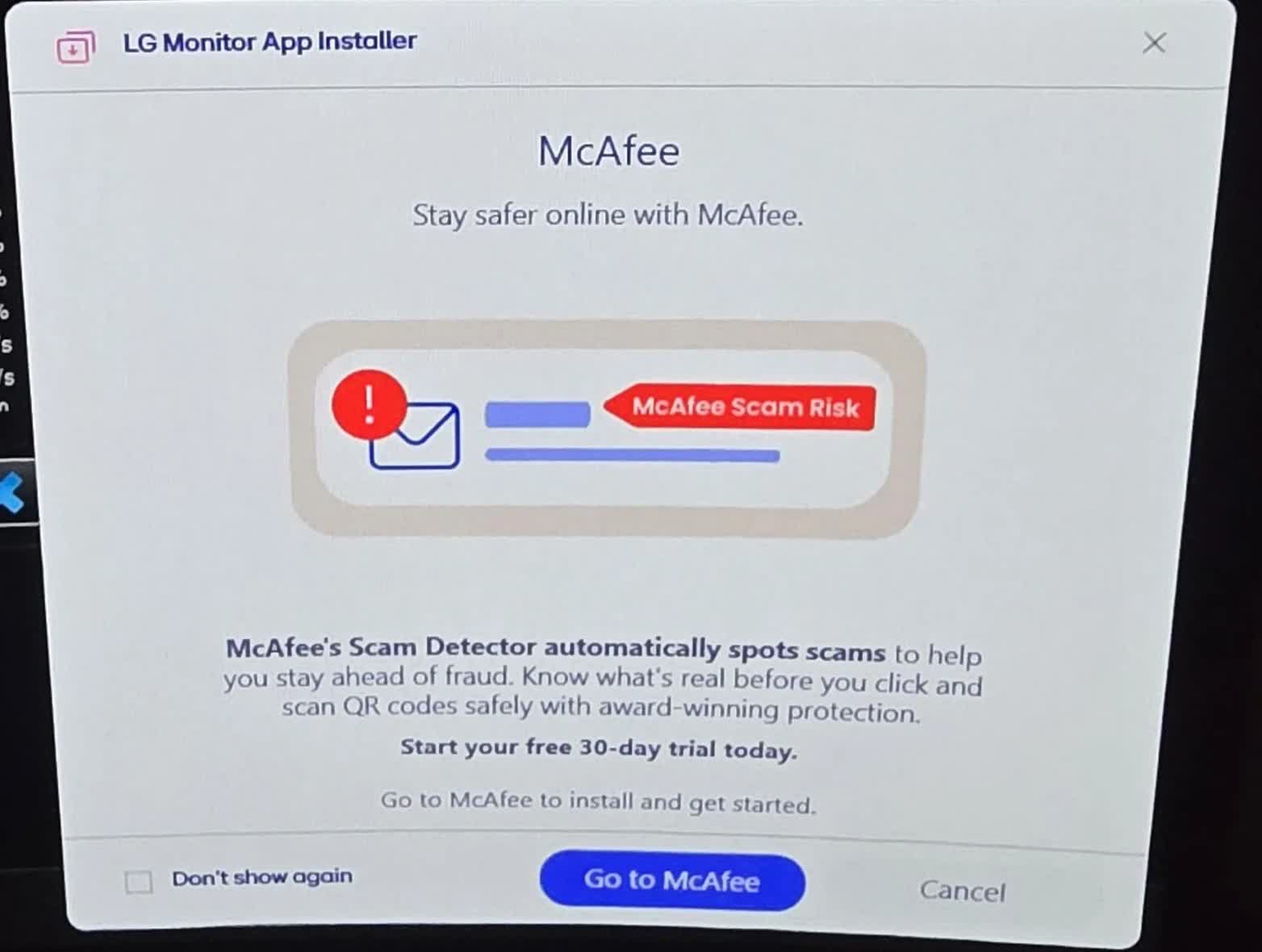
Mags_Smash also found two more permanent solutions. The first involves changing a local group policy setting: navigate to gpedit.msc > Computer Configuration > Administrative Templates > System > Device Installation, and enable the setting that prevents automatic download of applications associated with metadata.

The second, more drastic option is to disable the Microsoft Store entirely, via gpedit.msc > Computer Configuration > Administrative Templates > Windows Components > Store, by choosing the setting to disable the Store application.

McAfee pop-ups might feel like a throwback to early-2000s nagware, but adware and other forms of unwanted advertising have become a fixture of smartphones, AI, and smart TVs alike.

Amazon Prime and YouTube TV have both started showing unskippable ads to more users, and Hisense recently drew criticism for serving ads when users simply changed inputs. Meanwhile, ChatGPT began showing ads earlier this year to boost revenue, Motorola was caught hijacking Amazon links, and EA is planning to work more ads into its games than ever.

Permalink to story:

 
Yup, lg app update surfaced a half a year ago in windows update, and also found unintended install OSD bloatware from LG on my PC. It didn't work, launched and behaved like a classic malware doing shady things on its own and not reacting on my requests.
But I've managed (I hope) to remove it by manually downloading and installing LG app (that actually does work) with that disgusting OSD manually then removing it alltogether with registry cleanup.

The most disgusting part is that they spread it through windows update&MS store, also my screen is pretty old and manufactured WAY before they've come up with idea installing bloatware without asking
That thing still hangs there, only gp holds it from coming back on my pc

Lucky Goldstar have always been a scumbag company, so no surprise at all. Wouldn't touch their stuff with a 100m pole.

You're literally touching your OLED smartphone screen thousand of times per day everyday...
 
TVs became more disposable the moment they became "smart" with forced ads everywhere, updates that would permanently corrupt its software, features no longer working, or taken out completely, eventually slowing it down instead of making them better.

That's the way monitors are going if you support them with your wallet.
 
Yup, lg app update surfaced a half a year ago in windows update, and also found unintended install OSD bloatware from LG on my PC. It didn't work, launched and behaved like a classic malware doing shady things on its own and not reacting on my requests.
But I've managed (I hope) to remove it by manually downloading and installing LG app (that actually does work) with that disgusting OSD manually then removing it alltogether with registry cleanup.

The most disgusting part is that they spread it through windows update&MS store, also my screen is pretty old and manufactured WAY before they've come up with idea installing bloatware without asking
That thing still hangs there, only gp holds it from coming back on my pc


You're literally touching your OLED smartphone screen thousand of times per day everyday...
LG panels are also in a very large percentage of non-LG monitors. The monitor foundry market is almost smaller than the silicon wafer market; only a few major suppliers, no small suppliers.

If this trend catches on, the only way to 100% avoid it will be running Linux. Or some kind of Windows utility that gives Windows the same "only what the user approves can be installed, even drivers and system firmware update" capabilities as Linux.
 
We need stronger consumer protection laws in the US. Hardware manufacturers should not be permitted to sell you product A and then turn it into product B with bloated adware months or years down the road.

I would return my $1k LG monitor if I could, but they know I'm stuck with it. The best I can do is avoid their products going forward.

And the plague of ens***ification continues.
 
I've a 65" LG G5 TV attached by an HDMI cable to my HTPC. I also let the TV on the Internet.

I have never experienced this problem, and I suspect that is because I did not install any LG software on my HTPC. My guess is that this problem can be totally prevented by simply NOT installing any LG software on any PC to which an LG monitor is attached. There's no way that a TV can install anything over the HDMI cable. I don't know why anyone would want to install the monitor App. I don't think the LG monitor software is necessary to calibrate the monitor since the calibration profiles can be stored in the monitor - at least they can be in my G5.

In addition, IIRC, I went into the G5 settings and basically disabled, or took all app permissions away from the onboard TV Apps. I don't use them anyway, so why would I want to give them permission to do anything? I've never had any ads indiscriminately showing up on the G5.

So as I see it, there are other ways to prevent this from happening.
Lucky Goldstar have always been a scumbag company, so no surprise at all. Wouldn't touch their stuff with a 100m pole.
I'm somewhat tending to agree with you. I bought an LG UHD Blu-ray drive that was manufactured in 2018. It recently stopped playing any blu-ray UHD or not. As far as I can tell, the blue laser in the drive crapped out. I did some research and found out that LG blu-ray drives are notoriously unreliable.

My G5, however, seems as if its a great set and with any luck, it will remain that way. 🤞
 
TVs became more disposable the moment they became "smart" with forced ads everywhere, updates that would permanently corrupt its software, features no longer working, or taken out completely, eventually slowing it down instead of making them better.

That's the way monitors are going if you support them with your wallet.
Don't connect them to the internet.
 
...
You're literally touching your OLED smartphone screen thousand of times per day everyday...

Think you have to make the distinction between LG the component maker and LG the consumer products maker.

One may have an LG display panel in a product, but the customer service of the company that included that panel in their product.

Anyway, personally I also have had a sub-optimal customer experience regarding an expensive enough LG product a number of years ago. Since, I haven't bought LG products anymore. And while I may buy LG again in the future to give them another chance, I won't easily do so when there is a good alternative of a brand I have more confidence in.
 
I've a 65" LG G5 TV attached by an HDMI cable to my HTPC. I also let the TV on the Internet.

I have never experienced this problem, and I suspect that is because I did not install any LG software on my HTPC. My guess is that this problem can be totally prevented by simply NOT installing any LG software on any PC to which an LG monitor is attached. There's no way that a TV can install anything over the HDMI cable. I don't know why anyone would want to install the monitor App. I don't think the LG monitor software is necessary to calibrate the monitor since the calibration profiles can be stored in the monitor - at least they can be in my G5.

In addition, IIRC, I went into the G5 settings and basically disabled, or took all app permissions away from the onboard TV Apps. I don't use them anyway, so why would I want to give them permission to do anything? I've never had any ads indiscriminately showing up on the G5.

So as I see it, there are other ways to prevent this from happening.

I'm somewhat tending to agree with you. I bought an LG UHD Blu-ray drive that was manufactured in 2018. It recently stopped playing any blu-ray UHD or not. As far as I can tell, the blue laser in the drive crapped out. I did some research and found out that LG blu-ray drives are notoriously unreliable.

My G5, however, seems as if its a great set and with any luck, it will remain that way. 🤞

Did you miss the part of the article that showed windows update was what triggered the software install?

Plugging the monitor in via HDMI gives device identifiers, device hardware identifiers can be used as triggers for (often optional) drivers installed via windows update.

The fact that they haven't triggered software updates on the G5 (a TV, mind you, with preindtalled adware that you yourself had to disable) makes sense. The G5 is not positioned as a monitor, so the monitor adware team hasn't gotten involved yet.

But just because you don't understand the mechanism, doesn't mean you are immune to it because of some vigilance you have.

The G5 just isn't enshittified in THIS manner yet. (Though the adware installed in it has ensured it's enshittification is well under way).
 
The G5 just isn't enshittified in THIS manner yet. (Though the adware installed in it has ensured it's enshittification is well under way).
Unless you have a G5 and have had this enshitification happen to you, you cannot say whether or not its going to happen. Consult that 8-ball again and get back to me when it accurately predicts the future.

And besides, its connected through an AVR. The AVR is what shows up as the display.
 
I've got am LG monitor and I got the McAffee popup today after a reboot.
The LG app installer shows up in the " add/remove programs" ( I never use the MS store ) and removed without any problems.
 
This is very unfortunate, but not unexpected as companies fire on all cylinders to make money. Advertising money is probably the easiest since it is passive income.
 
None of this should come as a surprise. As far back as 20 years ago, (or thereabouts), "lucky" customers of LG PC CD drives were, "gifted" with a CD, (ostensibly) presented as "drivers". When in reality it was nothing but adware for their product.

!0 seconds, (or less) for the CD in the microwave took care of the issue quickly.
 
Back