Windows Ready Print is Microsoft's most ambitious attempt yet to modernize Windows printing

Alfonso Maruccia

Posts: 2,565   +955
Staff
Forward-looking: Redmond is hell-bent on making printing on Windows a more modern and secure experience. A new printing framework is coming that could strip users of some choices while allegedly improving the reliability of printer management and support workflows.
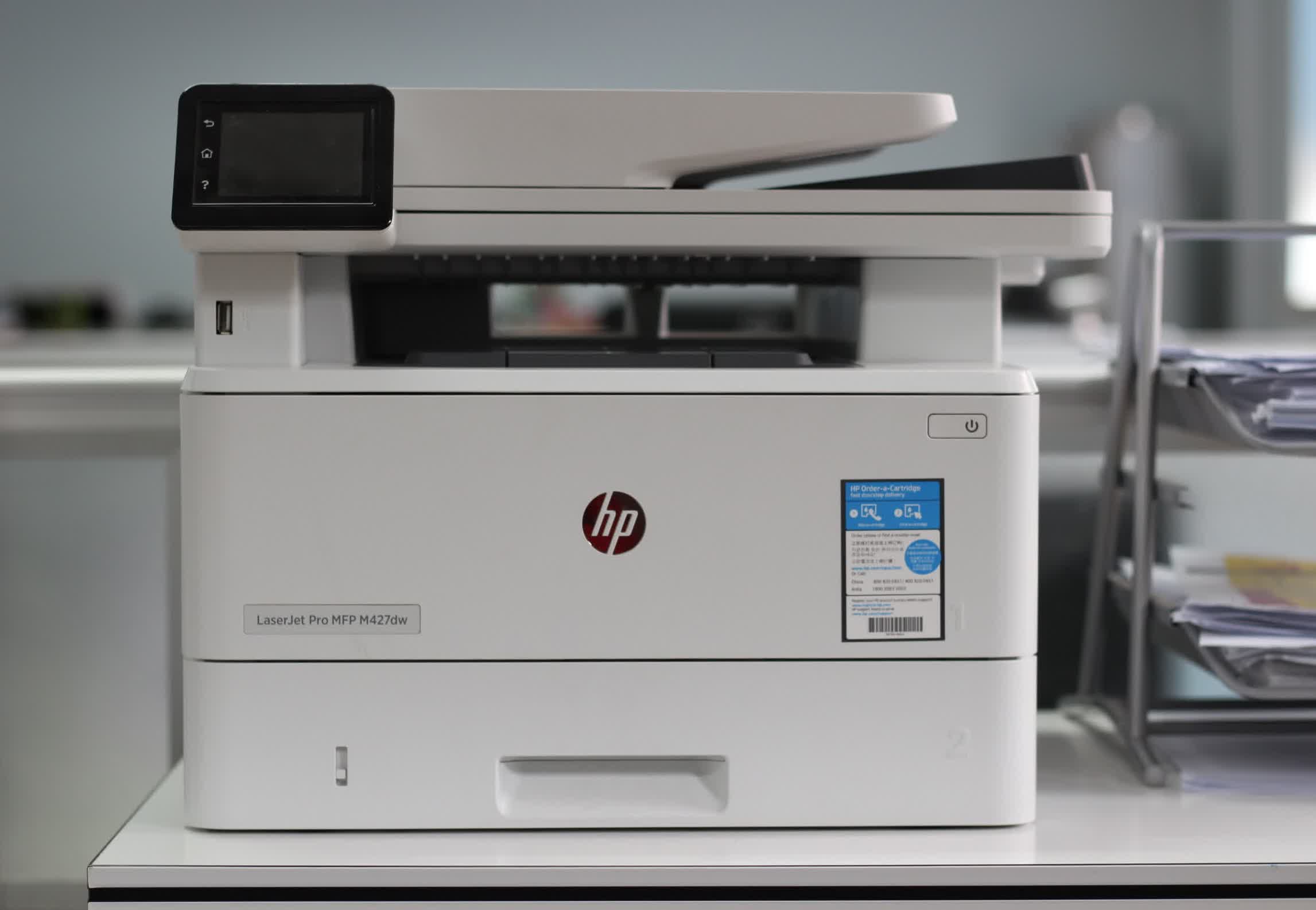
Microsoft recently introduced Windows Ready Print, a new printing model designed to "evolve" the company's previous Modern Print Platform. The core idea behind the model is to align printing devices and the Windows ecosystem with up-to-date communication standards, including Internet Printing Protocol (IPP), eSCL scanning, and Universal Print.

Microsoft's post explained that using WRP means more than simply adopting newer printing protocols. The company is now focused on "simplifying printing, aligning modern standards, and delivering consistent, forward-looking experiences for users, IT administrators, and partners."

WRP's starting point is a transition away from legacy third-party drivers, a significant change Microsoft introduced earlier this year. The company later clarified the move, confirming that older printers and OEM device drivers would continue working on newer Windows releases, as they have for years.

However, more changes are coming in this WRP-focused approach. Starting in July 2026, newly installed printing devices will be managed through the Windows Ready Print framework by default. The new printing experience is already available in the latest Windows 11 Insider builds and is designed to streamline the traditionally complex process of driver management and installation.
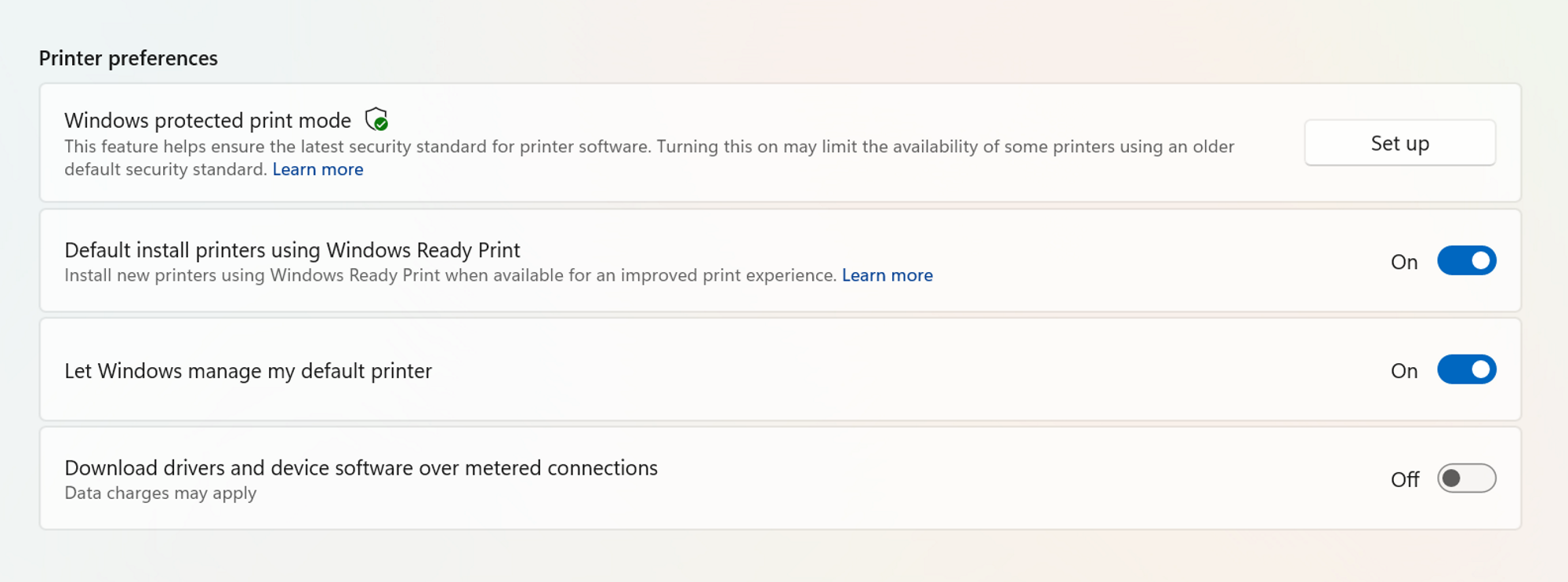
Windows printer preferences will now include new options to customize how WRP operates. End users and system administrators will be able to enforce WRP-based print management or disable the new workflow to continue using OEM drivers. When Windows Protected Print Mode is enabled, printers will be installed exclusively through WRP, and non-compatible devices will not function.

Microsoft acknowledges that some enterprise organizations and small office/home office users are not ready to transition to WRP immediately. For this reason, the company is providing additional options to enable or disable the feature. New policies are also available in Group Policy Editor to allow or explicitly block driver selection through WRP.

Internet Printing Protocol, eSCL, and other modern standards are part of a broader effort to modernize traditional printing on Windows. Based on the Mopria Alliance industry initiative, these technologies are promoted as improving security, compatibility, and reliability in printer management across both x86 and Arm-based devices.

Permalink to story:

 
Windows is one half of the frustration when dealing with printers. The printers themselves are the other half (shutting down when you don't want them to, paper jams network issues, defaulting back to using colour ink for black and white prints etc etc).

So I welcome the change! Printing under Linux (they copy pasted Mac's CUPS* model) has always been a better experience for me. Heck my non tech savvy father even somehow figured out how to add a new printer under Linux (opensuse) on his own.

* Common Unix Printing System (although technically it's not an acronym any more)

---

What is with this abundance of positive windows changes lately. Did their AI tell them that listening to your customers is a smart thing to do? Or is Linux starting to take market share making Microsoft nervous?
 
I have a old-but-still-good USB-connected laser printer and I'm not planning to replace it any time soon.
I expect my printing experience to get worse with the new & upcoming approaches.
Be that as it may I can only hope the coming switch to Apple computers will not introduce printing issues. Even though I actually rarely print stuff unless I need to communicate with the govt and similar institutions.
It kind of weirds me out how "retro" the paper thing is these days.

[/edit] Oops I just realized that because I run Windows 10 the whole thing probably doesn't apply to me...
 
Last edited:
I have a network AIO and higher end photo printer....the custom drivers from both companies are a pain, but at least everything works. What happens to many of the custom features for each when we go to a "standard" for non standard printers?
 
Does anyone print anymore?
"GOVERNMENT" does. I've been in the copier/printer/fax/computer business for over 40 years.
I remember when the government passed the "paperwork reduction act" in the early 80's, friends
would say I better find another job...copiers will disappear. WRONG! Every time the government
comes up with a rule change, my volumes go up!
When computers really started getting in every office cubicle, my volumes went up. And they stayed
pretty much steady until about 2 years ago.
We have a ton of these in schools, universities also and they still do a lot of printing.
I would have thought by now, volumes would have REALLY dropped off by now but they haven't.

As for these things causing headaches with paper jams? Most, not all, but most is because of the
cheapskates that order & store the paper. Cheap paper, coupled with storing it in an uncontrolled
environment causes all sorts of issues. Especially if you are duplexing the print job and even worse
if you run it into a finisher for hole punches, staples etc.
 
I have a network AIO and higher end photo printer....the custom drivers from both companies are a pain, but at least everything works. What happens to many of the custom features for each when we go to a "standard" for non standard printers?
You can still use proprietary drivers. They are not taking that away.

Going forward, new models that have their drivers certified will have to work with the standard driver....which is LONG overdue.
 
Does anyone print anymore?

I think I printed some documents 3 years ago when moving house, Prior to that I think it must have been a good 10 years since I printed anything, In fact the last time I really printed things as a need was using a dot matrix to print my code so I could paper debug it in the early 90's. And that wasn't on a PC.
 
While microslop sat on its monopoly, the rest of the world went to driverless printing. This is just microslop trying to catch up.
 
Lets hope that this does indeed also allow people to keep using their old printers (like my circa 2 decades old laser printer that is connected through Ethernet).

Given their track record including them creating a mountain of obsolete PC's with Windows TPM requirements, it is something I wanna see before believing.
 
Windows is one half of the frustration when dealing with printers. The printers themselves are the other half (shutting down when you don't want them to, paper jams network issues, defaulting back to using colour ink for black and white prints etc etc).

So I welcome the change! Printing under Linux (they copy pasted Mac's CUPS* model) has always been a better experience for me. Heck my non tech savvy father even somehow figured out how to add a new printer under Linux (opensuse) on his own.

* Common Unix Printing System (although technically it's not an acronym any more)

---

What is with this abundance of positive windows changes lately. Did their AI tell them that listening to your customers is a smart thing to do? Or is Linux starting to take market share making Microsoft nervous?
Well, cups supports both types of printing. Whatever 'driverless' method Microsoft is pushing now (I'll note as far as I know IPP is only for getting data to a network printer and not what you actually send to it, but CUPS supports like *4* different standards for that...) as well as a slew of HP, Epson, Canon etc. drivers.

Hopefully they've improved this stuff though. Last printer I used, the driver for it was excellent. But one 'driverless' method left huge margins on the page, and none of them could print at the 1200DPI the printer supported, I think the choice was 150 or 300DPI. This was an inkjjet and it's possible they cheaped out, the printer did the 'send a row at a time' with print drivers but I think driverless printing the whole page is present (so maybe they didn't put enough ram for a page at 1200DPI.) But some of these standards came out in the early smartphone era so I think in some cases they are simply limited tto 'basicl 300DPI printing, intended to do a quick print from the phone rather and if you want to get the most from the printer you'd print from the computer. Anyway hopefully the method Microsoft picked at least supports full DPI printing LOL.
 
MS finally sort out printing a decade after everybody stops using it.
I expect they'll sort out search 6 years after the AI singularity has subsumed us into it's core and we are all biological batteries feeding ElonMechaHitler's fascist army in their endless war with the MetaBotHoardOfSlop.
 
Back