

MPC-BE is a strong option if you want a free, open source, low-overhead media player for Windows. It combines modern codec and hardware support with the simplicity that made Media Player Classic popular originally. It remains ad-free, configurable, and is frequently preferred by users who value video quality over "extras" or a large UI.
MPC-BE is a modern fork of the original "Media Player Classic" project (Gabest) and "Media Player Classic Home Cinema" project (Casimir666), enhanced with newer features, more active development, bug fixes, and usability refinements.
How does MPC-BE compare to MPC-HC or VLC?
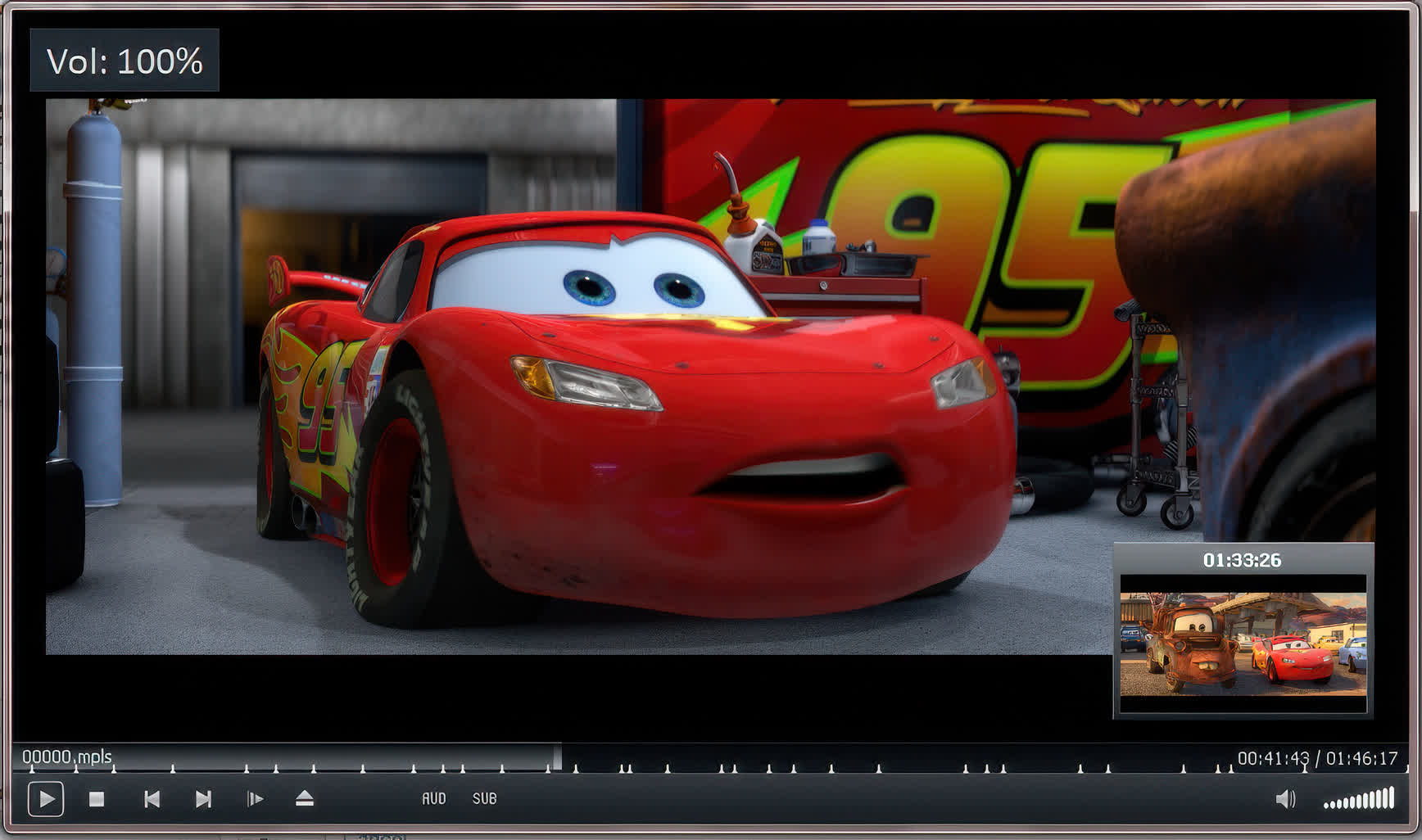
MPC-BE and MPC-HC share a similar base, but MPC-BE is considered to be slightly more modern and feature-rich, with a more polished interface and extra playback options like timeline thumbnail previews. VLC is more versatile when it comes to network streaming and unusual formats, but many users prefer MPC-BE for local playback due to its lower resource usage, better video quality, and simpler, cleaner UI.
Does MPC-BE support modern video and audio formats?
Yes, MPC-BE supports a wide range of formats out of the box, including MKV, MP4, AVI, FLAC, AAC, and many others, thanks to built-in codecs. No extra codec packs are needed.
Can MPC-BE handle 4K, HDR, and modern video formats?
Yes, MPC-BE has full support for 4K and HDR content. It uses updated versions of FFmpeg and supports hardware acceleration through DXVA and other rendering options. For the best HDR experience, it's recommended to adjust the video renderer settings, such as using madVR or MPC Video Renderer, depending on your display and GPU capabilities.
Does MPC-BE support hardware acceleration (GPU decoding)?
Yes, MPC-BE supports hardware-accelerated video decoding (DXVA2, D3D11, Intel QuickSync, NVIDIA CUVID/NVDEC, and AMD UVD/VCE), which reduces CPU load and improves playback performance.
Is MPC-BE still actively developed?
Yes, MPC-BE is actively maintained by an open-source community. It regularly receives updates with bug fixes, new codec support, and feature improvements, ensuring it stays compatible with modern Windows versions and media formats.
Features
- Lightweight & fast: MPC-BE still prides itself on being a minimal-resource media player. It starts quickly, handles playback smoothly, and doesn't include unnecessary bloat.
- Wide format & codec support: Supports most modern audio & video file formats. Uses FFmpeg internally, so many formats are supported out-of-the‐box.
- Hardware acceleration / decoding & deinterlacing: MPC-BE includes support for hardware-accelerated decoding (e.g. via DXVA) and deinterlacing to improve performance especially with high-resolution content.
- Video preview on seek bar: When you hover over the timeline/seek bar, you get a thumbnail preview of what's ahead.
- Modern UI tweaks & customization: Themes, keyboard shortcuts, options to tweak behavior (volume wheel, fullscreen double-click, etc.), scaling for non-standard aspect ratios.
- ISO / DVD / Physical Media support: Can mount ISO images automatically; supports DVD playback, menus, chapters. DVD/SVCD/VCD support remains.
- The player remains free, open source, with zero ads, no user tracking.
What's New
MpaSplitter
- Improved work with files that have several tags of different formats.
MP4Splitter
- Added support for multiple tags.
OggSplitter
- Added support for multiple tags.
MpcAudioRenderer
- Fixed interface display when used in third-party players.
Subtitles
- Improved and optimized work with text in different encodings.
- Fixed backward navigation for external PGS subtitles.
Player
- Increased the maximum size of downloaded M3U playlists to 3 MB.
- Fixed the behavior of the "Pause the video playback when minimized" setting when the "Tray icon" setting is active.
- Remote support for control of the player using uICE (does not work on Windows 7 and newer).
- Added "Default code page" and "Automatically detect code page" settings to the "Subtitles" settings panel.
Installer
- Updated MPC Video Renderer 0.9.13.
- Updated MPC Script Source 0.2.11.
Updated libraries:
- ffmpeg n8.1-dev-415-ga4fd3f27f4.

