

BleachBit provides tools to manage disk space and remove unwanted files, including options for securely erasing sensitive data.
Is BleachBit safe to use with default settings?
Generally, yes. The default options focus on common temporary files and caches. More advanced cleaning features are available but may require extra caution, especially when dealing with saved sessions or passwords.
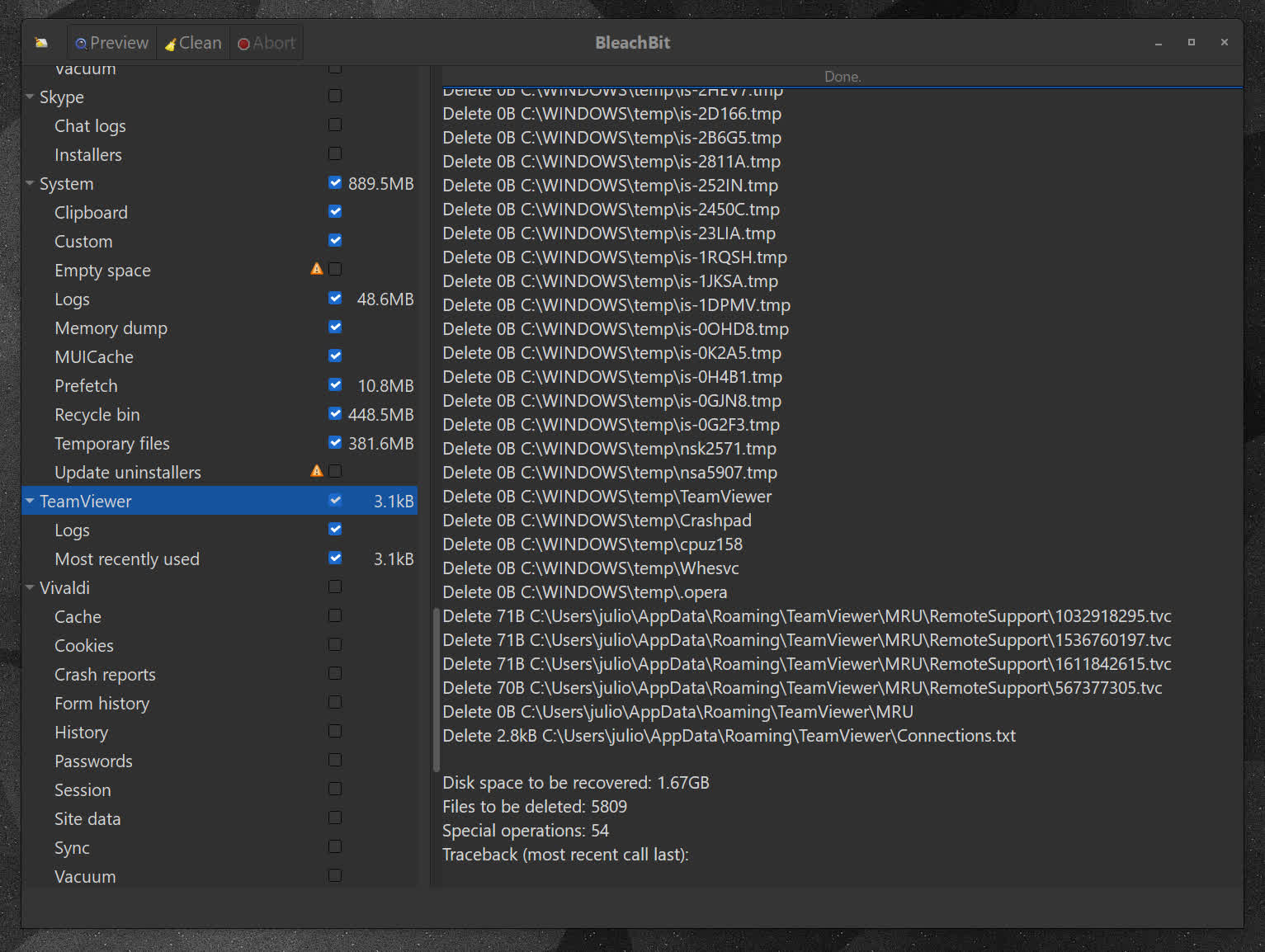
Does BleachBit work well alongside Windows' built-in cleanup tools?
While Windows handles basic system cleanup, BleachBit adds deeper application-level cleaning and more granular control over what gets removed.
Can BleachBit selectively keep certain cookies or site data?
Yes, newer versions include a cookie manager that allows you to retain specific cookies while removing others, making it easier to stay logged into trusted sites while still clearing unwanted data.
Can BleachBit be automated or used via command line?
Yes, BleachBit includes a command-line interface that allows users to automate cleaning tasks or integrate them into scripts, which is useful for more advanced or repetitive workflows.
What are the best free alternatives to BleachBit?
Several free system cleaners offer similar functionality, depending on what you need. Tools like CCleaner, Wise Disk Cleaner, and Glary Utilities provide broader "all-in-one" optimization suites, while options like PrivaZer focus more on privacy and deep cleaning.
Features
- Shred sensitive files, so one can ever read their contents.
- You always have the "Pro" version: BleachBit is free of charge
- Anonymous: you do not need to register an account
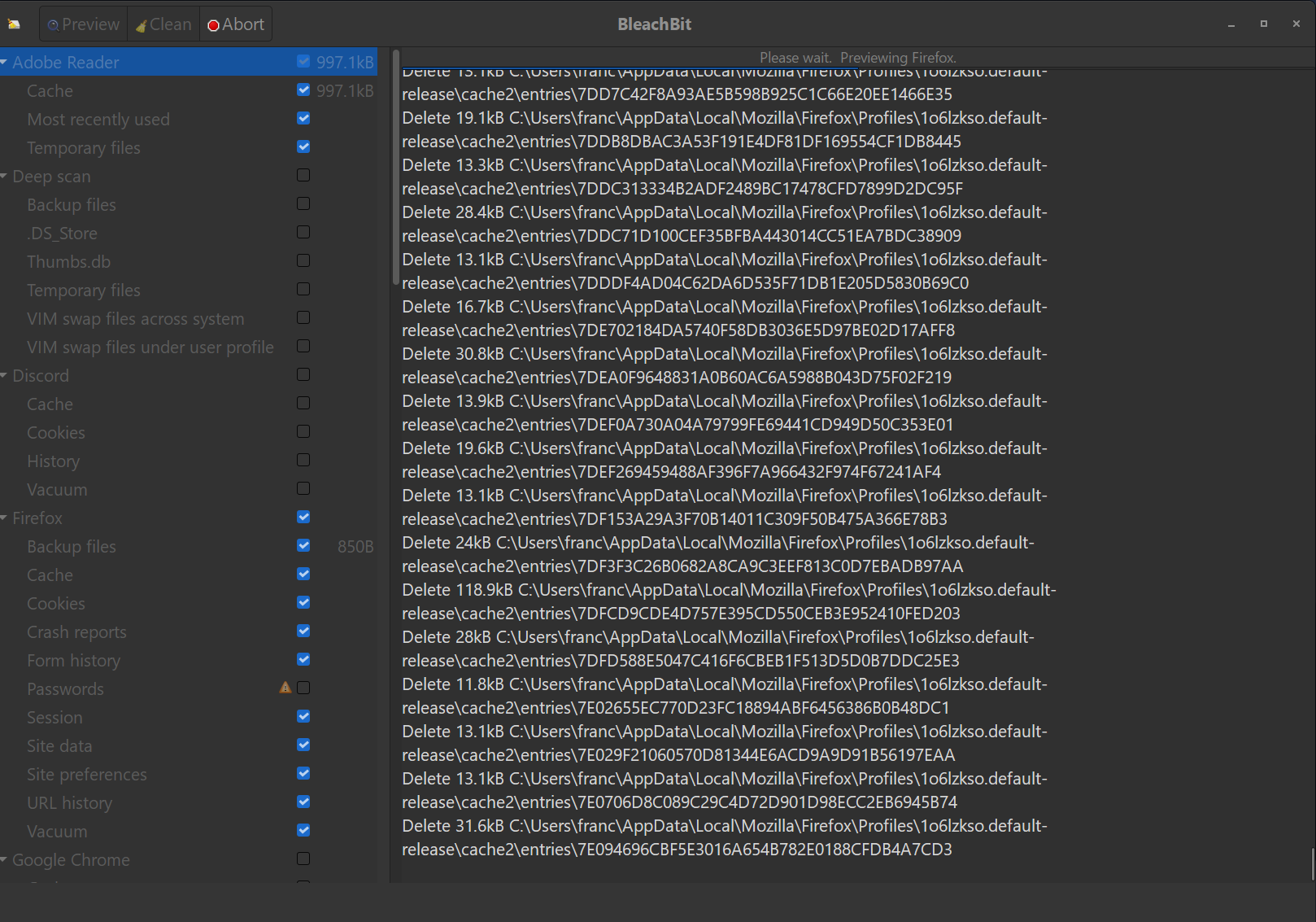
- Simple to operate: read the descriptions, check the boxes you want, click preview, and click delete.
- Multi-platform: it runs on both Linux and Windows
- What's hiding in your software? BleachBit is free to share, learn, and modify because it is open source, so there are no secrets.
- No adware, spyware, telemetry, malware, bloatware, backdoors, browser toolbars, or "value-added software"
- Translated to 68 languages
- Overwrite free disk space to hide previously deleted files
- On Windows, choose to either install or run in portable mode. like from a USB drive.
- Command line interface for scripting and automation
- Advanced users can write their own cleaners using CleanerML
- Automatically import and update winapp2.ini cleaner files giving Windows users access to thousands of additional cleaners
Use BleachBit to:
- Free disk space
- Reduce the size of backups and the time to create them by removing unnecessary files
- Maintain privacy
- Improve system performance
- Prepare system for backups by removing junk data that wastes space and time.
- Prepare whole disk images for compression (common for "ghost" backups and virtual machines) by wiping free disk space
Cleaners
Cleaners contain the rules for cleaning specific applications, and BleachBit includes a growing list of cleaners for Google Chrome, Edge, Firefox, VLC, system logs, temporary files, and many others.
- Many more cleaners for Windows and Linux are available in the CleanerML community repository.
- Add thousands of cleaners by using winapp2.ini (Windows only).
Advanced cleaners
Going beyond standard deletion of files, BleachBit has several advanced cleaners:
- Clear the memory and swap on Linux
- Delete broken shortcuts on Linux
- Delete the Firefox URL history without deleting the whole file – with optional shredding
- Delete Linux localizations: delete languages you don't use. More powerful than localepurge and available on more Linux distributions.
- Clean APT for Debian, Ubuntu, Kubuntu, Xubuntu, and Linux Mint
- Find widely-scattered junk such as Thumbs.db and .DS_Store files.
- Execute yum clean for CentOS, Fedora, and Red Hat to remove cached package data
- Delete Windows registry keys – often where MRU (most recently used) lists are stored
- Delete the OpenOffice.org recent documents list without deleting the whole Common.xcu file
- Overwrite free disk space to hide previously files
- Vacuum Firefox, Google Chrome, Liferea, Thunderbird, and Yum databases: shrink files without removing data to save space and improve speed
- Surgically remove private information from .ini and JSON configuration files and SQLite3 databases without deleting the whole file
- Overwrite data in SQLite3 before deleting it to prevent recovery (optional)
What's New
BleachBit 6.0.6 is a maintenance release that improves performance, adds cleaners for Helium browser and Docker, expands cleaning for web browsers, Claude Code, and VS Code-based editors, refreshes the application icon, and fixes issues with language selection, saving preferences, and wiping.
Upgrade now
- Highlights of enhancements and features:
- Speed up application startup, deep scan, file deletion, and file wiping
- Add cleaners for the Helium browser and Docker Desktop (Windows, Linux, and macOS), including Docker's AI assistant
- Clean more crash reports, GPU caches, and network state files in web browsers and VS Code-based editors, and more cache and session files in Claude Code
- On Windows, fix a bug in versions 5.0.0 through 6.0.5 that prevented saving settings after first running BleachBit as administrator, and automatically repair affected configuration folders
- On Windows, disable executable compression for fewer antivirus false positives, faster startup, and lower memory usage
- On Linux, fix configuration file ownership when running with sudo, and fix "BleachBit as Administrator" on Fedora and other Red Hat-based distributions
- On macOS, add support to cleaners for Adobe Acrobat, Devin, GIMP, Google Earth, TeamViewer, Visual Studio Code, VLC, Zen browser, and Zoom, and fix translations when launched from Finder
- Refresh the application icon
- Add a .deb package for Ubuntu 26.10
This release includes 327 commits changing 305 files, including 109 cleaners, from 37 authors (about 30 of them translators). Special thanks to XhmikosR for 135 commits improving performance, the Windows installer and build, lint and CI, and code quality. Thank you to alberto (trhuxtonr) for 16 commits improving macOS cleaner support, to Josh Santiago (JoshSantiagoKC) for a DeepScan optimization, and to Pujitha Paladugu (pujitha24) for an NSIS translation fix and spotting the false permissions issue.
Changes since version 6.0.4
All Platforms
Faster application startup, file scanning, file deletion, and file wiping. This release also adds cleaners for the Helium browser and Docker, expands cleaning for web browsers, Claude Code, and VS Code-based editors, refreshes the application icon, and fixes issues with language selection, saving preferences, and wiping.
- Clean more crash reports across many web browsers
- Add a cleaner for Helium browser
- Add Windows and Linux support to the new Docker cleaner. Also add a cleaning option for Docker's AI assistant.
- Clean more files in the Zen browser
- Clean more GPU caches in Chromium-based web browsers and VS Code-based editors
- Clean more Network Persistent State files in web browsers, Docker Desktop, and VS Code-based editors, including extension storage partitions and backup files
- Fix language selection in preferences dialog
- Clean more cache and session files in Claude Code on all platforms, and detect it running on macOS
- Fix preference changes being lost when quitting with keyboard shortcut (Cmd+Q on macOS, Ctrl+Q on Windows/Linux) instead of clicking the window's close button
- Update the application icon art, including on Windows, rendered from the square logo. On Linux and BSD, also install a scalable SVG icon for sharper display.
- Quickly abort wiping CD-ROM instead of freezing
- Fix crash in Arabic and Hebrew when wiping was nearing completion
- Allow comma-separated lists and negation in the CleanerML os attribute
- Detect CD-ROM
- Speed up processing paths during deep scan
- Wipe file contents in 512 KiB blocks instead of 4 KiB to improve wiping speed
- Fail closed on unrecognized tokens in CleanerML os attribute
- Avoid showing a bindtextdomain() error message during startup when GTK is not available
- Speed up startup by reloading the application menu only when translations change
- Avoid updating the cleaner list twice when a refresh starts while one is still in progress
- Import psutil on first use instead of at module import to boost startup speed
- Scan for orphaned wipe files off the main thread to boost startup speed
- Speed up sorting of the cleaner list to boost application startup
- Show startup messages in their own idle callback to boost application startup speed
- Delay initialization of the preferences dialog during startup to boost application startup speed
- Speed up refreshing the cleaner list (such as after closing Preferences)
- Load the app menu once instead of twice to boost startup speed
- Import minidom on first use instead of at module import to boost startup speed
- Import urllib.request on first use instead of at module import to boost startup speed
- Speed up loading cleaner definitions to boost startup speed
- Queue one log scroll at a time instead of one per line
- Avoid scrolling the activity log twice when an operation finishes
- Speed up deleting files by checking each path's type once instead of several times
- Speed up the startup check for leftover wipe files
- Cache the process list for is_process_running()
- Use options.commit() instead of close() in on_quit()
- Fix: when CLI was given multiple paths to wipe and one failed, the others would not be attempted.
- Import html.escape only when building the GTK error page for a small boost to startup speed
- Import secrets on first use in Wipe for a small boost to startup speed
- Fix leaked code comment into translation hint
Windows
Fixes a configuration permissions bug from versions 5.0.0 through 6.0.5 that prevented saving settings after running as administrator, and automatically repairs affected configuration folders. Disables executable compression for faster startup, lower memory usage, a slightly smaller installer, and fewer antivirus false positives, at the cost of about 22 MB more installed disk space. Also fixes wiping FAT32 drives, cleaning Chromium security files, and applying language changes without a restart.
POSIX
Fixes language detection and menu updates when switching languages, skips unreadable folders instead of stopping during localization scans, installs a scalable SVG icon, and clarifies several cleaner descriptions and warnings.
Linux
Fixes configuration file ownership when running with sudo, fixes launching as administrator on Fedora and other Red Hat-based distributions, and expands cleaning for snap packages and LibreWolf.
macOS
Adds a Docker Desktop cleaner, cleans old Chrome versions, and adds macOS support for Adobe Acrobat, Devin, GIMP, Google Earth, TeamViewer, Visual Studio Code, VLC, Zen browser, and Zoom. Also fixes translations and language detection when launched from Finder, hides unsupported System cleaner options, and recognizes macOS 27 (Golden Gate).
BSD
Improves detection of open files on FreeBSD and makes automated FreeBSD testing more reliable.
Developers
Enforces pylint, pyflakes, shellcheck, and autopep8 checks in CI alongside a broad codebase cleanup. Also speeds up and hardens CI builds across Linux, macOS, and Windows, adds Python 3.15 testing, fixes openSUSE Leap 16.1 packaging, and improves translation hints.
Security advisory
We have recently seen about one hundred impersonation scams for BleachBit on GitHub, Telegram, YouTube, and BleachBit-specific cybersquatting domains, so make sure you download only from the official BleachBit website or reliable mirrors. Also, verify the digital signatures (instructions for Windows and Linux).
If you see a brand impersonation scam, report it to the platform where you found it and also send us a note.
Other changes
- Add a .deb package for Ubuntu 26.10
- Renew the expiration date of the GPG signing key
- On Windows, update the GTK build (pygtkwin release v2026-09-24) to PyGObject 3.58.0, Pango 1.58.0, HarfBuzz 14.4.0, and libxml2 2.15.4. This build also includes two GTK patches that earlier builds silently skipped: GLib compatibility with UNC network paths and a PNG-only gdk-pixbuf.

