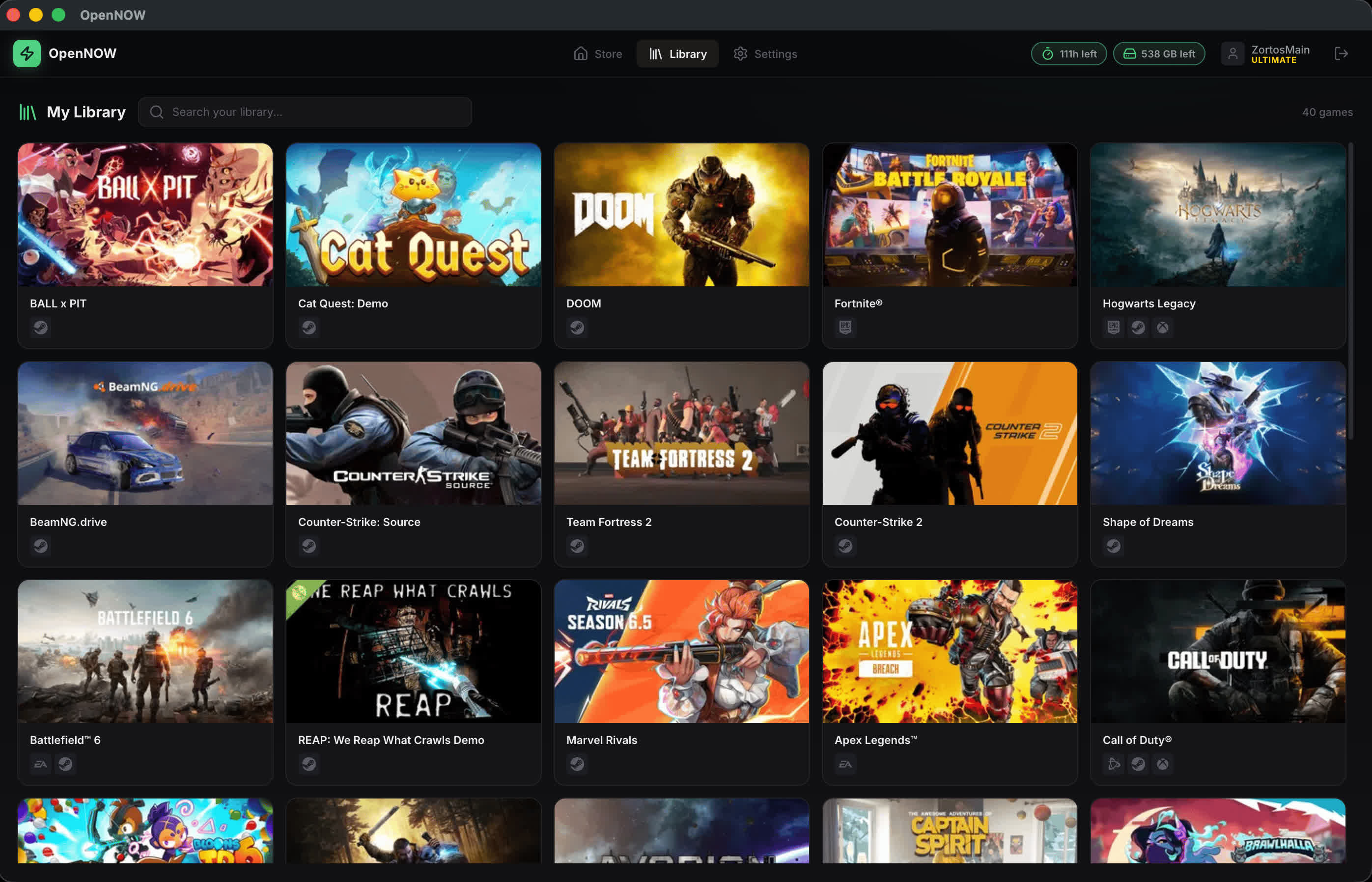
OpenNow is a community-built Electron app that lets users browse the GeForce Now catalog, adjust streaming settings, and launch sessions from a customizable desktop interface.
Built with React and TypeScript, the project emphasizes transparency by exposing its underlying structure to contributors, offering an open alternative to the official client. OpenNow is an independent project and is not affiliated with or endorsed by Nvidia.
Features
- Open-source desktop client for Windows, macOS, and Linux
- Catalog and public game browsing with search and library-aware session handling
- Stream controls for codec, resolution, FPS, aspect ratio, region, and quality preferences
- In-stream diagnostics overlay with latency, packet loss, decode, and render stats
- Built-in screenshots, recording, microphone controls, and controller-friendly navigation
- Local settings storage and zero-telemetry project direction
What's New
Highlights
- Who's playing? Keep several accounts signed in, pick one at launch and switch without leaving the app. (#1174)
- DLSS for your plan. Cloud DLSS overrides, DLSS labels from NVIDIA's DLSS games list, and DLSS support per membership tier in game details. (#1215, #1227, #1230)
- Ctrl+G drawer. Now docked left, with quick toggles, Anti-AFK and per-controller tuning. (#1183, #1179)
- Smarter game tiles. Launchers, RTX, HDR, Reflex, DLSS and membership locks at a glance. (#1220)
- Game Mode redesign. A rebuilt console experience for controllers and TVs. (#1120)
- First-run setup. Guided onboarding with one decision per step. (#1159)
- Updates. A Settings › Updates page, a status-bar update chip and real download progress. (#1212)
- HOTAS, flight controls and wheels. Passed through to the game as the real device. (#1187)
- Alliance Partners. Alliance accounts stream correctly again. (#1098, #1162)
Streaming and reliability
- Store versions without HDR stream in SDR, with a single notice per game. (#1232)
- Codec, chroma and HDR fall back the way GeForce NOW does instead of failing the launch. (#1165)
- Native WebRTC compatibility mode. (#1089)
- Faster recovery from packet loss with reference-frame invalidation. (#1164, #1147, #1167)
- Smoother audio with bounded jitter buffering. (#1170, #1192)
- Session time is kept across reconnects. (#1208)
Platforms and accounts
- Linux: x64 and arm64 Flatpaks, VA-API and V4L2 decode fixes, and steadier PipeWire audio. (#1121, #1213, #1189, #1100, #1207, #1134)
- macOS: opt-in AWDL suppression while streaming. (#1177)
- Accounts: GOG linking. (#1206)
- Reporting: automatic bug reports, which you can turn off. (#1092)