

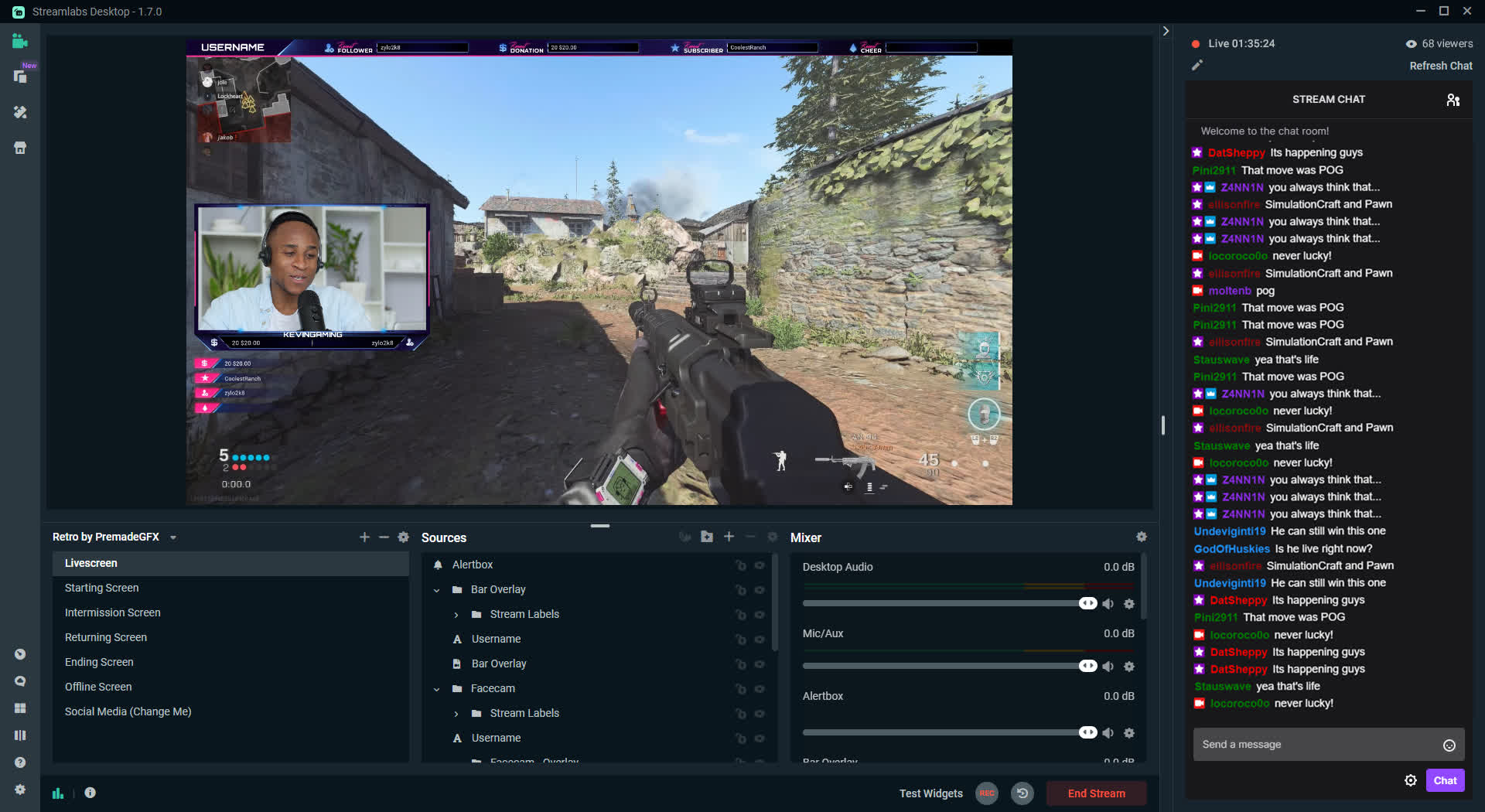
Streamlabs Desktop (formerly Streamlabs OBS) lets you live stream and record with built-in alerts, overlays, chat, and app integrations, it makes going live on platforms like Twitch, YouTube, and Facebook fast and simple, no extra setup required. Perfect for beginners and pros alike.
Should I use Streamlabs OBS or OBS Studio?
Streamlabs is more user-friendly and comes with built-in tools like alerts, themes, and widgets, making it ideal for beginners. OBS Studio, on the other hand, offers better performance, uses fewer system resources, and supports more advanced customizations. If you're just starting out and want convenience, Streamlabs is a good choice. If you prioritize performance and flexibility, go with OBS Studio.
Why was Streamlabs OBS renamed?
Streamlabs OBS was renamed to Streamlabs Desktop after concerns about the use of the "OBS" name. The original OBS software, OBS Studio, is open-source and developed independently. Although Streamlabs was built on top of OBS code, the OBS team did not endorse the Streamlabs branding. To address this, Streamlabs removed "OBS" from its name.
Can I use Streamlabs alerts with OBS Studio?
Yes, you can. Streamlabs alert widgets, like donations, follows, and subscriptions, can be added to OBS Studio using browser sources. You don't need to use the Streamlabs software itself to benefit from its widgets.
Is Streamlabs OBS resource-intensive?
Yes, Streamlabs typically uses more CPU and GPU than OBS Studio. This is due to its extra built-in features and its Electron-based interface. If you're streaming and gaming on the same machine, you might notice a performance dip compared to using OBS Studio.
Why isn't my Streamlabs audio working?
Audio issues in Streamlabs are often caused by incorrect input/output device selection or muted audio sources in the mixer. Make sure your desktop audio and microphone are set to the correct devices in the audio settings. Also check that they are not muted and that the volume meters are moving when sound is playing. If you hear audio in recordings but not during the stream, it may be due to stream-specific settings or incorrect routing.
Customizable Alerts
Tailor-make the look and feel of your alert by customizing the layout, animation, message, text, image and more.
Beautiful Themes
There are over 250 free themes available in Streamlabs. With Streamlabs Prime, our premium tool-kit for creators, you also receive hundreds of premium overlay themes created by the best designers in the business.
Integrated Chats
Keep track of all the chatter in your system. View your chat directly in Streamlabs.
Engaging Widgets
Over a dozen engaging widgets designed to increase viewer participation and improve monetization.
Low CPU Usage
Streamlabs keeps your CPU usage to a minimum. We automatically scan your internet speed and computer hardware to give you our recommended settings for your particular set up.
Selective Recording
Pick and choose the sources that appear in a recorded video of your live broadcast.
What's New
Streamlabs, a leading provider of live streaming tools and brand of Logitech, is announcing the availability and open beta of its all-in-one streaming and recording software, Streamlabs OBS, on macOS. Live streamers on Mac can now access dozens of features and deep customization tools to create professional broadcasts, engage with their audiences and monetize across platforms like Twitch, YouTube, Mixer, and Facebook.
A concerted effort was made to build a powerful streaming software for Mac that combines a user-friendly interface with innovative features. Live streamers getting started can utilize Streamlabs' Auto Optimizer to analyze their internet speed and computer hardware to get the best settings possible. What's more, the import settings function in Streamlabs OBS allows live streamers to transfer settings from other broadcasting software in less than a minute.
"Our goal is to bring the best live streaming tools to everyone," said Ali Moiz, General Manager of Streamlabs. "Creating tools for the growing community of live streamers, musicians, artists and teachers on Mac enables us to help them succeed while building out our product offerings on an even larger scale."
Live streamers familiar with Streamlabs' products can expect to see everything they need to help turn their passion for streaming into a career. Major features include:
- Custom Donation Alerts: Tailor-make the look of on-screen alerts and encourage donations by customizing the layout, animation, message, text, image and more
- Engaging Widgets: Over a dozen engaging widgets designed to increase viewer participation and improve monetization
- Video Encoding Optimization: A machine learning system encodes video games, giving streamers the ability to reduce CPU usage by more than 20% while retaining the same video quality
- Selective Recording: Pick and choose the sources that appear in a recorded video of your live broadcast
- Cloudbot Moderation Tools: Protect from spam in the chat or add entertaining features like mini-games, polls, loyalty points and more
- Premium Overlay Themes: Over 250 free overlay themes made from the best designers in the business
- Integrated Chat: An integrated chat window within the software to help streamers keep track of all the viewer chatter on their channel
- Merch Store: Streamlabs merch store feature gives live streamers the ability to customize an assortment of different products with their own logos and sell them on stream at no cost to them.
More than 20,000,000 streamers already trust Streamlabs to deliver reliable, well designed and feature-rich software. With the availability of its broadcasting software on Mac, Streamlabs is driving the growth of the creator economy as millions of live streamers on either operating system now have access to the industry-leading broadcasting software.
