

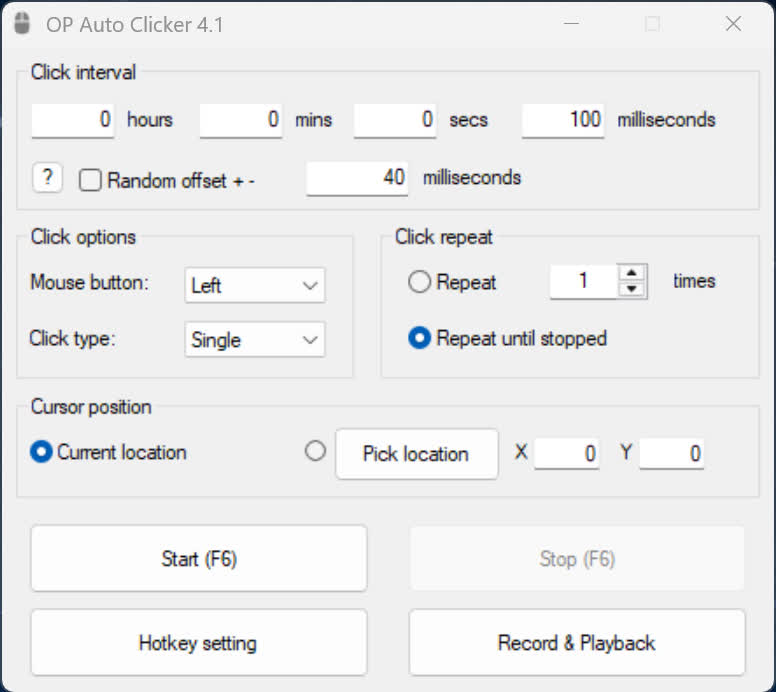
A full-fledged autoclicker with two modes of autoclicking, at your dynamic cursor location or at a prespecified location. The maximum amounts of clicked can also be set (or left as infinite).
What is AutoClicker most useful for?
People commonly use it to automate repetitive clicking tasks – things like idle games, testing user interfaces, speeding through monotonous workflows, or performing high-frequency clicks that would be uncomfortable to do manually. It's especially handy when a task requires precise timing or consistency.
How can I improve accuracy when using AutoClicker?
A helpful tip is to use the fixed-position click option when you need perfectly repeatable actions. Setting a precise interval (for example, in milliseconds) ensures stable timing. Users also find it smoother to run the program with elevated permissions when clicking inside apps that require administrative access.
What settings give the best performance?
A simple and effective approach is to set a comfortable hotkey, keep the interface minimized, and use modest click intervals rather than extremely fast ones. Running at the maximum speed can cause certain programs to miss inputs or behave unpredictably, so gradually increasing speed until you reach a stable point works best.
Can AutoClicker help with multitasking?
Yes – many people use it to automate repetitive portions of work so they can focus on more complex tasks. For example, while the tool handles a routine clicking loop, you can prepare something else in the background. Just make sure you isolate the active window or use fixed-location clicking so it doesn't interfere with other activities.
Features
- Choose whether to follow your cursor or click at a fixed spot
- Set the amount of times to click (or unlimited)
- Choose between which mouse button to click as
- Pick between single clicking, double clicking or triple clicking
- Change the hotkeys
- Convenient - Hotkeys work while application is in background
- Settings are saved (includes last fixed location)
- Free and Open Source
- Clean User Interface
- Low CPU usage
- Portable
- No advertisements or malware
- Virus Free (The amount of autoclickers with viruses out there are uncountable)
What's New
- You can now change your hotkeys
- Changed the about page
- Added a few minor options
