

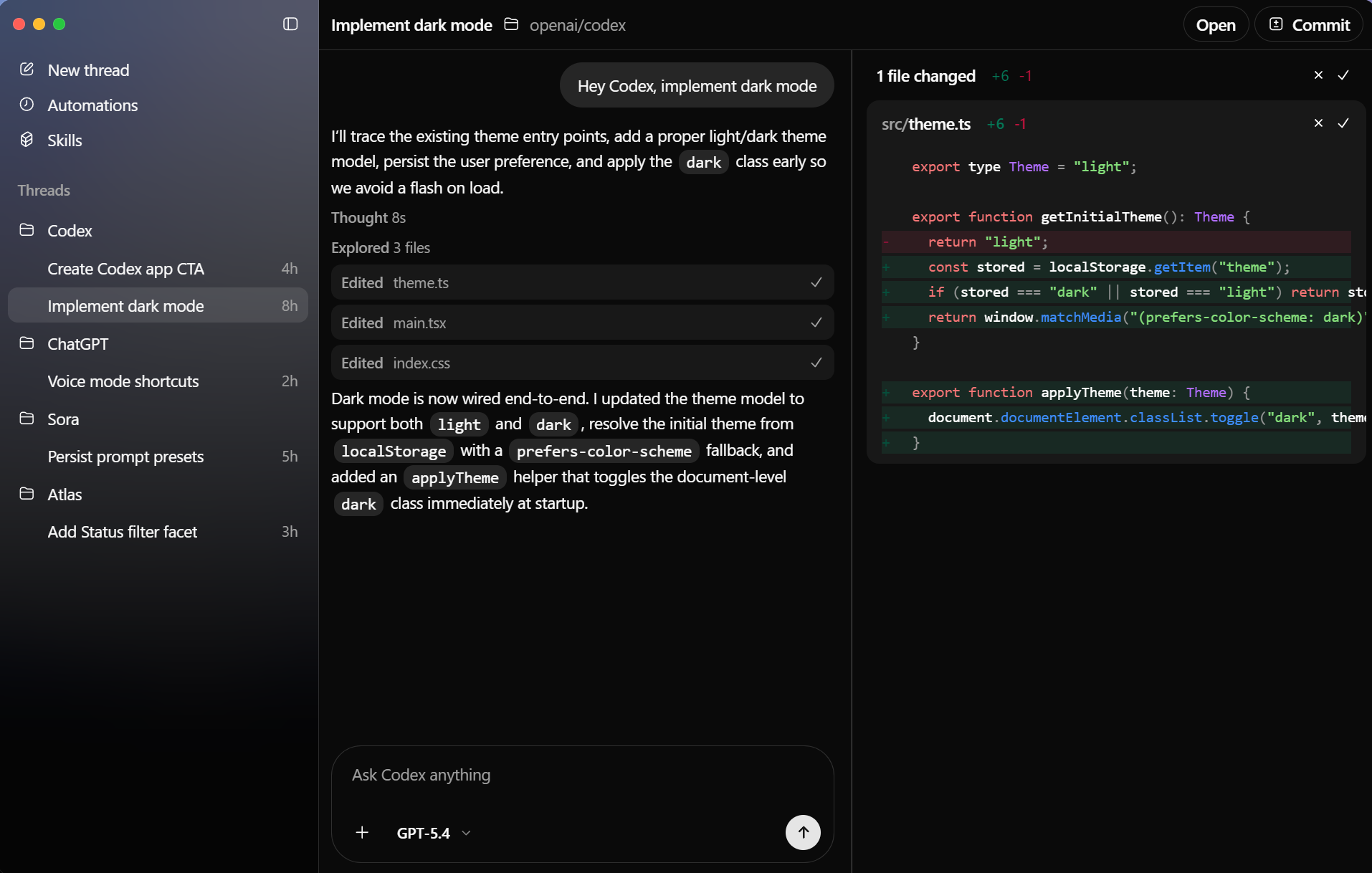
Codex is an AI-powered coding agent developed by OpenAI that helps developers write, understand, and improve code. It can handle tasks like generating features, fixing bugs, and explaining codebases, often running them in parallel within cloud-based environments. Designed to streamline software development workflows, Codex acts more like an automated engineering assistant than a traditional chatbot.
Can Codex work with existing projects or repositories?
Yes, Codex can interact with existing codebases, helping to understand project structure, suggest improvements, and make targeted changes.
What languages does Codex support?
Codex works with a wide range of popular languages, including Python, JavaScript, C++, and others commonly used in software development.
Can Codex work on multiple tasks at once?
Yes, Codex can run several coding tasks in parallel, allowing developers to queue up features, fixes, or analysis jobs and review the results as they complete.
Does Codex execute code or just generate it?
Codex can both generate and execute code in secure, cloud-based sandboxed environments, helping validate outputs, test changes, and iterate on solutions while managing multiple coding workflows in parallel.
How do Codex agents actually work on a task?
Each agent runs in an isolated cloud environment with access to the project files, where it can read and edit code, run tests, and use development tools before returning results for review.
Can multiple agents collaborate on the same project?
Yes, Codex supports multi-agent workflows where several agents can work on the same repository at the same time, each handling different tasks without interfering with one another.
Features
- Parallel agents: Run multiple coding tasks at once across projects
- Isolated workspaces: Each task runs in its own work tree to avoid conflicts
- Review changes: Inspect diffs before applying edits to your codebase
- Track progress: Monitor what each agent is doing in real time
- Automate workflows: Reuse repeatable tasks with configurable skills
- Works with your tools: Open changes in your editor and integrate with your setup
- Stay in flow: Switch between tasks without losing context
- Secure by default (Windows): Runs in an OS-level sandbox with bounded permissions and explicit approval for escalation
- Ship faster: Move from idea to working code with less overhead
What's New
GPT-5.5 and Codex app updates
GPT-5.5 is now available in Codex as OpenAI's newest frontier model for complex coding, computer use, knowledge work, and research workflows.
GPT-5.5 in Codex
GPT-5.5 is the recommended choice for most Codex tasks when it appears in your model picker. It's especially useful for implementation, refactors, debugging, testing, validation, and knowledge-work artifacts.
To switch to GPT-5.5:
- In the CLI, start a new thread with: codex --model gpt-5.5
- Or use /model during a session.
- In the IDE extension, choose GPT-5.5 from the model selector in the composer.
- In the Codex app, choose GPT-5.5 from the model selector in the composer.
If you don't see GPT-5.5 yet, update the CLI, IDE extension, or Codex app to the latest version. During the rollout, continue using GPT-5.4 if GPT-5.5 is not yet available.
Browser use in the Codex app
The Codex app can now let Codex operate the in-app browser for local development servers and file-backed pages. Ask Codex to use the browser when it needs to click through a rendered UI, reproduce a visual bug, or verify a local fix inside the app.
Browser use runs through the bundled Browser plugin. In settings, you can manage the plugin and review allowed or blocked websites.
Automatic approval reviews
Codex can route eligible approval prompts through an automatic reviewer agent before the request runs. When configured, the Codex app shows an automatic review item with the review status and risk level, so you can see whether the reviewer approved, denied, stopped, or timed out before deciding.
