

RevPDF is a free PDF editor that lets you edit text and images, organize pages, fill and sign forms, redact sensitive information, run OCR, compare documents, compress files, and convert PDFs to formats such as Word and Excel. It also supports reusable automated workflows for repetitive PDF tasks.
Document processing happens locally on your device, without uploading PDF content to RevPDF's servers.
Features
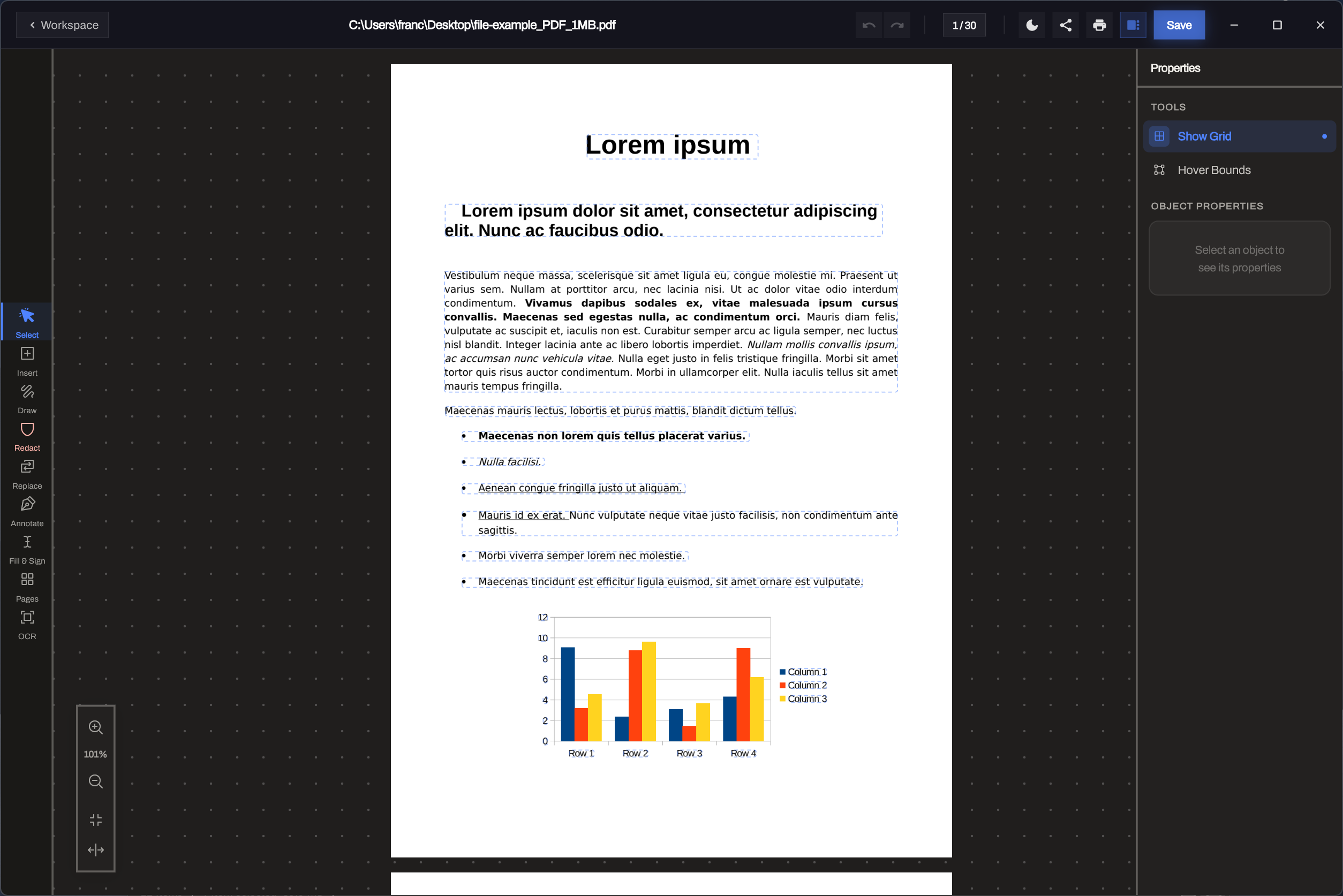
WYSIWYG Content Editing
Edit existing text directly with paragraph reflow and layout-aware visual controls.
PDF Compare
Compare two PDFs and identify changes during reviews, revisions and final checks.
Annotations
Highlight, underline and add comments during review.
Draw and Markup
Add freehand notes and shapes to contracts, diagrams and plans.
Find and Replace
Locate text across a PDF and update repeated content in place.
Tabbed Viewer
Keep several PDFs open and switch between them without losing your place.
Links and Bookmarks
Add navigation for readers of longer documents.
Customizable Redaction
Remove sensitive text or images permanently, customize the result and use auto-redact for repeated content.
Headers and Footers
Add page numbers, document details and custom text across selected pages.
Form Builder
Create text fields, checkboxes, dropdowns and radio groups, with field detection.
Form Filling
Complete fillable PDFs and save the finished document.
Electronic Signing
Draw, type or import a signature and save it for reuse.
Watermarks
Add text or image marks such as Draft, Confidential or your brand.
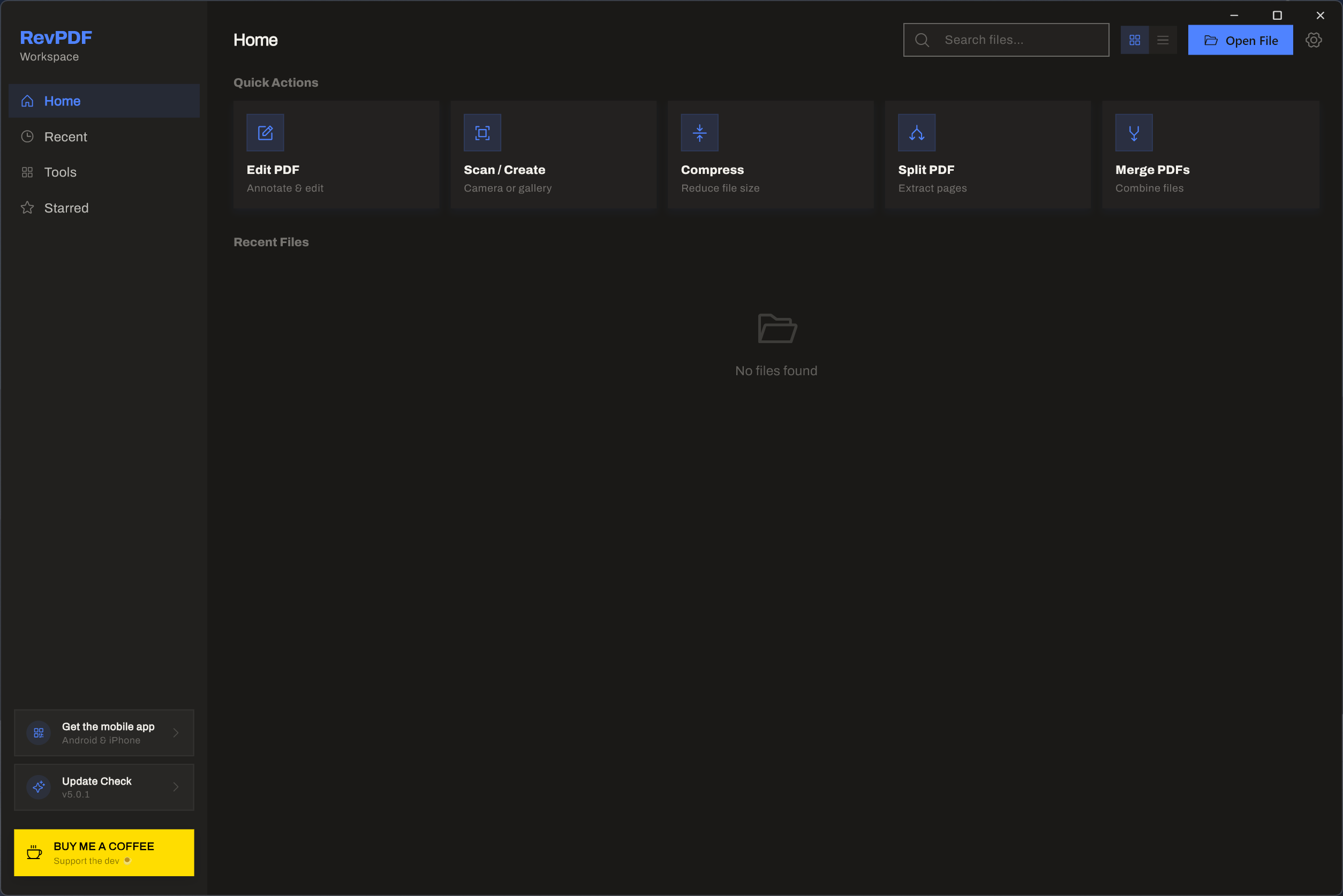
Flows
Combine supported PDF operations into reusable automated workflows for repeat processing.
Compression
Create much smaller PDF files with better control over quality and output size.
Split and Merge
Separate by page or range, combine documents, or divide a page at a selected vertical or horizontal position.
Page Organization
Reorder, rotate and remove pages with drag-and-drop controls.
Metadata Editor
Update title, author, subject, keywords and document dates.
Capture and Convert
Turn scanned or fixed-layout PDF content into useful, editable and archive-ready output.
On-device OCR
Turn scanned pages into searchable, selectable text on your device.
PDF to Excel
Extract PDF content into spreadsheet output for analysis and reuse.
PDF to Word
Create more useful editable Word documents with the improved conversion engine.
PDF/A-2a Conversion
Create an archival PDF/A-2a copy for long-term preservation workflows.
PDF and Image Conversion
Convert between PDF, JPEG and PNG without sending the file to a web service.
Document Scanning
Capture paper documents on mobile with edge detection and perspective correction.
Localization
Use RevPDF in multiple interface languages, with room for language support to expand.
New Themes
Choose an interface theme that suits your workspace and viewing preference.
Large-PDF Performance
Work more smoothly with better stability, responsiveness and performance on large documents.
What's New
RevPDF 5.0 is biggest desktop update yet, bringing a more powerful editing experience, new automation tools, improved conversions, better performance, and much more.
- WYSIWYG PDF Editor - Edit PDF text more naturally with improved paragraph reflow and layout handling.
- PDF Compare - Quickly find differences between two PDF files.
- Flows - Automate repetitive PDF processing tasks and run multiple operations in sequence.
- PDF to Excel - Extract and convert PDF content into sheets.
- Improved PDF to Word - Better layout preservation and more accurate document conversion.
- PDF/A Conversion - Convert documents to archival-friendly PDF/A format.
- Improved Compression - Smaller PDF files with better quality and improved compression logic.
- Customizable Redaction - More control over how redacted content looks and behaves.
- Header & Footer Tools - Add page numbers, text, and custom headers or footers.
- Improved Split Tool - Better support for splitting pages through the middle or at a custom position.
- Localization - RevPDF is now available in multiple languages.
- New Themes - More ways to personalize the RevPDF interface.
- Large PDF Improvements - Better stability, responsiveness, and performance when working with large documents.
- General Stability & Performance Improvements - Numerous fixes and optimizations across the app.
Local-First PDF Editing
- RevPDF processes your PDF files directly on your device. Your documents don't need to be uploaded to a server just to edit, convert, compress, redact and much more.
