
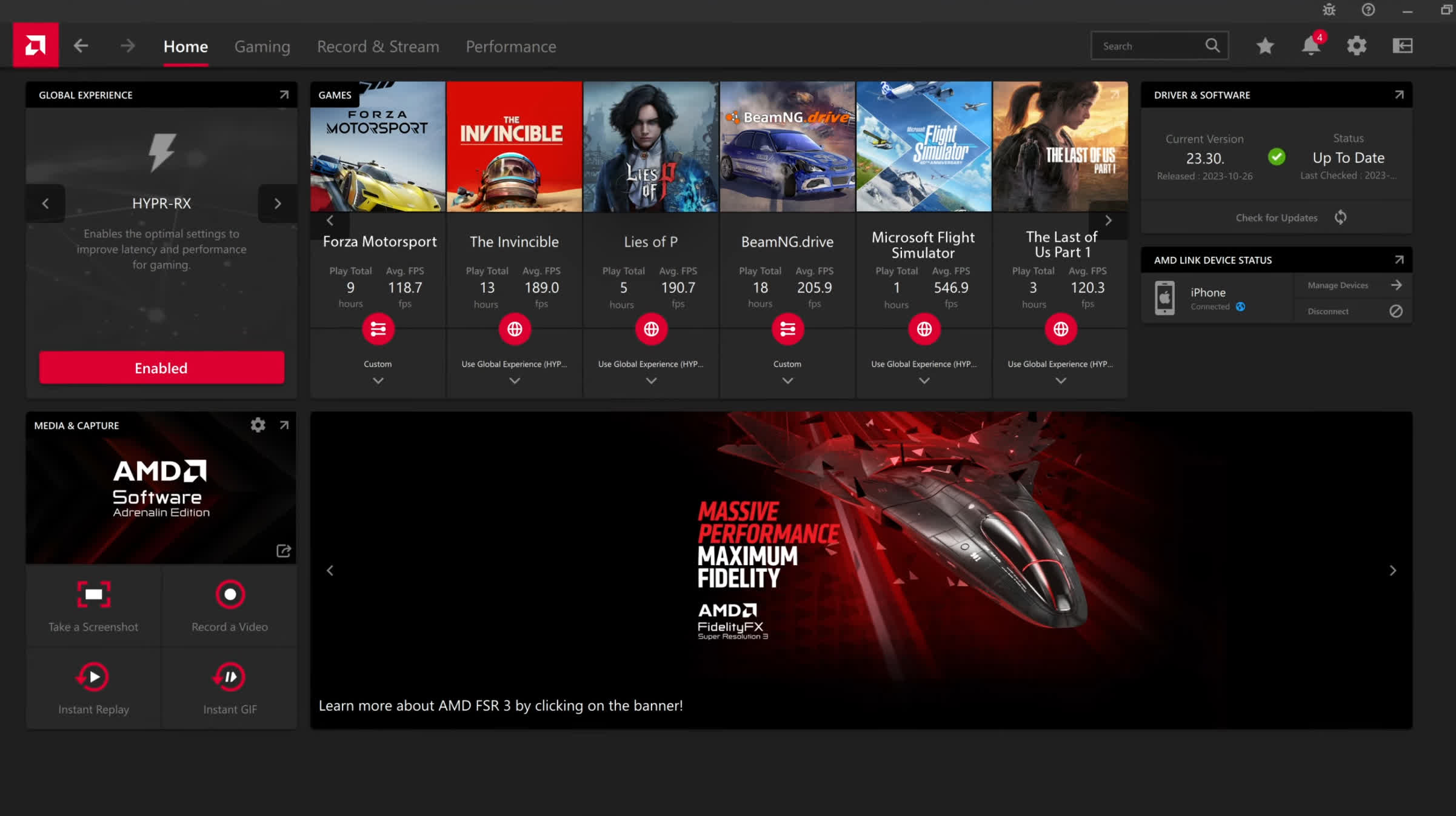
Designed to provide you with a clean, modern and easy-to-use interface where you can quickly access the latest software features, game stats, performance reports, driver updates, and much more - all from one convenient location.
Take advantage of the ALT+R hotkey to open AMD Software: Adrenalin Edition directly in-game, making it even more convenient and easy to adjust your favorite features and get a fantastic gaming experience.
You can also download the AMD Link App for Android, which allows you to conveniently access gameplay performance metrics and PC system info on your smartphone and/or tablet.
What's New:
New Features
AMD FSR Upscaling 4.1 support for:
- AMD Radeon RX 6000 Series Graphics products
- AMD Ryzen AI Max 300 Series processors
- AMD Ryzen AI Max 400 Series processors
- AMD Ryzen AI 9 300 Series processors
- AMD Ryzen AI 9 400 Series processors
New Game Support
- Call of Duty: Modern Warfare 4
- STAR WARS: Galactic Racer
- FINAL FANTASY RESONANCE
Fixed Issues
- Stuttering may be observed while playing the Call of Duty: Modern Warfare 4 on Radeon RX 6000 series graphics products and above.
Known Issues
- Intermittent application crash or driver timeout may be observed while playing Assassin's Creed Black Flag Resynced on Radeon RX 7000 series graphics products.
- Intermittent driver timeout may be observed while playing War Thunder on Radeon RX 5000 series graphics products. Users experiencing this issue are recommended to use AMD Software: Adrenalin Edition 26.9.1.
- Intermittent system shutdown may be observed while playing Valor Mortis on Radeon RX 7600 series graphics products.
- Intermittent driver timeout may be observed while playing Valor Mortis on Radeon RX 7000 series graphics products.
- Intermittent system shutdown may be observed while playing FINAL FANTASY RESONANCE on Ryzen AI MAX PRO 400 Series processors.
- Intermittent application hang may be observed while playing Death Stranding 2: On the Beach with AMD FSR enabled on Radeon RX 9000 series graphics products. Users experiencing this issue are recommended to disable AMD FSR.
- Intermittent application crash or driver timeout may be observed while playing Cyberpunk 2077 with AMD FSR Upscaling, AMD Radeon Anti-Lag and in-game frame generation enabled during video playback on a secondary display on some Radeon RX 9000 series graphics products. Users experiencing this issue are recommended to disable in-game frame generation.
- Black screen may be observed when launching Fallout 76 on Ryzen AI Max PRO 400 Series processors.
- Intermittent application crash or driver timeout may be observed in some games when opening or closing other overlays, such as Xbox Game Bar, while the AMD Software: Adrenalin Edition Performance Metrics Overlay is enabled on Radeon graphics products. Users experiencing this issue are recommended to temporarily disable the Performance Metrics Overlay before opening or closing other overlays.
- Intermittent system crash or hang may be observed when switching between applications or toggling overlays while playing games with in-game AMD FSR Frame Generation enabled on Radeon RX 9000 series graphics products. Users experiencing this issue are recommended to enable V-Sync in game settings.
- Failure to install may be observed while installing AI Bundle components in some regions with limited access to HuggingFace and GitHub.
- AMD Smart Access Memory may become disabled after driver installation on Windows 10 systems.
Here you can find similar drivers with different versions or releases for different operating systems:
-
- August 20, 2026
- Windows 10/11
- 887 MB
-
- September 29, 2026
- Windows (all)
- 954 MB
-
- June 29, 2026
- Windows 10/11
- 818 MB
-
- June 29, 2026
- Windows 10/11
- 818 MB
-
- June 22, 2026
- Windows 10/11
- 818 MB
-
- June 2, 2026
- Windows 10/11
- 818 MB
-
- May 14, 2026
- Windows 10/11
- 818 MB
-
- May 6, 2026
- Windows 10/11
- 818 MB
-
- March 20, 2026
- Windows 10/11
- 908 MB
-
- February 26, 2026
- Windows 10/11
- 908 MB
Browse TechSpot's entire driver catalog: