
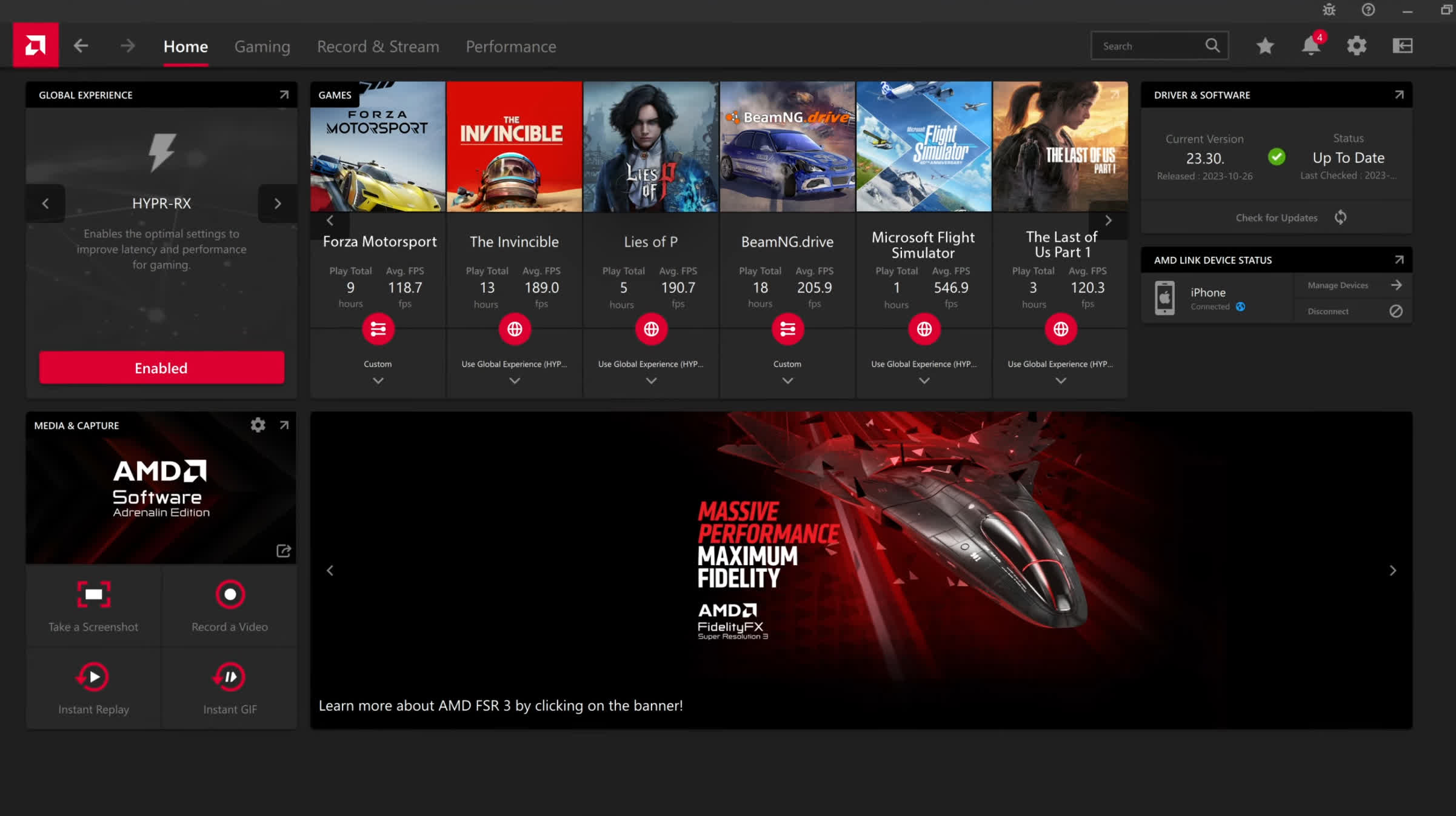
Designed to provide you with a clean, modern and easy-to-use interface where you can quickly access the latest software features, game stats, performance reports, driver updates, and much more - all from one convenient location.
Take advantage of the ALT+R hotkey to open AMD Software: Adrenalin Edition directly in-game, making it even more convenient and easy to adjust your favorite features and get a fantastic gaming experience.
You can also download the AMD Link App for Android, which allows you to conveniently access gameplay performance metrics and PC system info on your smartphone and/or tablet.
What's New:
New Game Support
- Resident Evil Requiem
- Marathon
Fixed Issues:
- Intermittent application crash or driver timeout may be observed while playing Roblox Player (Car Zone Racing & Drifting) when task switching between media on Radeon RX 7000 series products.
- Texture flickering or corruption may appear while using Windows desktop applications with Instant Replay and Record Desktop enabled on Radeon RX 7000 series products.
Known Issues
- Intermittent application crash or driver timeout may be observed while loading a saved game in Cyberpunk 2077 with Path Tracing enabled. AMD is actively working on a resolution with the developer to be released as soon as possible.
- Intermittent application crash or driver timeout may be observed while playing Battlefield 6 on AMD Ryzen AI 9 HX 370. AMD is actively working on a resolution with the developer to be released as soon as possible.
- Texture flickering or corruption may appear while playing Battlefield 6 with AMD Record and Stream on some AMD Graphics Products.
- AMD FSR Upscaling and AMD FSR Frame Generation may show as inactive in AMD Software: Adrenalin Edition when playing Yakuza Kiwami 3 & Dark Ties, Call of Duty: Black Ops 7, and Resident Evil Requiem when enabled on Radeon™ RX 9000 series graphics products.
New Features
- Optional install of AI Bundle
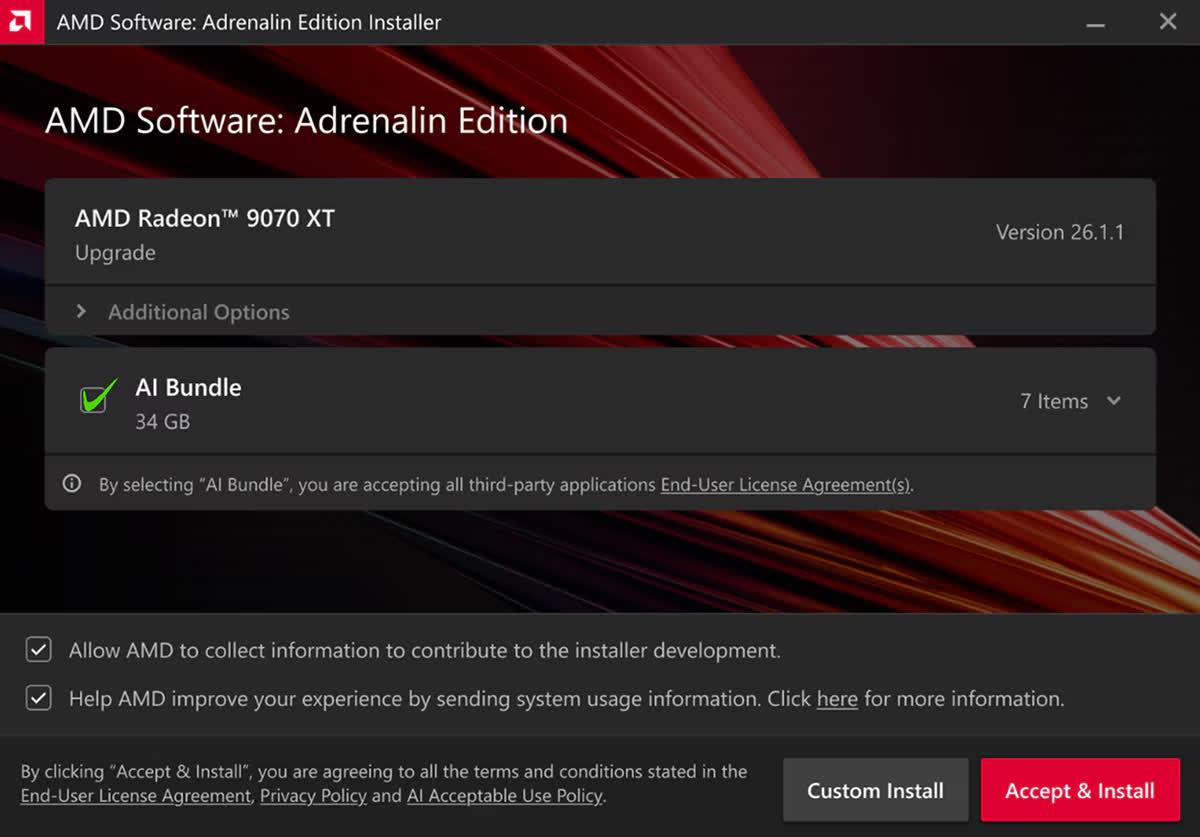
What's inside the AI Bundle
The AI Bundle is a streamlined installer that equips your AMD powered system with essential tools for AI development and creative workflows:
PyTorch on Windows:
- Available on Windows for the first time as part of the AMD Software: Adrenalin Edition application, you can use this to build and train models from scratch or load existing models for inference
- Learn more about PyTorch using the official get started guide or join their community discord
- Additional information on running PyTorch on AMD Ryzen processors can be found here.
ComfyUI:
- Accelerated by the AMD ROCm™ platform's version of PyTorch on Windows, ComfyUI can be used to install models to create visual workflows for image generation and LLM outputs.
- To learn more check our ComfyUI's get started guide or join the ComfyUI community.
Ollama:
- Run LLMs locally for text generation, prototyping, and automation, without relying on cloud services from within code, CLI and application interface. Learn more on how to get started with from Ollama's quick start guide.
LM Studio:
- Install and run large language models in application while able to tune model's parameter tuning easily
- Learn more on how to get started from LM Studio's quick start guide or join the LM Studio community
Amuse:
- Text-to-image generation application that allows you to install and run AMD optimized models locally
- Learn more here: https://www.amd.com/en/blogs/2025/introducing-amd-gpu-ep-for-generative-ai-with-amuse.html
Getting started is simple
Users running an AMD Radeon RX 7700 series graphics card or newer, or an AMD Ryzen AI 300, Ryzen AI 400 or Ryzen AI Max series processor, can do the following:
- Download or open the AMD Software: Adrenalin Edition application.
- During installation or update, select the AI Bundle option.
- Launch your tool of choice, whether it's PyTorch, ComfyUI, and Ollama, and start building.
New Product Support
- AMD Ryzen AI 9 HX 475
- AMD Ryzen AI 9 HX 470
- AMD Ryzen AI 9 465
- AMD Ryzen AI 7 450
- AMD Ryzen AI 7 445
- AMD Ryzen AI 5 435
- AMD Ryzen AI 5 430
- New Game Support
- Starsand Island
- Avatar: Frontiers of Pandora - From the Ashes Edition
Fixed Issues
- Some shadows may not render correctly while playing Call of Duty: Black Ops 7 on some AMD Graphics Products on Radeon RX 5000 series and Radeon RX 6000 series graphics products.
- Texture corruption may be observed when playing Enshrouded while at the first "Elixir Well" location on Radeon RX 7000 series and Radeon RX 9000 series graphics products.
- Application may fail to launch while playing Diablo 4 with usernames containing non-english characters on Radeon RX 7000 series and Radeon RX 9000 series graphics products.
- Some lights may not render correctly while playing Microsoft Flight Simulator 2024 during nighttime scenes on Radeon RX 7000 series and Radeon RX 9000 series graphics products.
- Application crashes when using Unreal Engine 5.6 Editor with Lumen HWRT enabled on Radeon RX 5000, Radeon RX 6000, Radeon RX 7000 and Radeon RX 9000 series products.
- Intermittent visual corruption may be observed while navigating Chromium and Electron apps on Radeon RX 5000 series and Radeon RX 6000 series graphics products.
- Slow window resizing may be observed (related to vkAcquireNextImage extension) while developing games that use the Vulkan API on Radeon RX 7000 series and Radeon RX 9000 graphics products.
- Player sprites may not render correctly while playing Cassette Beasts on Radeon RX 7000 series and Radeon RX 9000 series graphics products.
- Artifact may appear when playing Baldur's Gate 3 with TAA enabled on Radeon RX 5000 series and Radeon RX 6000 series graphics products.
Known Issues
- Intermittent application crash or driver timeout may be observed while loading a saved game in Cyberpunk 2077 with Path Tracing enabled. AMD is actively working on a resolution with the developer to be released as soon as possible.
- Intermittent application crash or driver timeout may be observed while playing Battlefield 6 on AMD Ryzen AI 9 HX 370. AMD is actively working on a resolution with the developer to be released as soon as possible.
- Intermittent application crash or driver timeout may be observed while playing Roblox Player (Car Zone Racing & Drifting) when task switching between media on Radeon RX 7000 series products.
- Texture flickering or corruption may appear while playing Battlefield 6 with AMD Record and Stream on some AMD Graphics Products.
-
- September 3, 2026
- Windows (all)
- 887 MB
-
- August 20, 2026
- Windows (all)
- 887 MB
-
- June 29, 2026
- Windows 10/11
- 818 MB
-
- June 29, 2026
- Windows 10/11
- 818 MB
-
- June 22, 2026
- Windows 10/11
- 818 MB
-
- June 2, 2026
- Windows 10/11
- 818 MB
-
- May 14, 2026
- Windows 10/11
- 818 MB
-
- May 6, 2026
- Windows 10/11
- 818 MB
-
- March 20, 2026
- Windows 10/11
- 908 MB
-
- December 10, 2025
- Windows 10/11
- 991 MB