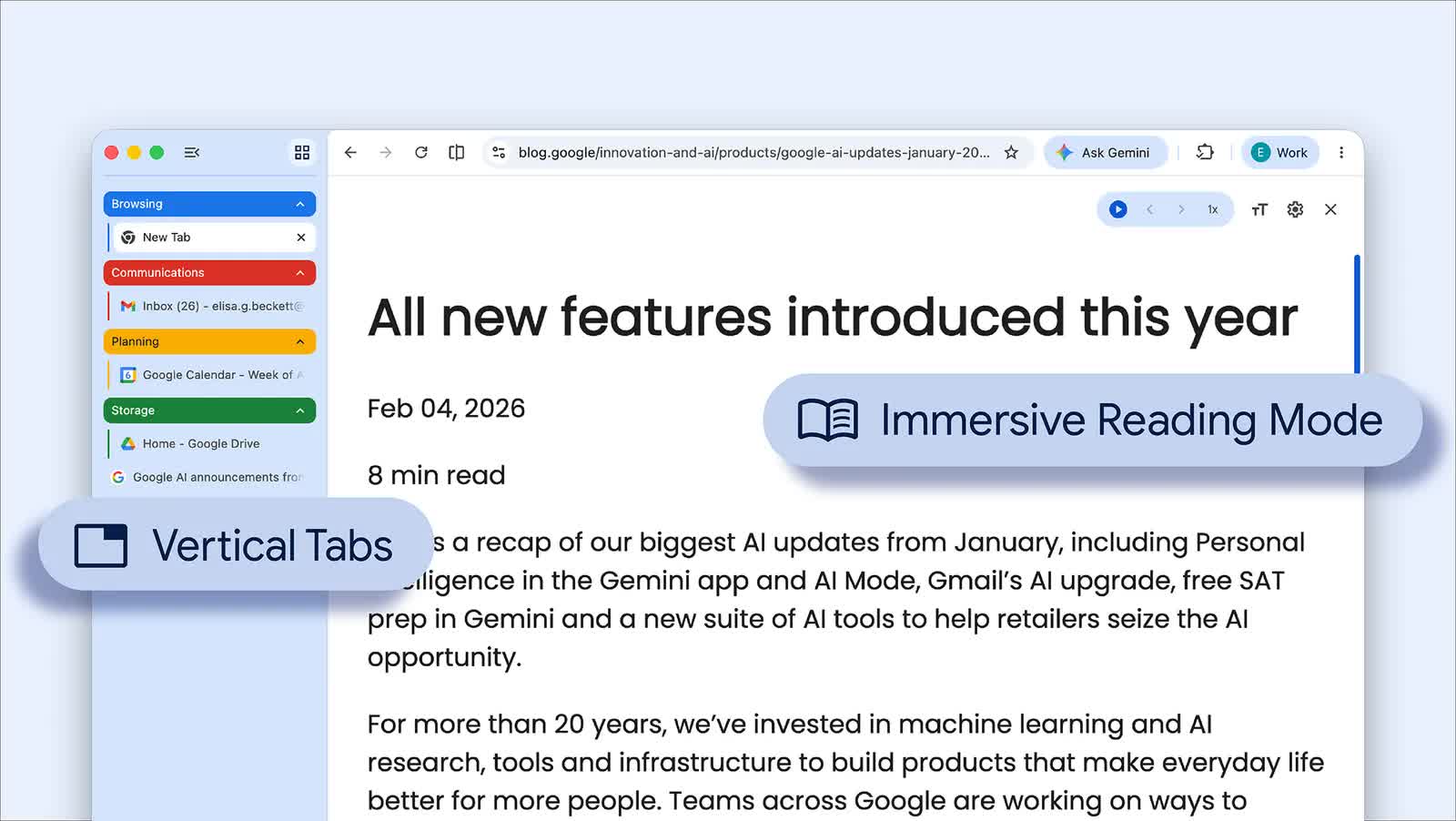
What just happened? Chrome might be the most popular browser by a massive margin, but it still lacks features that rivals have had for years. One of these, vertical tabs, is finally coming to Google's product. The feature is part of an update that also includes an improved reading experience with an immersive Reading Mode.
Rolling out from April 7 on desktop Chrome (download here), the vertical tabs feature gives users the option to move the browser's tab strip from the top of the window to a sidebar on the left.
To enable vertical tabs, right-click any Chrome window and select "Show Tabs Vertically," after which users can see full page titles instead of the tiny, shortened labels that appear once the tab count starts climbing.
Google says tab groups are easier to manage in this layout, and the sidebar can be collapsed into a narrow column of favicons when you want to free up screen space. Switching back to the traditional horizontal strip is just as simple.
Browsers including Microsoft Edge, Mozilla Firefox, and Brave already support vertical tabs in one form or another, and anyone who regularly works with double-digit tab counts will already know why they matter.
Google's other addition is an upgraded version of Chrome's existing Reading Mode, which the company has positioned as a tool for deep focus.
Instead of opening in a side panel, the feature now offers a full-page interface meant to cut out visual clutter and turn busy sites into a more text-focused view. It can be launched by right-clicking a page and choosing "Open in reading mode," or by selecting Reading Mode from the address bar.
Google says the new interface also includes text-to-speech controls and several customization options, including font size, typeface, color themes, and line and letter spacing. Users can also adjust playback speed and choose different voices for read-aloud.
The update feels less about flashy new functionality and more about making Chrome less annoying to use for the kinds of everyday tasks people spend hours doing. While the changes are hardly groundbreaking, both feel overdue. For Chrome users, they should be among the more practical additions Google has made to the browser in a while.