
A quality mouse is one of the most affordable ways to upgrade your PC experience. If you're still using a cheap bundled mouse (or God forbid, your laptop's trackpad – with few exceptions), you'll be surprised by how much smoother and more comfortable a good mouse can be.
The market has plenty of options on offer. Optical switches are now common even at mid-range prices, polling rates have climbed to 8KHz for competitive gamers, and haptic feedback has made its way into productivity mice like the MX Master 4. At the same time, weights keep dropping: flagship gaming mice now hover around 55-63g, and even feature-heavy options like the Logitech Pro X2 Superstrike come in under 65g.
Wireless performance is no longer a compromise. With a 2.4GHz receiver, it's virtually identical to wired, and Bluetooth adds the convenience of multi-device support across Windows, macOS, and beyond. The line between gaming and productivity mice has also blurred: a well-chosen gaming mouse can handle spreadsheets as easily as it handles a raid.
In this guide, we've picked the best mice across key categories: gaming, productivity, ergonomic, budget, and more, so you can find the one that fits your needs, your hand, and your budget.

Best Gaming Mouse
Razer DeathAdder V3 | Logitech X2 Pro Superstrike | Razer Basilisk V3 35K


The Razer DeathAdder has been a staple in gaming mice for two decades, known for its iconic right-handed design and reliable performance. With the DeathAdder V3, Razer has chosen function over form, opting for a less curvy shape and main buttons that are completely separate from the rest of the body.
Weight has been reduced to 59g (without the cable), down from the DeathAdder V2's 82g. The wireless Pro version is slightly heavier at 63g, or 64g for the white version ($80). Razer also offers the smaller 55g wireless HyperSpeed version ($70), featuring a somewhat inferior sensor.
In terms of performance, the DeathAdder V3 offers an optional 8KHz polling mode in addition to the industry-standard 1KHz. For the Pro version, enabling this mode requires a $30 dongle and reduces the battery life from 90 hours to just 17. The mouse supports a maximum sensitivity of 30,000 DPI, allowing for effortless movement across multi-monitor setups. It also accurately tracks motion up to 750 inches per second and 70g acceleration. Its optical switches are rated for 90 million clicks.
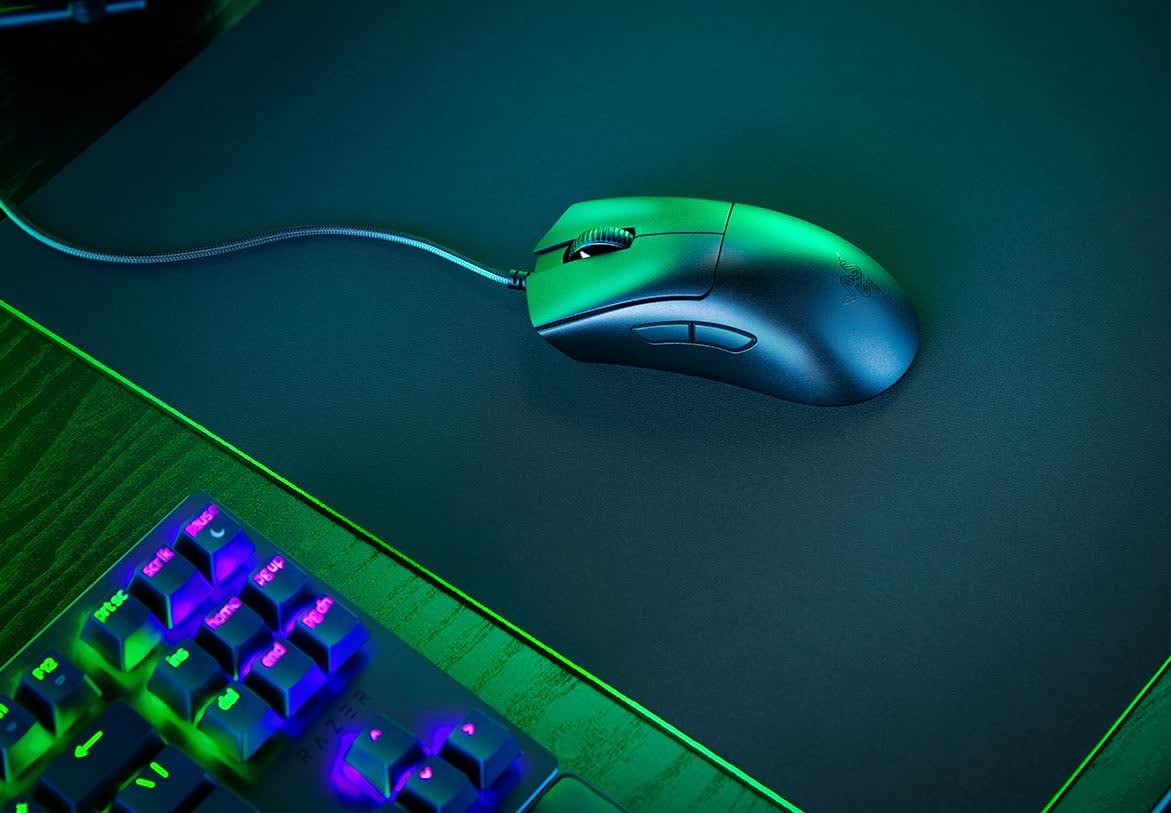
The DeathAdder includes a hidden button to switch between five adjustable DPI levels. The mouse uses internal storage, so you can retain your preferred speed settings and key bindings across devices.
The wired version supports five different profiles, while the Pro and HyperSpeed versions support just one. The V3 includes two thumb buttons and omits the LED logo and scroll wheel lighting found in previous versions. If you simply want a great gaming mouse, this is the one for you.
What about the V4?
Razer has released the DeathAdder V4 Pro for $170, but this price includes the 8KHz wireless dongle, so if you were going to get one anyway, it may be worth considering over the V3 Pro. The sensor has been upgraded to 45K DPI, 900 IPS, and 85G. Despite this, battery life has been improved to 22 hours at 8KHz, and 150 hours at 1KHz. Weight has been reduced to 56g, or 57g for the white version. The new switches are rated for 100 million clicks. However, the biggest difference may be that the scroll wheel is optical, just like the main buttons.
Razer Basilisk V3 35K
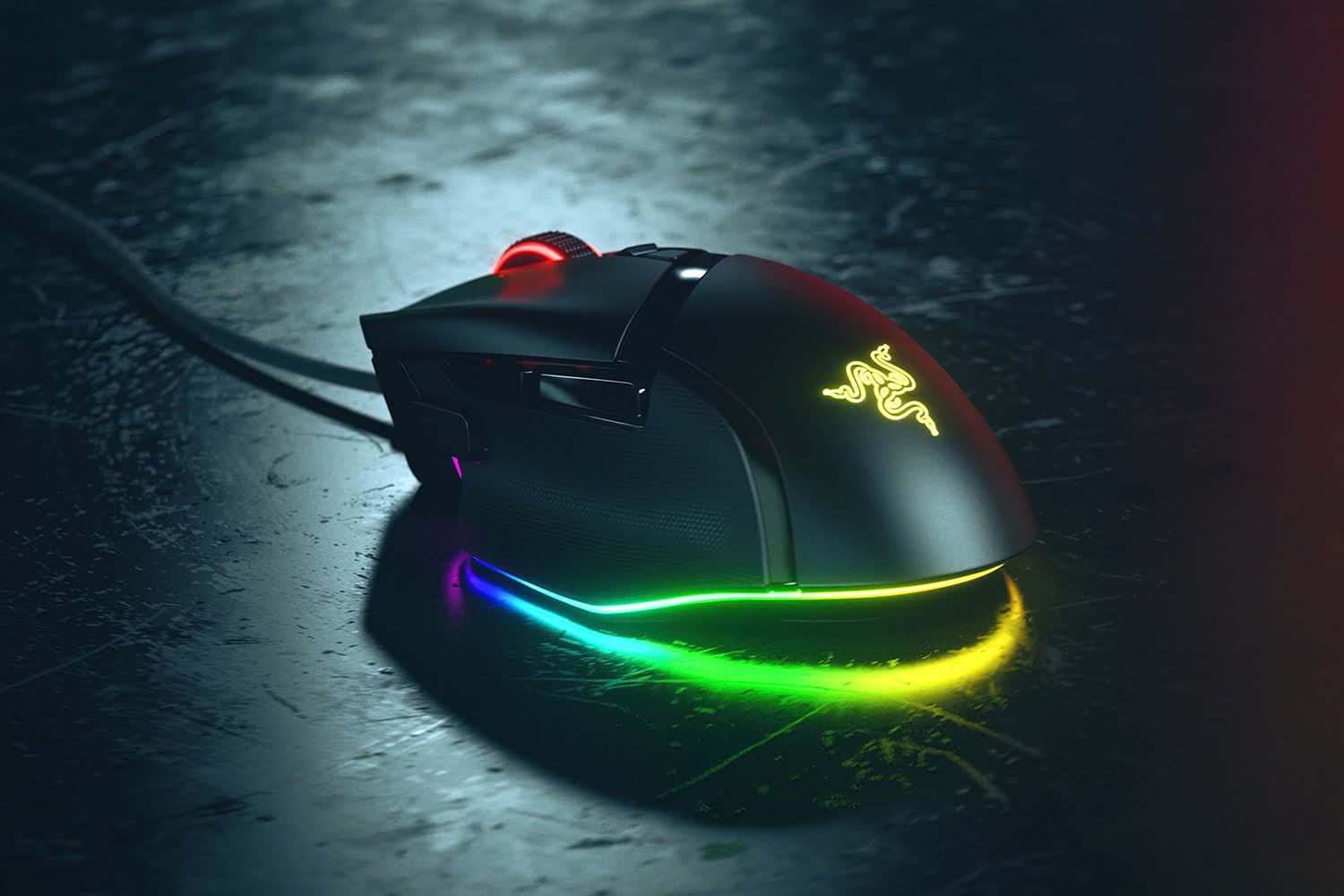
The original Razer Basilisk V3 has been upgraded with switches similar to those of the DeathAdder V3 and an even more refined sensor, with a DPI rating of up to 35,000. At $55, it's slightly heavier than the Logitech G502 X at 101g and has two fewer buttons, but its sensor is significantly better, its scroll wheel can automatically switch between notched and free-spinning modes, and it offers 11-zone RGB lighting.
Unlike the DeathAdder, the Basilisk features two buttons next to the scroll wheel for switching between user profiles or scroll wheel modes, and a third thumb button, often used as a "sniper button" for temporarily lowering DPI. The scroll wheel can tilt left and right to function as two extra buttons.
The wireless Basilisk V3 Pro has also received a 35K version, but with a $160 price tag, you may want to stick with the original, which can be had for $99 and features the same sensor and switches as the DeathAdder V3. At the same 112g weight, the new version claims a longer battery life over Bluetooth (210 hours instead of 150) and 1KHz Wi-Fi (140 hours compared to 110), but strangely, a shorter battery life when using the 8KHz mode with the optional dongle (28 hours rather than 32). Other than that, the new version's main advantage is the smart scroll wheel.
If you want to save some money or prefer a heavier mouse, the last-gen Logitech G502 ($32) weighs 121g, which can be increased up to 139g with five included weights. It uses traditional mechanical switches, but offers two additional side buttons and an RGB logo. The Hero 25K sensor offers a maximum DPI of 25,600 and is rated for 400 IPS and 40g acceleration.
Logitech Pro X2 Superstrike
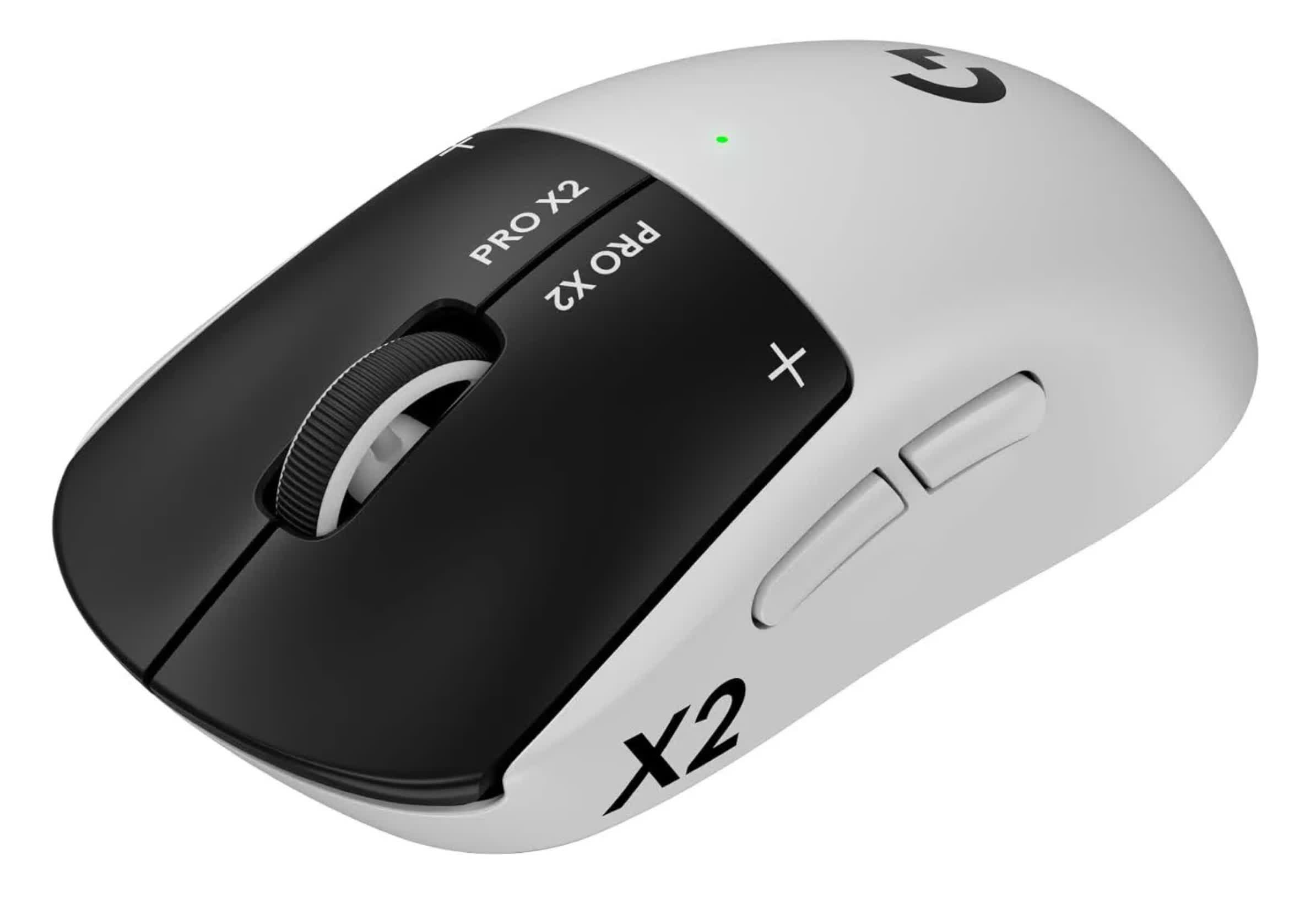
The Logitech Pro X2 Superstrike is the first mass-market mouse with magnetic analog switches, allowing for an adjustable actuation point for the main buttons. With a low actuation point setting, it can feel as if the button is clicked as soon as you think about clicking it. However, you'll need to get used to moving the mouse using your thumb and ring finger to avoid accidental clicks. Still, even with a medium setting, the mouse feels more responsive than most. The haptic engine ensures that you'll know when you make a click.
The Hero 2 sensor rivals the DeathAdder V4 Pro's, with ratings of 44K DPI, 888 IPS and 88g. Despite being more complex internally than most mice, the Superstrike weighs just 61 grams. Its battery is good for 90 hours over 1KHz Wi-Fi. The main problem is the price: at $180, the Superstrike is hard to justify, unless you are a competitive gamer or an enthusiast who wants to try the novel tech. It's also not a mouse you can comfortably rest your hand on, so you may want to buy another one for web browsing or work.
Razer Naga V2 Hyperspeed
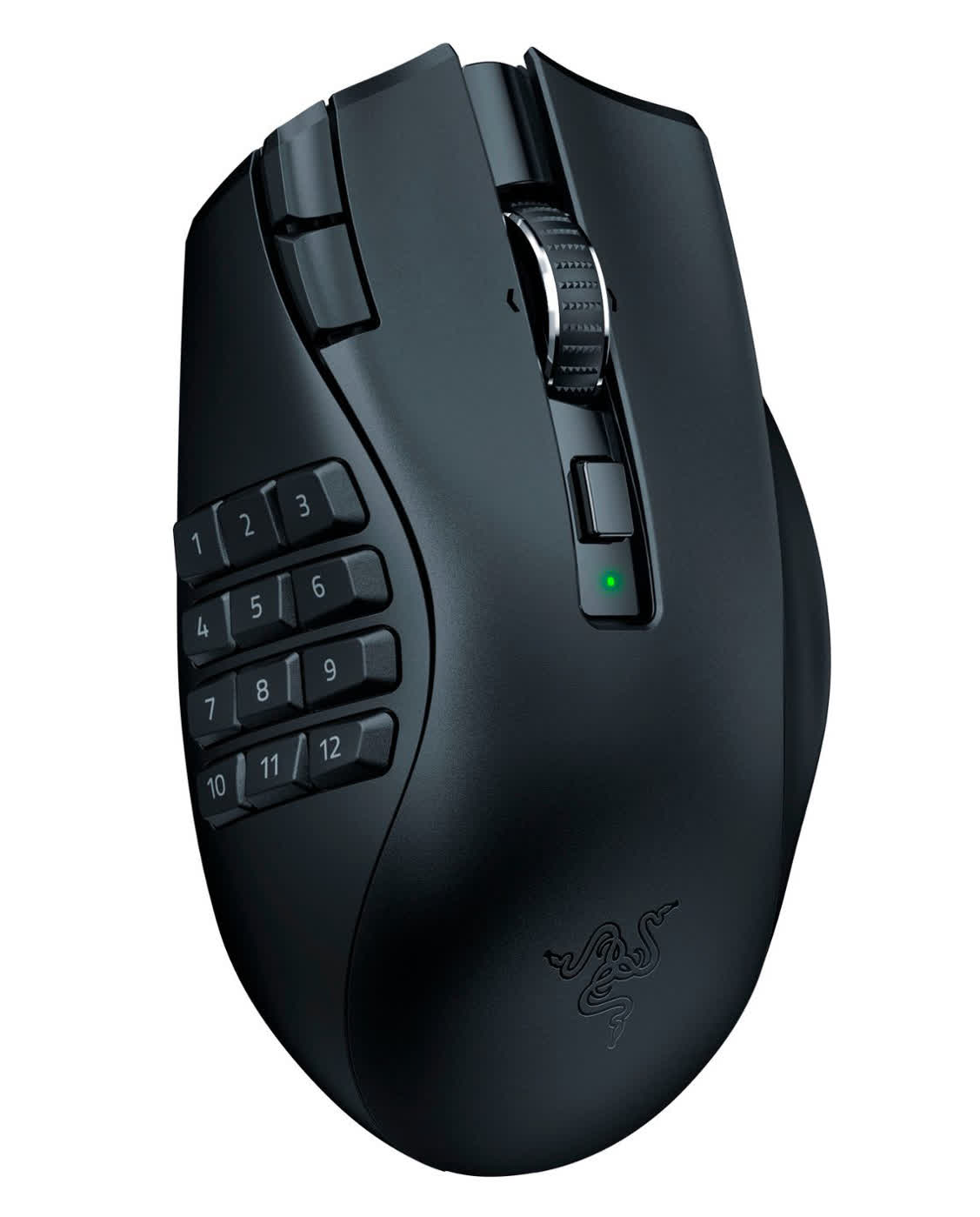
If you play games that utilize many buttons and want most of them to be on your mouse, then the Razer Naga V2 Hyperspeed will get you the best value at $65. It uses the same Focus Pro 30K sensor as the DeathAdder V3 with traditional mechanical switches. While not optical, these are still high-quality and rated for 60 million clicks.
The Naga V2 HyperSpeed includes 12 side buttons, two edge buttons for on-the-fly DPI adjustments, and a single button next to the scroll wheel for changing its behavior. The mouse can only store one settings profile.
The main downside is that the mouse lacks a rechargeable battery or wired connection. You'll need to replace its battery every 250 hours, or 400 hours if you use Bluetooth. Without the battery, it weighs 95g, which is reasonable given the number of buttons.
If this feature set doesn't meet your needs and you don't need free scrolling, consider the Corsair Scimitar Elite Wireless SE ($80 for the white version). It boasts better specs than its predecessor, including 33K DPI, 750 IPS tracking, and 50g acceleration. It also features a sliding 12-button RGB side panel for thumb positioning, optical switches rated for 100 million clicks, and storage for three profiles. It weighs 114g, including a rechargeable battery that's good for 150 hours over Wi-Fi, or 500 hours over Bluetooth, with the RGB logo off.
Best for Work
Logitech MX Master 4 | Logitech POP

The Logitech MX Master 4 has replaced the discontinued MX Master 3S as our top recommendation for productivity. The new, less curvy design has divided opinion, but the MX Master 4 isn't meant for those with a fully functional MX Master 3S anyway.
The main body is made of plastic and silicone instead of rubber, making it easier to clean. The tiny "gesture button" on the thumb rest has been replaced with a third thumb button, while the thumb rest itself incorporates a dedicated button for the customizable "action ring" menu. The most interesting addition is the thumb rest's haptic feedback, which may become a useful alternative to visual notifications.
Elsewhere, the MX Master 4 has all of its predecessor's advantages. With a laser sensor, it can work on any surface, including glass. Its magnetic scroll wheel is not only near silent, but also much faster and more precise than others in free scroll mode. You can switch between that mode and ratchet mode with the click of a button, or the mouse can do it on its own based on the app you're using and your scrolling speed. A secondary thumb scroll wheel is ideal for horizontal scrolling in spreadsheets or switching browser tabs.
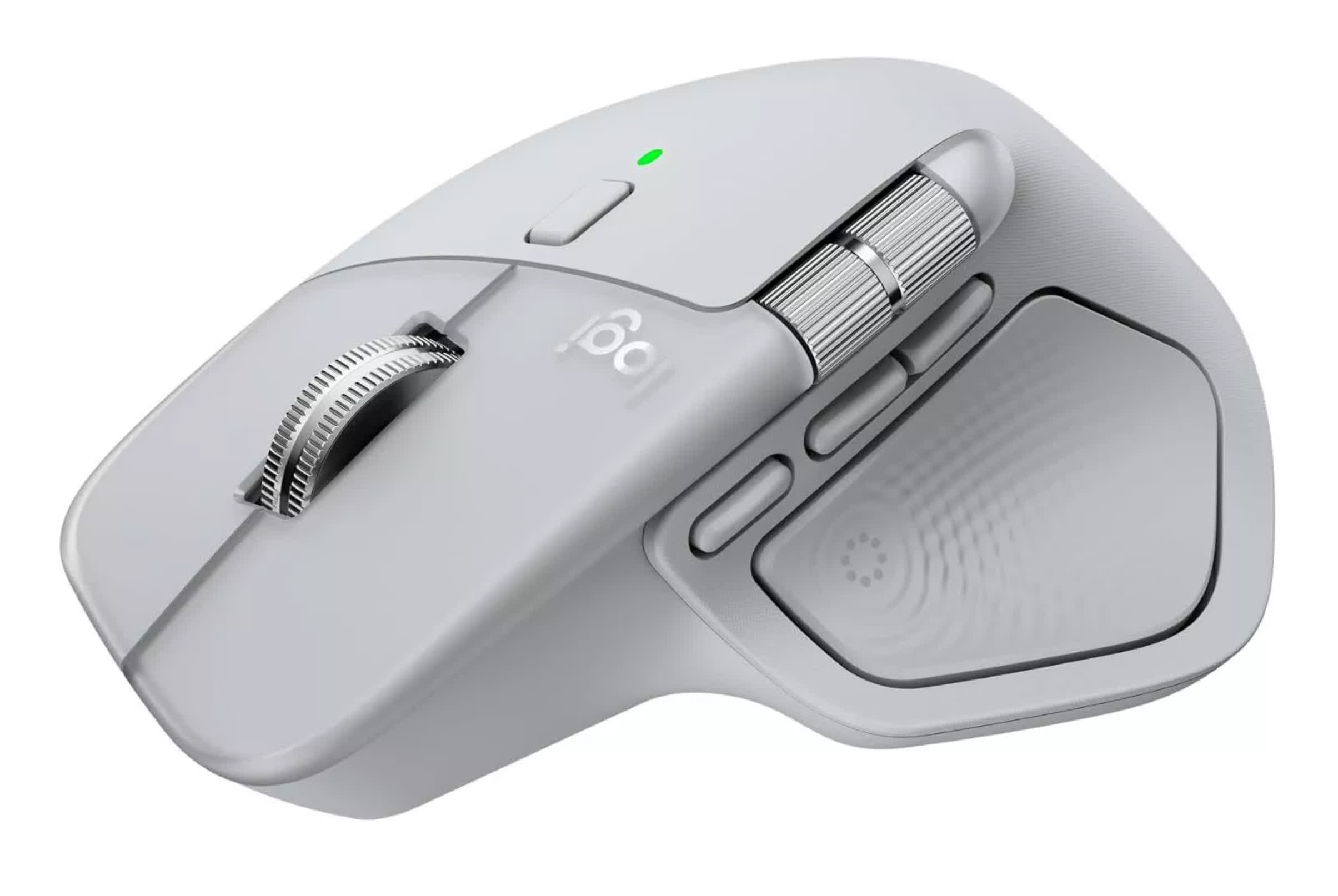
The MX Master 4 features a rechargeable battery rated for 70 days of use (depending on haptic feedback level and frequency), but annoyingly, it doesn't come with a USB-C cable for charging. It comes with a USB-C receiver, but even when using it, the polling rate remains at 125Hz, making it unsuitable for gaming. It's tempting to use the charging port to store the receiver, as the mouse doesn't offer another option.
On the plus side, it supports Bluetooth connectivity with up to three devices across Windows, macOS, Linux, iPadOS, or ChromeOS. You can switch between devices using a hidden button or use Logitech Flow to seamlessly control multiple computers as if they were one, copying text and files between them with ease.
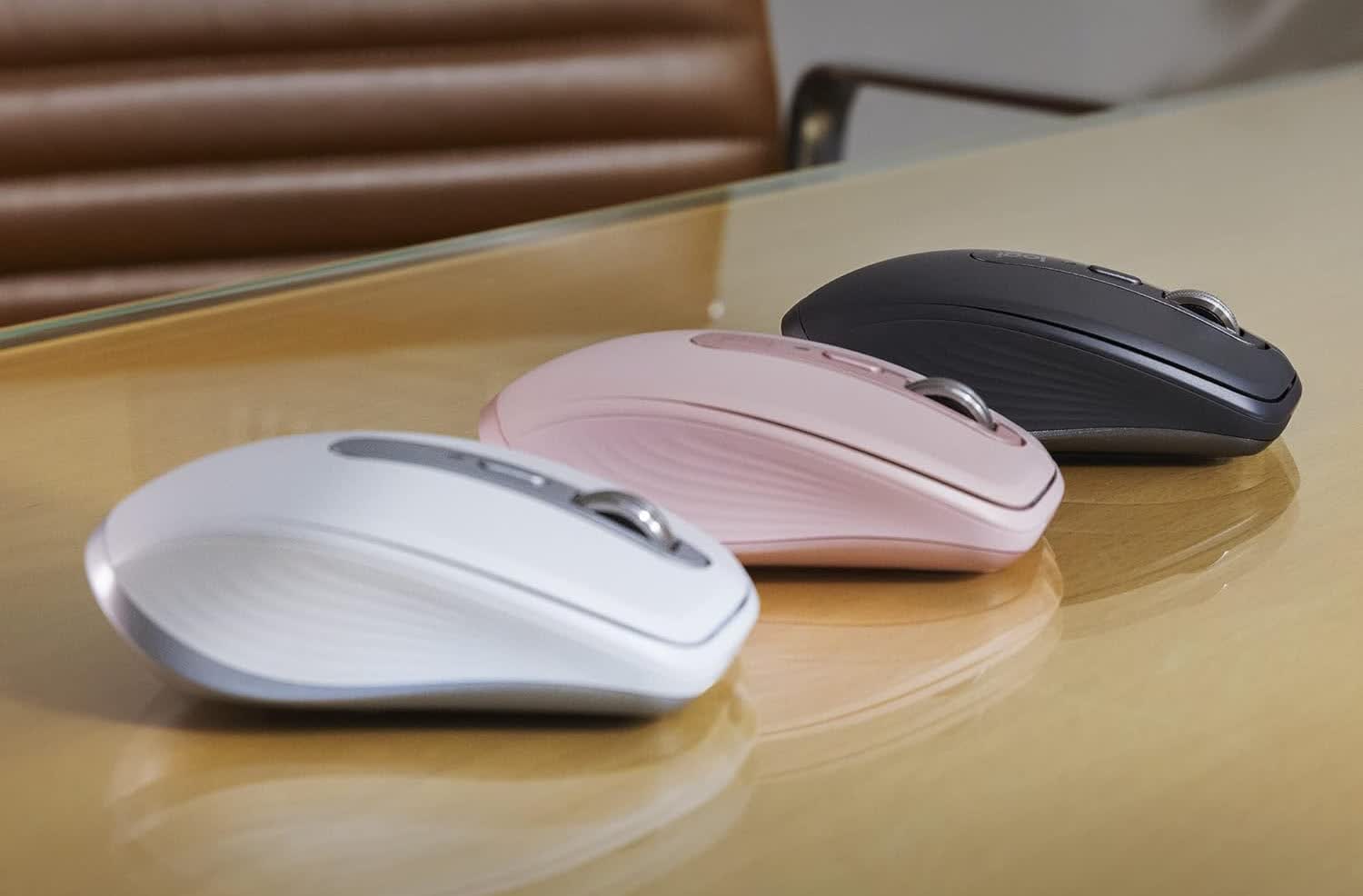
The pocket-friendly Logitech MX Anywhere 3S ($80) doesn't offer everything its bigger sibling does, but retains enough features to stand out among similarly priced alternatives. It lacks a thumb rest and horizontal scroll wheel (though its main wheel can scroll horizontally when combined with a side button press).
With a symmetrical shape and no buttons on the right side, it's neither ergonomic nor ambidextrous. Unlike its predecessor, it doesn't come with a USB receiver. Still, when you can't carry the Master with you, it's your best option.
Logitech POP Mouse
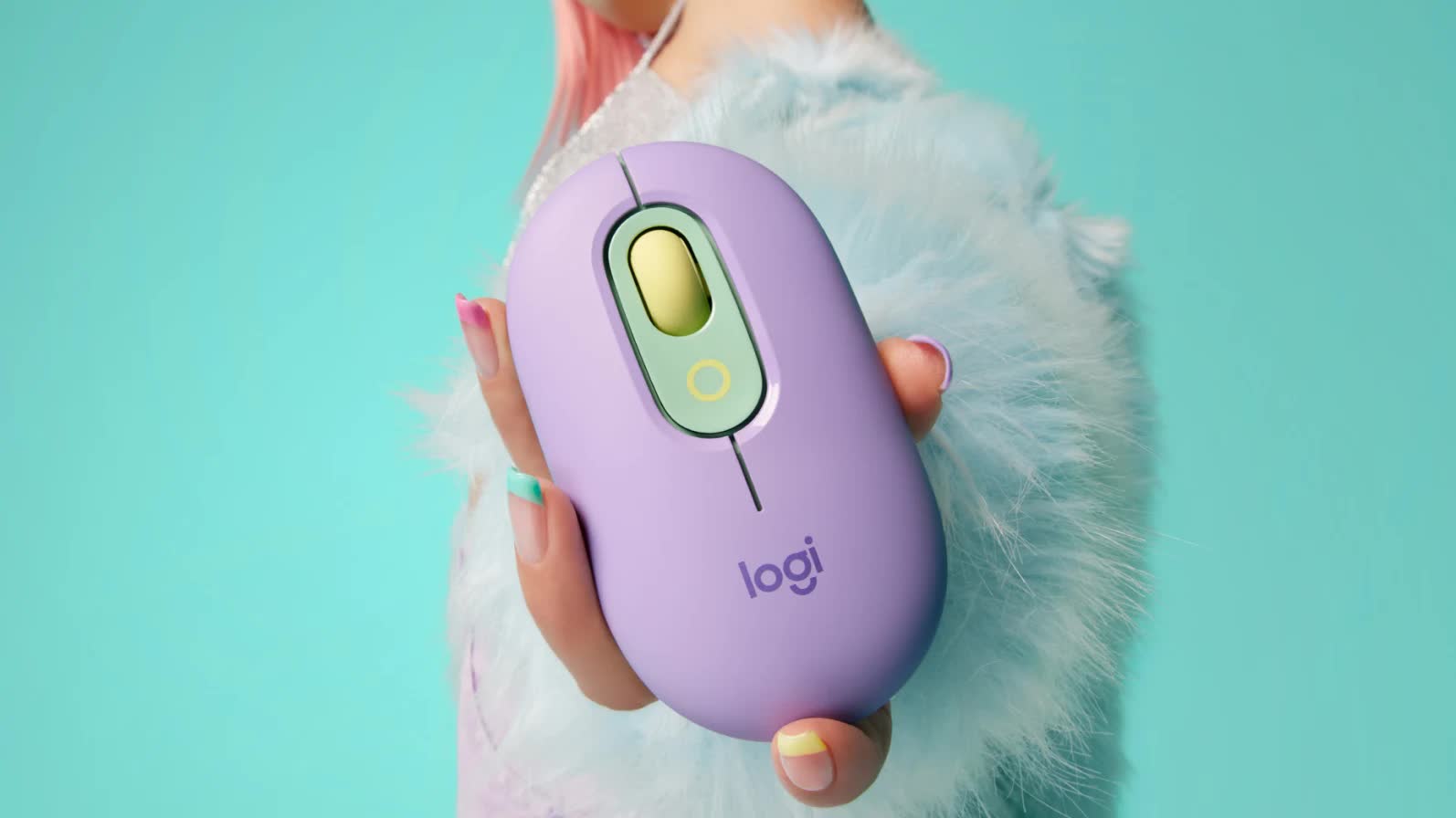
If you want to enjoy Logitech's multi-device capabilities for under $30, this mouse aimed at teenagers – with its many color options – could be a good fit.
With no buttons on either side, the Logitech POP Mouse is fully ambidextrous. It has a middle button around the scroll wheel, which by default launches the all-important emoji menu. It doesn't have a button for switching between scrolling modes, but it does so automatically. Adjustable DPI up to 4K is a big improvement over the fixed 1K in older Logitech mice such as the M720 Triathlon.
Best for Lefties
Logitech G Pro 2 Lightspeed | Razer Naga

Left-handed gamers have never had it easy. While many mice appear ambidextrous at first glance, few truly are, and even fewer are worth their price. Most symmetrically shaped mice only feature thumb buttons on the left side. These models mostly cater to right-handed gamers who don't care about ergonomics because only a small portion of their hand touches the mouse when they play (known as claw or fingertip gripping).
Among the few truly ambidextrous options, the Logitech G Pro 2 Lightspeed offers the best performance and build quality. Not only does it have two buttons on each side, but you can remove the buttons you don't need. At 80g, it is now considered heavy for a relatively simple mouse, but it's still lighter than other, more button-heavy alternatives.
The G Pro 2 uses the latest Hero 2 sensor, with 44K DPI, 888 IPS and 88g acceleration ratings. It also promises a battery life of 95 hours (or 60 with the RGB logo enabled) and is compatible with Logitech's Powerplay 2 wireless charging mousepad.
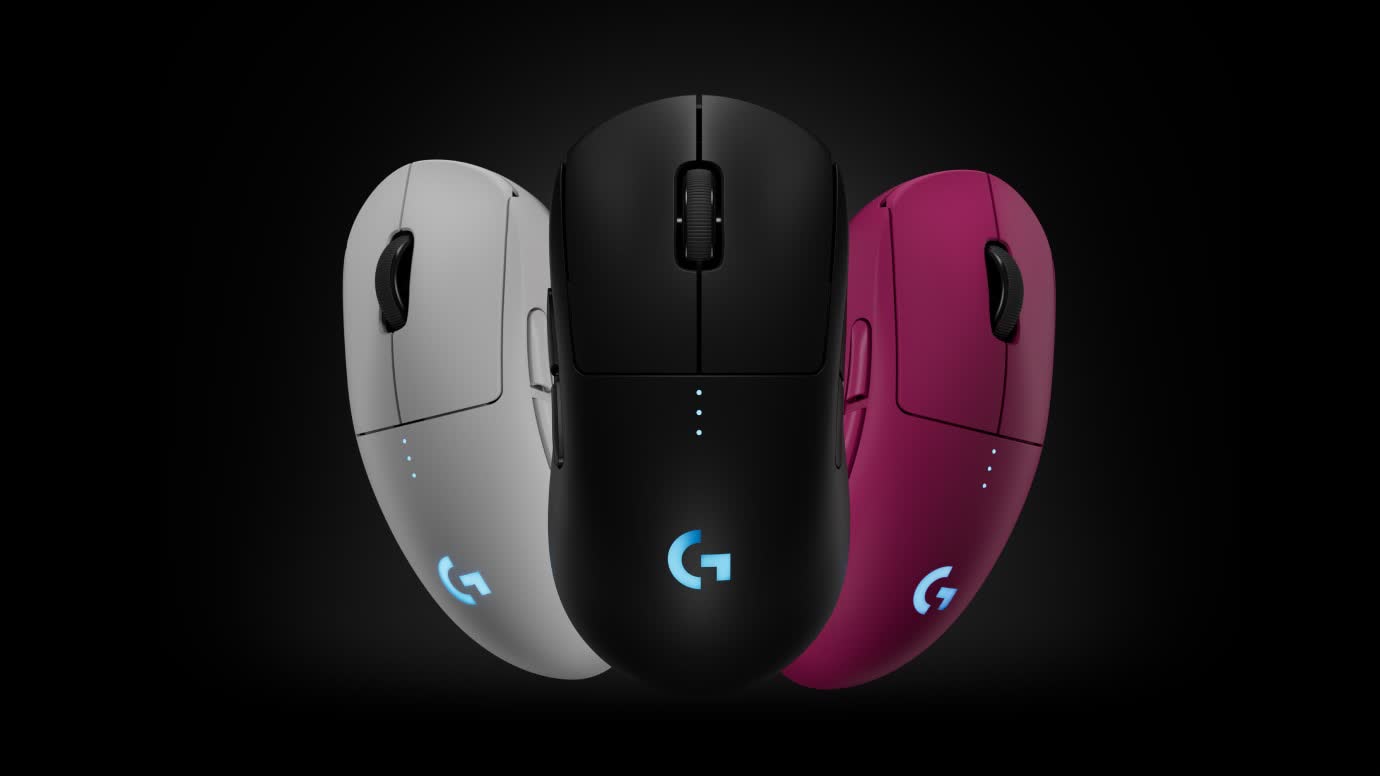
A viable alternative at $50 is the Corsair M75. It offers solid specs with 26,000 DPI, 650 IPS, and 50g acceleration. The battery lasts up to 105 hours with RGB turned off. There's also a wired version with an 8KHz polling rate available for the same price. The only drawback is the design and lighting, which give it a cheaper feel than its specs suggest.
Razer Naga Left-Handed Edition

If you're looking for a truly left-handed gaming mouse, the Razer Naga Left-Handed Edition is your only decent option. As of this writing, it's available for $100 on Razer's website. At 109g, it's not lightweight, but it makes up for it with plenty of functionality – featuring 12 side buttons designed specifically for the left hand.
The scroll wheel tilts left and right, adding two buttons to the count, and another two above the wheel can change the mouse's DPI. A maximum DPI of 20K is probably more than you need, and 650 IPS with 50g acceleration is reasonable for a niche product.
Rated for 50 million clicks, you won't need to search for another leftie mouse any time soon. Combined with customizable RGB lighting, 12 side buttons, and support for five onboard profiles, it's a well-rounded package for left-handed gamers.
Best for Basic Use
Razer Deathadder Essential | Razer Orochi V2

At under $30, the Razer DeathAdder Essential is marketed as a budget gaming mouse, but it's actually an excellent choice for general use, and it's our top recommendation in that category. Its design closely resembles older models like the DeathAdder V2 and Elite, making it significantly more ergonomic and desirable than the average desktop mouse. We've recommended the older DeathAdder models for years, and some of us still use them, so we're big fans of its overall shape and feel.
The Essential gets more basic specs though. It's only rated for 10 million clicks, which is still a lot for non-gaming use. Other specs are also good, though arguably outdated for gaming enthusiasts: its 96g weight and traditional mechanical switches.
A maximum DPI of 6,400 might feel sluggish when using multiple high-resolution monitors, but if you're running that kind of setup, you're shopping in the wrong category anyway.
With tracking speeds up to 220 IPS and 30g acceleration, it's more than you'll experience outside of gaming. If you are worried that the green LED logo and scroll wheel on the black version will stand out in your office, an all-white version is also available.
Razer Orochi V2
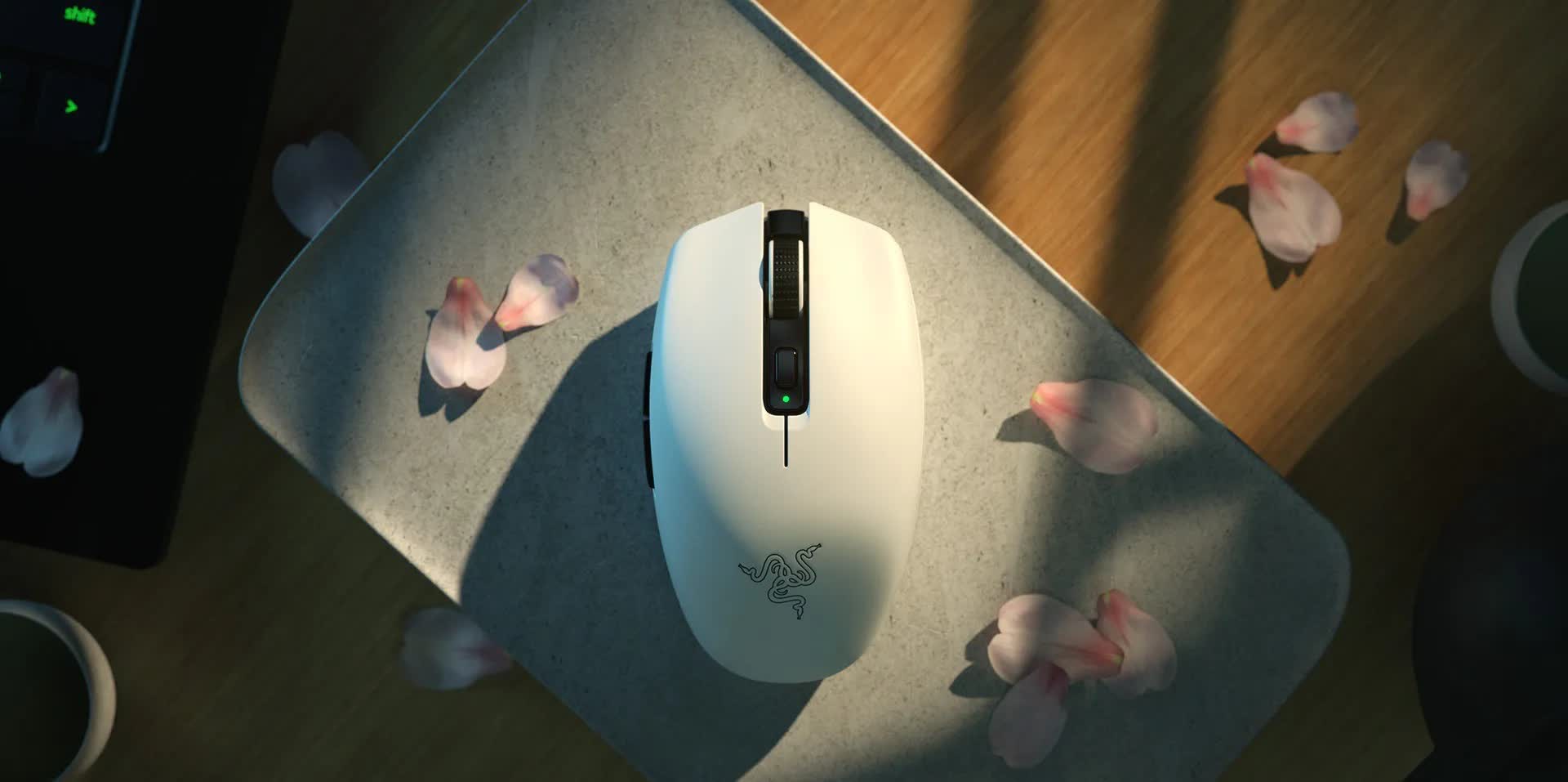
The Razer Orochi V2 is marketed as a portable gaming mouse, but thanks to Bluetooth support, it can get 950 hours of use out of the included AA lithium battery. It can also house AAA batteries (but not at the same time), if you are willing to sacrifice battery life for a lower weight. Without any battery, the mouse weighs 60g. Even if you choose Wi-Fi, the included battery can last for 425 hours.
With onboard memory and a maximum DPI of 18K, the Orochi is a great choice if you want to use the same mouse with different computers and display setups. The button next to the scroll wheel is useful for switching between DPI levels. With switches rated for 60 million clicks, the mouse can last for many years, especially if you don't use it for gaming.
Like the DeathAdder, the Orochi is available in either black or white, but the logo isn't lit in either color. At $35, it's a great deal. With 450 IPS and 40g acceleration ratings, it's also a decent gaming mouse.
Most Ergonomic
Logitech MX Ergo S | Logitech Lift

If you experience pain from repetitive wrist or elbow movement, the solution may be a mouse that doesn't require it. The Logitech MX Ergo S relies on a trackball controlled with the thumb for moving the cursor. In addition to its overall ergonomic shape, it can be tilted 20 degrees to the side for a more natural hand position. Since the device itself doesn't move, it can be used on any surface and requires no additional space.
Despite being a relatively new model, the Ergo S carries some of the original Ergo's drawbacks. Its scroll wheel isn't magnetic and doesn't support smooth scrolling (though it does tilt left and right, serving as two extra buttons). It can only connect to two devices simultaneously, rather than three.
The current model does come with a USB-C port, but not with a charging cable. Fortunately, its 120-day battery life means won't be frequent. The new switches are much quieter and lower in pitch than the older ones, but are also more prone to accidental clicking.
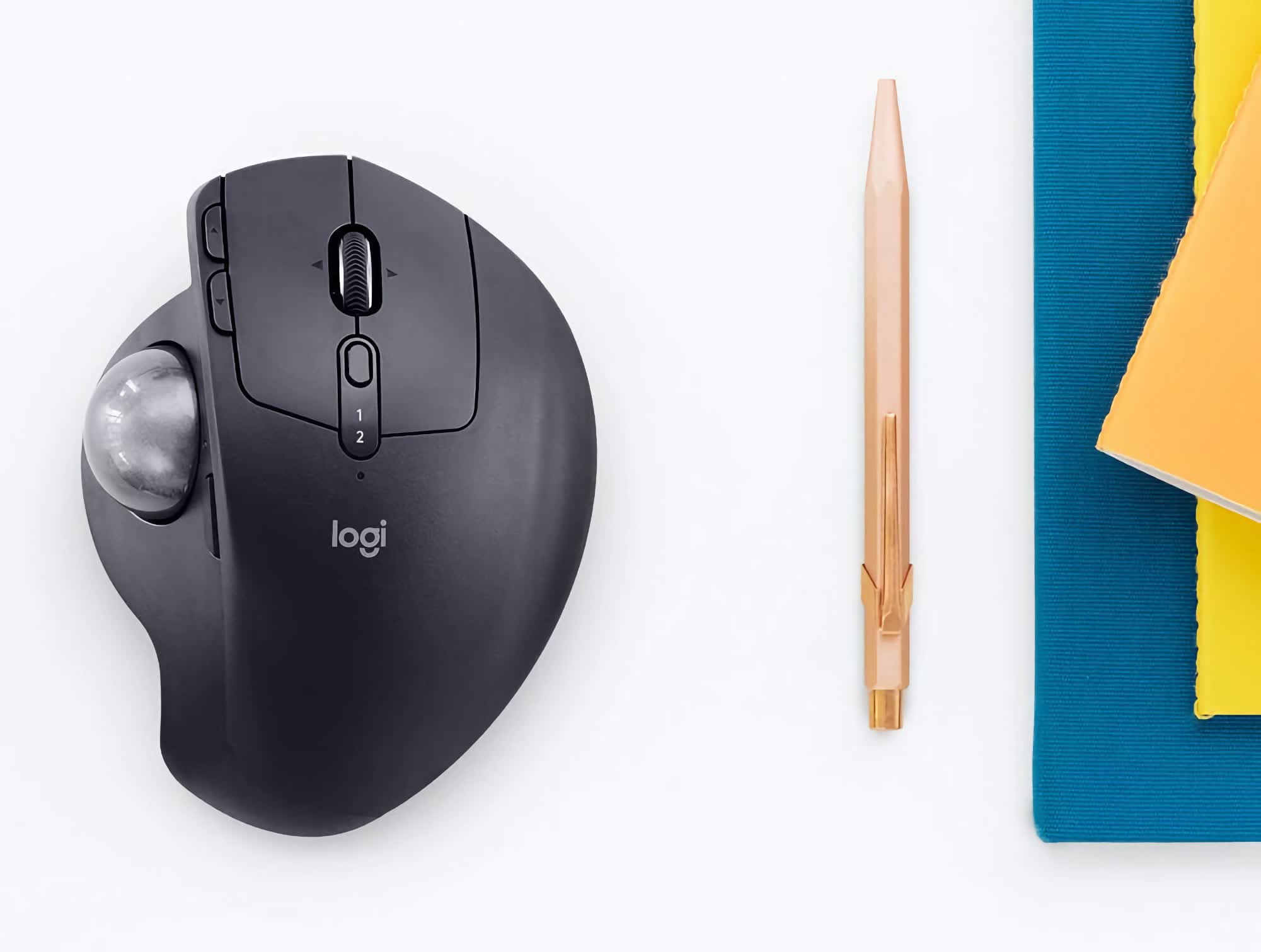
If you only use one computer at a time, you can save money with the Logitech Ergo M575S, which replaces the older M575 and uses the newer switches. Its scroll wheel doesn't tilt, and it doesn't have a button to switch between two DPI levels. It also doesn't have a rechargeable battery or a tilting body, but it's less than half the price, and offers alternative color schemes for $5 more.
The main reason not to get it is if you prefer to share the movement load between two fingers with the Nulea M505 ($43), or three fingers with the ambidextrous Kensington Expert (starting at $58).
Logitech Lift
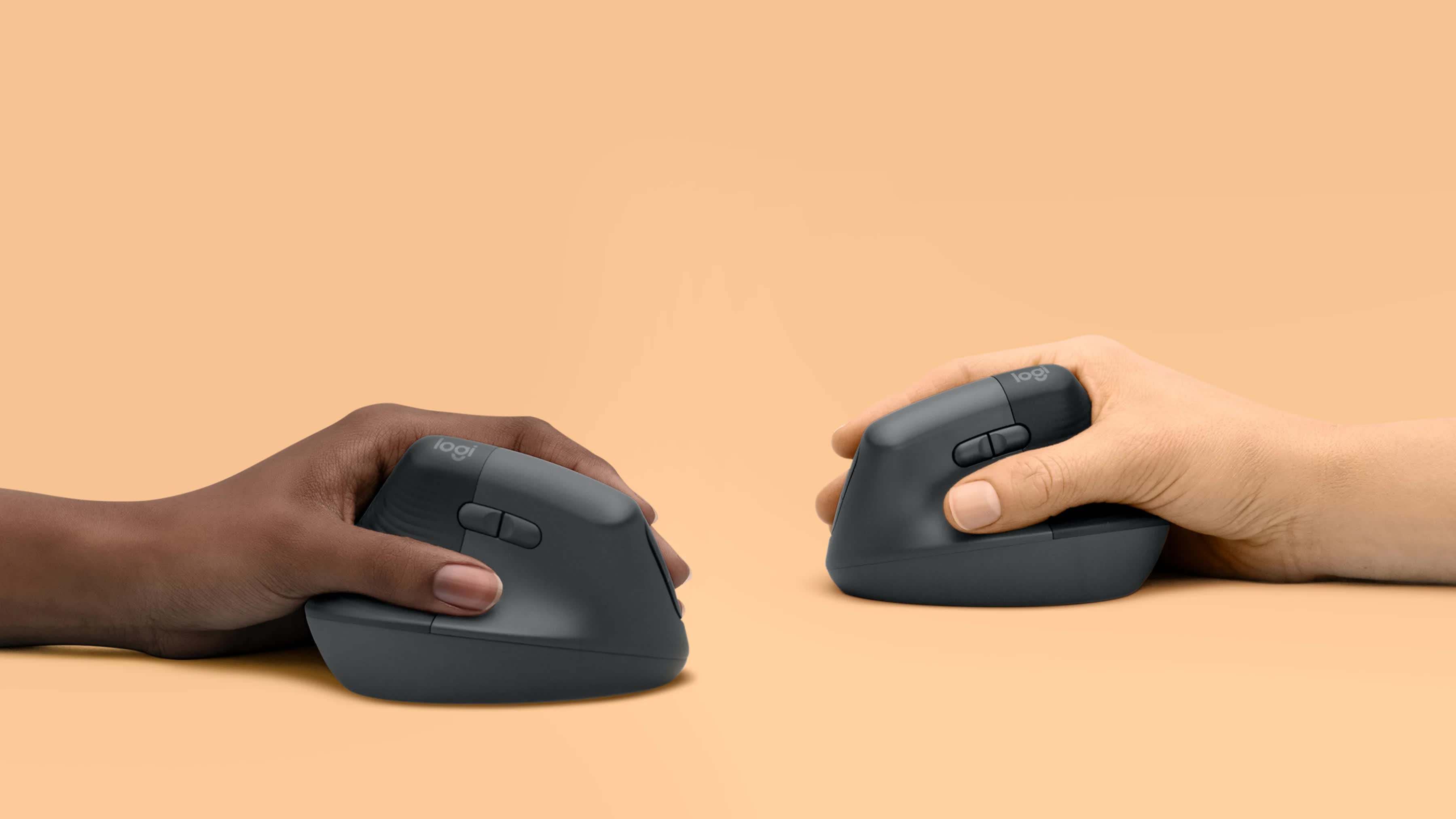
Another ergonomic alternative is the vertical mouse, which keeps your hand in a more natural, handshake-like position. Despite being more affordable (starting at $60) and lacking a rechargeable battery, the Logitech Lift is arguably better than our previous vertical pick, the MX Vertical.
The Lift's main buttons are more contoured and comfortable, and also use quieter switches. The scroll wheel supports a smooth scrolling mode and automatic mode switching. With a lower center of gravity, it's less likely to fall over.
For some people, the most important addition is the availability of a left-handed version. Conversely, the main reason to get the more expensive MX Vertical ($75) is if you have very large hands.
That's not to say the Lift is a budget device – it isn't – which leaves a large gap in the market for cheaper alternatives by smaller brands. The ProtoArc EM11 NL has become a popular choice at $22.