Brix Mini PC Review: Gigabyte's Take On Small Form Factor Computing
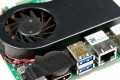
Taking advantage of Ivy Bridge's efficient operation, Intel accompanied its third-generation Core processors with a new small form factor platform dubbed Next Unit of Computing (NUC). Unfortunately so far the project has basically amounted to a cool idea hamstrung by poor hardware choices and unattractive prices.
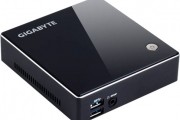
Gigabyte hopes to buck the trend with its own NUC offerings. Their pint-sized "Brix" systems come in four CPU configurations, including the 1.8GHz Celeron 1037U, 1.9GHz Core i3-3227U, 1.8-2.7GHz Core i5-3337U and 2-3.1GHz Core i7-3537U.
Sapphire Edge VS8 Review: The $500 Mini PC
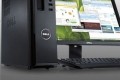
While full-sized desktop computers are still around, tablets and smartphones have proven that technology has come far enough to essentially cram a fully capable computer into a space that is suitable for your pants pocket, a purse, or a small backpack. This idea of shrinking hardware hasn't been overlooked by manufacturers as several now feature space-saving designs based on mobile hardware.
Such is the case with Sapphire's new Edge VS8 mini-PC powered by AMD's A8 APU. The system is hardly any larger than an external optical drive, while still packing 4GB of DDR3 memory, Radeon HD 7600G graphics, a 500GB SATA HDD, built-in support for Bluetooth 3.0 as well as 802.11 b/g/n wireless and a bevy of rear I/O connections.
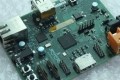
Raspberry Pi: The TechSpot Review + How-To Setup Guide
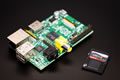
Six years ago, Raspberry Pi set out to reignite programming in schools with a cheap, compact computing platform. Despite targeting students, his foundation's $35 computer captured the imaginations of tinkers worldwide, resulting in overwhelming demand.
Along with a hands-on review of the Pi, today we'll be covering basic steps for setting up the computer and other elemental post-installation tasks to get you up and running with applications. In other words, this should serve as a starting point no matter what you want to do with your Raspberry Pi.