Sign up for a new account or log in here:
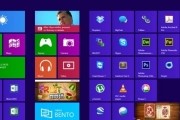
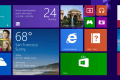
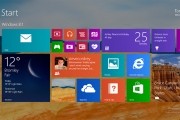
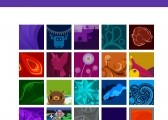
Besides not offering a way to bypass the new Windows 8 Start screen (not without the help of third-party utilities), surprisingly Microsoft is also limiting your options when it comes to customizing its appearance. You can choose from a couple color schemes and 10 stock background images, but that's about it. We've seen some workarounds before but they are cumbersome and the results are less than optimal.
Enter Decor8. Stardock’s Windows 8 customization app removes this limitation by giving users the ability to pick any picture they want as the Start screen background.
The advertisements are reportedly found inside some of the applications that ship with Windows 8 under the Modern UI (Metro) user interface like Finance, News, Travel and Weather. Advertisements in free mobile apps or even trial software are perfectly understandable, but...
It remains to be seen how many opponents will show up to each battle, but the Windows RT price wars have begun. Asus is now offering their VivoTab RT tablet -- which launched October 26th alongside Windows 8 -- for $549, down $50 from its initial price tag. The VivoTab RT inherits...
Folks shopping for a new gaming notebook with Windows 8 preinstalled have at least one option from MSI. The new GX60 is properly equipped to handle most modern PC games on respectable settings, and although it's pricier than you'd pay for a desktop equivalent, the system...
Last weekend I was feeling a bit nostalgic and fired up Windows 2000 on my home computer. Win2k has a special place in my heart. Sadly, due to planned obsolescence it's no longer possible to use this fantastic operating system with the latest software available.
Be that as it may, what annoys me even more are the "improvements" made to Windows search through the years. The search box in Windows 2000 is very powerful, there are no cute animations and there are no exclusions. It's just no-nonsense search, as you would expect it to be. I'm afraid to say, Windows search has got worse, and not better over the years, 8 included.
Opera has released an update today, bringing a handful of new features including improved support for Microsoft and Apple's platforms. Opera users who have purchased new touch-enabled Windows 8 devices will be happy to find enhanced support for finger input. The release notes...
When Microsoft launched Windows 8 last week, it was the culmination of a long wait. For most folks, it was a rather jarring thrust into the future. For better or worse, the operating system that introduces the touch-oriented Metro UI to the Windows environment had arrived.
No one is more excited about the launch than Microsoft. The company has launched pop-up holiday stores at malls across America to promote the new OS and the Surface RT. I had a chance to check in with one at Aventura Mall in Miami, Florida.
First, let's get something out of the way. Most of what's really new in Windows 8 relates to the Metro touch interface, which is Microsoft's biggest bet on this OS generation -- a bet that's risky but necessary given the company's lack of presence in the growing tablet market. This is also how the folks at Redmond have figured could give a needed boost to its smartphone business (“Windows everywhere”), which is well behind market leaders, iOS and Android.
This review is based on my experience with Windows 8 using a desktop, so I've been treating Windows 8 like most computer enthusiasts will: as a direct upgrade from Windows 7 on my custom-built machine, just like I did with Vista, XP, 2k, and other previous Windows releases.
| Trending | Featured |
Get free exclusive content, learn about new features and breaking tech news.
TechSpot on: