

Firefox's has been reimagined in 2026 to be fast, modern and inviting the first time you run it and every day after. We've always had your back on privacy, and still do. We think the browser should be a piece of software you can rely on to have your back, pleasant to look at and working seamlessly with the web.

Is Firefox better than Google Chrome?
Firefox and Chrome are updated every few weeks, so it's hard to compare them over time. Many users consider Firefox better than Google Chrome for its strong focus on privacy, security, and user control.
In terms of performance, Firefox is often praised for being fast and responsive, especially on older hardware. It consumes less memory than Chrome in many cases and supports a wide range of extensions. At one point, Firefox has offered advantages over Chrome in terms of RAM usage, but that claim can go back and forth depending on the version. Microsoft Edge and Apple's Safari have also made such claims, but in general all browsers are continually improving and beating each other. If you're seeking the best customizability on a stock browser, you can also check out Vivaldi.
Is Firefox selling my data?
No, Firefox does not sell your data. Mozilla, the organization behind Firefox, collects certain types of data to improve performance and user experience, but this data is used strictly in line with Mozilla's privacy policy. Users who are concerned about data collection can adjust these settings within Firefox under the Privacy & Security options to limit or disable data sharing.
Why is Firefox sending me notifications from websites I don't have open?
Firefox supports web push notifications, which allow websites to send alerts even when they are not open. If you are receiving notifications from unwanted sites, go to Firefox's settings, navigate to the Privacy & Security section, find the Permissions area, and review your Notifications settings. There, you can remove any sites you no longer wish to receive notifications from.
Is Firefox based on Chromium?
No, Firefox is not based on Chromium. In fact, Firefox is one of the last major browsers that isn't. Firefox runs on its own Quantum browser engine.
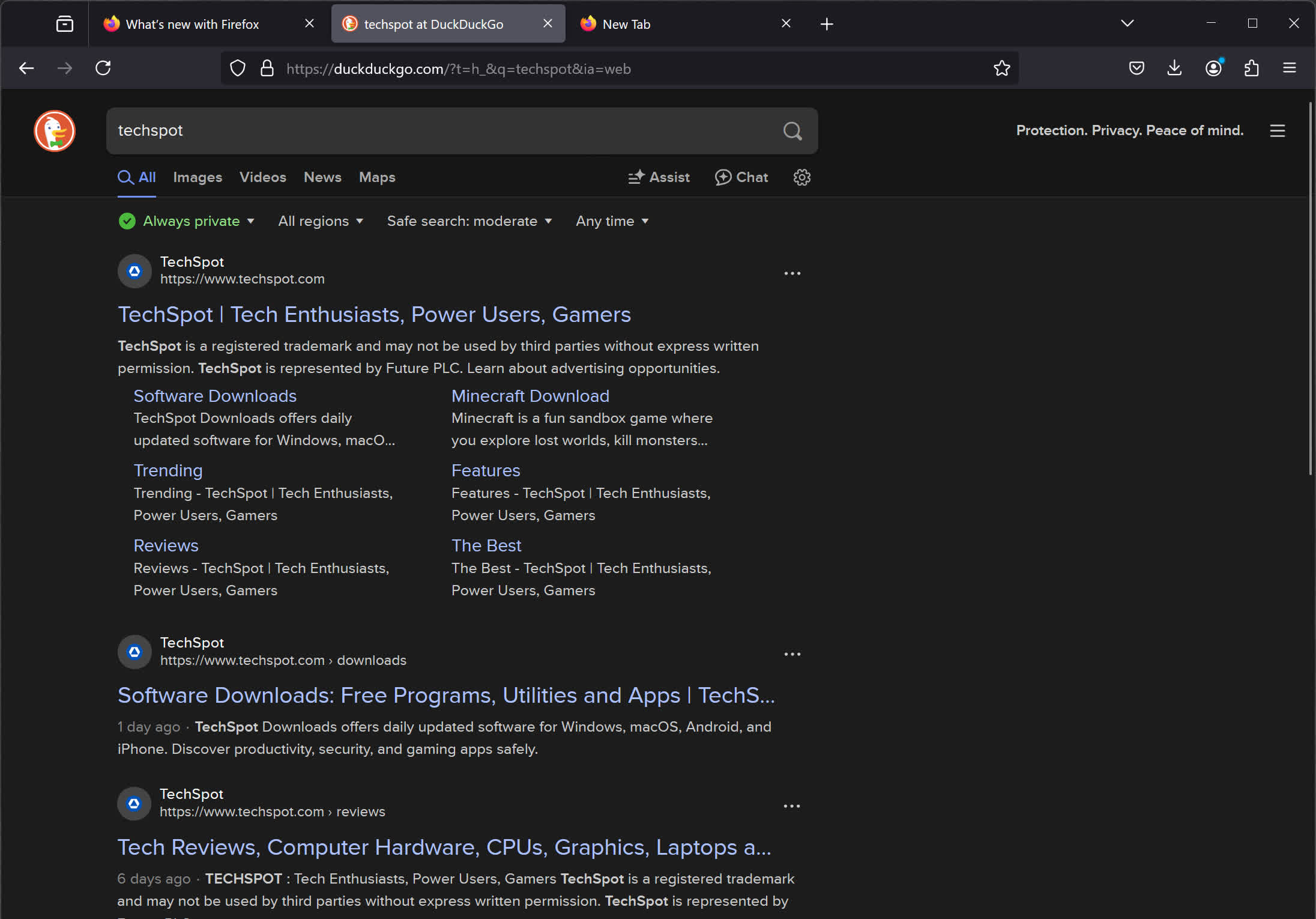
Does Firefox use Google as the default search engine?
Yes, Google pays hefty royalties to Mozilla for making them the default search engine in Firefox. That deal is worth around $500 million per year (as of 2024-2025) and makes up the vast majority of Mozilla's total revenue.
Features
A sleek, clean Firefox design backed by research
Going into the Firefox redesign, our team studied how people interact with the browser, observing their patterns and behaviors. We listened to feedback and gathered ideas from regular people who just want to have an easier experience on the web. We obsessed over distractions, extra clicks and wasted time. The resulting new design is simple, modern and fast and delivers a beautiful experience to support what people do most in Firefox.
Streamlined toolbar and menus
The toolbar is naturally where you start every web visit. It's the place where you type a URL to go somewhere online. After web page content, it's what you look at most in Firefox. The new toolbar is simplified and clutter-free so you get to the good stuff effortlessly.
Menus are where key Firefox actions and commands live. We've consolidated extra menus to reduce clutter and be more intuitive through the three bars menu in the upper right or by right-clicking to activate it on your computer screen. The new look reorganized and streamlined our menus to put the best actions quickly at your fingertips.
When privacy protections are engaged in Firefox, the shield icon in the toolbar glows subtly indicating that we're working behind the scenes to protect you from nosy trackers. Fun fact: Firefox has blocked more than 6 trillion --- that's trillion with a T --- trackers since we rolled out enhanced tracking protection, stopping thousands of companies from viewing your online activity.. We're talking about tracking cookies, social media trackers, fingerprinters, cryptominers and more. Go ahead and click on the shield to see who and what Firefox is blocking... you might be surprised by what you find out.
A new look for tabs
Based on our research, we found out that more than half of you have 4+ tabs open all the time, and some of you have more, a lot more. And we feel that! Tab as much as you like, friends. Tabs got a makeover so they are now gently curved and float above the toolbar. It's an exciting change that also serves as a reminder that tabs aren't stationary. So grab those tabs, move them around and organize them as you like. Tabs also got a glow-up to be a touch brighter when active.
What's New
Version 156.0, first offered to Release channel users on September 15, 2026
New
- Firefox on macOS can now be set to open automatically when the computer starts up, from the Startup section of Settings.
- Localized Wikipedia and occasional sponsored suggestions in the address bar are now available in France, Germany, and Italy. These suggestions can be turned off in Firefox Suggest settings.
Fixed
- Fixed an issue where dragging an image to a new position in a rich-text editor could replace it with a long line of text instead of moving it.
- Fixed high-sample-rate FLAC audio in MP4 failing to play on sites such as Bilibili.
- Fixed subtitles not appearing in the Picture-in-Picture window when they are turned on in the video player after the window has already opened.
- Fixed bookmarks moving out of their folder when the folder and the bookmarks inside it were selected and dragged together in the Bookmarks sidebar.
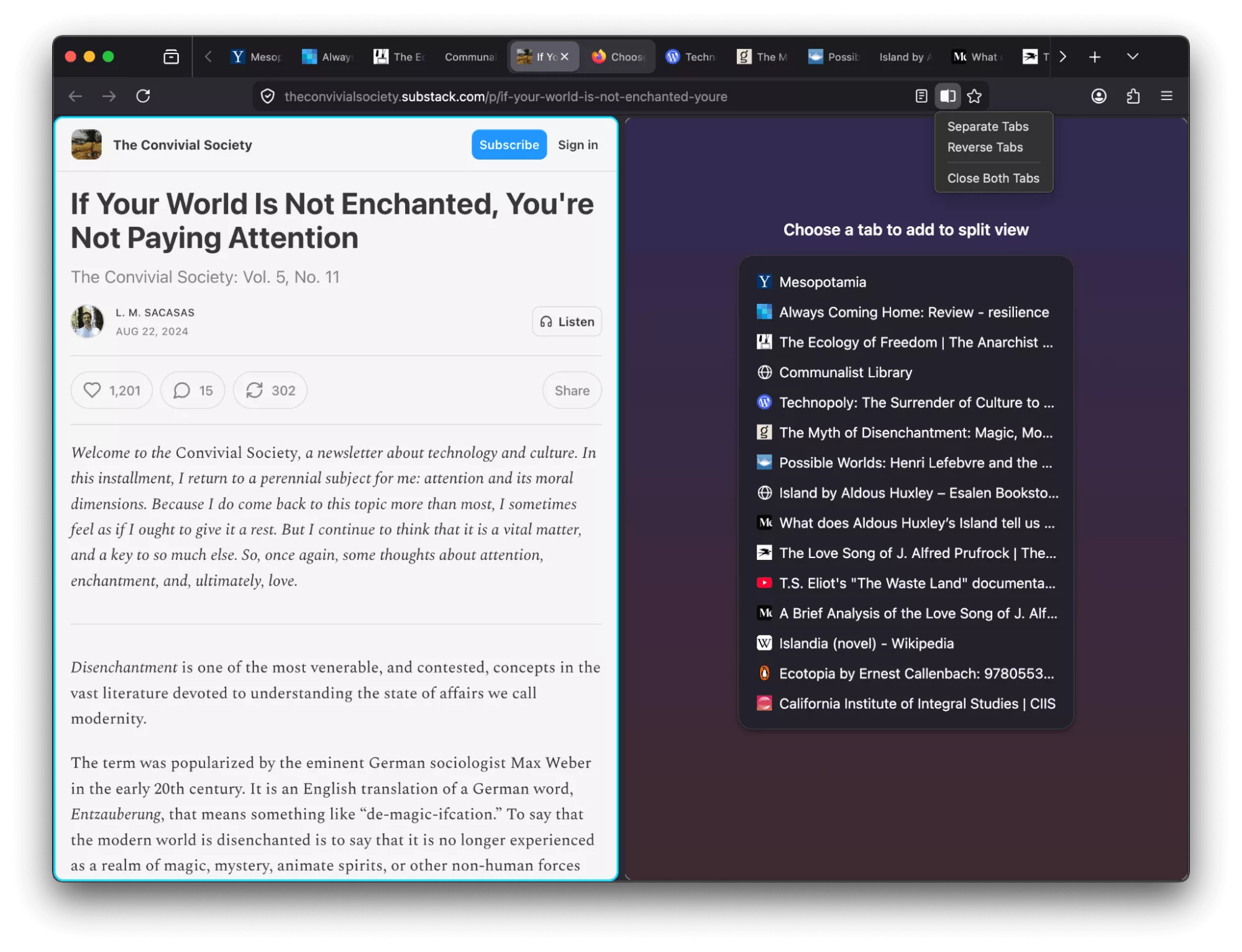
- Fixed the find bar becoming permanently unavailable in a tab after reversing the panes in Split View.
- Fixed some sites failing to load when DNS over HTTPS is enabled and the site does not support HTTPS.
- Fixed Firefox losing all network connectivity for some users with the built-in VPN enabled.
- Fixed an issue on Windows where Firefox could block an auto-hiding taskbar from showing.
- Various security fixes.
Changed
- Firefox's built-in PDF viewer now starts up to 45% faster.
- Improved memory and CPU usage when Firefox displays large JPEG images scaled down to fit a page.
- On Windows devices with ARM64 processors, WebRTC video calls may now use hardware H264 decoding instead of falling back to software.
Previous Release Notes:
Version 152.0, first offered to Release channel users on June 16, 2026
New
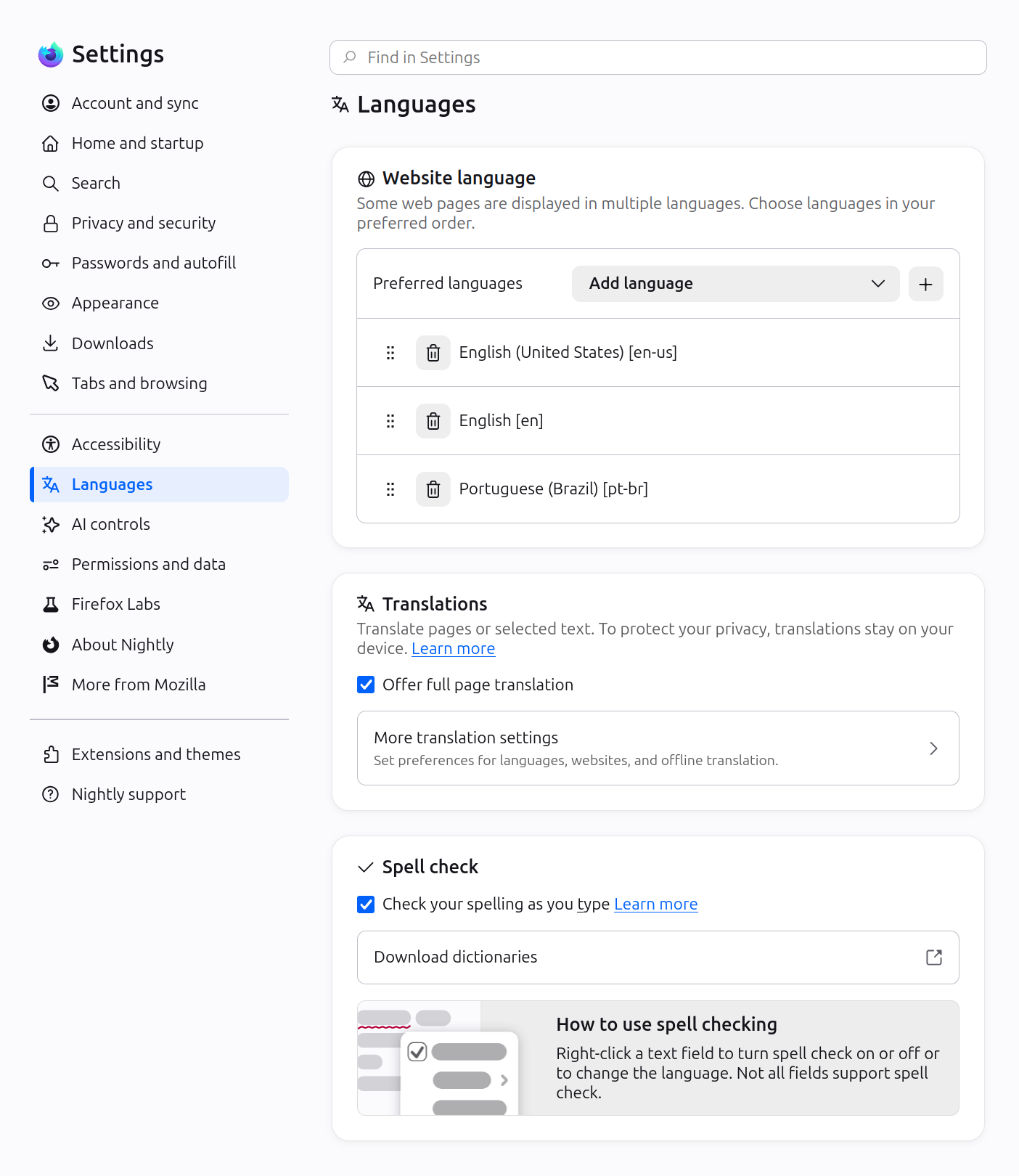
- Firefox Settings features a brand-new look with streamlined organization, clearer groupings, and improved navigation for easier customization.
- In Private Browsing windows, you can now temporarily disable tracker blocking for a tab if it's causing a site to break. When you reload a page where trackers were blocked, Firefox shows a message offering to reload without the stricter protections. All other tracking protections stay active.
- You can now mute your browser from the address bar: type "mute" (or "shush" or "sssh") and use the address bar quick action to silence every tab currently playing sound across all Firefox windows.
- Improved support for more advanced cursor movement commands, including those relating to paragraph boundaries, on macOS.
- On Windows and Linux, you can now copy links via the tab context menu by right-clicking a tab and selecting Share > Copy Link, making it easy to copy a link without switching to the tab first. When multiple tabs are selected, you can copy all selected links at once. Windows users still retain access to Microsoft sharing options from the Share menu.
- A "Send tab" toolbar button is now available which can be added via More Tools > Customize Toolbar.
The following languages are now available for Translations:
- Basque
- Galician
- Firefox builds in Croatian, English (UK), Georgian, Persian, Slovenian, Tajik, Tamil, Tibetan, Turkish, Welsh, and Xhosa now come with a built-in dictionary for the Firefox spellchecker.
Firefox Labs
- Firefox now offers experimental support for the new JPEG XL image format, which generally provides better compression than WebP, JPEG, PNG, and GIF and is designed to supersede them. You can enable it from the Firefox Labs panel in Settings.
Fixed
- Fixed an issue where the Paste option could be missing from context menus when editing content on sites such as Squarespace, LinkedIn, and eBay.
- Improved dragging images from Firefox to the desktop or Finder on macOS – images now save reliably and land where you drop them.
- In multiple monitor situations, the About Firefox window now more reliably opens on the display with the most recently used Firefox window.
- Fixed arrow-key text navigation and word selection commands that moved in the wrong direction in right-to-left text on macOS and Linux.
Various security fixes.
Changed
- Site zooming via keyboard or mouse now offers more zoom levels in smaller increments than before.
- When a PDF or other file that Firefox opens directly finishes downloading, it now opens in a background tab if you've switched tabs or closed the original page.
- The Tabs from Other Devices panel in the sidebar now lets you open tabs in a new tab or a new container tab from the context menu.
Developer
Developer Information
- Developer Tools now have an option in the Settings panel to toggle the display of comment nodes in the Inspector.
Web Platform
- Web Notifications can now have action buttons via the actions option. They appear as buttons below the notification text or in the Options list on macOS.
- The field-sizing property is now available, allowing form controls to adjust in size to fit their contents.
- Firefox now supports the WebAuthn Related Origin Request feature, which simplifies login flows by making Passkeys usable from multiple domains.
- The Pointer Lock API now supports the unadjustedMovement option, allowing sites to receive raw mouse-movement data unaffected by OS-level acceleration.
- The Document.caretPositionFromPoint() method now only returns a position in a shadow DOM if its ShadowRoot is passed in the newly-added shadowRoots option.
- The devtools network monitor now indicates when a connection used a certificate issued by a certificate authority not in Mozilla's Root CA Program.
- Firefox now supports the ariaNotify API for accessibility notifications (e.g. for screen readers) as a more ergonomic and reliable alternative to ARIA live regions.
- Firefox now supports media element pseudo-classes (e.g., :playing, :paused) to allow more precise styling based on media playback state.
- Added support for the highlightsFromPoint() API, which allows web pages to interact with CSS Highlights by returning all Highlights at a given point.
- Firefox now supports light-dark() on images, just like on colors, which is very useful for supporting dark mode on websites.
- The color-mix() function previously accepted only two color values. This limitation has now been removed, allowing the function to accept an arbitrary number of colors.
- Added support for a new auto value on the sizes attribute for lazy-loaded image elements with multiple images defined via srcset. This allows the browser to automatically select the right image based on the layout width of the image element.
Version 149.0, first offered to Release channel users on March 24, 2026
- Firefox now offers a free built-in VPN. Whether you're using public Wi-Fi while traveling, searching for sensitive health information, or shopping for something personal, this feature gives you a simple way to stay protected. Once you sign in and turn it on, you can hide your location and IP address by routing it through a secure proxy while you browse in Firefox. You will get 50 GB of protection every month, with the option to turn it on or off for specific websites. This feature is progressively rolling out in the US, UK, Germany and France starting today.
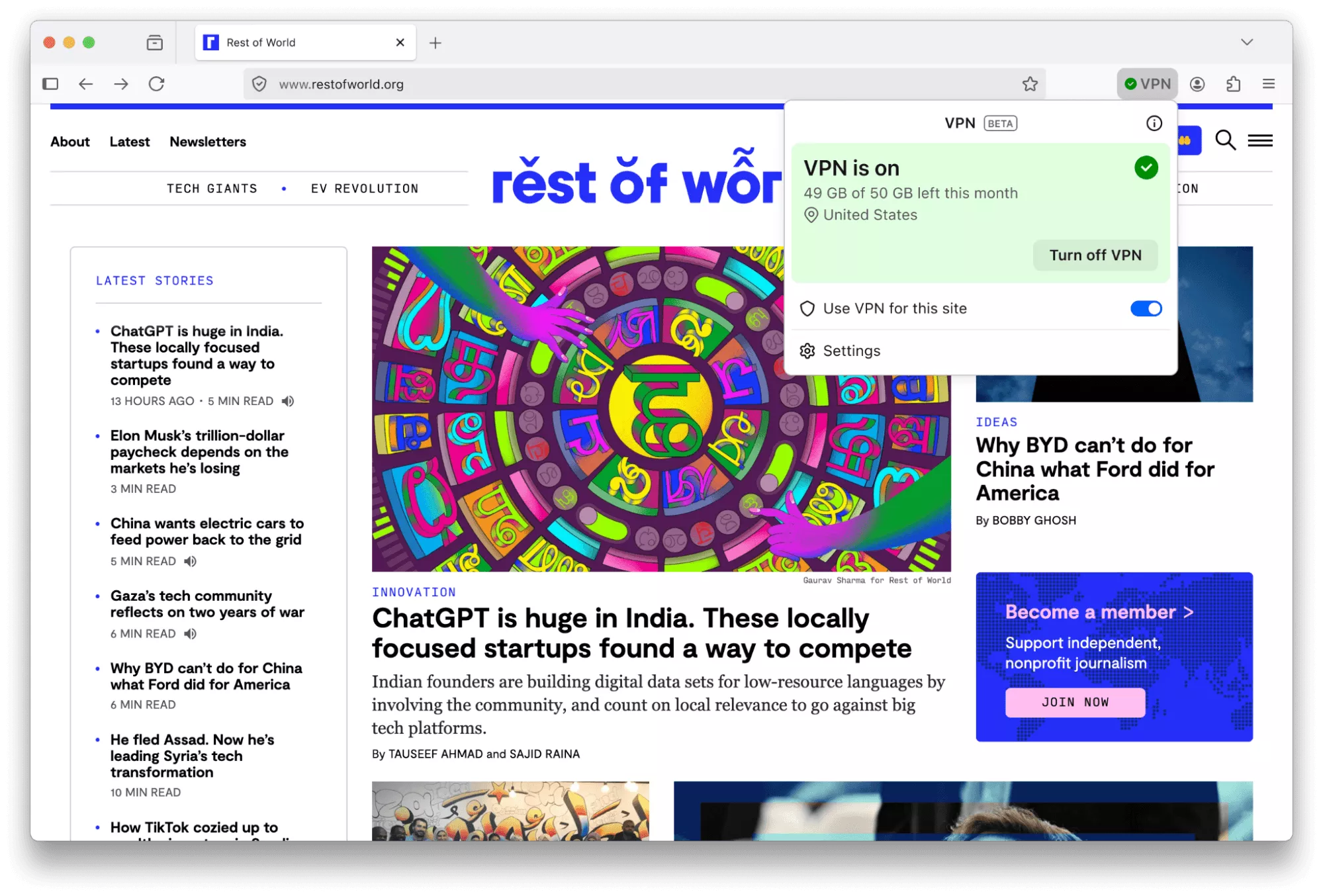
This feature is part of a progressive roll out.
What is a progressive roll out?
- Certain new Firefox features are released gradually. This means some users will see the feature before everyone does. This approach helps to get early feedback to catch bugs and improve behavior quickly, meaning more Firefox users overall have a better experience.
- Many PDF files will now load significantly faster thanks to hardware acceleration.
- Firefox now automatically blocks notifications and permanently revokes permissions for any website flagged as malicious by SafeBrowsing. This prevents unsafe sites from sending background notifications to users, commonly used for ads, spam or phishing.
- You can now add a Share button to your toolbar via Customize Toolbar, making it easy to share the current tab using your Windows or macOS system sharing options.
- Address Autofill is enabled for users in Australia, India, Italy, Poland and Austria.
- Explore more of the web with new on-device translation support for Bosnian, Norwegian Bokmål, Serbian and Thai – plus improved accuracy for Croatian.
Firefox Labs
- Tab notes feature that lets you attach a short note to a web page is now available in Firefox Labs. You can use notes to remember why you opened a page, what you planned to do next or any details you want to revisit later. Please give notes a try and share your feedback on what works well and what can be improved.
Fixed
- Increased robustness of HTTP/3 upload performance for unstable network conditions.
- Various security fixes.
Changed
- The TrustPanel combines the privacy and security panels accessed from the address bar to give the user one place to check the Privacy and Security settings of the current page. Learn more.
- Security has been strengthened by tightening the requirements for JavaScript files that can be loaded in the parent process, providing additional defense in depth against potential threats.
- On Linux, Firefox will now default to the XDG portal file picker if available, rather than the GTK3 one, which is usually better integrated with the user's desktop environment, and more powerful.
- Firefox error pages have a fresh new look, with updated visuals that better match the overall feel of Firefox. The redesigned pages create a more cohesive experience while making it clearer what went wrong.
- On Windows, Firefox will use the modern Windows.Devices.Geolocation API for geolocation instead of Windows 7 location API.
Developer
Developer Information
- The toolbar of the Storage Inspector now has a button to delete all entries of the currently selected storage.
- Besides each CSS declaration related to a computed value shown in the Computed view there's now an icon to jump to it in the Rules view.
Web Platform
- showPicker() now supports text-based elements with an associated
- The functions xywh() and rect() were previously implemented for the clip-path and offset-path properties. They are now also available for the shape-outside property.
- The math value of the CSS font-family is now supported and used by default for MathML's
- Added support for the HTML attribute popover="hint".
- Enabled media element pseudo-classes, such as :playing, :paused…
- Enabled the spec-compliant HTMLMediaElement.captureStream() API.
- Added support for closing popovers & dialogs with the Android Back Button, and implemented the CloseWatcher API for handling this in script.
- The new Reporting API provides a generic reporting mechanism for web applications to use to make reports available based on various platform features (for example Content Security Policy, Permissions-Policy or feature deprecation reports) in a consistent manner.

