

OBS Studio provides real-time capture, encoding, and broadcasting for YouTube, Twitch, Instagram, and many other providers. High performance real time video/audio capturing and mixing. Create scenes made up of multiple sources including window captures, images, text, browser windows, webcams, capture cards, and more.
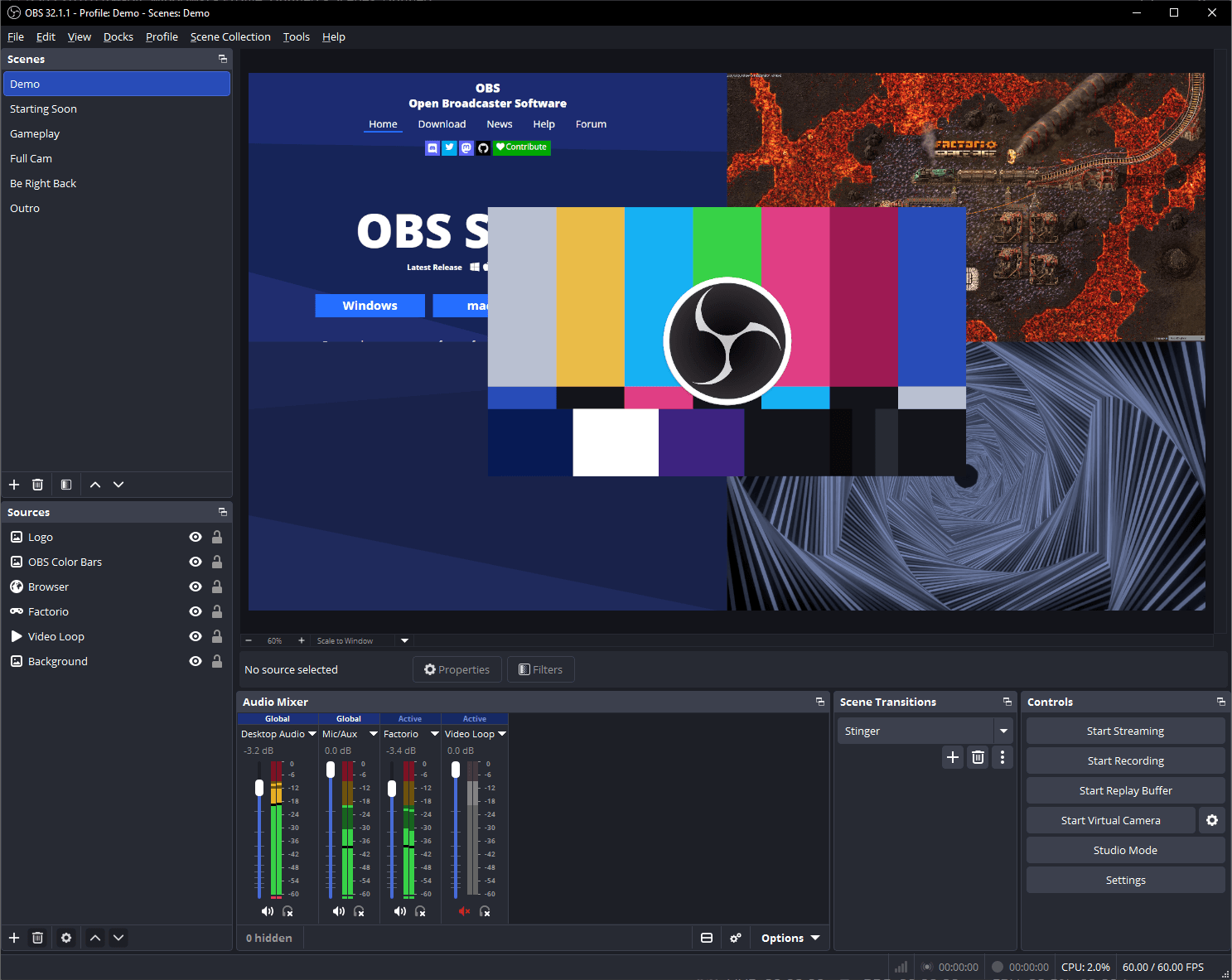
Is OBS Studio the best option for streaming and adding alerts?
OBS Studio is widely regarded as the top choice because it delivers superior performance, minimal system overhead, and extensive plugin support. Alerts and overlays are easily added using browser sources from services like StreamElements or Streamer.bot. Some report a streamlined OBS setup with light CPU usage and full control over customizations.
What plugins do experienced users find essential?
Streamers recommend plugins such as OBS Scene Nesting for managing reusable elements across multiple scenes and Timestamp for clipping video. Scene nesting allows you to centralize overlays and audio setups, making changes propagate across all scenes automatically.
Does switching from Streamlabs OBS improve performance?
Many users who switched from Streamlabs OBS to OBS Studio noticed fewer dropped frames and better resource management. OBS uses less CPU, providing a more stable environment for streaming and gaming simultaneously.
Why is my desktop audio not capturing?
This issue usually occurs due to misconfigured audio devices or forgetting to enable desktop audio in the Global Audio settings. To fix it, set your desktop audio device properly, ensure it's not disabled in mixer settings, and verify levels move during playback .
Is OBS Studio free for commercial use?
OBS Studio is open source software and free for anyone to use it. OBS can be used commercially without restrictions, it won't add watermarks and has no limitations. You can use OBS Studio for professional streaming, recording paid content, corporate webinars, etc.
Is OBS good for recording videos?
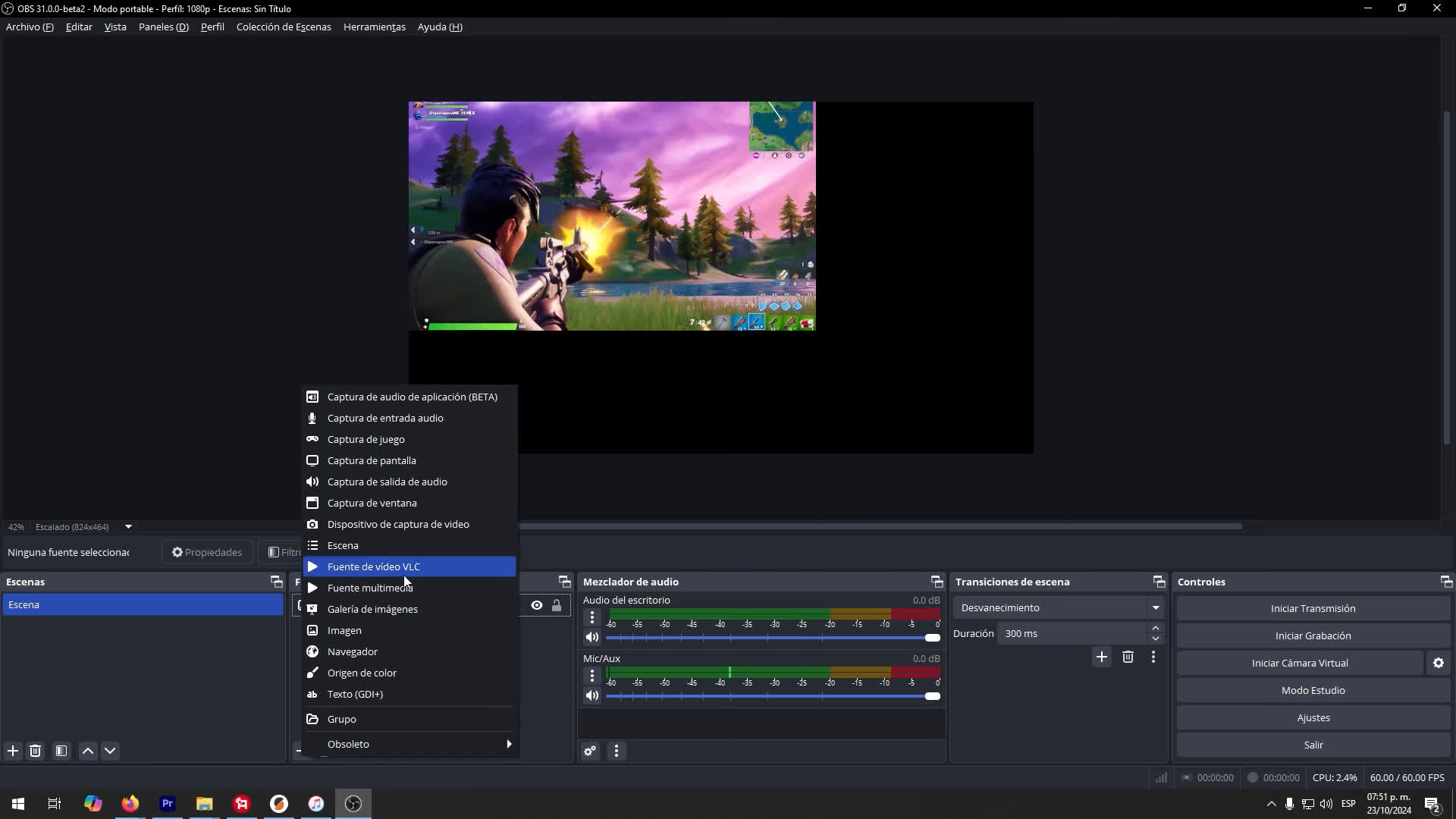
Yes, OBS Studio is excellent for recording videos. It offers high-quality output, customizable settings, and supports multiple sources like webcams, screens, and microphones. Many creators use it for tutorials, gameplay, and presentations.
Can you edit videos in OBS Studio?
No, OBS Studio does not support video editing. It is designed for live streaming and recording, not post-production. For editing, you'll need separate software like DaVinci Resolve, Shotcut or VSDC Video Editor, which are great free options.
What are OBS Studio basic system requirements?
- Operating System: Windows 10 or later, macOS 11+, or a modern Linux distro
- CPU: Intel i5 2000-series / AMD FX series or better
- RAM: At least 4 GB (8 GB recommended)
- GPU: DirectX 10.1 compatible GPU or better
For smooth recording or streaming, especially at 1080p, a stronger CPU and GPU are recommended.
Features
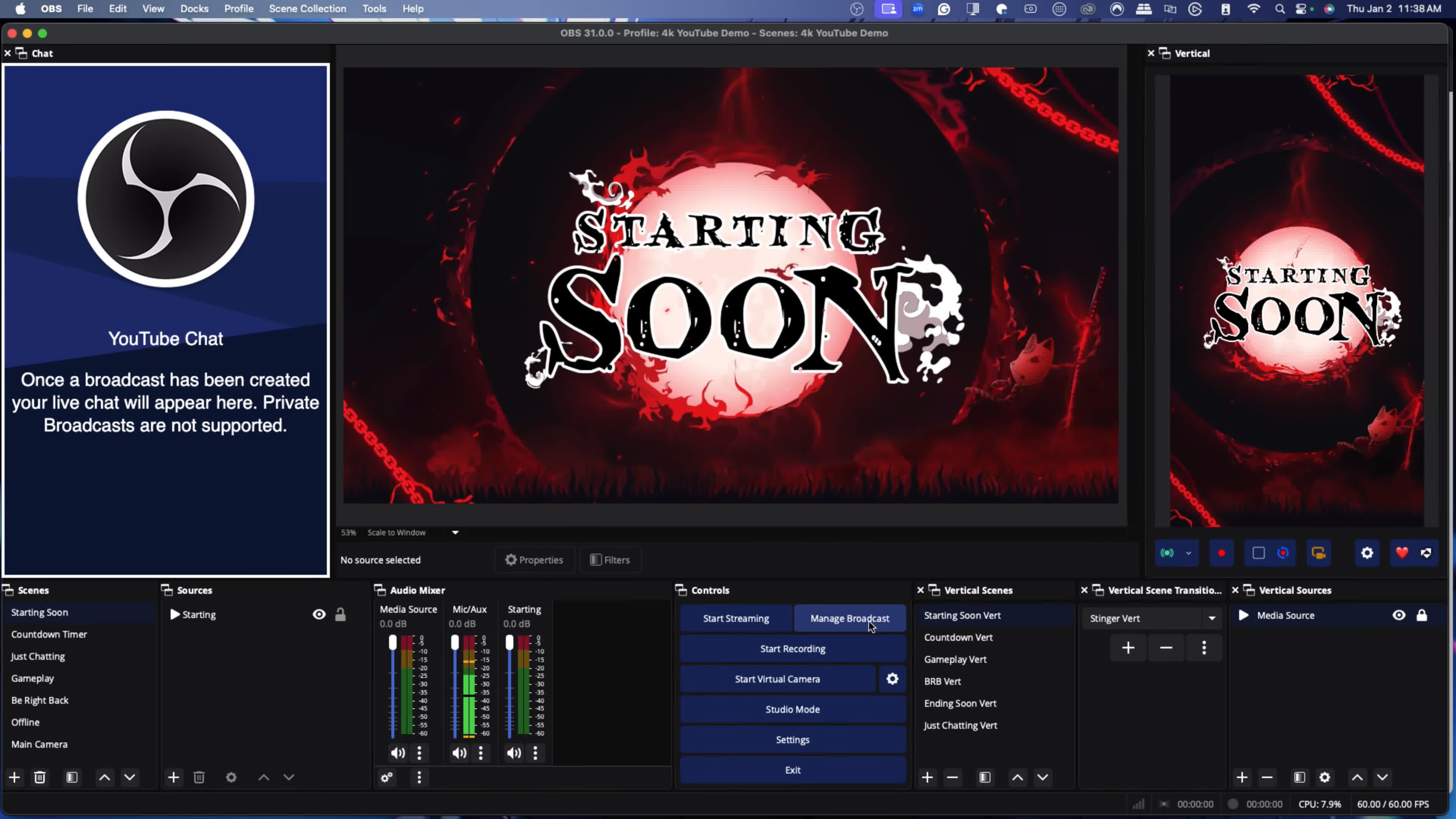
- High performance real time video/audio capturing and mixing, with unlimited scenes you can switch between seamlessly via custom transitions.
- Live streaming to Twitch, YouTube, Periscope, GoodGame, DailyMotion, Hitbox, VK and any other RTMP server
- Filters for video sources such as image masking, color correction, chroma/color keying, and more.
- x264, H.264 and AAC for your live streams and video recordings
- Intel Quick Sync Video (QSV) and NVIDIA NVENC support
- Intuitive audio mixer with per-source filters such as noise gate, noise suppression, and gain. Take full control with VST plugin support.
- GPU-based game capture for high performance game streaming
- Unlimited number of scenes and sources
- Number of different and customizable transitions for when you switch between scenes
- Hotkeys for almost any action such as start or stop your stream or recording, push-to-talk, fast mute of any audio source, show or hide any video source, switch between scenes,and much more
- Live preview of any changes on your scenes and sources using Studio Mode before pushing them to your stream where your viewers will see those changes
- DirectShow capture device support (webcams, capture cards, etc)
- Powerful and easy to use configuration options. Add new Sources, duplicate existing ones, and adjust their properties effortlessly.
- Streamlined Settings panel for quickly configuring your broadcasts and recordings. Switch between different profiles with ease.
- Light and dark themes available to fit your environment.
- ...and many other features. For free. At all.
What's New
33.0 New Features
- Updated CEF from 127/6533 to 150/7871 [WizardCM] (#13900)
- This is a massive update to the underlying framework used for browser sources and docks from the July 2024 release to September 2026
- All of this work is on the backend and should be invisible to users. Please be sure to report any new weirdness or problems you run into with browser sources!
- Complete overhaul to plugin loading [FiniteSingularity/PatTheMav] (#13594)
- First-party plugins are now in a new folder named core
- Third-party plugins have an updated installation location and folder structure
- Existing third-party plugins will continue to load from the legacy locations until OBS Studio 34.0
- More information is available in our knowledge base article
- Improved how source snapping works in the preview [Warchamp7] (#12298)
- New visual indicator added
- Sources now snap along the entire axis instead of only when directly touching
- Sources no longer snap to hidden sources
- Improved behavior of spinboxes for number values [Warchamp7] (#12337)
- Typing is no longer mysteriously blocked in some situations
- Numbers are no longer cut off in some situations
- Values now update only after pressing Enter and Enter does not close the window
- Holding Shift + Up/Down now advances multiple steps at a time
- Dragging the cursor inside the input but outside the text itself now works properly
- Enabled NVENC on Arm64 [RytoEX] (#13827)
33.0 Changes
- Added a check for encoders being missing when loading a profile [derrod] (#11340)
- Added support for newest NVIDIA Broadcast SDKs for NVIDIA Audio Effects and Video Effects [pkviet] (#13838)
- Added hotkeys for controlling audio monitoring of a source [Warchamp7] (#13599)
- Changed Safe Mode to not start WebSocket Server [FiniteSingularity/RytoEX] (#13984)
- Fixed issues with groups in Studio Mode [Warchamp7] (#11092)
- Fixed moving sources inside a group causing them to glitch out in Program
- Fixed moving sources inside a group showing up live in Program
- Adjusted naming of Window Capture methods on Windows [Penwy] (#12047)
- Improved detection of fullscreen games for Game Capture [Kira-NT] (#10880)
- Improved transparency handling for macOS Screen Capture [jcm93] (#13030)
- Scaled simple output recording audio bitrate by channel count [nickvonkaenel] (#13311)
- Removed support for Ubuntu 24.04
33.0 Bug Fixes
- Added a startup error if obs-transitions failed to load [notr1ch] (#13321)
- Improved file splitting for Hybrid MP4/MOV [derrod] (#13386)
- Fixed outputs getting stuck running when a bad rescale output resolution is set [suogesi] (#13375)
- Fixed monitoring icon state getting desynced when using third-party tools or websockets [prgmitchell] (#13822)
- Fixed a crash on macOS 27.2 when starting OBS Studio [RytoEX] (#14070)
- Fixed potential crash when shader cache file is invalid [notr1ch] (#13538)
- Fixed a potential crash on Linux when USB mic is removed [R0te/RytoEX] (#13922)
- Fixed a potential crash when renaming a source with the Add Source window open [Warchamp7] (#13800)
- Fixed a potential deadlock during video/audio tasks [exeldro] (#13579)
- Fixed an issue with B-frame offset calculation in AMF that could cause streams to disconnect [lexano-ivs] (#13762)
- Fixed PipeWire screencast sources being duplicated in studio mode [tytan652] (#13673)
- Fixed a potential crash when switching off a newly created profile [Warchamp7] (#13182)
- Fixed a source toolbar crash when source type is missing [Penwy] (#13539)
- Fixed profile import failing on paths with a trailing slash [Ushkalovk] (#13863)
33.0 Developer Information
- Added frontend event and output signal for replay buffer saving [Penwy] (#8955)
- Added guidance regarding the theme system to the top of all theme files [Warchamp7] (#13733)
- Added ability to set a file extension filter for OBS_PATH_FILE_SAVE path types [FiniteSingularity] (#10190)
- Added obs_frontend_is_safe_mode for first-party plugins
- Third-party plugins are not loaded at all in Safe Mode
- Added versions to Flatpak plugin extension point [tytan652] (#13735)
- Added obs_canvas_video_active() to check if the video of a canvas is active [exeldro] (#13110)
- The minimum supported versions of Visual Studio, Windows SDK, and clang-format have been increased. Previous versions may continue to work, but will no longer be tested/supported. It is recommended that build environments are kept up-to-date with the project's toolchain.
- Changed Windows builds to use Visual Studio 2026 and SDK 26100 [RytoEX] (#13543)
- Changed clang-format version used to 22.1.3 [PatTheMav] (#13549)
- Changed obs_canvas_reset_video() to allow resetting a canvas's video when any other canvas's video is active, but not its own video [exeldro] (#13110)
- Updated libnsgif to 1.0.0 [RytoEX] (#11178)
- This is a breaking change for any plugins using libobs/graphics gs_image_file
- Clarified documentation for obs_module_unload [notr1ch] (#13327)
- Required MbedTLS 3 and exclude 4 or later [tytan652] (#13799)
- Removed support for FFmpeg 6.x and 7.x [RytoEX] (#13964)
- Removed support for Qt 6.4-6.9 [RytoEX] (#13969)
- Fixed repeated preview enable/disables not working [WarmUpTill] (#12580)
- Only emit core signal handlers for public canvases [tt2468] (#13574)
- Deprecated unused hidden API for sources [derrod] (#13122)
- Deprecated APIs for audio source monitoring_type [Warchamp7] (#13599)
- This is replaced by a new monitoring_enabled boolean

