
Elementary OS is a Linux distribution that offers a sleek, accessible alternative to Windows and macOS. Its signature interface, Pantheon, is designed with simplicity and consistency in mind. Unlike many Linux setups, which emphasize heavy customization, elementary focuses on a curated, cohesive user experience.
Under the hood, elementary OS is based on Ubuntu LTS, giving it a stable foundation and access to a large software ecosystem.
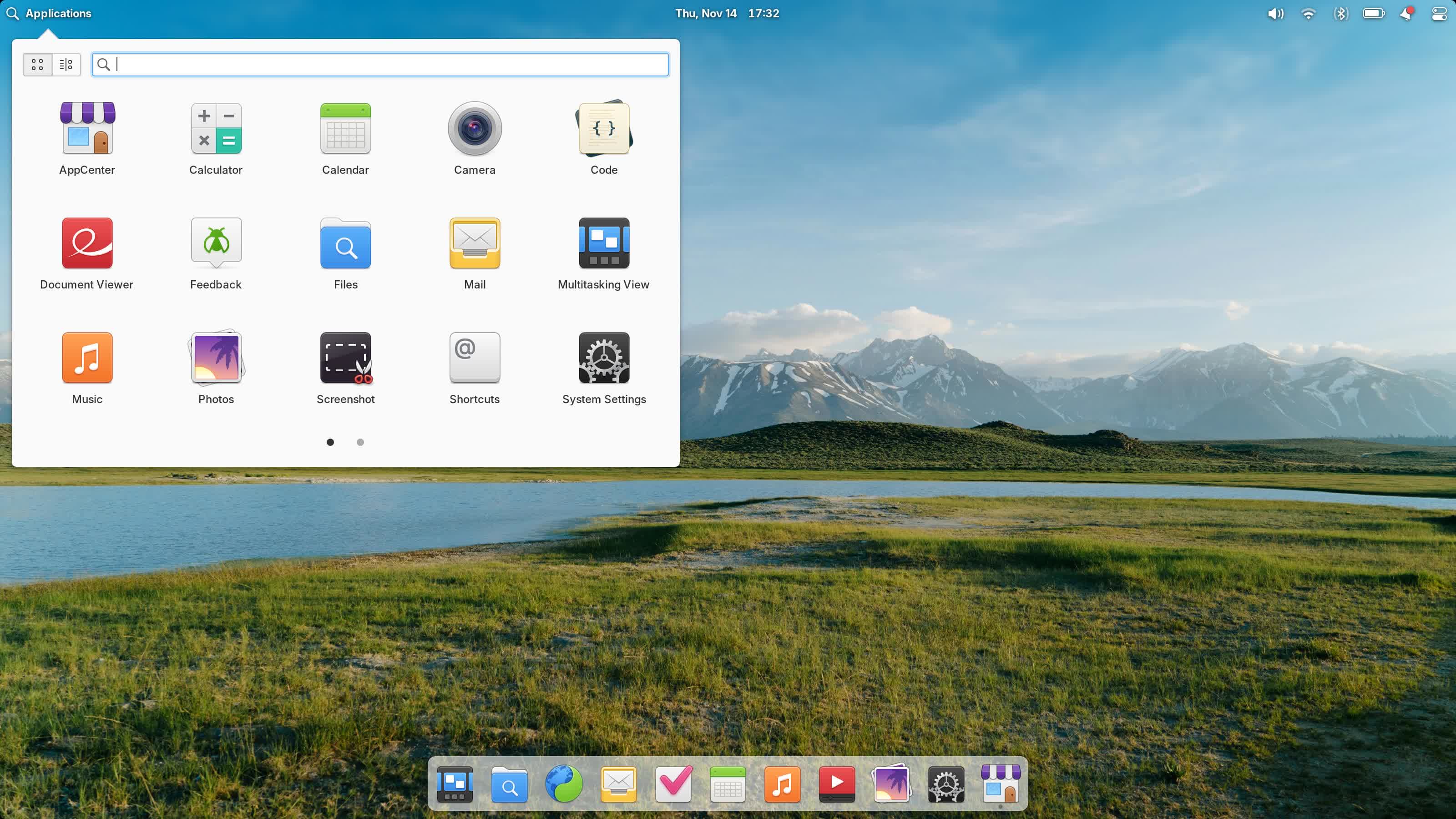
The platform is fully open source, built on a foundation of free and open source software such as GNU/Linux. It is developed in collaboration with the wider ecosystem to continuously improve and benefit all users. From the community side, praise often goes to its design consistency and ease of use.
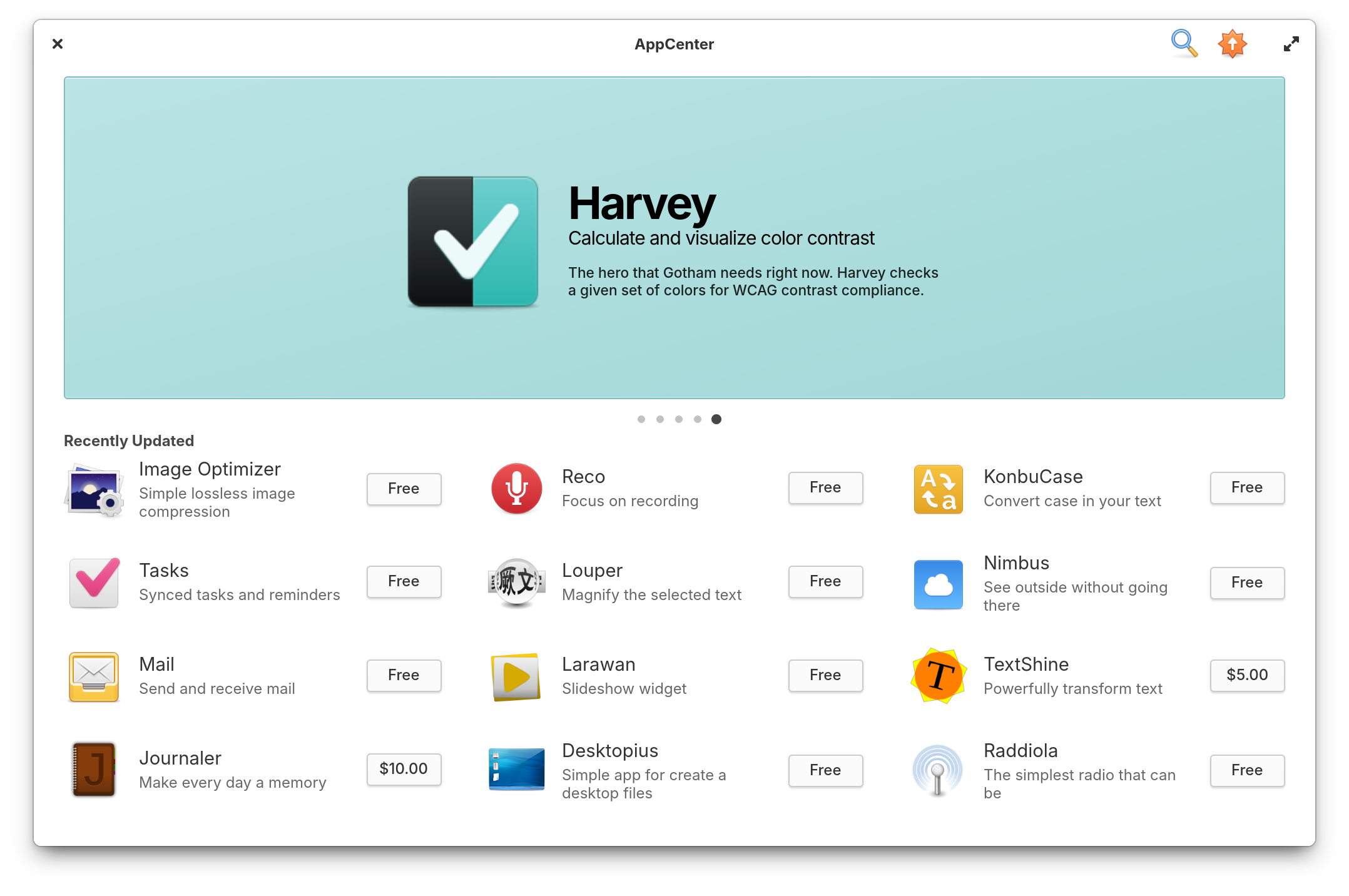
Users can access both free and paid apps through AppCenter, an open, pay-what-you-can app store for indie developers. Every app is reviewed and curated by elementary to provide a native experience that is secure, privacy-respecting, and consistent with the system's design. Stay productive and focused with Multitasking View, Picture-in-Picture, Do Not Disturb, and more. Or keep work out of sight when watching videos or playing games.
How often does elementary OS get major updates or upgrades?
elementary OS follows Ubuntu's LTS schedule underneath, so major upgrades are spaced out. You will continue to receive Ubuntu updates plus limited Elementary-specific patches even if you don't immediately upgrade. Older versions are often supported until Ubuntu's LTS support ends.
Is elementary OS free to use?
Yes, elementary OS is completely free to use, but the project suggests a donation to support ongoing development.
Is elementary OS good for beginners?
Yes. It's one of the most beginner-friendly Linux distributions thanks to its intuitive design, easy-to-use AppCenter, and focus on a distraction-free experience. It's especially appealing to users who want a simple and polished alternative to Windows or macOS.
Can I customize the desktop environment in elementary OS?
Yes, but customization is intentionally more limited compared to other Linux distributions. Pantheon prioritizes consistency and design guidelines. That said, you can tweak settings with third-party tools, install additional desktop themes, and use standard Linux configuration methods if you're comfortable with the terminal.
Is elementary OS secure?
Elementary OS provides rolling updates for apps and system components through the AppCenter and Ubuntu repositories. Security patches are delivered promptly, and because it's based on Ubuntu LTS, it benefits from long-term support and stability.
Features
Multitasking View
Workspaces help organize your work by task. Keep work and play separate, but just one swipe or tap away.
Picture-in-Picture
Whether you're watching a movie, game, or terminal process, Picture-in-Picture helps keep tabs on one thing while working on another.
Do Not Disturb
Tune everything else out to stay focused on your work, or keep notifications at bay while watching a movie. Do Not Disturb stops notifications in their tracks.
Apps You Need, Without Ones You Don't.
elementary OS comes with a carefully considered set of apps that cater to everyday needs so you can spend more time using your computer and less time cleaning up bloatware.
Screen Time & Limits
Set per-user time limits for weekdays, weekends, or both.
Internet Use
Manage allowed websites. Rules affect all apps for the chosen user, even if they use a different web browser.
Manage Apps
Choose just which apps are safe for you or your child to access. Plus, optionally allow access with your password.
Secure & Privacy-respecting
When source code is available to audit, anyone---a security researcher, a concerned user, or an OEM shipping the OS on their hardware---can verify that the software is secure and not collecting or leaking personal information.
Built for Developers
Whether your app could benefit from a new system feature or API or you're curious as to how an existing feature or design pattern was built, you have complete access to our source code. Copy it, learn from it, remix it, modify it, and redistribute it.
User Friendly. And Keyboard Friendly.
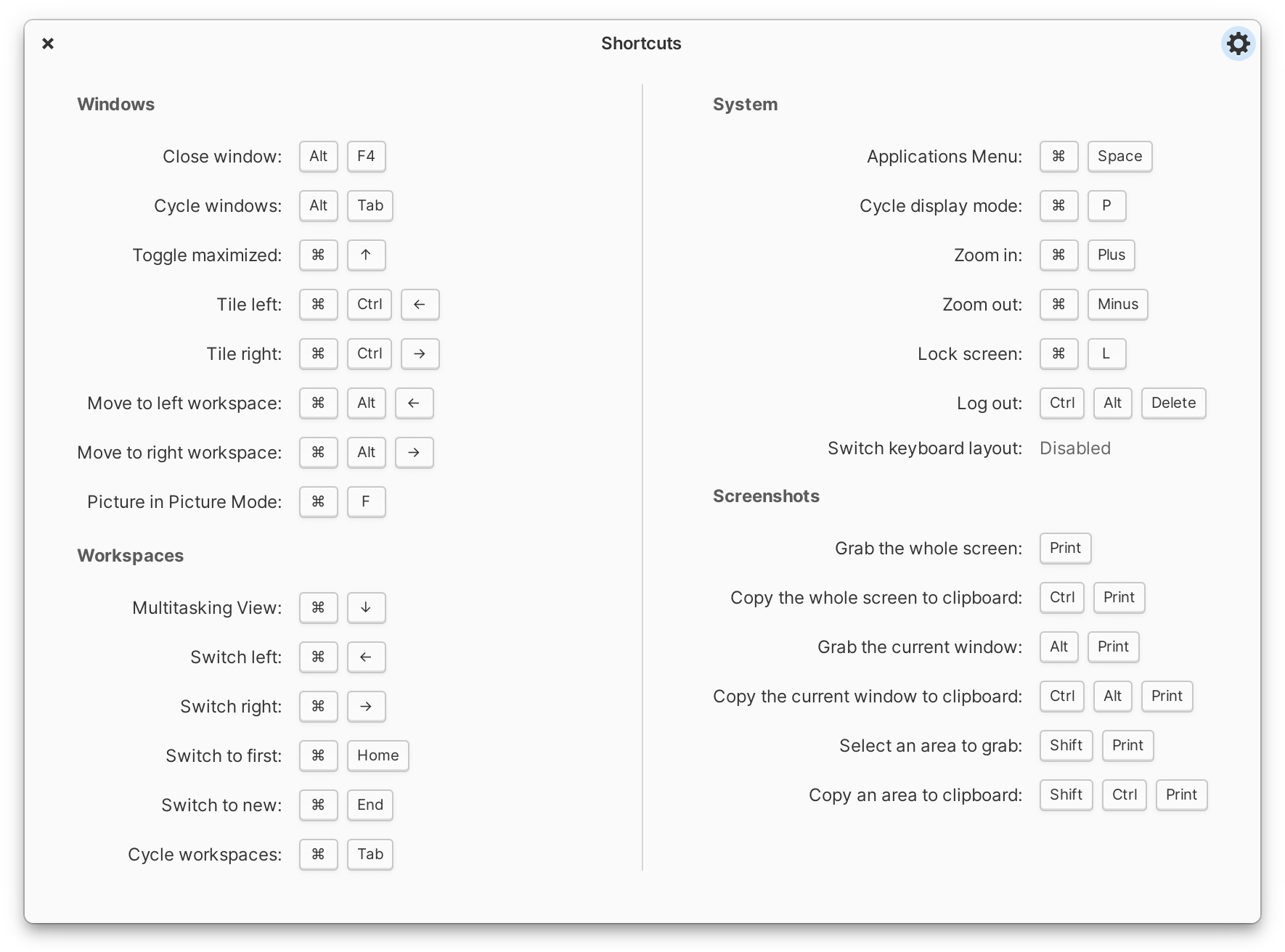
elementary OS is designed to be easy to understand and pick up as a new user. But that doesn't mean it's dumbed down; powerful, customizable keyboard shortcuts ensure you'll stay productive whether it's your first day or your thousandth.
Privacy-respecting. Through and through.
Your data always belongs to you, and only you. We don't make advertising deals or collect sensitive personal data. We're funded directly by our users paying what they want for elementary OS and apps on AppCenter. And that's how it should be.
Tattle-Tale
elementary OS helps you keep tabs on what apps are up to. When an app is using your microphone, we display an indicator to let you know. When an app is using a lot of energy, we tell you in your power indicator.
Permissions
When an app wants access to your data or devices, it has to ask up front. We review all AppCenter apps to ensure they're properly using permissions---and you can always revoke them yourself in System Settings.
Housekeeping
elementary OS automatically keeps your temporary and trashed files tidied up. Not only does this keep your device's storage free, it can help ensure your private data doesn't come back to haunt you.
What's New
New minor release! elementary OS 8.1.1 is here with another round of bug fixes and the latest Ubuntu LTS Hardware Enablement Kernel. This update addresses a ton of small things you reported to us over the winter break. Read ahead to find out what's new!
Dock
The dock now has more informative tooltips, including showing + shortcuts for the first 9 apps, and a tooltip on the background apps item.
Workspaces now have an animated pressed state and expand to accept drops when in multitasking view. Plus, you can now uninstall apps or view them in AppCenter from their secondary-click menu, just like you can from the applications menu. And, we fixed issues with the dock's appearance in screenshots on HiDPI displays and where the dock could become invisible in Classic sessions.
AppCenter
We now update badges in the Dock and Applications menu even if you run updates from another app store or via Terminal. We fixed an issue where pressing "Cancel" buttons might not give immediate feedback. And we now send notifications when an app is uninstalled and AppCenter is closed, such as when uninstalling from the applications menu or dock.
Window Manager
System dialogs like password dialogs now have a blur effect in addition to the dim effect. Plus we made sure to disable hotcorners while they are present and fixed a bug that prevented using accessibility shortcuts – like zoom.
We fixed in issue where the window switcher could leave a non-interactive area on screen when closed, plus an issue where the 6th and 13th keypresses could be skipped while + ing. We fixed a couple of issues with multitasking, including ones with fullscreen windows not properly being moved, animations when reordering workspaces, and missing icons in the show all windows view. Plus we fixed blurry picture-in-picture resize icons on fractionally scaled displays.
Panel
We fixed an issue that prevented the + + shortcut from opening the end session dialog until Quick Settings had been opened. And end session dialogs now have the same background dimming and blur effects as password dialogs.
We've also fixed an issue where apps where launched twice or could even possibly crash when pressing enter while searching the Applications menu.
System Settings
We've made tweaks to several of our default settings in this release including defaulting to enabling automatic updates, turning off intrusive WiFi notifications, and removing the Multitasking View and System Settings launchers from the dock. System Settings is always available from Quick Settings and Multitasking View can be launched by selecting the already active workspace item in the dock. You can of course always change which apps are pinned to your dock and adjust other options in System Settings.
There's a new option in Applications → Defaults to select your default PDF viewer, and we've slightly tweaked the icon for Background Activity permissions to be a bit cuter.
With OS 8.1, we've focused in on:
- Following through on OS 8 release goals
- Improving Support for Your Devices
- Addressing Your Feedback with over 1,100 issue reports fixed
We released elementary OS 8 last November with a new Secure Session – powered by Wayland – that ensures applications respect your privacy and consent, a brand new Dock with productive multitasking and window management features, expanded access to cross-platform apps, a revamped updates experience, and new features and settings that empower our diverse community through Inclusive Design. Over the last year we've continued to build upon that work to deliver new features and fix issues based on your feedback, plus we've improved support for a range of devices including HiDPI and Multi-touch devices.
Privacy, Security & Consent
For the initial release of OS 8, we kept the Classic Session as the default session type to make sure that the apps and features you rely on would continue to work as you expect, with the option to try a new Secure Session if it interested you. Since then we've released updates every month fixing issues that you've reported, third party app developers have updated their apps to support Wayland-based sessions, and hardware makers like Nvidia have fixed issues in their drivers to support Wayland-based sessions. I'm proud to say that as of now we've heard that the Secure Session provides a much better experience for most people and supports a broader range of modern hardware features. So in OS 8.1, the Secure Session is now the default session, with the option to fall back to the Classic Session if you still need it.
The Secure Session is now the default session in OS 8.1
You'll also notice that password authentication dialogs have a new feature in a Secure Session: when opened, the rest of the screen will dim and other windows won't be allowed to steal focus. This prevents accidentally typing your password anywhere other than the authentication dialog and you'll be able to make sure these are legitimate system dialogs and not an application trying to read your password.
Multitasking & Window Management
One of the first updates we made to the Dock was to bring back a few things you told us that you missed from Plank, the previous dock on elementary OS 7 and before. We made sure to show multiple running dots for apps with multiple open windows, and made sure to adjust the color of running dots depending on if they were running in this workspace or another one. You can once again cycle through open app windows when you hold a drag-n-drop over its app icon. And we've added Pressure Reveal, which makes it easier to select app controls at the bottom of the screen without accidentally revealing the Dock.
When we ran our desktop survey 75% of you told us that you expected to see background apps in the Dock, so we now have support for the Background Portal. Here you can see a list of apps running in the background without a window, their supplied reason for running the background, and you have the ability to force them to quit. You can always further manage app permissions in System Settings → Applications and choose which apps are allowed to run in the background.
Getting The Apps You Need
In OS 8, we made the decision to include Flathub – the most popular third-party app store for Linux-in addition to our own app store which contains apps made especially for elementary OS. This brought access to tons of cross-platform apps like Discord and Bitwarden, and now we've added new features to AppCenter to accommodate even more new types of cross-platform apps.
On App info pages, we now show a simple percentage-based app rating when ratings are available from ODRS-the same ratings server used by apps like GNOME Software. Plus, when developers provide screenshots for multiple platforms, we now show you the ones intended for elementary OS. We've added support for app addons, and we now show when a game supports playing with controllers. Plus we've revamped licensing information to make it easier to understand and with more details, and we show a new link type when developers want to encourage you to get involved.