

ZenTimings shows you all the important memory timings, voltages, Infinity Fabric and Memory Controller clocks. No matter the motherboard vendor, the app should help you see what DRAM parameters are applied.
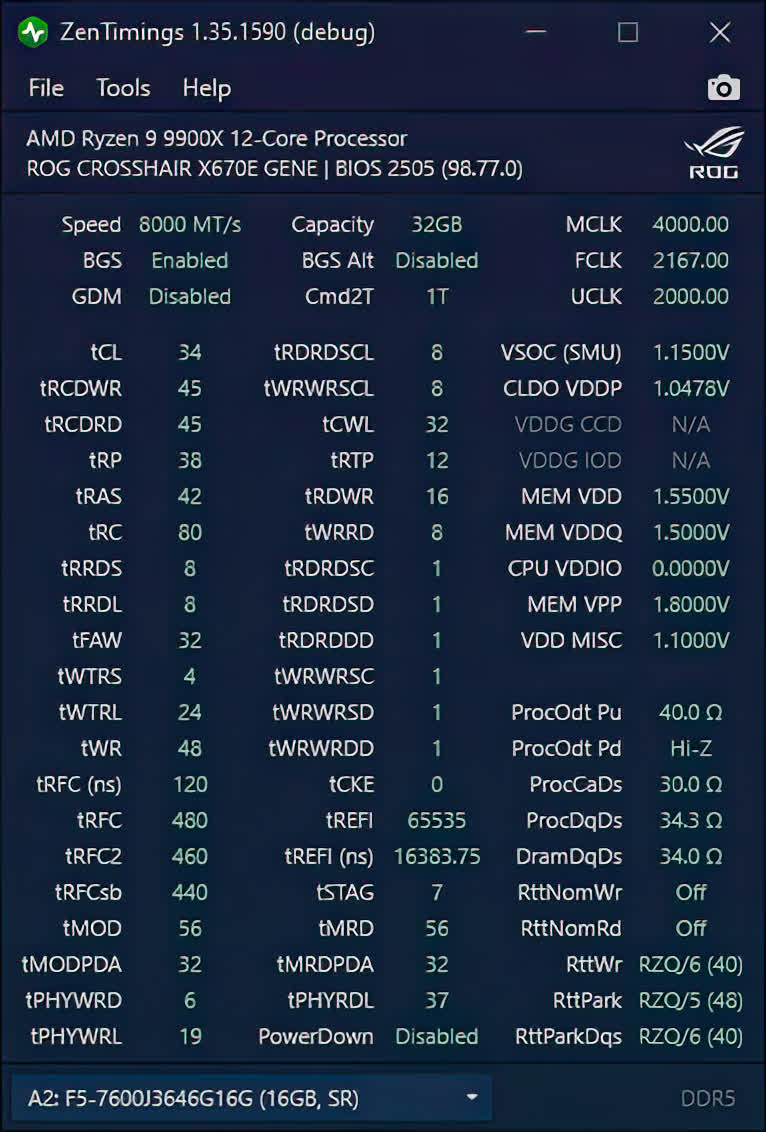
Currently it's in read-only mode, since adjusting timings on-the-fly is not possible on Ryzen, without a reboot. Due to differences between CPU generations, BIOS versions and motherboards, some parameters might not be detected, although the timings should be available on all platforms, including mobile APUs.
Can ZenTimings change RAM settings or overclock the system?
No, ZenTimings is a read-only tool and cannot modify timings, frequencies, or voltages. Changes must be made through the system BIOS or other utilities such as AMD Ryzen Master.
Is ZenTimings only compatible with Ryzen CPUs?
Yes, ZenTimings is designed for AMD Ryzen platforms and works with compatible AMD chipsets and motherboards, regardless of brand. It does not support Intel systems.
What are the best alternatives to ZenTimings?
Tools like HWiNFO and CPU-Z provide memory and system monitoring on both AMD and Intel platforms, though with less detailed timing breakdowns. For AMD systems, AMD Ryzen Master also offers monitoring alongside tuning features.
Features
Timings
- Display common timings available for adjustment in BIOS.
- Get a quick glance on hidden timings.
Monitoring
- Provides an optional real-time monitor for FCLK, MCLK, UCLK clocks and memory-related voltages.
- Supported features vary between different SKUs and motherboards.
Share
- Save a screenshot of your current settings and share it to help other users.
- Share a debug report to help with the development.
System Requirements
- AMD Ryzen, Threadripper or EPYC processor
- .NET Framework 4.5 or newer (v3.5 for the legacy app)
- WinRing0 (bundled with the app)
- InpOut (bundled with the app)
- Supported OS: Windows XP*/2003*/Vista/7/8/10/11 (32bit and 64bit)
- * Note: Windows XP and 2003 only supported with the legacy app
What's New
- Removed unused code to (hopefully) fix latest AV definitions flagging the release
- Add MAG B650 TOMAHAWK WIFI (MS-7D75) to the supported SuperIO list
- Replace beta update option checkbox to a dropdown
- This release comes with unsigned ZenTimings.exe and ZenStates-Core.dll as virus definitions now complain about the self-signed certificate.
- As of the moment of release, Windows Defender doesn't flag this zip, but I can't guarantee it will work 3 days from now.
