

File Pilot is a lightweight file manager for Windows that combines a dual-pane layout with modern interface elements to streamline file organization. It offers fast navigation, tabbed browsing, batch operations, and customizable workflows designed to help users manage files more efficiently.
Can I replace File Pilot as the default file manager?
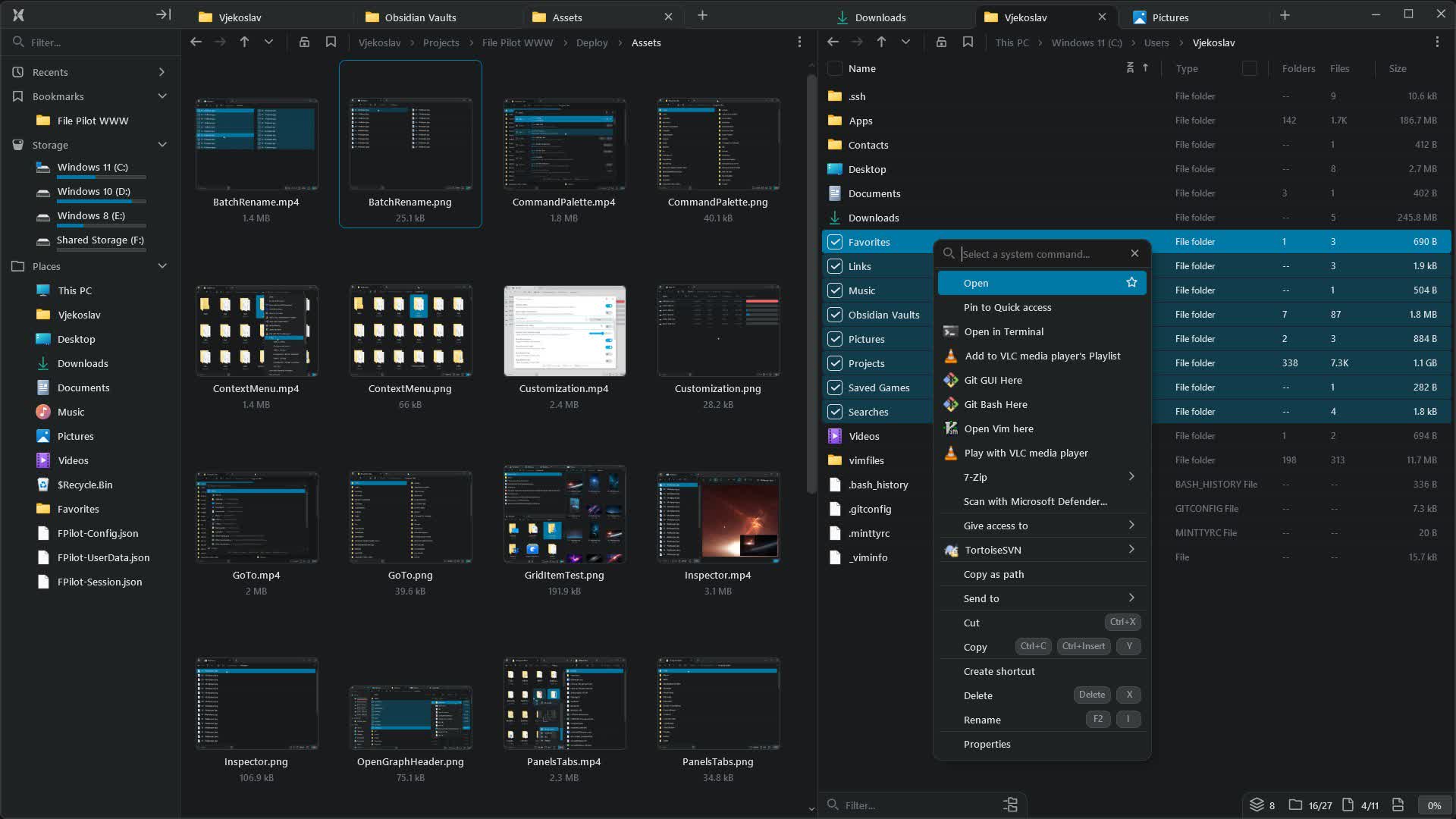
File Pilot includes optional Windows integration features you can enable during installation. These let you use Win+E, open folders in File Pilot by double clicking, add File Pilot to the right click menu and register it in your system PATH.
Can File Pilot access network drives?
File Pilot supports both mapped network drives and direct UNC paths (e.g., \\servername\sharedfolder). There are still some rough edges in certain setups (such as TrueNAS SMB file shares) or setups where Windows would normally prompt for credentials if the connection wasn't already established.
Can File Pilot run in a virtual machine or Wine?
File Pilot is not tested or guaranteed to run in virtual machines or Wine. It will likely crash due to graphics initialization issues. Running it in these environments is not supported at this time.
Can File Pilot run on Arm processors?
Currently, File Pilot does not support Arm processors, as it is built for x86-64 (Intel/AMD) only. However, we plan to add Arm support in the future.
Features
Faster than your thoughts
Crafted for seamless performance, delivering results in the blink of an eye. Never wait on your files again.
Interactivity at its core
From panels and tabs to context menus and command palette, everything can be searched and accessed using both mouse and keyboard.
Personalized for you
Customize color themes, optimize hotkeys, and save and switch between layouts.
Files made simple
Core features that make finding, inspecting, and managing files feel second nature.
Panels & tabs
Create your perfect setup with any panel layout and open folders in new tabs, all easily arranged with simple drag and drop.
Search
View flattened folder hierarchies, including entire drives, in milliseconds. Perform fuzzy searches and filter by file extensions.
Inspector
Quickly peek into file contents, including text, images, or even other folders, without leaving the program.
Batch rename
Interactively rename multiple files at once, with options to generate unique IDs or use file dates.
GoTo
Access common system paths, recently visited folders, or navigate the file system quickly using autocompletion.
Command palette
Search globally for all actions and assign hotkeys, with rich support from the numpad to key sequences and aliases.
Context menu
Access system and third-party actions from the dropdown, and search or pin them for easier access.
Customization
Adjust font size and spacing, disable animations with one click, or opt for a different color scheme.
