

Rectangle is a free and open-source application that lets you move and resize windows on macOS using keyboard shortcuts or snap areas.
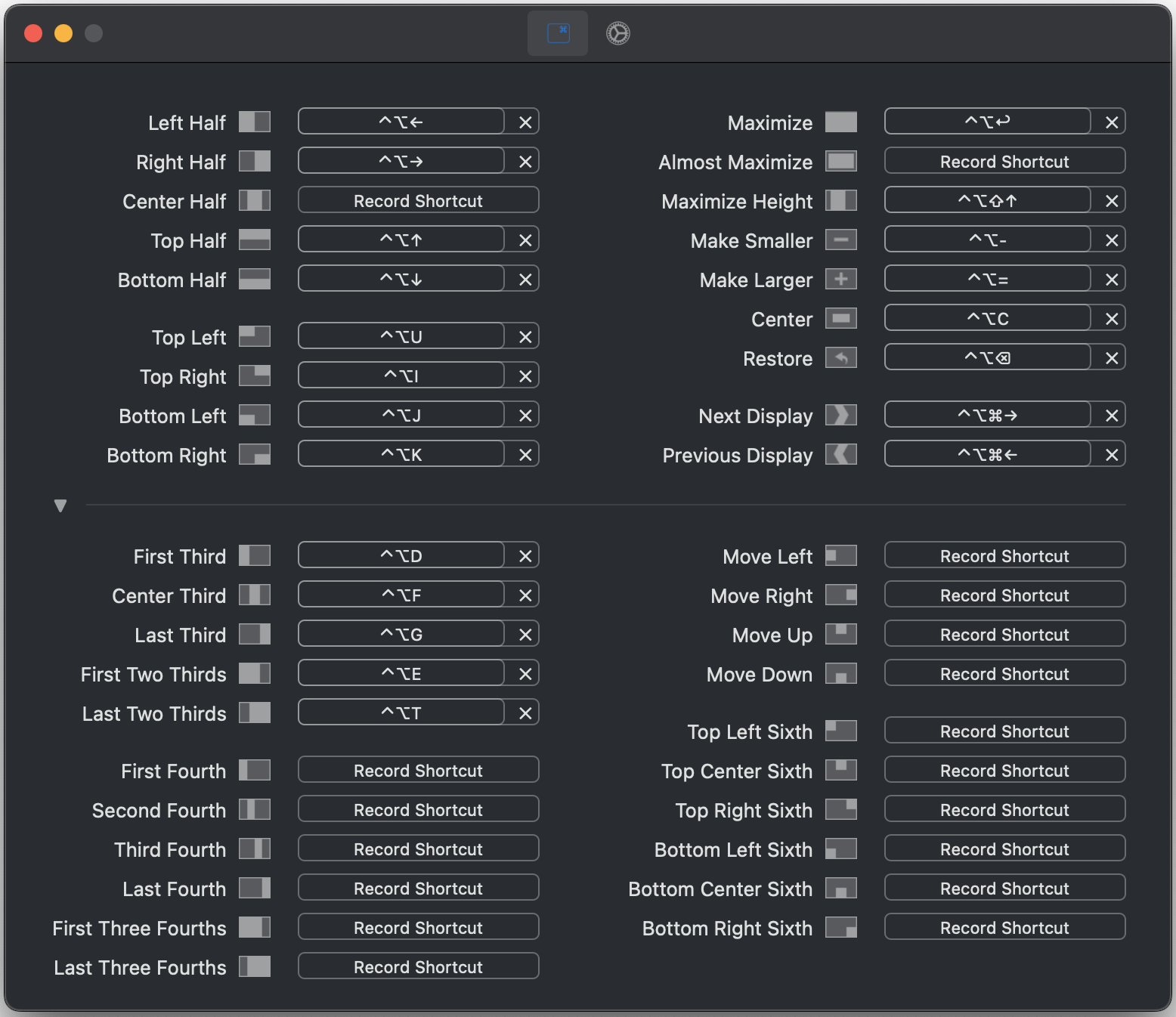
Features
Plenty of shortcuts
Memorize less: repeat shortcuts to cycle through window sizes.
Pick your snap areas
Drag windows and drop them on screen edges and corners to snap. Portrait display layouts are supported, too.
What's New
Recently, there have been a lot more contributions to Rectangle. A top goal for Rectangle has always been to keep it simple, and the UI redesign in 2.0 is built to maintain this simplicity while accommodating more changes.
- Fixes a crash when footprint blur is enabled on macOS < 26
- Add keyboard navigation to the stacked-window switcher by @MyronKoch in #1808
- Prevent Chromium Enhanced UI performance regression by @culpen90 in #1822
- Correct stale Dock insets during window actions by @culpen90 in #1823
- Let half actions preserve the window's size on the other axis (opt-in) by @X-Wei in #1824
- Show the description next to the window list shortcut recorder by @MyronKoch in #1832
- Let a repeated Maximize restore the window's previous size and position (opt-in) by @X-Wei in #1837
- fix: explain when windows cannot fit a layout by @culpen90 in #1847
- add new window actions: tile a display in rows or columns by @dank-openai in #1850
- fix: don't realign a window that is within a point of filling its zone by @anandghegde in #1853
- fix: keep the restore rect when unsnapRestoreFromSizeChange is off by @Yash121l in #1855
- Add optional snapping animations and a blurred snap preview by @kiteretsu903 in #1849
- Add an option to keep constrained windows top-aligned by @slava-class in #1856
- tiling: Cycle Rows and Columns through balanced grids by @dank-openai in #1857
- Tweaked app icon for macOS 27 by @alexkaessner in #1858
- Modernize the Rectangle UI by @rxhanson in #1866
- Keep a window's position when moving it to another display by @anandghegde in #1863

