

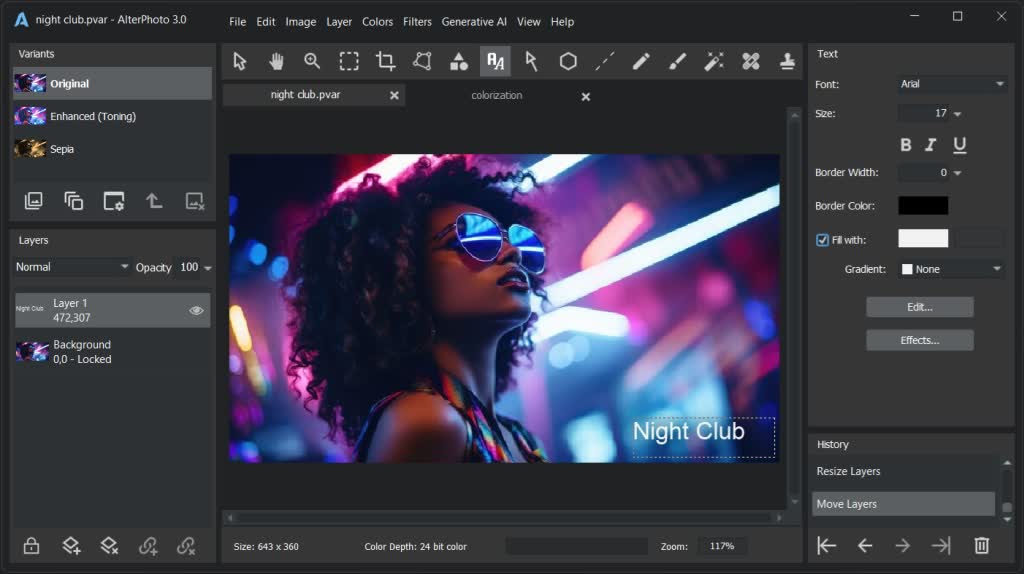
AlterPhoto is a versatile photo editor with workflow elements. It supports layers, contains tools for color adjustment, retouching, transformation, drawing. Apply filters, use generative AI to change the areas, background, remove objects in the photo, enlarge the image. Create photo variants in one click.
Features
Workflow
- Support for 100+ formats
- RAW importing
- Photo comparison
- Photo culling
- Change history
- Multiple variants in one project
- Flexible export options
- Import/export the whole folder
Color Adjustment
- Brightness (highlights, shadows, midtones)
- Contrast, exposure, gamma
- Temp, tint, saturation
- Color balance (by range)
- Color change (by range)
- Color change (picked color)
- Color curve
- Levels
- Equalization
- Gray-scale balance
- Colorization
- Auto-enhancement
- Color swap
- Negative
- Black and white
- Color presets
Retouching
- Healing tool
- Clone tool
- Smudge tool
- Blur, motion blur
- Sharpening / Autosharpness
- Unsharpen tool
- Smoothing tool
- Pixelizing tool
- Lightening / Darkening
- Colorizing / Decolorizing
- Warping of the area
- Pixel editing
Generative AI
- Erase selected area
- Replace selected area
- Find and replace object
- Find and recolor object
- Remove the background
- Replace the background
- Extend photo in any direction
- Upscale while maintaining quality
Filters
- Lens correction (distortion, perspective, vignette)
- Denoise, smoothing
- Sharpen
- Stylization for drawing
- Shadow effects
- Pixelization, mosaic
- Distortions
- Dilation, erosion
- Morphing
- Bump map
- Gradient map
- Texture
- Frame
- Decoration
- Custom filters
- 3rd party 8bf filters supported
System Requirements
- OS: Windows 11, Windows 10. 64-bit only.
- Processor: Intel, AMD or any other compatible processor, 2.66Ghz.
- RAM: 4GB minimum (16GB for best performance).
- Display resolution: 1280x720 minimum.
- Disk Space: 300MB minimum.
