

Tdarr is a popular conditional transcoding application for processing large (or small) media libraries. The application comes in the form of a click-to-run web-app, which you run on your own device and access through a web browser.
Tdarr uses two popular transcoding applications under the hood: FFmpeg and HandBrake (which itself is built on top of FFmpeg).
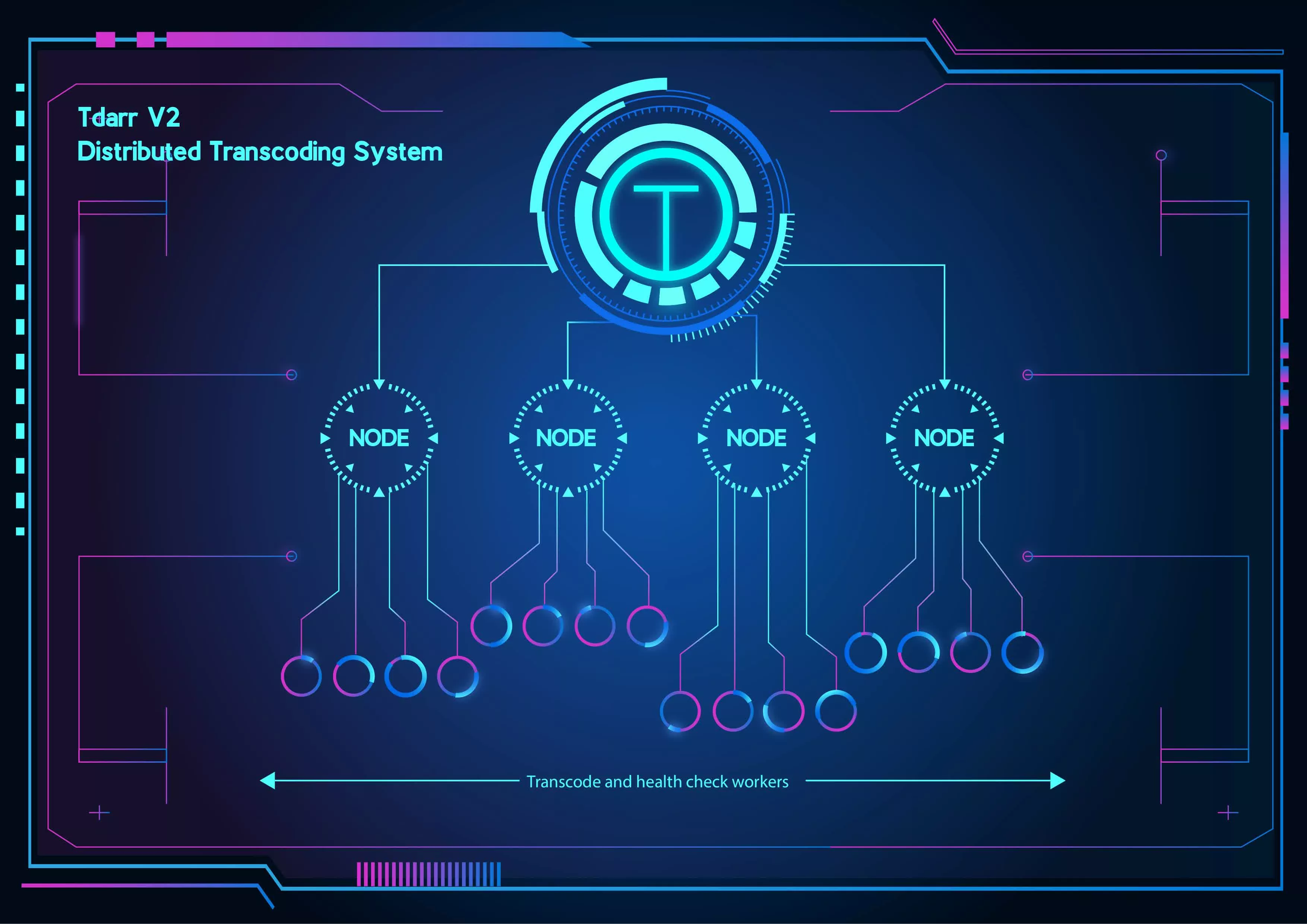
Tdarr is a conditional based transcoding application for automating media library transcode/remux management
Some common use cases:
- Transcode your videos from h264 to h265, saving 50% in file size
- Remove unwanted audio or subtitle streams in your videos
- Remove messy title metadata
- Rename files based on codec and resolution
- Health check your media files for corruption
Additional info:
- Use cross-platform Tdarr Nodes which work together with Tdarr Server to process your files
- GPU and CPU workers
- Audio and video library management
- Folder watcher
- Worker stall detector
- Load balancing between libraries/drives
- Use HandBrake or FFmpeg
- Tested on a 1,000,000 file dummy library
- Library stats
- Hardware transcoding container (install Nvidia plugin on unRAID/Nvidia runtime container on Ubuntu)
- Create advanced file processing flows for your files
- Scale up the number of transcode workers on each Node to maximise CPU/GPU usage
- Job report system with detailed logs and file history
- Detect anomalies in your media
- Keep track of all the work being done on an hourly/daily basis
- Use/create Tdarr Plugins for infinite control on how your files are processed
- Over 50 community plugins available to get you started
- Search for files based on hundreds of properties
- 7 day, 24 hour scheduler for each library
Tdarr works in a distributed manner where you can use multiple devices to process your library together. It does this using 'Tdarr Nodes' that connect to a central server and pick up tasks so you can put all your spare devices to use.
Each Node can run multiple 'Tdarr Workers' in parallel to maximize the hardware usage % on that Node. For example, a single FFmpeg worker running on a 64 core CPU may only hit ~30% utilization. Running multiple Workers in parallel allows the CPU to hit 100% utilization, allowing you to process your library more quickly.
Terms:
- Server: Central process which all Nodes connect with
- Node: Processes running on same/other devices which collect tasks from the Server and hand them to workers
- Worker: A process on the Node which executes collected tasks in parallel with other workers
Do I need to run the Server and Nodes on the same operating system?
No, you can mix up which operating systems and architectures the Tdarr Server and Nodes run on.
Do I need a GPU to use Tdarr?
No, you can transcode using only a CPU. This is typically slower but results in smaller file sizes and better quality.
What's the reason for needing path translators? Why can't the Server send the files directly to the Node?
From a network transfer point of view, using a system where all the Tdarr devices can access the same network shares is far more efficient and will save a lot of time when processing large libraries. More info here
Only one of my Nodes has a GPU, can I still do GPU transcoding?
Yes, make sure to add GPU and CPU plugins to your plugin stack. On the GPU node, only launch GPU workers (make sure Allow GPU workers to do CPU tasks is set to OFF in the Node Options). On the other Nodes, only launch CPU workers. The workers will check through all the plugins and only do the ones that they can handle, so a CPU Worker will not try to run the GPU plugin.
What's the best number of Workers to run?
This depends on the hardware you're using but it's typically around 3.
What's the purpose of health checks?
Health check workers check the media files for signs of corruption. If running Quick health checks, only the file headers are checked, whereas Thorough health checks go through the whole file frame by frame. You can set the health check type in the library settings.
