

Snipaste is a lightweight screenshot tool that lets you capture any part of your screen and pin it back to your desktop as a floating window. Press F1 to take a screenshot, then F3 to display it as an always-visible reference while you work.
Beyond screenshots, Snipaste can turn clipboard text and color information into floating windows that can be resized, rotated, flipped, made transparent, or set to click-through mode. Its straightforward interface and customizable shortcuts make it a useful tool for designers, developers, and anyone who frequently works with screenshots or visual references.
Features
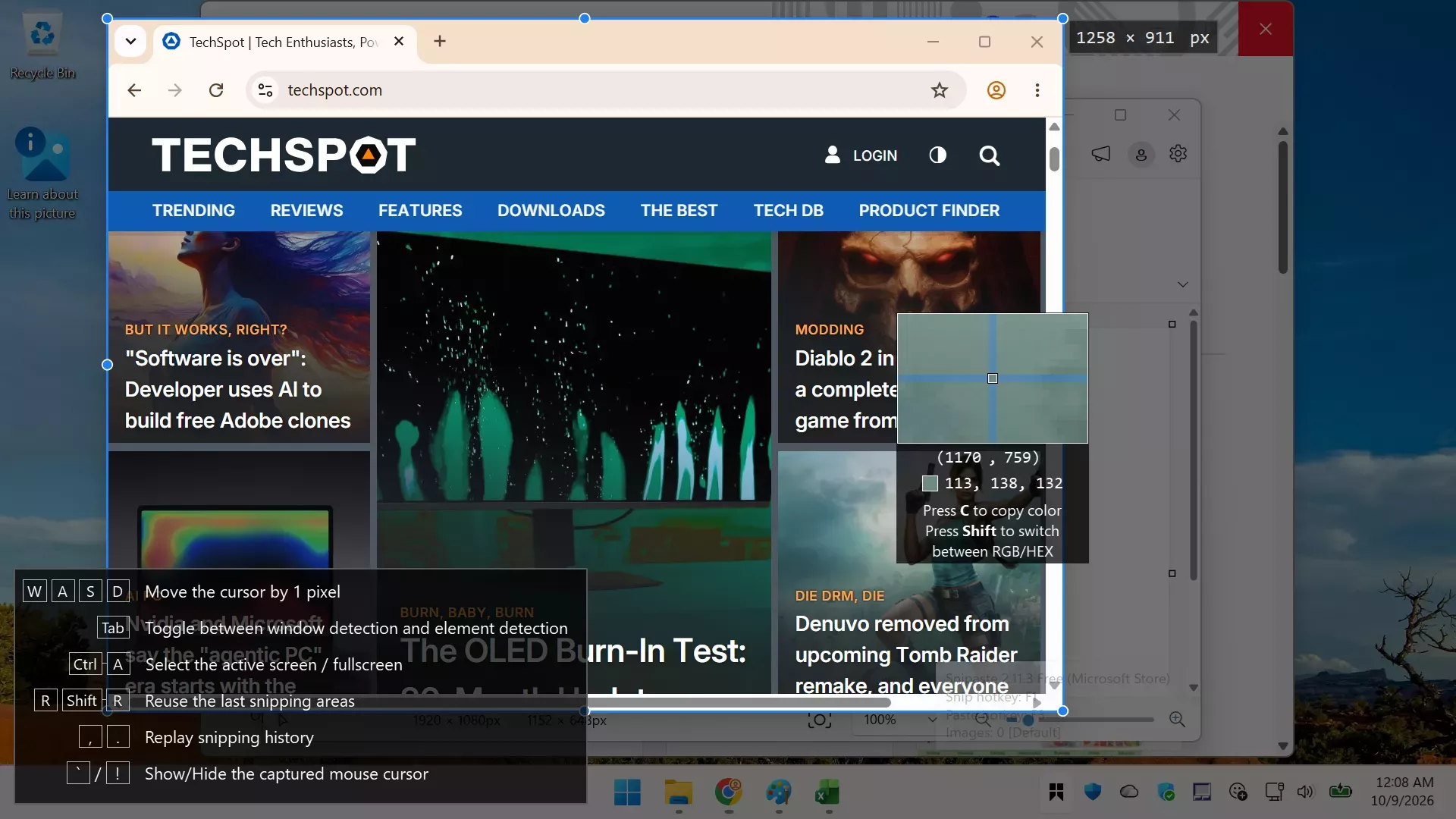
Intuitive snipping
- Auto detect UI elements
- Pixel-level control
- Color picker (try F1, C, F3)
- History play back (,/.)
- Multi-screen support
- HiDPI (retina display) support
Paste images as topmost floating windows
- The source (in the clipboard) could be
- Image
- Plain text
- HTML text
- Color info text
- Image files: PNG, JPG, BMP, TGA, ICO, TIFF and GIF
- Supported operations
- Zoom (mouse scroll or +/-)
- or set speed for GIF
- Rotate (1/2)
- or jump to previous/next frame for GIF
- Flip (3/4)
- Set transparency (Ctrl + mouse scroll or Ctrl + +/-)
- Mouse click-through
- Image editing (Space)
- Thumbnail mode (Shift + Double click)
- Hide (Double click)
- Color picker (Alt)
- Drag & drop
- Grouping
- Auto backup & restore
Easy image annotation
- Rich shapes
- Rectangle
- Ellipse
- Linestrip
- Arrow
- Pencil
- Marker pen
- Text
- Advanced annotation tools
- Mosaic
- Gaussian blur
- Eraser
- Undo & redo
Customization
- Theme color, interface font, tray icon, and more
- Hot keys
- Detailed functionality options
What's New
- [PRO] Support customizing some in-app shortcuts (Preferences - Control - In-App Shortcuts) #2189 #3317 #3584
- [PRO] Text extraction: support Tencent and OCR.space APIs
- Other improvements and bug fixes #3572 #3579 #3580 #3597
