

HWiNFO is an all-in-one solution for hardware analysis and monitoring supporting a broad range of OSes (DOS, Microsoft Windows 95 - Windows 11, WinPE) and platforms (i8086 - Xeon Platinum).
Is HWiNFO CPU and GPU temperature accurate?
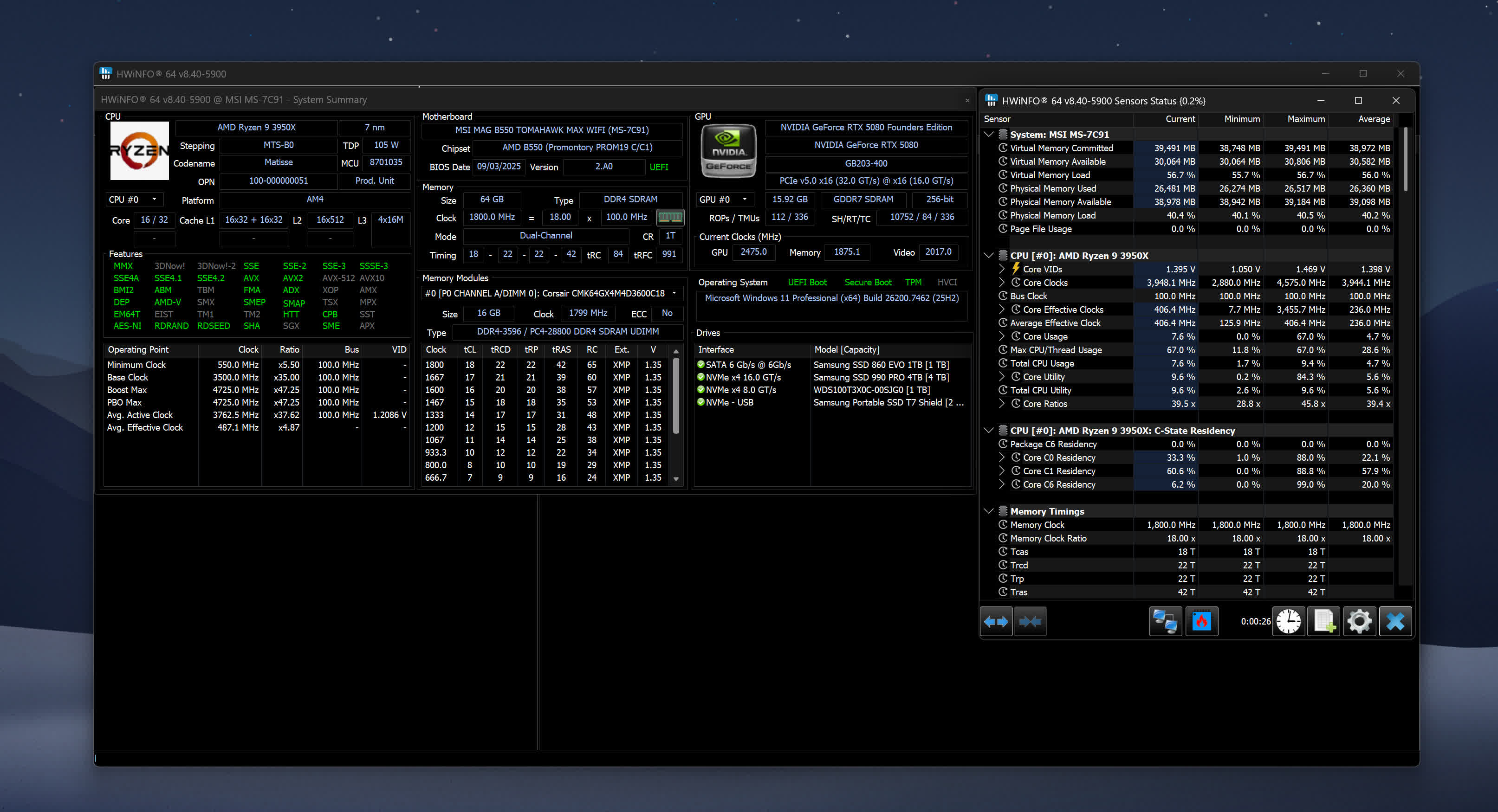
Yes, HWiNFO data is reliable and accurate and will inform you about everything it possibly can about your computer. The information is split in 3 windows: a system summary, a full report, and active sensor readings.
Can HWiNFO control fans?
Technically, yes, HWiNFO shows you real-time data on hardware components and allows you to manually control fan speeds. However, you must use this feature carefully. HWiNFO was primarily designed to show system information. If you're looking to control CPU and GPU fan speeds you should take a look at SpeedFan or FanControl, which are specialized tools, both are free and have been tested extensively.
Is HWiNFO compatible with Windows 7?
Yes, HWiNFO is compatible with Windows 7. Depending on your OS, you should choose the corresponding HWiNFO version. HWiNFO32 is compatible with Windows 95 32-bit and later, HWiNFO64 is compatible with Windows XP 64-bit and later. There is also a DOS compatible version.
What are good alternatives to HWiNFO?
Two solid alternatives are Speccy and Open Hardware Monitor, which are also free and easy to use. You should also check out our feature about apps to analyze and monitor your PC.
Features
Comprehensive Hardware Information
Exhausting information about hardware components displayed in hierarchy unfolding into deep details. Useful for obtaining a detailed hardware inventory report or checking of various hardware-related parameters.
System Health Monitoring
Real-time monitoring of a variety of system and hardware parameters covering CPUs, GPUs, mainboards, drives, peripherals, etc. Useful for detection of overheating, overload, performance loss or failure prediction.
Extensive Reporting
Full hardware hierarchy, or quick summary overview. Export into XML, CSV, HTML reports. System monitoring in customizable tables, graphs, tray icons, OSD.
Alerting and Extensions
Customizable alerts on any parameter monitored with user-defined actions. Interfacing with other applications and 3rd-party extensions.
What's New
- Enhanced sensor monitoring on ASRock X870/X870E Challenger and X870E Taichi OCF.
- Added reporting of maximum and rated GPU power limit for NVIDIA 50-series GPUs.
- Fixed monitoring of CPU Package Power on Intel Xeon 6 series.
- Added support of Corsair HXi SHIFT PSU series.
- Added reporting of NVMe drive maximum power.
- Improved support of next-generation AMD CPUs and APUs.
- Fixed reporting of D2D and NGU clock on Intel Panther Lake.
- Improved reporting of active DDR5 memory channels on Intel systems.
- Added Intel Arc Pro B65 and B70.
- Added support of MPS MP2825 VR PWM.
- Added reporting of Page File Total and Used.
- Changed GPU sensor name to iGPU/dGPU depending on whether the GPU is integrated or discrete.
- Added DIMM SPD Write-Protection Management.
- Added NVIDIA GeForce RTX 5060 (GB205).

