

Rufus is a small utility that helps format and create bootable USB flash drives. Oh, and Rufus is fast.
It can be especially useful for cases where:
- You need to create USB installation media from bootable ISOs (Windows, Linux, UEFI, etc.)
- You need to work on a system that doesn't have an OS installed
- You need to flash a BIOS or other firmware from DOS
- You want to run a low-level utility
Despite its small size, Rufus provides everything you need.
Can Rufus create both BIOS and UEFI bootable drives?
Yes, Rufus supports creating bootable USB drives for both traditional BIOS and modern UEFI systems, making it versatile for different PC setups.
What operating systems can Rufus run on?
Rufus works on Windows (Windows 7 and later). However, the USB drives it creates can be used to boot and install various operating systems, including Windows, Linux distributions, and more.
Do I need to install Rufus?
No installation is required. Rufus is a portable application-you simply download the .exe file and run it directly.
Can Rufus check if my USB drive has bad sectors?
Yes, Rufus includes an option to scan your USB drive for bad blocks before creating a bootable disk. This helps ensure reliability and reduces the chance of installation errors.
Does Rufus work without an internet connection?
Yes, Once you've downloaded Rufus, you can use it offline to create bootable drives. The only time you may need internet access is if Rufus offers to download certain files (like the latest Windows ISO) directly for you.
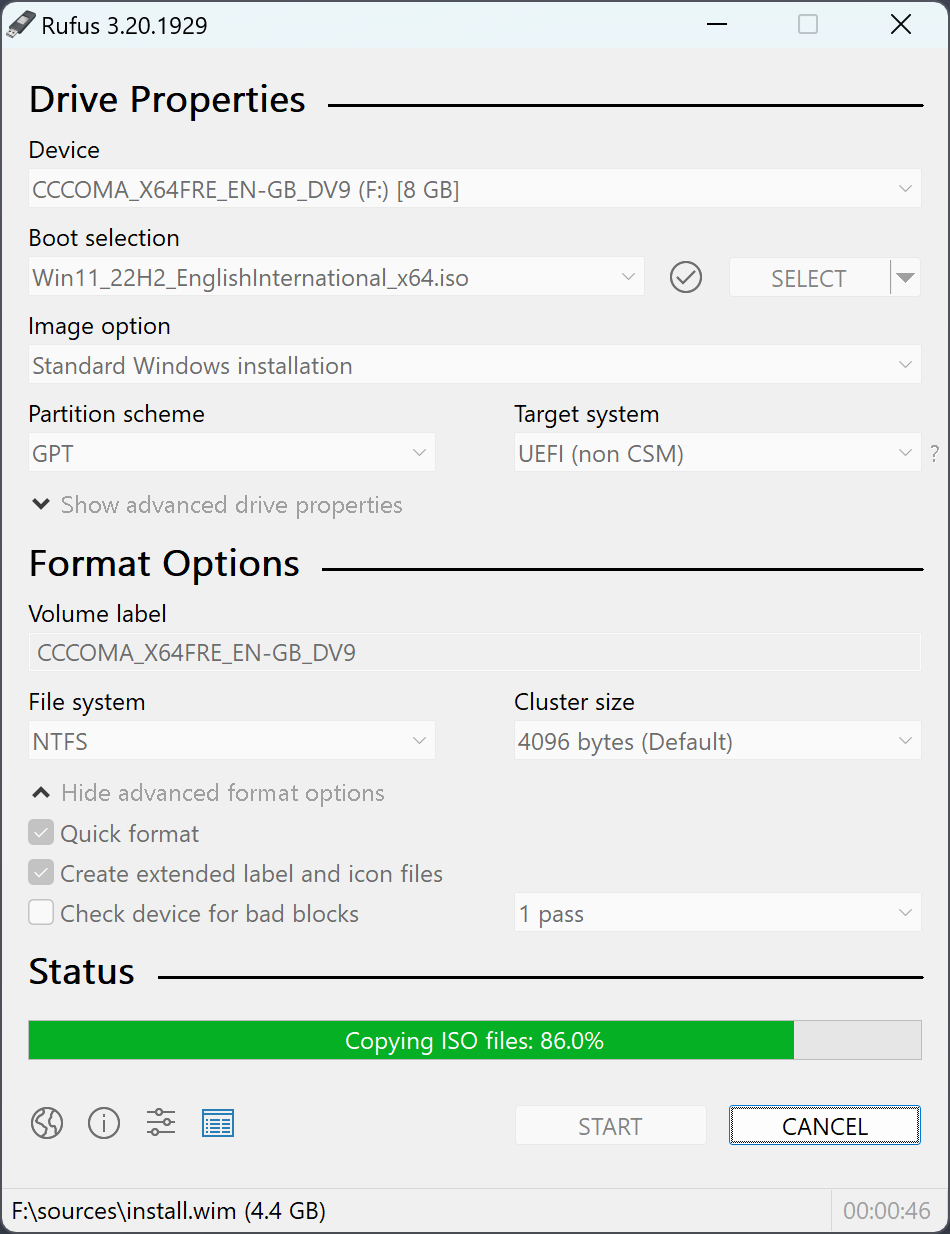
Non-exhaustive list of ISOs Rufus is known to work with:
AlmaLinux, Arch Linux, Archboot, CentOS, Clonezilla, Damn Small Linux, Debian, Elementary OS, Fedora, FreeDOS, Garuda Linux, Gentoo, GParted, Hiren's Boot CD, Kali Linux, Knoppix, KolibriOS, Linux Mint, Manjaro Linux, NT Password Registry Editor, OpenSUSE, Raspberry Pi OS, Raspbian, ReactOS, Red Hat, rEFInd, Rocky Linux, Slackware, Super Grub2 Disk, Tails, Trinity Rescue Kit, TrueNAS CORE, Ubuntu, UEFI Shell, Ultimate Boot CD, Windows XP (SP2+), Windows Vista, Windows 7, Windows 8/8.1, Windows 10, Windows Server 2019, Windows 11.
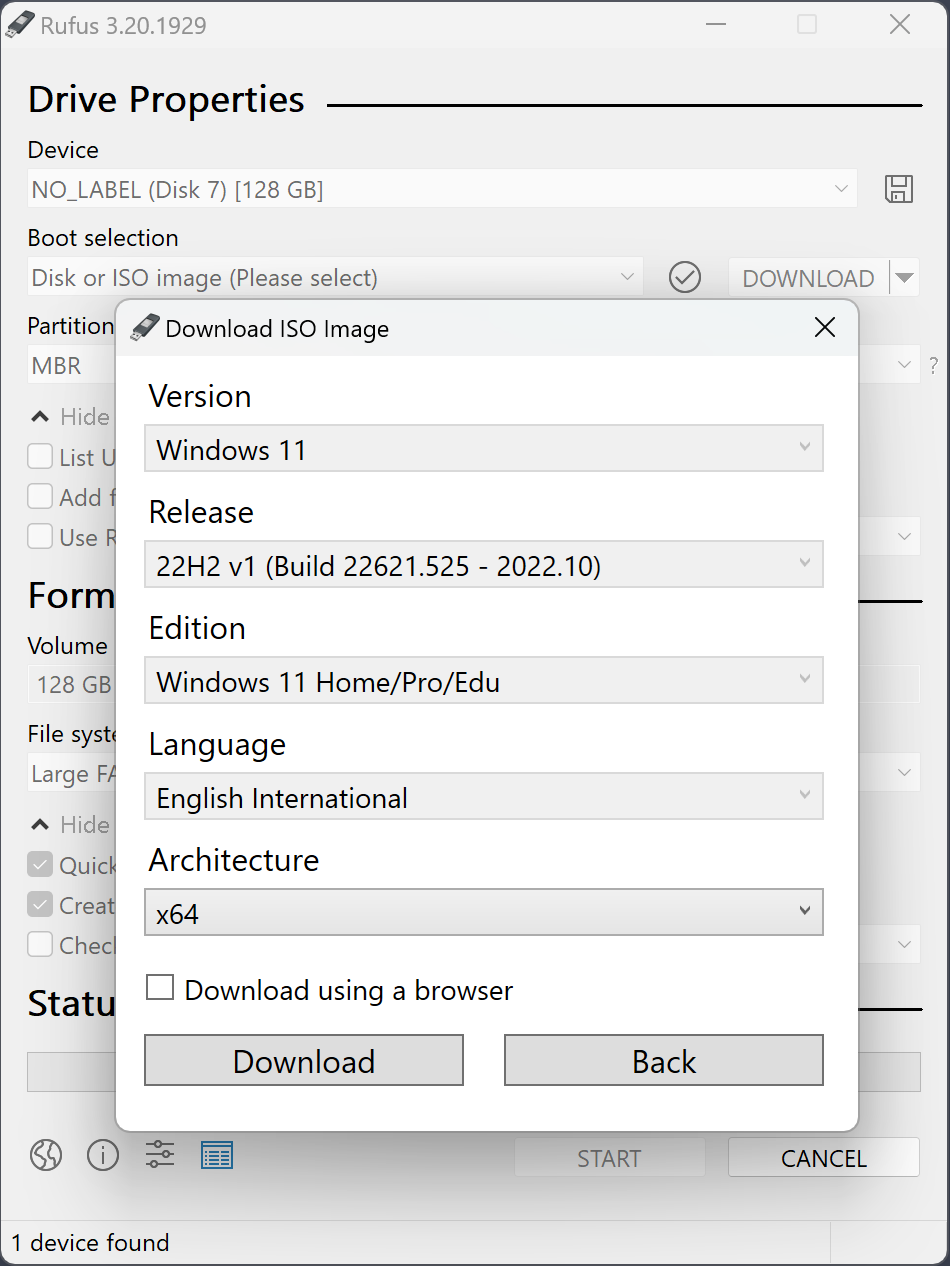
What's New
Rufus 4.15
- Add RISC-V 64 support to UEFI:NTFS.
- Improve the guards for using the "silent" Windows installation option.
- Improve the ability to cancel during write retries.
- Improve progress reporting for compressed image extraction.
- Fix unrestricted XML entity expansion and integer overflow in ezxml parser (courtesy of Eric Sadowski).
- Fix "silent" Windows installation failing at 75% in most cases.
- Fix a crash during boot when using UEFI:NTFS on Snapdragon X based ARM64 platforms.
- Fix first WUE option always being checked by default.
- Fix an infinite loop when using Windows ISOs that contain multiple WIMs.
- Fix "Enable runtime UEFI media validation" checkbox not always being properly enabled.
- Other WUE improvements/fixes for OneDrive removal and username validation (with thanks to @christian8641).
Rufus 4.14 Changelog
- Windows User Experience improvements:
- Add a Quality of Life option, to disable Teams, Outlook, Copilot and other Microsoft forced nuisances
- Add a Silent installation option, that automatically, and WITHOUT PROMPT, installs Windows on the first detected disk
- Add an option to copy SkuSiPolicy.p7b to the ESP on installation (please refer to KB5042562 for more info)
- Add tooltips for all the dialog options
- Add limited support for El-Torito UEFI image extraction (Mostly for Dell BIOS update ISOs)
- Improve error report when the user tries to use an image that resides on the target drive
- Improve the UEFI:NTFS partition label to make the install media more explicit during Windows Setup disk partitioning
- Improve support for Bazzite and other Fedora derivatives that don't follow EFI conventions
- Improve detection and exclusion of the new Bitdefender hidden VHDs
- Improve reporting of GRUB and Isolinux MBRs
- Fix potential errors during creation of Windows To Go media, due to the use of new versions of bcdboot
- Fix errors with local accounts that start or end with whitespaces
Rufus 4.13 Changelog
- Fix UEFI:NTFS not selecting the proper driver for ARM/ARM64.
- Update embedded GRUB to v2.14.
Rufus 4.12 Changelog
- Filter out the new Bitdefender VHDs.
- Filter disallowed characters in local account names.
- Improve Microsoft Dev Drive detection (courtesy of Martin Kuschnik).
- Improve the pre-formatting partition cleanup code.
- Improve error reporting on ISO extraction issues.
- Improve detection of drives with long hardware IDs (typically SSDs).
- Improve conflicting process reporting.
- Improve support for Nutanix and umbrelOS ISOs.
- Fix a TOCTOU vulnerability in Fido script execution (CVE-2026-2398, reported by @independent-arg).
- Fix replacement vulnerabilities for diskcopy.dll and oscdimg.exe.
- Fix FFU image creation being erroneously invocated, when trying to save an ISO image.
- Fix saving of ISO images to paths that contain spaces.
- Update UEFI:NTFS and UEFI DBXs to latest.
Rufus 4.11 Changelog:
- Add a cheat mode to toggle between Light and Dark mode.
- Improve WUE option text relating to the CA 2023 option.
- For more info on CA 2023, see this Rufus FAQ entry.
- Update Linux SBAT / Microsoft SVN Secure Boot revocation values to latest.
- Fix some GRUB/Syslinux download dialogs showing only the 'Close' button.
- Fix an assert being triggered when using the WUE CA 2023 option on its own.
- Fix an application crash on systems that have a failed dynamic disk.
Rufus 4.10 Changelog:
- Add Dark Mode support (courtesy of @ozone10).
- Add support for creating Windows CA 2023 compatible media (requires a Windows 11 25H2 ISO). For more on this, see this Rufus FAQ entry.
- Add support for saving an existing drive to ISO (UDF only).
- Improve error reporting when saving to VHD/VHDX (with thanks to @Kazkans).
- Improve persistence support for Linux Mint.
- Fix UEFI DBX updates being reported in some timezones, even when there are none.
- Fix a situation where no file system can be selected in ISO mode.
- Fix a crash when trying to process Windows ISOs with very long paths.
Rufus 4.9 Changelog:
- Fix downloads from https://rufus.ie no longer working due to recent GitHub server changes
- Fix unofficial Windows ISOs, with single index WIMs, not presenting the WUE dialog
- Switch to wimlib for all WIM image processing:
- Greatly speeds up image analysis when opening Windows ISOs
- Can speed up Windows To Go drive creation (But won't do miracles if you have a crap drive)
- Might help with Parallels limitations on Mac (But Rufus on Parallels is still unsupported)
- Enables the splitting of >4GB files with Alt-E (But still WAY SLOWER than using UEFI:NTFS)
- Switch to using Visual Studio binaries everywhere, due to MinGW DLL delay-loading limitations
- Add more exceptions for Linux ISOs that restrict themselves to DD mode (Nobara, openSUSE, ...)
- Improve reporting of UEFI bootloaders in the log, with info on the Secure Boot status
- Fix an issue with size limitations when writing an uncompressed VHD back to the same drive
- Fix a crash when opening the log with the 32-bit MinGW compiled version
- Fix commandline parameters not being forwarded to original Windows setup.exe
Rufus 4.7 Changelog
- Add a mechanism to detect and download updated DBXs from the official UEFI repository
- Add ztsd compression support for disk images
- Add a new exclusion feature in the settings, to ignore disks with a specific GPT GUID
- Improve detection for compressed VHD images that are too large to fit the target drive
- Fix commandline hogger not being deleted when running Rufus from a different directory
- Fix FAT filenames from embedded images being potentially truncated on image extraction
- Fix a side-loading vulnerability [CVE-2025-26624] with cfgmgr32.dll (with thanks to @EmperialX)
- Fix UI memory leaks (courtesy of @ozone10)
- Fall back to user/system default locale when getting error description (courtesy of @Wack0)
- Don't run the commandline hogger on POSIX shells
- Drop ARM 32-bit builds (Note that ARM 64-bit builds are NOT affected by this)
- Update FreeDOS and Grub4DOS to latest
Rufus 4.6 Changelog
- Add a new setup.exe wrapper to bypass Windows 11 24H2 in-place upgrade restrictions
- Add TimeZone to regional options replication
- Set local account passwords to not expire by default
- Fix an error when trying to write compressed VHD images
- Fix an error when invoking Rufus from the PowerShell commandline
- Improve revoked UEFI bootloaders check to support Linux SBAT, Windows SVN and cert DBX
- Improve support for ReactOS boot media
Rufus 4.4 release notes:
- Add workaround for distros that use broken symbolic links as their UEFI bootloaders (such as Mint 21.3)
- Add support for GRUB 2.12
- Fix a crash when saving .ffu images
- Fix UEFI:NTFS partition not being added, in MBR mode, for some Linux ISOs
- Prevent Microsoft Dev Drives from being listed
- Improve support for SDXC card readers
- Improve Large FAT32 formatting by aligning start of data regions to 1 MB (courtesy of Fred)
Rufus 4.3 release notes:
- Add support for Rock Ridge symbolic links preservation when NTFS is used
- Add an exception to enforce NTFS for Linux Mint's LMDE
- Add an expert feature to restrict a Windows installation to S Mode
- Fix persistence support for Debian 12 when booted in BIOS mode
- Fix a regression that prevented the opening of .vhd images
- Update UEFI:NTFS to report a more explicit error on bootmgr security issues
- Improve the search for conflicting processes by running it in a background thread
- Improve support for Slax Linux

