

Vivaldi is a fast, ultra customizable browser that prioritizes your privacy (not our own profit). An Internet browser that adapts to you, not the other way around. Vivaldi browser comes packed with smart features. From a focused, minimalist experience to building a command center for life online - we've got you covered.
Why try Vivaldi?
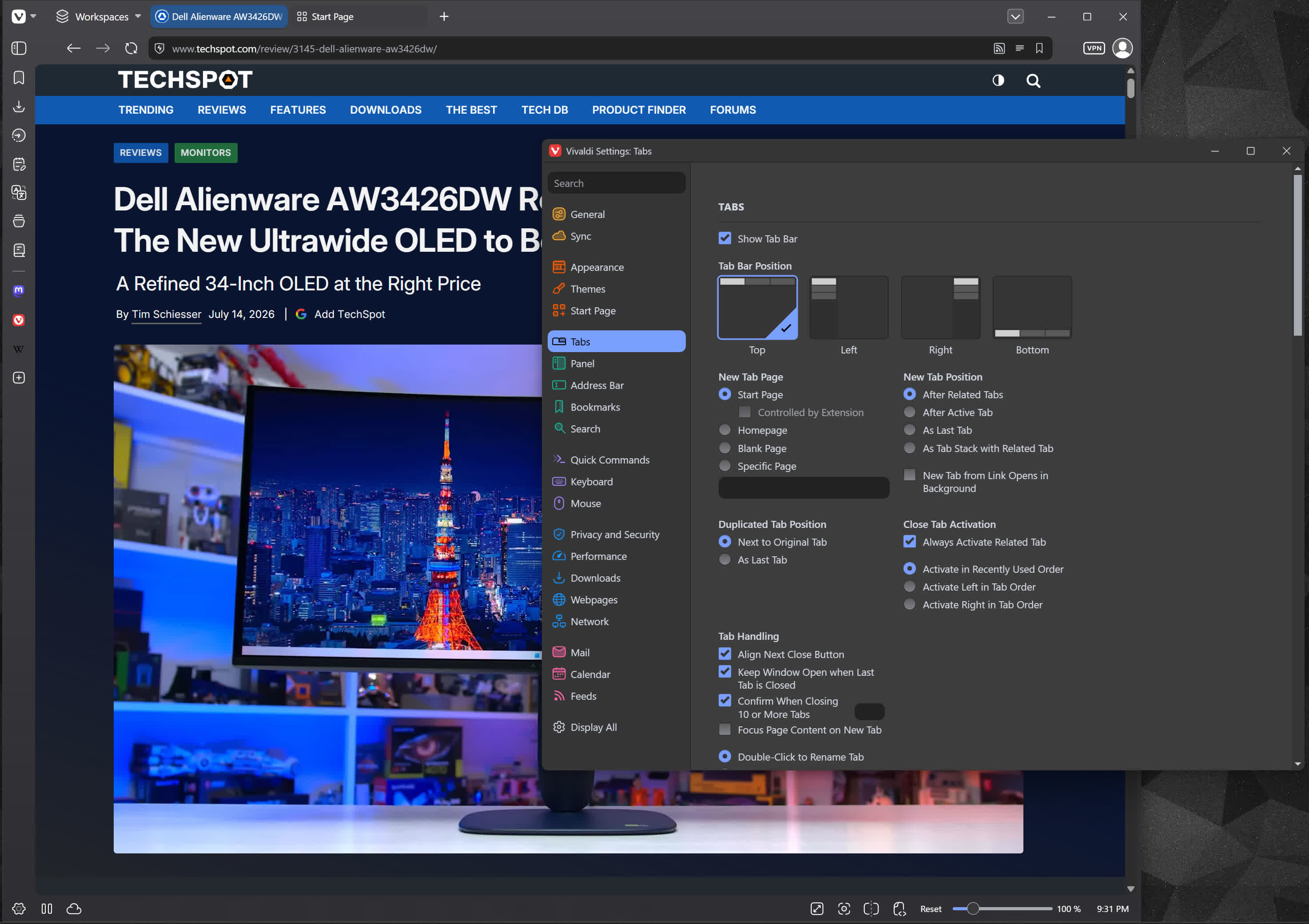
Vivaldi is popular among users who value deep customization and integrated features. Unlike many mainstream browsers, it lets you tailor nearly every aspect of the interface – from tab placement and keyboard shortcuts to visual themes.
Vivaldi's advanced tab management includes tab stacking and tiling. Users can group tabs, view them side by side, and hibernate inactive tabs to save resources. These features are particularly appreciated by power users who manage numerous tabs simultaneously.
What are the differences between Vivaldi and Google Chrome?
Vivaldi and Google Chrome are both based on the Chromium project. Vivaldi offers a more feature-rich, customizable experience out of the box. While Chrome aims for simplicity with a minimal interface, Vivaldi focuses on giving users control, with advanced tab management, side panels, integrated tools, and powerful browser settings.
Does Vivaldi support extensions like Chrome?
Because Vivaldi is built on Chromium it does support most Chrome extensions. You can install extensions directly from the Chrome Web Store.
Who owns Vivaldi?
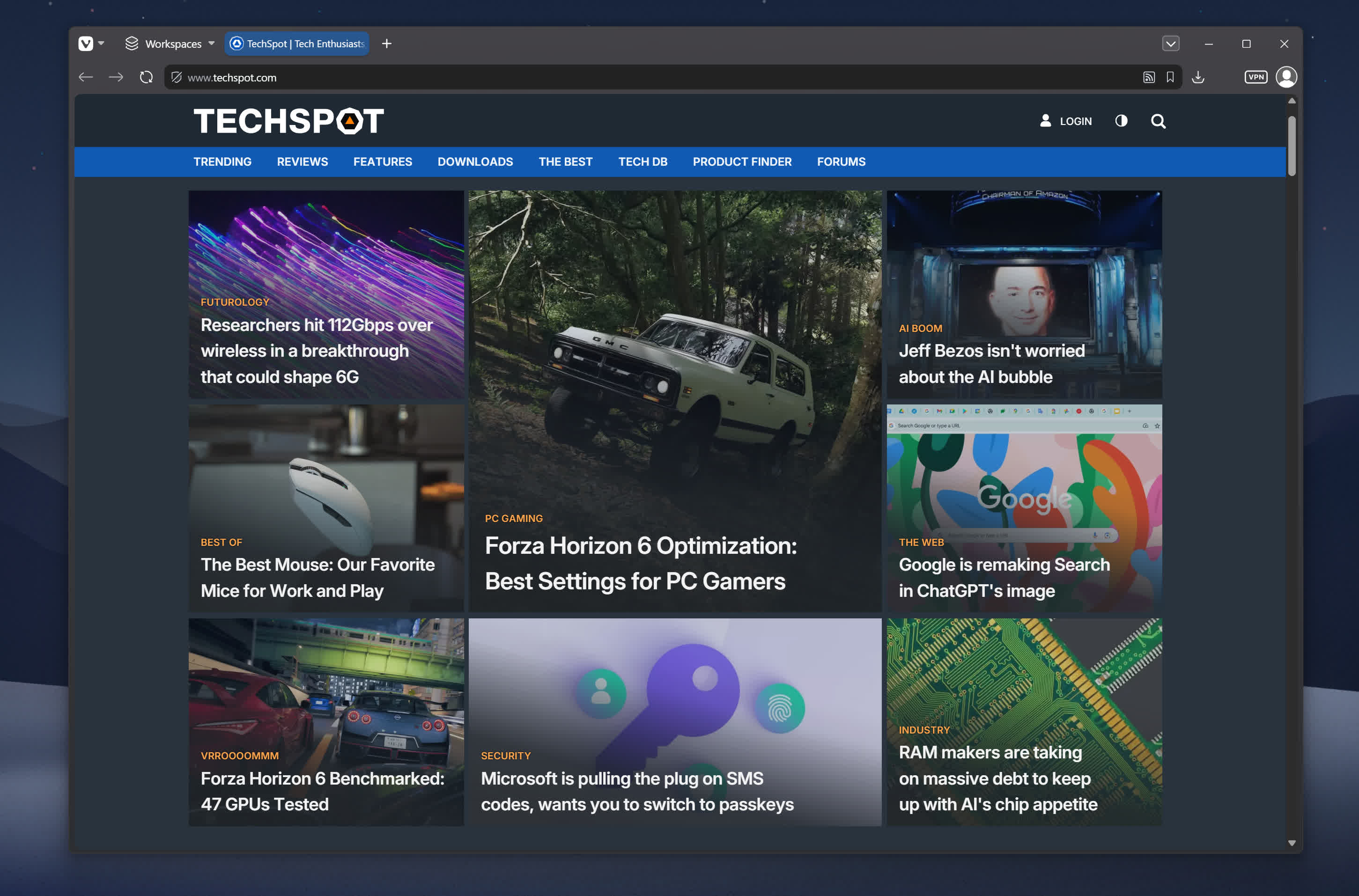
Vivaldi was launched in 2015 as a Chromium-based browser aimed at power users, developed by the creators of Opera. Vivaldi continues to be employee-owned with headquarters located in Oslo, Norway.
Is Vivaldi a safe browser?
Yes, Vivaldi is a safe and trusted browser. It features built-in ad tracking protection and a dedicated privacy menu. Additionally, Vivaldi lets you enable/disable Google services, hide your typed history, and tweak default website permissions. Starting with version 7.3, Vivaldi partnered with Proton to integrate Proton VPN directly into the browser.
What are key features of Vivaldi?
- Full-on user customization of how the browser looks and works
- A pause button in the status bar for pausing all media and site activity, saving system resources.
- Take screenshots of full web pages or a selection of the screen and save it as either PNG or JPEG.
- Built-in ad blocker and tracking protection.
- Lets you disable website images entirely, or only show the ones already cached on your computer when using slow connections.
- Compatible with RGB effects from Razer Chroma and Philips Hue.
- Chromium-based so it is compatible with all Chrome extensions, if you need them.
Features
Tab Tiling
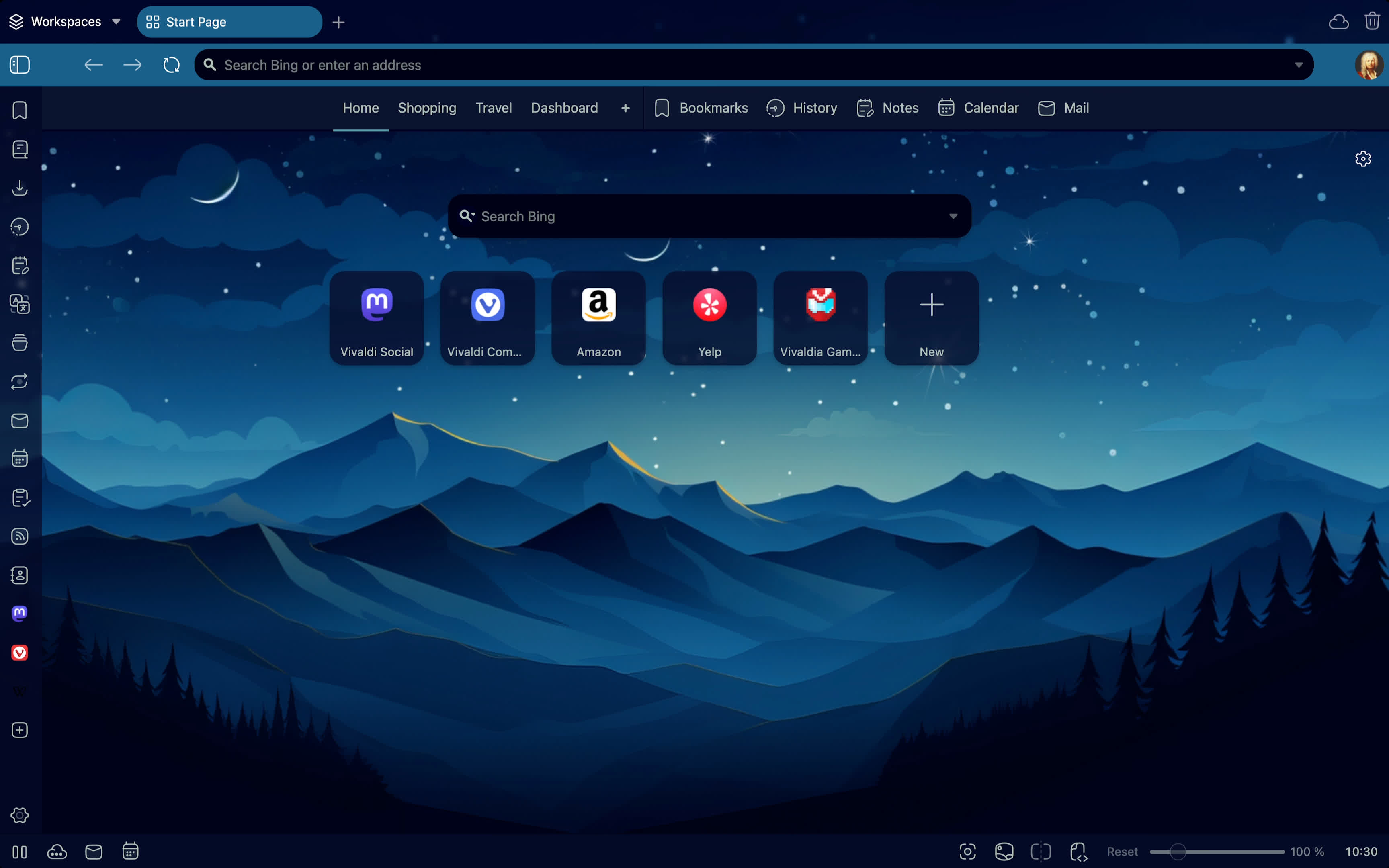
View multiple web pages side by side, split-screen style, in the same window. There's no set limit to the number of tabs you can open side by side (though there is a limit to what can be useful to you).
Tab Stacking
Two-level Tab Stacks are a great way to keep things tidy when you have a lot of open tabs. Once tabs are stacked you can: give the stack a name, create splitscreens, move them or hibernate them. Go nuts!
Web Panels
Add any website to keep your favorite sites easily accessible in Vivaldi's sidebar. You can easily add a page and decide to view it in mobile or desktop mode.
Workspaces
Workspaces is a great way to organize your tabs and your workflow in a way that makes sense to you. If it's a project at work, shopping, or social media, you can easily group them all in one workspace.
Control Everything with Quick Commands
Quick Commands is Vivaldi's universal search and control center. Instantly search tabs, bookmarks, history, or the web, and quickly execute browser commands, all in one place.
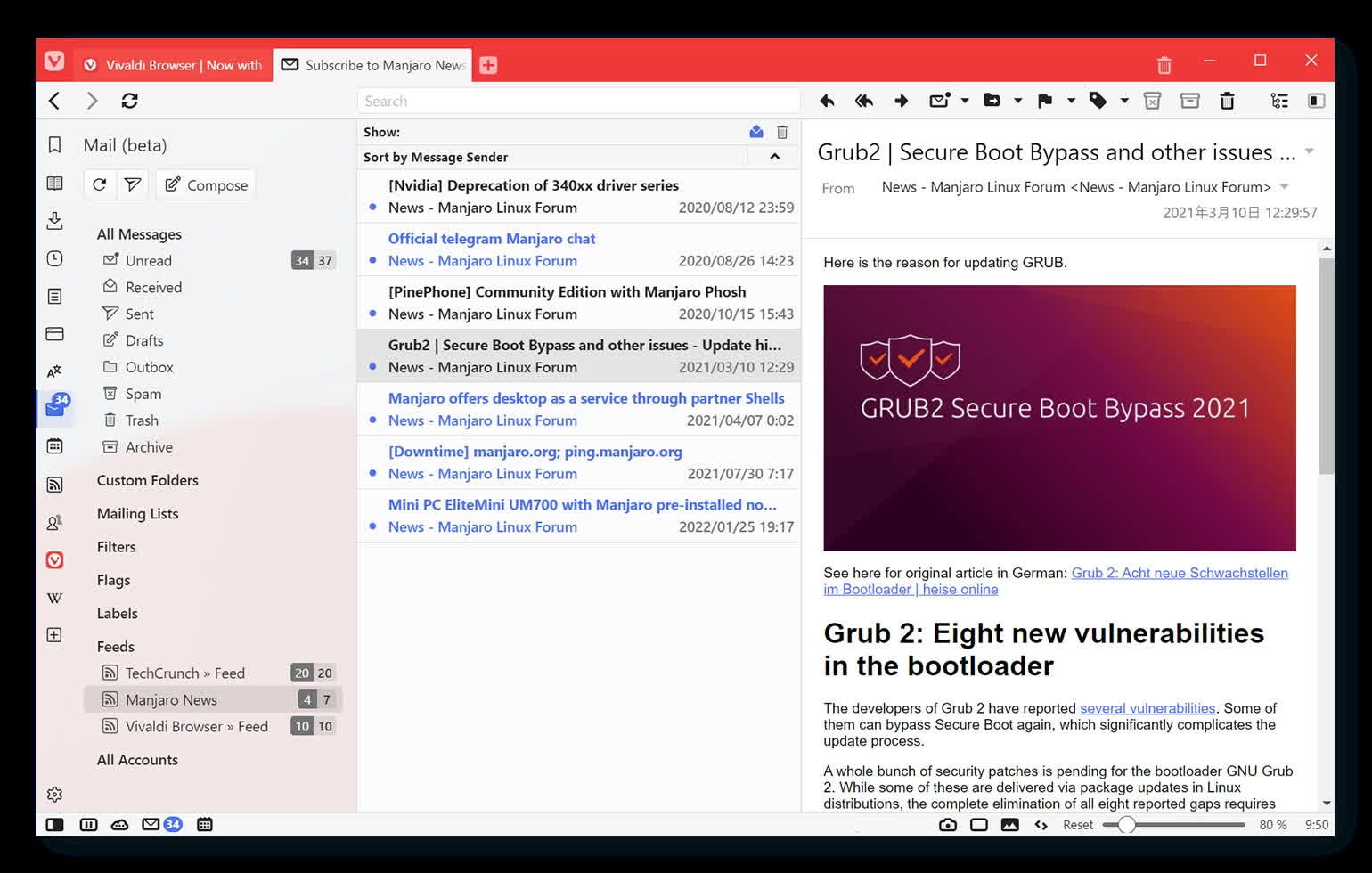
With the powerful email client built into the browser you get a focused email experience of all your accounts in one user-friendly inbox.
Feed-Reader
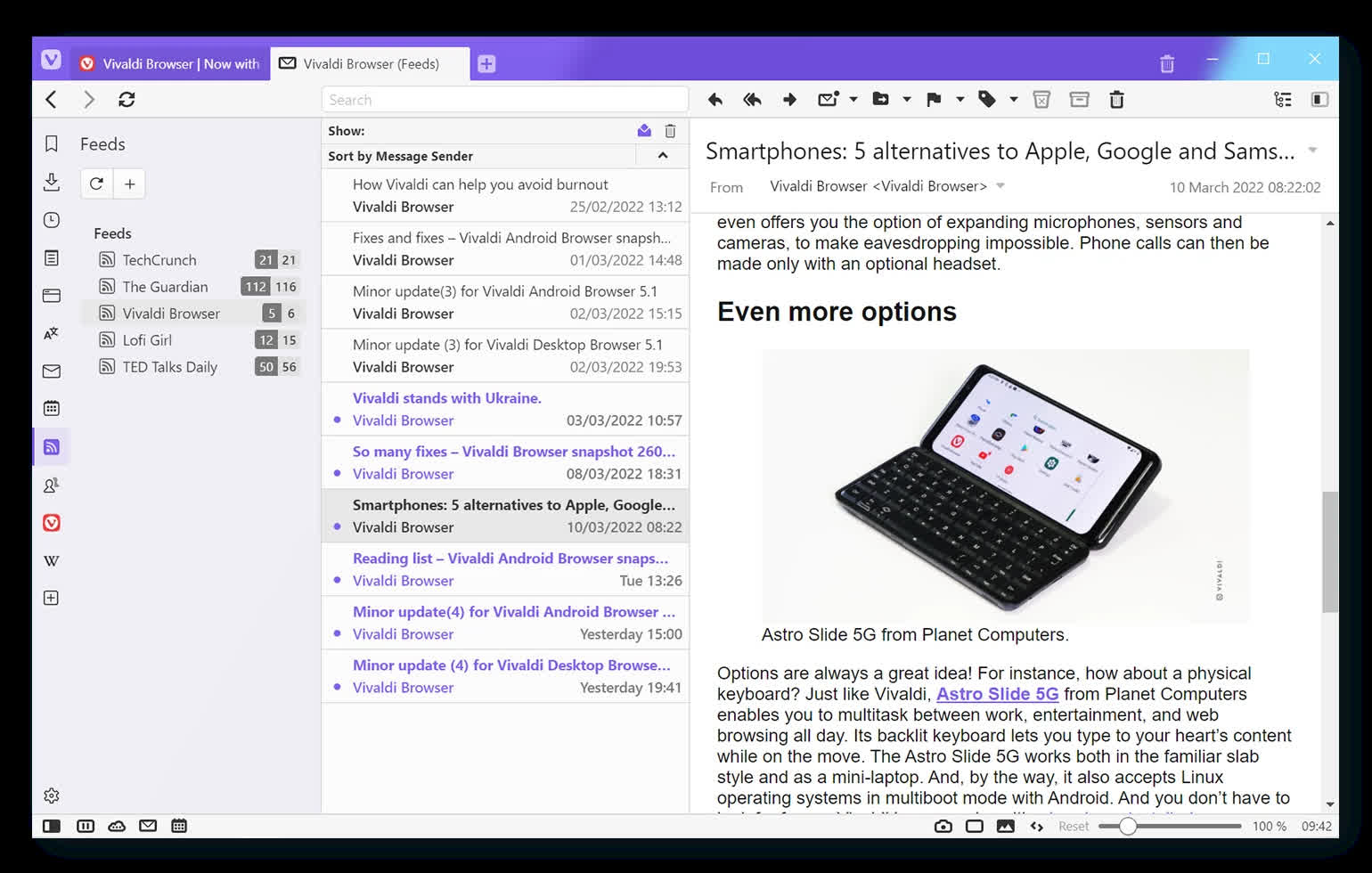
Vivaldi Feed-Reader lets you build a private news feed based on your interests. Add your favorite news site, YouTube channel, or podcast to get the latest update neatly presented directly in your browser.
Calendar
Vivaldi Calendar is a flexible way to manage all your events directly in your browser. With the Calendar Panel you have quick access to your events and stay on schedule throughout the day.
Speed Dials
Access your favorite websites quickly from the Start Page. You can customize the included Bookmarks or add custom Speed Dials and folders.
Notes
Take notes in the side bar as you browse and sync them securely to other devices.
Sync
Securely synchronize your Vivaldi browser data across multiple devices.
Translate
Translate any webpage with a single click with a built-in, private translation tool.
Capture
Take screenshots of full web pages or a selection of the screen.
Pop-out Video
Display videos in a floating window, so you can continue watching, while you work or play.
History
Get a detailed overview of your browsing history, with statistics presented in a fresh, visual way.
Mouse Gestures
Do just about anything in Vivaldi - open, close and switch Tabs, create Notes, and much more - all with movements of the mouse.
Command Chains
Save time and boost productivity by building your own shortcuts, workflows and browser modes. Trigger a custom sequence of commands with a single keystroke or gesture.
Proton VPN for Vivaldi
With one-click activation, you get enhanced privacy protections and all the VPN functionality you need. Because privacy should always be simple.
Custom themes
Add your touch to Vivaldi with custom colors, wallpapers, tab edge rounding, and other settings. There are thousands, if not millions, of ways to put your personal touch on Vivaldi.
Customizable UI
Virtually everything in the Vivaldi can be personalized to adapt to you. From button placement to panel layout, you have full control to create your perfect browsing experience.
Extension Support
If what you need somehow isn't already built into Vivaldi, you can bring your favorite Chrome extensions with you. They work great in Vivaldi too.
We Respect your Privacy
We don't profile your behavior, or sell your data. The sites you visit, what you type in the browser, your downloads, we have no access to that data. It either stays on your local machine or gets encrypted.
Block Trackers and Ads
Privacy matters. Vivaldi comes with a built-in tracker and ad blocker to protect your browsing. You're in control of how much or how little you want to block.
Private Browsing
Private browsing mode is intended to protect your privacy from other users of your computer. Vivaldi will minimize what is stored locally on your computer so that very few traces are left of what you were browsing once you close all private browsing windows.
Password Manager
Store your account login credentials in the browser, to access sites quickly and easily.
Encrypted Sync
We use end-to-end encryption to protect your data from being accessed by third parties. And as an added bonus, we host your browsing data on-premises in Iceland, where it's covered by strict privacy laws.
Vivaldi Takes a Stance
We have called for a ban on surveillance-based advertising. It's time to free ourselves from constant surveillance and highly personalized targeting of users on the internet. Vivaldi is fightning for a better web.
What's New
Vivaldi 8.2: we've done the math, and this is the browser you deserve
This release brings more built-in functionality to make your day to day easier, and a strengthened commitment to be there where you need us.
A new look for a new era
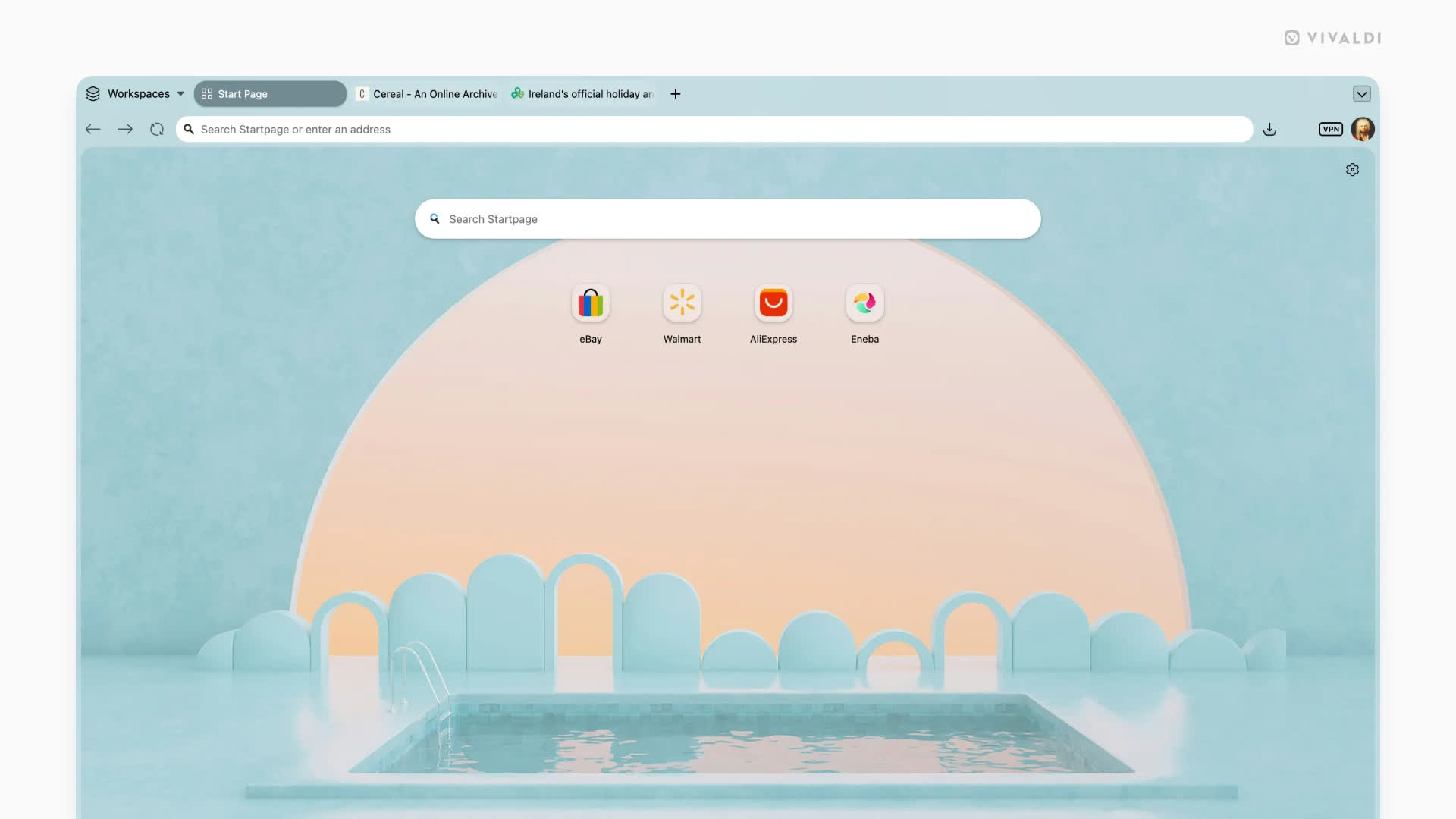
With 8.0, Vivaldi has a new look. We call it "Unified".
We have approached the Vivaldi interface less as a collection of components, and more as a layered system. Previously, those layers (tabs, toolbars, panels and content) have had subtle separations. This was useful, but also a bit fragmented. With Unified, those boundaries are removed.
All toolbars now live on a single, continuous surface: a Unified frame that wraps the entire browser. Instead of stacked regions, everything is composed within the same visual plane. That shift makes the interface feel more cohesive and easier to read. Alignment becomes more precise, spacing more intentional, and interaction more direct, because elements no longer sit in isolated layers.
When you pick a theme, it flows through everything. A dark theme is dark, all the way through. A warm theme carries that warmth into every corner. All elements of the browser belong together in a way that immediately feels… well … Unified.
It also changes how themes work.
With a single surface, your theme can flow across the entire window. Backgrounds are no longer confined; they can extend from the tab bar through panels and edges without interruption. Wallpapers feel less like decoration and more like part of the environment, especially when combined with translucency and blur. From a system perspective, this reduces complexity. Fewer layers, fewer exceptions and a more consistent foundation to build on.
This isn't about making the browser look simpler. It's about making the structure behind it more coherent. This makes everything you see feel like part of the same system.
You can see the new UI's possibilities with our new default themes, such as Zen, Soria Moria, Sunset Forest and Kawaii Clouds, and our updated light and dark themes. If you can't find something that hits the right spot for default, there are more than 7000 to choose from at themes.vivaldi.net. And if you have built a custom theme you love, you're free to decide if you want the new look, or keep your own (Settings →Themes → Editor → Coloring mode). Of course; this is Vivaldi.
Start exactly where you need to be
One of the things that makes Vivaldi special is also one of the things that can feel like a lot on day one: the sheer range of settings you can configure. If you have been using Vivaldi for years, you have your setup exactly as you want it and you would not trade it for anything. If you are brand new, figuring out where to start can be a real question.
Vivaldi 8.0 answers it with six preset layouts, available right from onboarding (and from Settings → Appearance → Layout whenever you feel like a change). Each one is a thoughtfully curated starting point.
- Simple gives you a clean, focused experience: tabs on top, nothing in the way, everything ready to go. It is Vivaldi in its purest form and it is already more capable than anything the mainstream browsers will offer.
- Classic is the Vivaldi you know and love. Toolbar, panels, all the controls in their natural places, now wearing the new Unified look. This is home for a lot of you, and it is as good as it has ever been.
- Vertical Right is similar to our classic look, but for people who prefer to have their tabs on the right. You'll find the URL field on top, and panels on the left, as usual.
- Vertical Left puts your tabs and address bar on the left side of the screen. Once you try this on a wide monitor, it tends to become permanent. It uses your horizontal screen space in ways that a top tab bar simply cannot. With Panels available on hover from the right side of your screen, it changes how browsing feels.
- Auto Hide is built for users who want the web to fill their entire screen. Your toolbar, tab bar, panel, and address bar step aside while you read, watch, or work, and reappear the moment your cursor reaches for any edge of the screen. It is edge to edge content with full Vivaldi capability sitting right behind it, and it is a way of experiencing the web that the other browsers have not figured out.
- Bottom moves your tab bar and address bar to the bottom of the screen. Your eye travels down naturally as you read, and your navigation is already there waiting. More people work this way than you might expect, and Vivaldi has always been happy to accommodate them.
Each of these layouts is a launchpad, not a limit. With all the powerful features and tools in Vivaldi, you have everything you need to make the web work exactly the way you want it to.
Vivaldi has a tab management system unlike any other browser. Tile as many pages as you want, just how you want. Use Follower Tab to explore links from an article without ever losing your place in it. Stack your tabs into named, colour-coded groups. Use the Tab Button to search everything at once: open tabs, synced tabs from your other devices, recently closed tabs. Your mail, your calendar, your notes, your reading list: all of it lives inside Vivaldi, organised on your terms, always within reach.
Vivaldi is truly the browser that adapts to you. We've proven this with every release. We even go as far as getting completely out of your way. With UI Auto-hide, even the interface itself knows when to let the content take centre stage. Vivaldi bends to how you work. It always has and always will.
This is Vivaldi. It always has been.
We do not answer to investors telling us which features to build. We do not track your behaviour or treat your data as inventory. Other browsers are adding AI to decide what you see. Vivaldi adds tools that give you more power when deciding for yourself. That has always been the difference. We build Vivaldi because we believe you deserve a better browser.
Changelog Vivaldi Browser 8.0
- [New][Themes] UI and theme refresh with unified design theme option VB-125607
- [New][Layouts][Onboarding][Settings] Add preset layouts for easier quick configuration of the browser VB-127447
- [New][Address field] Combine Site Prefs and Tracker blocker dialog VB-105050
- [New][Panel Editor] Combine Add Web Panel and Customize into one dialog VB-127104
- [New][Start Page] Quick settings makeover VB-127102
- [New][Panels][Extensions] chrome.sidePanel.setOptions API does not work VB-120826
- [New][User Agent] Spoof the current stable Chromium version: users were blocked because the browser is "unsupported" VB-124387
- [New][Translate] Improve look of translate dialog VB-120140
- [New][Tabs][Performance] Rewrite of the tabs management backend VB-122746
- [New][Tabs][Windows Panel] Provide a new related tabs panel sort view VB-122746
- [New][Permissions] Refactor permission handling VB-114658
Auto-hide
- [AutoHide] Suppress edge hot spots when entered while selecting/dragging VB-125996
- [AutoHide][Mail] Panel doesn't activate when on mail page VB-126981
- [Autohide] Tune delay and animation speed VB-127123
- [Autohide][Panels] Hidden panel can't be shown after enabling VB-126628
Crash
- [Crash] On startup due to failing to initialize the ICU Library VB-116093
- [Crash] When dismissing password save/update dialog VB-121977
- [Crash] When undocking inspector VB-126196
macOS
- [macOS] Opening external link when the browser is closed opens in new window behind regular window VB-39284
- [macOS] Three-finger tap lookup gesture is broken VB-95233
- [macOS][Auto Update] Update Sparkle library VB-126844
- [Mail] Disabled elements in Mail Panel: send button does not work VB-127499
- [Mail] Enter key no longer works in mail list for opening messages VB-127056
- [Mail] Filter by date does nothing VB-126951
- [Mail] Fix Search DB discrepancies VB-125513
- [Mail] Mail Status Button running in Guest mode VB-125748
- [Mail] Make composer Rich/Plain toggle into toolbar button VB-125794
- [Mail] Offer a way to fix the unseen counters VB-127696
- [Mail] Remove subject sorting from sorting per folder prefs VB-126568
- [Mail] Sender and Recipient columns are reversed in Sent folders VB-126504
- [Mail] Show an alert when an email without subject is sent VB-90197
- [Mail] Some settings should be disabled when the system is not up VB-127462
- [Mail] Some users mail cannot send or receive VB-127831
- [Mail] Startup/shutdown needs an overhaul VB-126027
- [Mail] Unable to re-add account after a crash VB-126136
Menus
- [Menus] Add Selection To context menu entry hides Notes/Calendar options VB-127072
- [Menus] Horizontal Menu has two menu-buttons VB-127681
- [Menus][Mail][Calendar] Add Selection To context menu entry hides Notes/Calendar options VB-127072
Tabs
- [Tabs] Animation is bad when the tab bar is not full VB-117609
- [Tabs] Dragging over an accordion tabstack will unstack it VB-126841
- [Tabs] Edit Tabstack, click in dialog and it closes VB-126402
- [Tabs] External app link open, improve tab placement rule VB-126690
- [Tabs][Restricted Pinned Tabs] Links opened from pinned tab get pinned VB-126069
- [Tabs] Opened within a tiled tabstack should also be tiled VB-124674
- [Tabs] Stuck in tab rename mode after accidentally double clicking a tab VB-125646
- [Tabs] Tab opens outside current Workspace VB-126082
- [Tabs] When vertical tabs enabled, make New Tab clickable area bigger VB-127654
Settings
- [Settings] Add explanation to Floating Panel when using Auto-hide UI VB-127620
- [Settings] Disabled single key shortcuts show as enabled in keyboard cheat sheet VB-108076
- [Settings] Turn off "Close window confirmation" as the default VB-126880
Start Page
- [Start Page] Cannot paste a copied text into sticky note when "Show Search Field" is unchecked VB-127387
- [Start Page] Dragging a speed dial causes flashes between multiple states VB-75756
- [Start Page] Focus Page hotkey not working VB-126541
Other
- [Address field] Priorize URLs else default to search when autocomplete is off VB-121860
- [Auto Update] Restart notification displays no text until moused over VB-127721
- [Bookmarks] Selector "Manually – related" option is shown when it should not VB-126463
- [Bookmarks][a11y] Add label to edit bookmark dialog from startpage VB-116810
- [Calendar] Extend event clipboard text representation VB-126460
- [Chromium] Update to 148.0.7778.183
- [Dialogs] Single shortcut warning lacks padding VB-125922
- [Feeds] Option for disabling feed button depends on feeds being enabled VB-121672
- [Feeds] Wrong characters in from field of feed using different charset VB-126840
- [Find in Page][Performance] Removing CSS filter from webview when unused VB-127823
- [Follower Tab] Opening follower tab link in a stacked tab will automatically tile all the rest of the tabs in your stacked tab VB-126150
- [Keyboard] Disabling web shortcuts prevents Shift+letter to write capital letters VB-117129
- [Media][Widevine] Fetch Widevine earlier on startup VB-109434
- [Panels][Windows Panel] Audio icon overlays active tab indicator VB-127085
- [Translate] Gibberish Context added in Translation from Japanese to English VB-125265
- [Window Panel] Change component visibility and order VB-119338
- [Windows][Installer] vivaldi protocol association in Windows, causing popup on every launch VB-127643
- [Workspaces] Links open in a new empty window with a broken tab bar VB-126070
- [Workspaces] List is not updated when a window is closed VB-127436

