

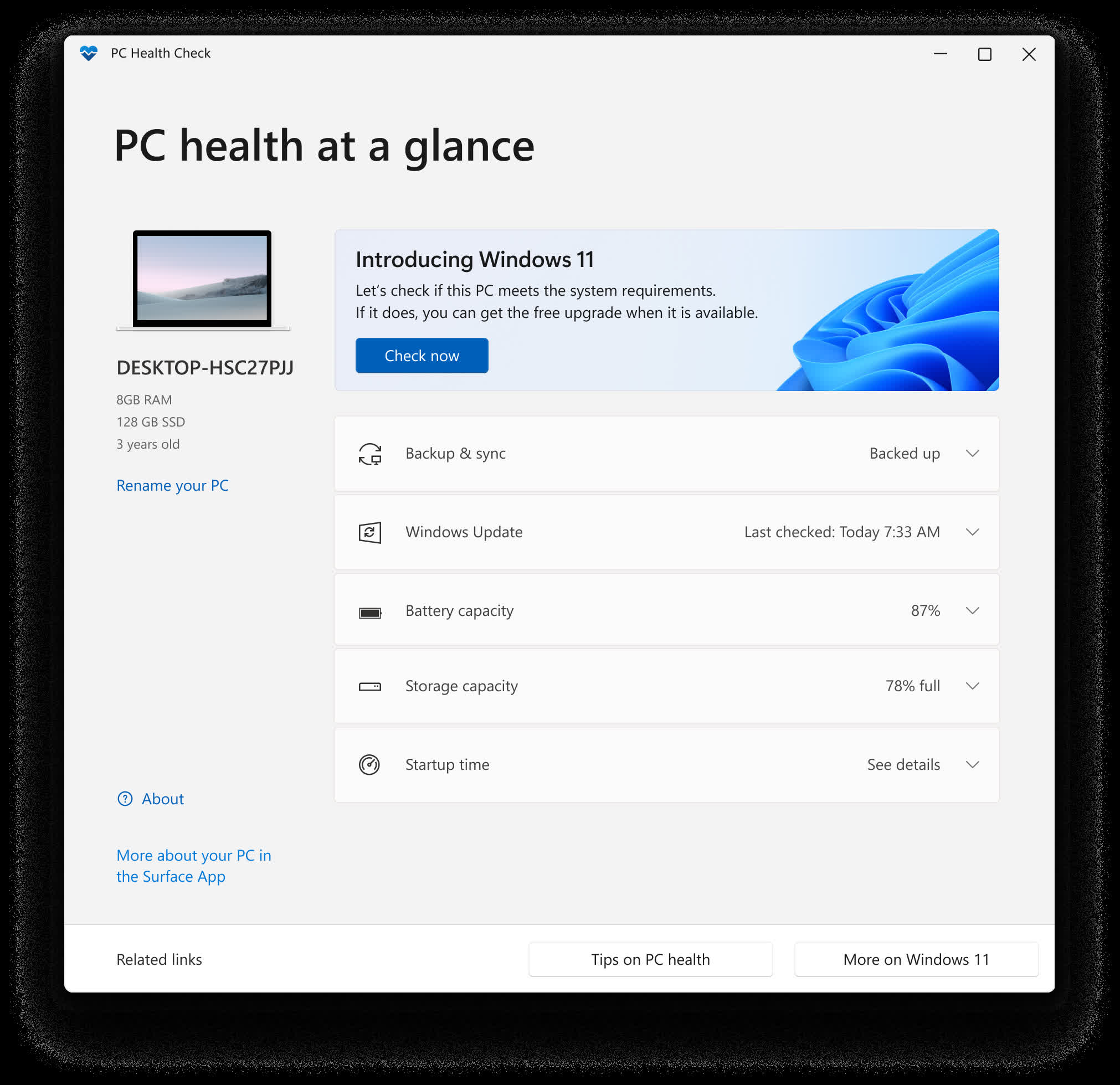
PC Health Check app brings you up to date info on your Windows device health, helping you take action to improve your device performance and troubleshoot performance problems. It is periodically updated based on customer feedback to help you make the most of your Windows PC.
Why does PC Health Check say my PC meets the Windows 11 requirements, but Windows Update still insists it doesn't?
Sometimes the Windows Update system doesn't immediately refresh its compatibility cache after you make changes (like enabling TPM or secure boot). Users report that after they got green ticks in PC Health Check, Windows Update still said the PC was incompatible until the system re-ran its internal checks or after rebooting several times.
Why does the app tell me my CPU isn't supported even though it's listed in Microsoft's CPU compatibility list?
In many cases, the CPU list approved for Windows 11 is stricter than general hardware specification lists. A CPU that's valid for Windows 10 may not qualify for Windows 11, even if some references show it. Also, PC Health Check may enforce additional criteria (e.g. microcode, security features) beyond raw model name.
How does PC Health Check determine "computer age," and why is it often wrong?
The "age" shown by PC Health Check appears to derive from metadata such as the OS installation date or BIOS/firmware timestamps, not the true hardware manufacture date. Many users have noticed it often reports a much younger age than the actual system.
Features
Check Windows 11 eligibility
If you're currently running Windows 10, PC Health Check provides a comprehensive eligibility check for your device to ensure it meets the Windows 11 minimum system requirements. You'll get info on why your device is or isn't eligible, plus info on what you can do if your device doesn't meet the requirements.
Backup & sync
Sign in with your Microsoft account or create a new one to sync your preferences across your devices, such as passwords, Microsoft Edge browser settings like favorites and reading lists, themes, and more. You can also back up your photos and files to OneDrive. They'll then be protected and accessible across your devices.
Windows Update
Regular Windows updates help keep your device running smoothly and securely. If your device isn't up to date or needs attention, PC Health Check will let you know.
Battery capacity
Use this section of PC Health Check to get info on how your batteries are performing compared to their original capacity for devices with one or two batteries. Battery capacity will be available for devices older than 3 years. Select See battery saving tips for steps you can take to improve battery.
Storage capacity
See how much storage space is being used for your device's main drive, which contains your files, apps, and Windows. You'll see the percentage your drive is full. Expand this section of the app for info on how much free space is left. Select Manage storage settings to turn on Storage Sense or get other cleanup recommendations.
Startup time
Get info on the startup time for your device, along with more info about what affects these times. Select Manage your startup programs to review and change your startup apps.
See your device specifications
You can find more info about your device below its image, including your device age and storage amounts. Select Rename your PC to give your device a different name.
