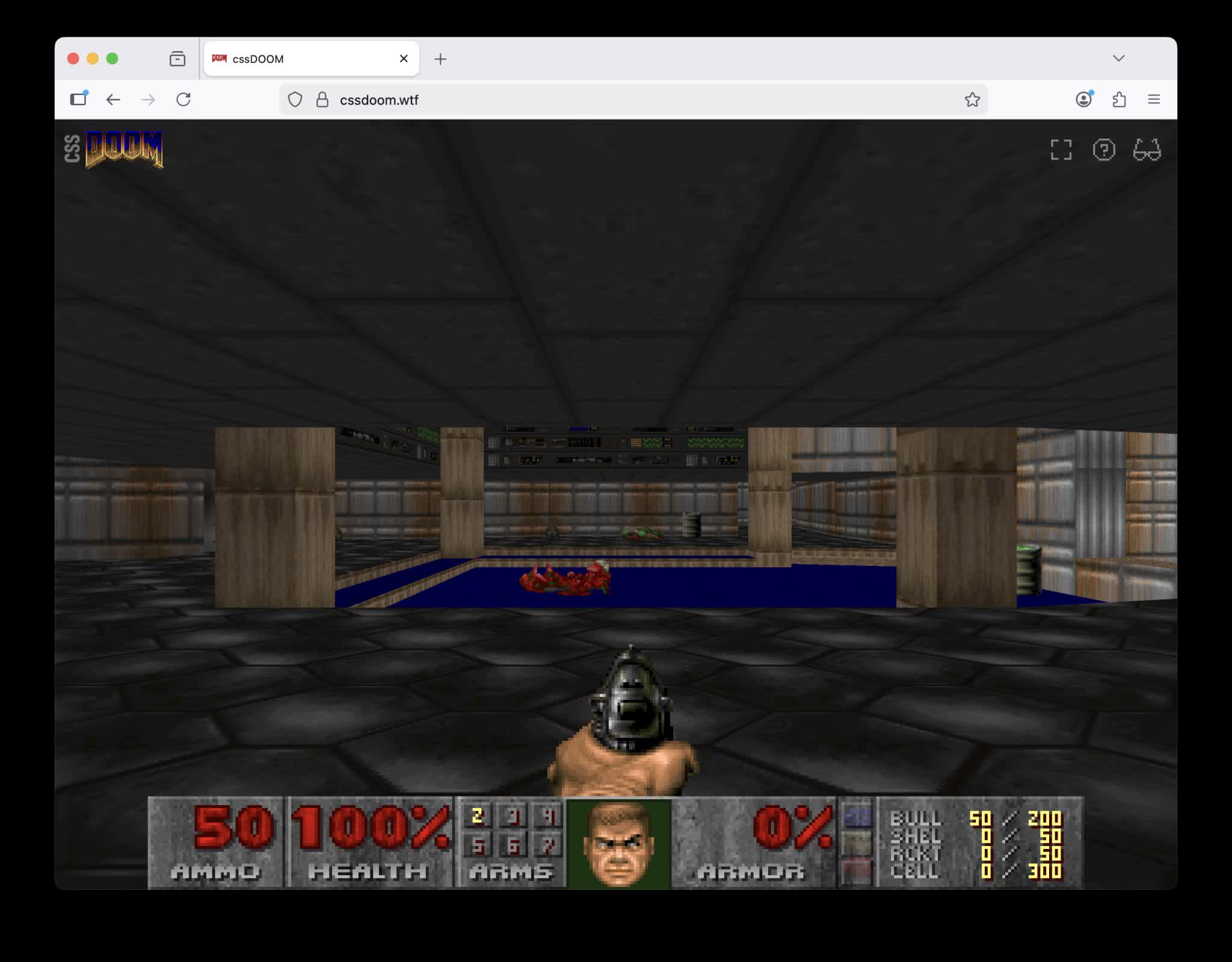
In a nutshell: Modern CSS has been pushed into some unusual places over the past few years, but few experiments stretch it as far as a fully playable version of Doom rendered entirely with HTML elements and style rules. In a recent project, Dutch developer Niels Leenheer rebuilt the classic shooter's visuals so that every wall, floor, barrel, and imp is a div transformed in 3D space, with JavaScript handling the game loop and CSS taking over all of the rendering.
Leenheer is best known for creating HTML5test.com, the WhichBrowser user-agent parser. He began exploring a CSS-based Doom renderer after completing an earlier experiment that ran the game on an oscilloscope, reusing code to extract map data from the original WAD file.
His latest experiment builds directly on that work. The extracted data is compiled into a static scene composed of thousands of div elements, each annotated with raw Doom coordinates. The browser's layout and compositing systems then render these as positioned 3D objects using CSS transforms and math functions such as hypot () and atan2 ().
Instead of having JavaScript compute the full 3D geometry, the script passes through the original coordinate pairs along with floor and ceiling heights as custom properties, leaving the CSS engine to perform the trigonometry for wall width and rotation.
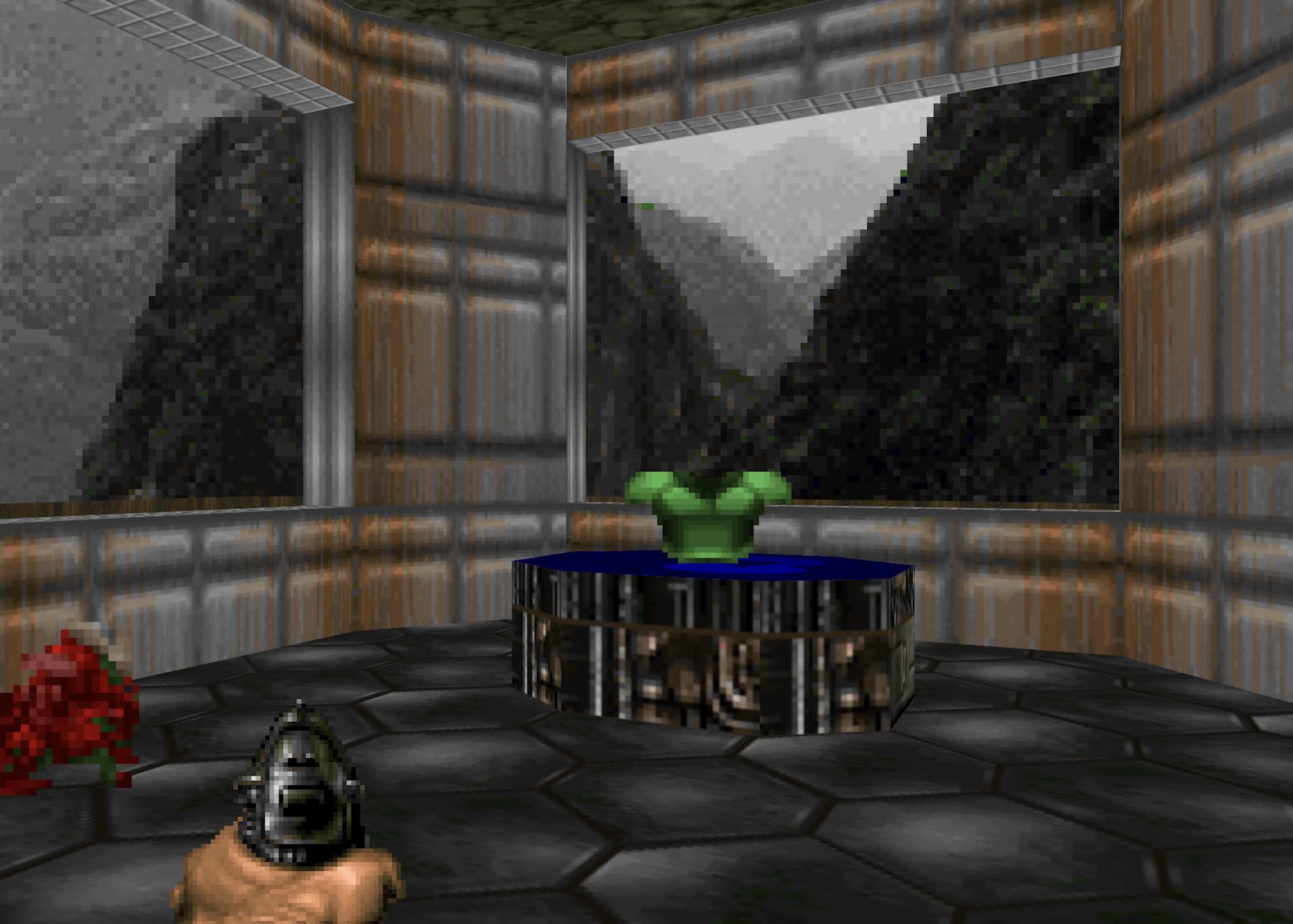
The separation is deliberate: JavaScript runs a game loop derived from the open-sourced C code for Doom, while a thin rendering layer exposes only new coordinates, state attributes, and a handful of custom properties to CSS. Attempts to keep game state and logic entirely in CSS were abandoned as impractical, but the rendering path remains almost entirely on the styling side.
Much of the project comes down to reconciling Doom's coordinate system and rendering tricks with how browsers handle 3D. Floors are modeled as div elements rotated 90 degrees around the X axis, then clipped into arbitrary sector polygons using clip-path with polygon () or the newer shape () syntax to support complex outlines and even-odd fill rules.
Texture tiling across sectors is kept seamless by anchoring background positions in "world" coordinates. For example, if an element is offset by 200px horizontally and 400px vertically, the background-position is set to -200px -400px so patterns line up as if they were painted across a continuous plane.
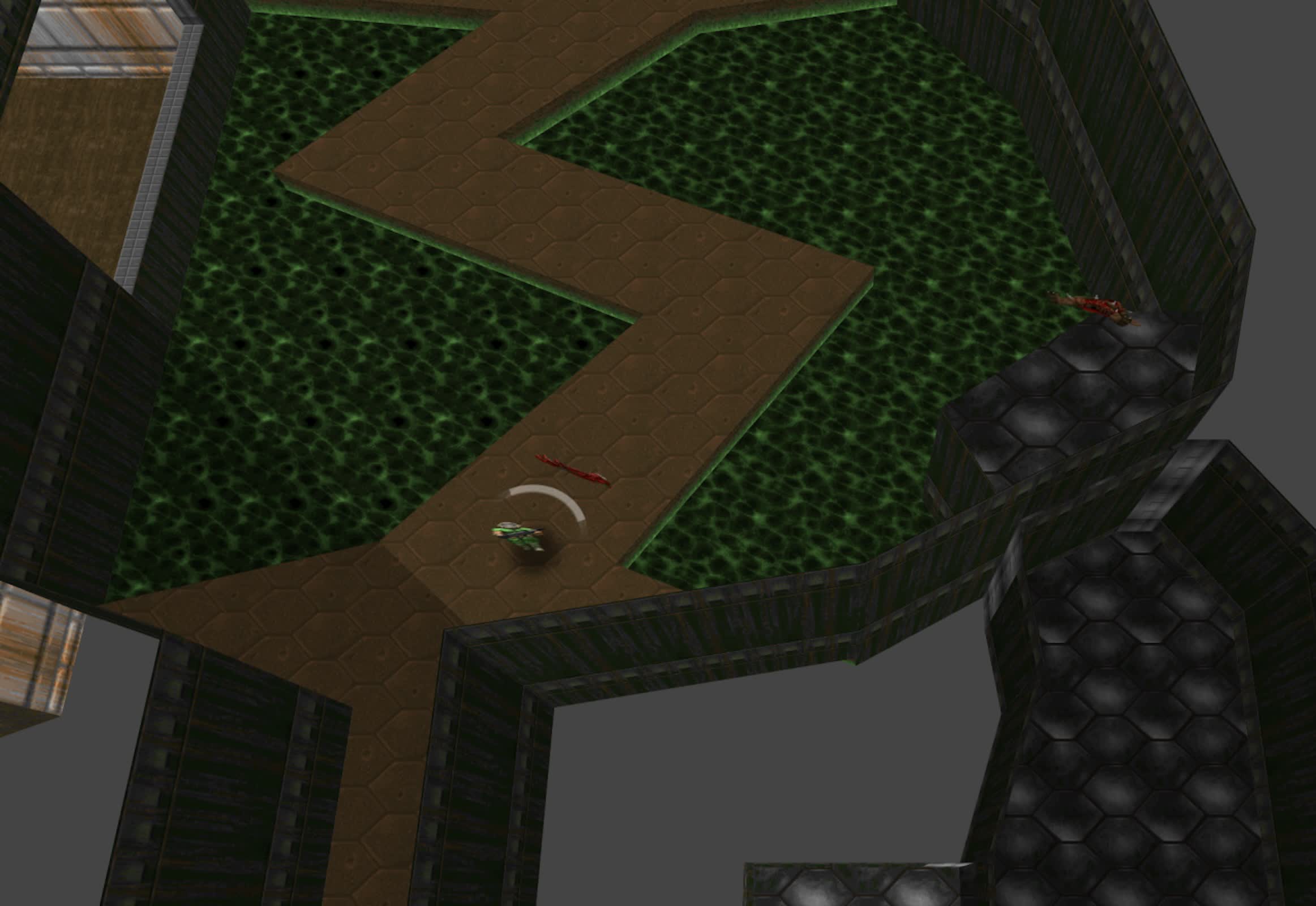
Movement works by shifting the world rather than using a camera, which doesn't exist in CSS. JavaScript tracks the player's position and angle in four custom properties, and CSS inverts those values to move the scene in the opposite direction, compensates for perspective with an extra translate, and leaves the rest to the browser.
Sprite handling for enemies and projectiles relies on billboard techniques: CSS rotates each sprite to face the viewer, mirrors frames with scaleX when needed, and advances spritesheets with step () animations, while JavaScript updates state attributes.
Lighting, doors, lifts, and projectiles are all treated as stateful style problems. Sector light levels are stored as a cascaded custom property used with filter: brightness (), so everything inside a dark sector is dimmed without adjusting each element individually. Opening a door moves a container upward via a CSS transition on a custom property; the game loop only toggles a data attribute, leaving the animation to the browser. Projectiles are created with start and end coordinates and a duration; CSS animates them from point A to B using translate (), while a separate rotate () property keeps them facing the player.
One of the more unusual applications of modern layout features is making the game responsive. The DOM-based HUD is reconstructed from the original fixed-width status bar into separate elements for ammo, health, face, armor, and keys, laid out with Flexbox so they wrap naturally on narrow screens.
A spectator mode adds another layer of CSS-driven camera logic. A follow view positions the camera behind and above the player using CSS calc () together with sin () and cos () on the player's angle to derive offsets, and uses separate translate () and rotate () properties so transitions between first-person and follow views interpolate smoothly.
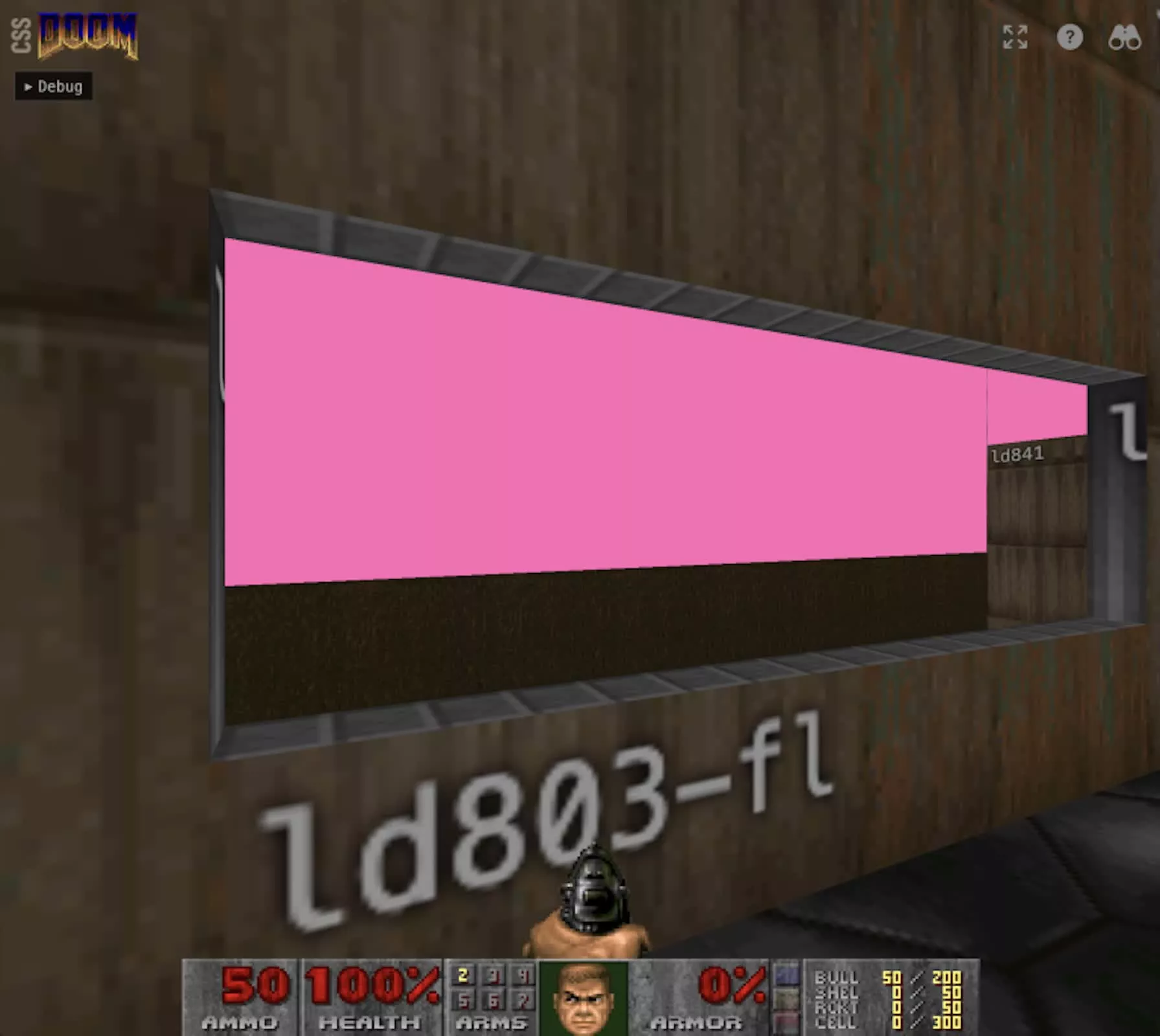
Performance and correctness issues exposed some limits of this approach. Large maps with thousands of 3D-transformed elements can push browser compositors into stutter – or even crashes – on mobile Safari, so Leenheer added culling to hide geometry outside the player's field of view.
A straightforward JavaScript implementation walks through the elements and toggles a hidden attribute based on distance and angle. He also experimented with a pure-CSS variant that computes a visibility flag and then uses a "type grinding" trick: a paused animation whose delay is set via a custom property to land on keyframes that either show or hide the element.
Some parts of Doom's original renderer simply do not translate cleanly. The game draws sky textures in effectively 2D on "walls" that can sit in front of real map geometry, whereas the CSS version must project a true 3D scene with the sky drawn behind it. This causes some surfaces that Doom hides behind the sky to become visible; correcting this required an additional culling step to hide objects positioned behind sky walls from the player's viewpoint.
Leenheer is clear that the project is not a replacement for a WebGL or WebGPU renderer and that performance remains constrained, but he argues that this is not the point. "This is about pushing the boundaries of what CSS can do," he writes, pointing to trig functions, @property animations, clip-path, SVG filters, and anchor positioning as "production-ready CSS features being used in ways their spec authors probably never imagined."
The result is a playable demonstration showing that, with enough div elements and a generous use of modern CSS, Doom's world can be reconstructed in a browser without relying on a graphics API at all.
CSS is the latest in a growing list of unusually low-tech devices and other objects that people have tricked into running Doom. Others that can run the classic FPS include:
- A single keyboard key
- The late John McAfee's "unhackable" crypto wallet
- A McDonald's cash register
- A McDonald's self-order kiosk
- The Playdate handheld
- Minecraft
- A captcha
- A $15 Ikea smart lamp
- A Motherboard
- A Lego brick
- John Deere combines
- Notepad
- The Atari ST
- A candy bar
- A one-milliwatt neural chip
- The Commodore 64
- Teletext
- A robot lawnmower
- Fortnite
- A self-generating AI model
- Holograms
- Nintendo's Alarmo clock
- A PDF document
- Microsoft Word
- An Anker power bank
- A satellite orbiting hundreds of kilometers above Earth
- The Windows screen saver
- Earbuds
- A computer made of living human neurons
- TypeScript's type system
- A box containing the game
- A QR code
- DNS text records