

The latest version of Opera browser includes browser AI, Tab Islands, smooth animations and a clean modular design, delivering the most forward-thinking browsing experience to date.
Opera vs Opera GX, what's the difference?
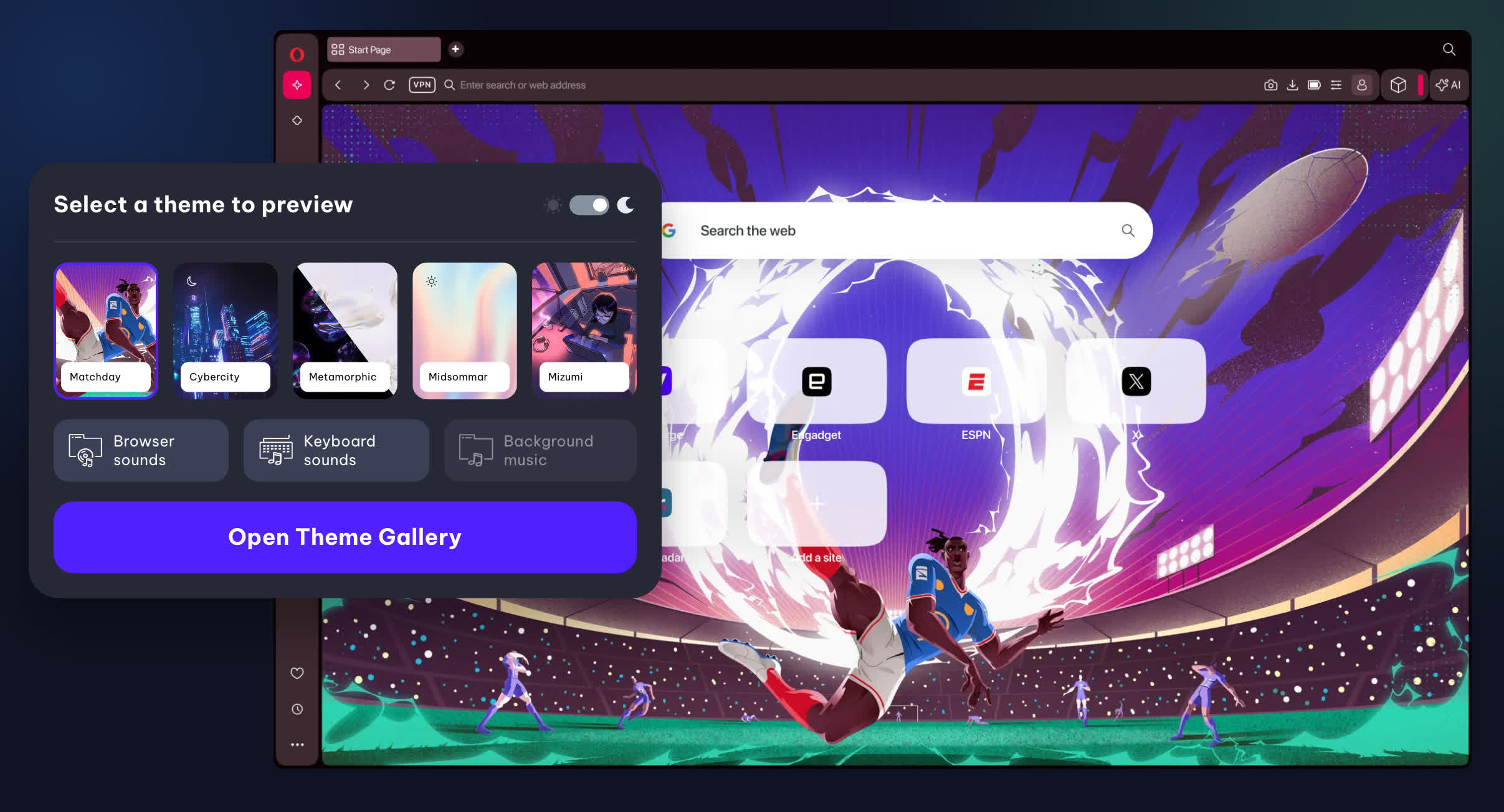
Opera is the company's mainstream browser (also branded as Opera One), offering a clean interface, built-in VPN, ad blocker, and various productivity features. Opera GX is designed for gamers, featuring unique options like CPU, RAM, and network bandwidth monitoring to optimize gaming performance. It also comes with integration to services like Twitch and Discord, and a more customizable, gaming-inspired aesthetic.
How do I activate the Opera VPN?
To activate the Opera built-in VPN, open the settings tab and navigate to advanced settings, where you will find the VPN option. Once enabled, a VPN badge will appear left of the address bar. Pressing that VPN button will show you a dropdown of locations and a data meter.
Is Opera a Chinese browser?
Opera has its roots in Norway where it was developed by Jon Stephenson von Tetzchner and Geir Ivarsøy. Opera is headquartered in Oslo, Norway, however it was acquired in 2016 by a Chinese investment group and has become a multinational company with offices in several other countries.
What's the difference between Opera and Opera One?
Opera One is a 2023 rebrand of the the Opera Browser. The "One" was added to differentiate the previous version from the all new AI version. Major updates include Opera One R2 released in October 2023, and R3 released in January 2026. Version numbers like 126.0.5750.43 have remained a constant through all the latest rebranding.
Features
Tab Islands
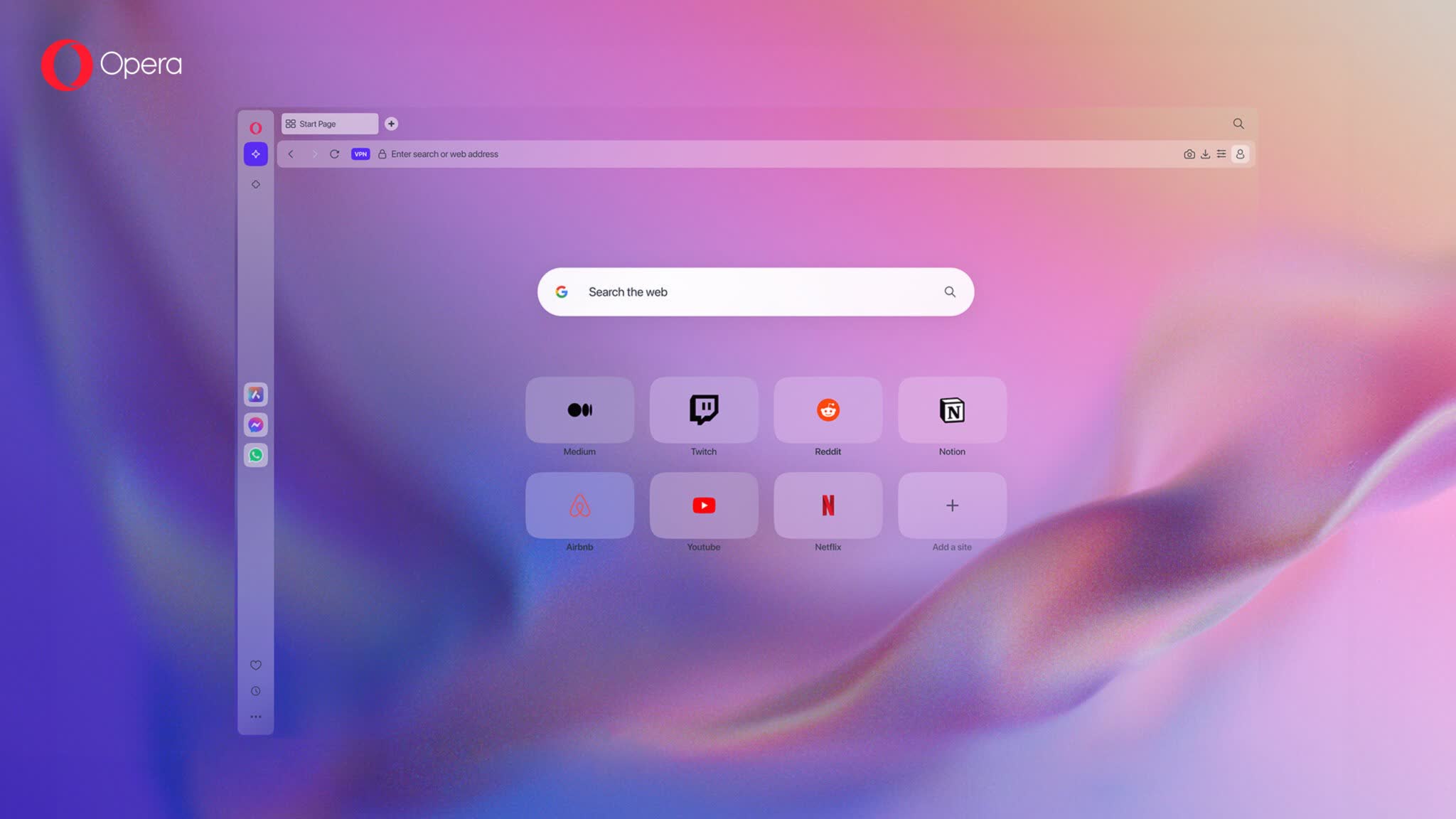
Easily arrange tabs in separate groups for intuitive, context-based browsing. Tab Islands let you keep related tabs together, which can be collapsed or expanded as needed for more room and focused browsing.
Browser AI
Chat with AI on desktop and mobile in Opera Browser. ChatGPT and Aria, Opera's free and unlimited browser AI, are seamlessly integrated into your browser.
Built-in Messengers
Easily use your favorite messengers and social apps while browsing the web. WhatsApp, Instagram, Twitter and more are built right into your sidebar.
Free & Pro VPN
Browse privately using Opera's built-in, free VPN on desktop and mobile. Or even subscribe to VPN Pro to get enhanced protection for your entire device.
Ad Blocker
Enjoy cleaner and smoother browsing with less distractions. Ad Blocker protects your privacy and speeds up your browsing on both mobile and desktop.
Flow file sharing
Instantly send files, links and notes between your devices.
macOS Support
Opera natively supports the newest line of Apple M-series processors. With the transition from Intel to Apple Silicon chips, Apple is able to gain more control over the performance of Mac hardware and the software that runs on macOS.
What's New
Today we're finally rolling out the major R3 update to Opera One, and with it come improvements in three key areas that make your browsing experience much better: better tabs, advanced AI, and modular design improvements. Last fall we let you test some of these new features in the Developer stream of the browser, and now we're finally bringing them to all of you so you can become more productive with Opera One.
With this update we're bringing the following new things:
- New Tab Island customization;
- The new, upgraded, Opera browser AI;
- Google Services, incl. Gmail and Calendar in the sidebar;
- The introduction of Early Bird for beta testing new features;
- An expanded Split Screen that now lets you split your screen into 4;
- Improved Easy Files, Music Player and webpage translator; and
- New R3 Themes.
New Tab islands Customization
Tabs are the cornerstone of modern browsing, and this update brings new innovations to the way you interact with them – bridging the gap between a legacy feature and the future of browser technology.
Opera has been improving the tab experience ever since we invented and introduced tabs to the web browser back in the year 2000. In 2023, we introduced Tab Islands to Opera One and they quickly became one of your favorite features. Tab Islands are automatically created based on your browsing context, which lets you keep related tabs together in groups. They can also be expanded, collapsed, or even moved around within the tab bar.
Today we're bringing an update that introduces even more ways of customizing and organizing your Tab Islands. With Opera One R3 you can choose the color of the Tab Island as well as name it – which adds an extra layer of visual organization so you can find what you're looking for quicker.
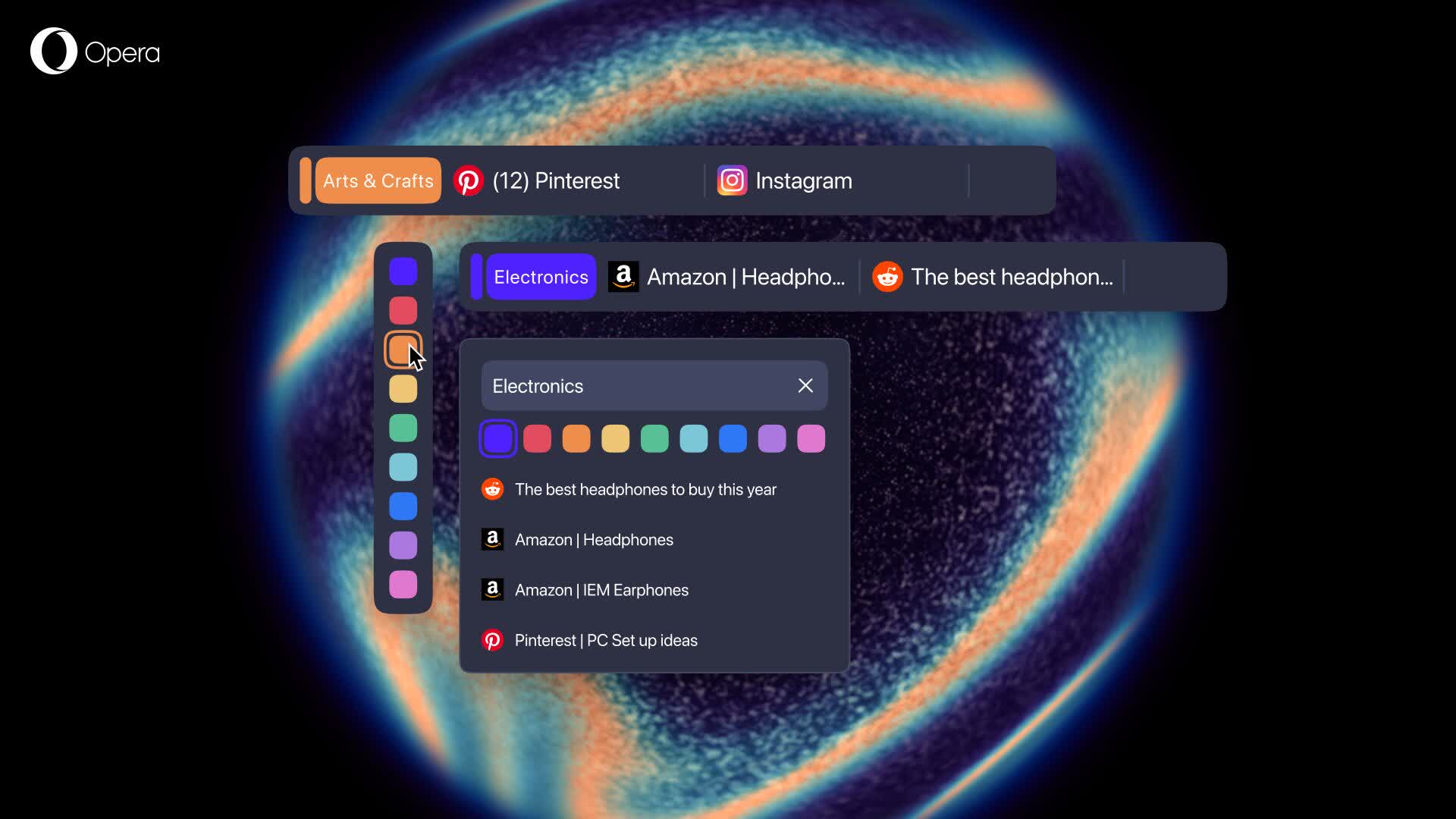
For example, if you're the kind of person that likes to keep a tidy workspace and contracts your Tab Islands, leaving only the one you're using open, this will make it much easier to find other tabs. By naming and color coding your Tab Islands you can create a customized order in your own browser, and by naming a Tab Island "Holidays" you'll have an easy time getting to those important tabs that are waiting for you.
And if you're a tab maximalist (like the author of this blog), the color coding and naming will allow you to tame the chaos and find tabs more easily.
To customize the color or name of your Tab Islands you simply need to hover over the handle of the one you want to edit, and a popup menu will appear with the different color options and a text input box for you to add a name to the Tab Island – it's that easy!
The new Opera browser AI
With Opera One R3 we're bringing a rebuilt browser AI that has the ability to use your currently open tab (or Tab Island) as the context for the answer it will provide.
For this, we've changed the access point to the browser AI. Now you can find it in the top-right corner of the browser as a button that says "AI." When you click it you access the new dedicated space for the Opera browser AI interface. Additionally, it no longer appears on top of your content, but as a side panel you can interact with whenever you want – working alongside your tabs.
Opera browser AI has also been re-engineered under the hood. On the technical side, the engine has been rebuilt for speed with a new architecture, adopting an agentic-based engine from Opera Neon. Because of this, it is capable of delivering 20% faster responses – and the good news is you can still use it without an account and for free.
Let's go over some of the new features and capabilities of Opera AI:
- Contextual responses: Opera browser AI can use the context of your currently open tab (or Tab Island) to give you answers based on the context you're browsing in. This means the AI won't mix contexts in its answers. Together with the new tab customization features you can make the most of this feature to organize your research, work, planning, or even comparisons between content of different tabs and Tab Islands.
- And if you don't want this? When you start a new chat with Opera browser AI, you can disallow access to page context by toggling a button that appears at the top of the interface, just underneath the close button "x".
- Video analysis on YouTube: Opera browser AI can understand the context of YouTube videos and tell you all about them. This can help summarize long videos, or even find specific moments within a video so you can jump straight to what you're looking for.
- Privacy and control: To use Opera browser AI, you need to enable the feature and specifically allow it to access the content of the page. To protect your privacy further, Opera browser AI only understands the context within the specific web page you're currently on, or the Tab Island group it belongs to. In other words, we limit the information to what is necessary to perform the task you requested. Opera browser AI does not send your general browsing activity or history to our AI Engine. Furthermore, Opera browser AI does not have automatic access to any Google services that you have open.
When you start a new chat, Opera browser AI waits for your first prompt to access the content of the page or Tab Island in question. You can easily turn off access to page content by disabling the option at the top of your Opera browser AI chat, before you start writing to the AI.
- Wallpaper generation: You can use the image generation capabilities of Opera browser AI to generate wallpapers for both desktop (horizontal) and mobile (vertical) devices. In order to create these wallpapers, you simply need to describe in your prompt what you want to create and specify if you want it to be horizontal or vertical.
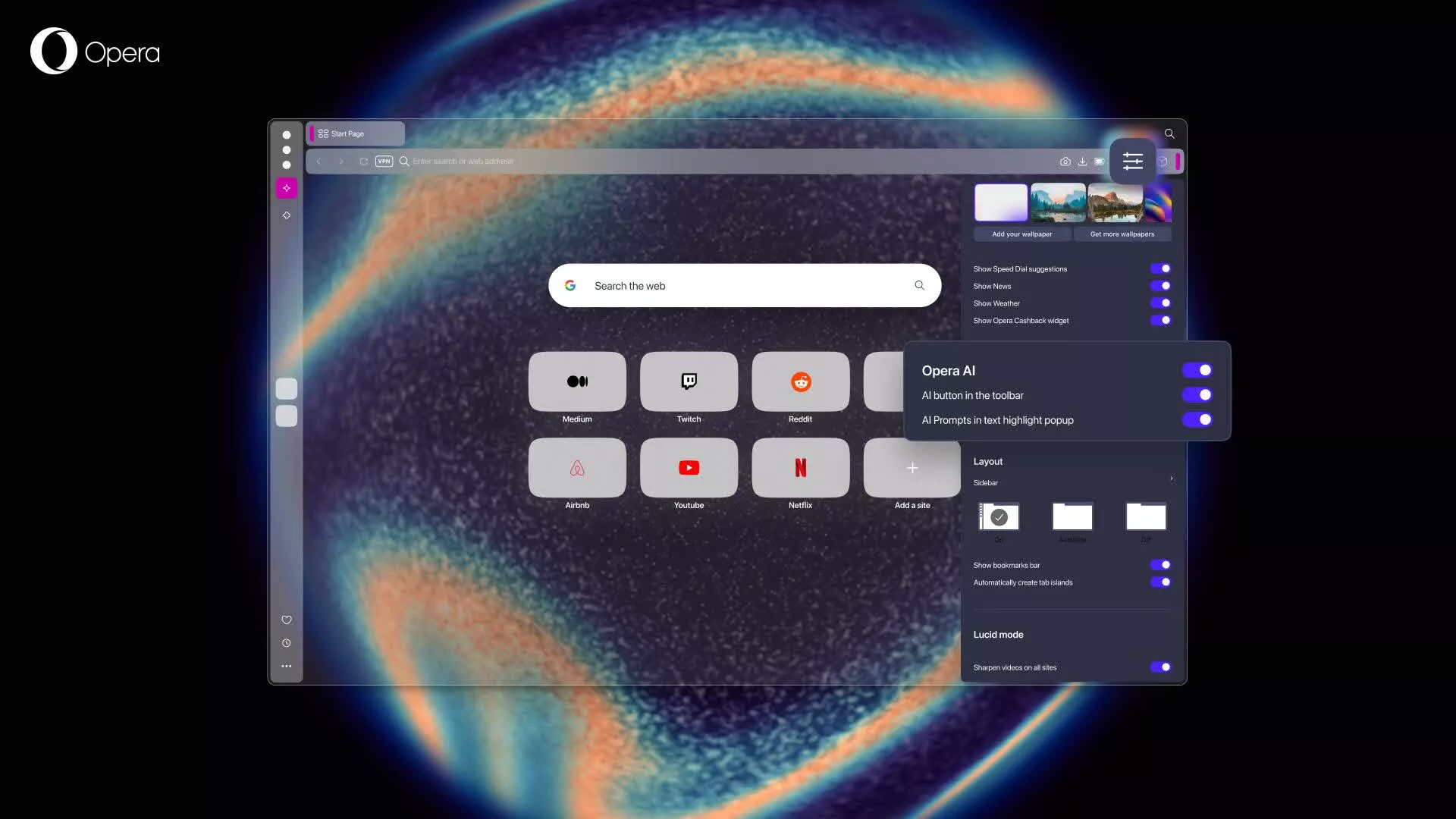
Opera browser AI is an opt-in feature within Opera One, and the easiest way to enable it (partially or fully) is in the Easy Setup menu or in the general settings. In both places, you will see three switches:
- The first – entitled "Opera AI" – is the main switch – if that is deactivated, then all Opera AI features within the browser are turned off.
- The second one enables access to the AI button (access point) in the toolbar.
- And, the final switch is for AI Prompts which, when active, will offer prompts when you highlight text on a webpage.
You can activate or deactivate some or all of Opera browser AI's features according to your preference.
Google Services integrated in the sidebar
The sidebar in the Opera browser is one of the most popular features among you, it's your go-to place for some of the apps and services most important to you, like Spotify, ChatGPT, Instagram, or X – you've voiced your appreciation for the sidebar, and we've been listening. That's why last year we made some new integrations to the sidebar and brought some more options and services to it (like Slack and Discord) – and today we're bringing even more.
After looking carefully at your feedback about which services we should add next to the sidebar, we're introducing Google services into the sidebar since having them always at hand would naturally be a productivity boost that will save you a lot of tab switching over time.
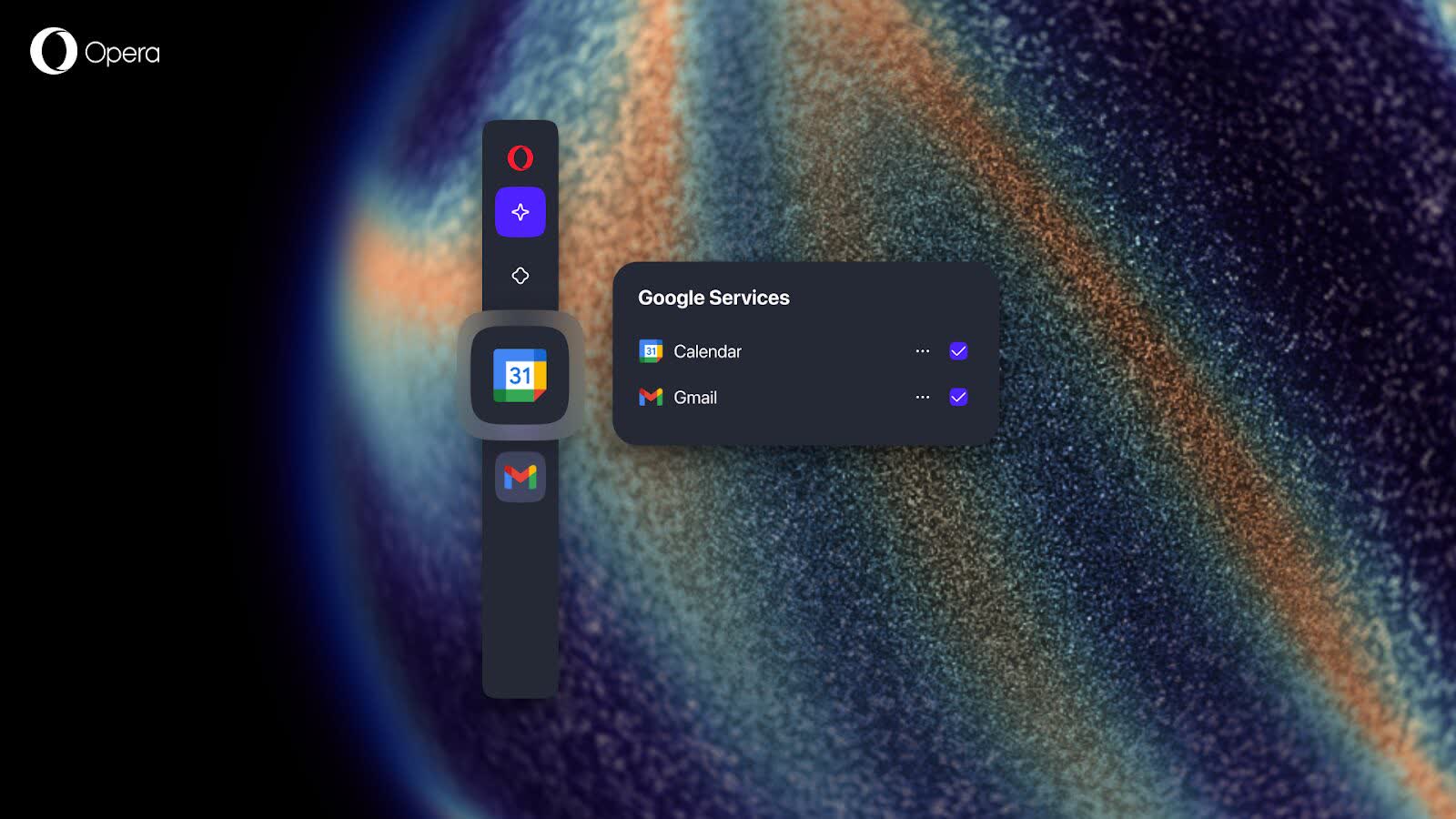
To get started with Gmail and Google Calendar in the sidebar you'll simply need to:
- Open the Sidebar setup menu by clicking on the three dots at the bottom of it.
- Navigate to the section called "Google services."
- Click on the circle in front of Gmail and Google Calendar and they'll show up in your sidebar.
Additionally, you can also resize the panel when you open it by dragging it from left to right from its edge. And finally, you can also pin the panel to keep it open while you browse and minimize its interference with the tabs you're browsing through – you can do so by clicking on the pin icon on the top right corner of the panel.
Previous Release Notes:
Opera 125 is here!
We're happy to announce the release of Opera 125, now promoted to our stable channel.
What's new:
- Updated Chromium: Chromium engine has been updated to version: 141.0.7390.125.
- Stability improvements: We fixed several crashes related to tab handling, split screen, popup windows, Easy Files, the sidebar, themes, and more.
- Settings & UI fixes: Missing section in settings, broken links in the installer, styling issues in popups, and several macOS and Linux specific issues have all been resolved.
- Split screen enhancements: Numerous issues causing incorrect layouts or crashes when working with split-screen tabs have been addressed.
- General quality updates: From more consistent theme handling to resolving autoupdate problems.
For a complete rundown, take a look at the changelog.
Previous Release Notes:
This update brings a wide range of stability and performance improvements, along with fixes for crashes, UI glitches, and translation errors.
The highlight of Opera 120 is that Opera's built-in Translator is now live and available to all users, making it easier than ever to translate web pages directly in your browser.
You'll also notice enhancements to Split Screen, improved Password Management, and refinements to features like Tab Islands, Miniplayer, and VPN Pro.
Changelog for 120
- CHR-10028 Update Chromium on desktop-stable-135-5543 to 135.0.7049.115
- DNA-112048 Spelling error in speed dial – German translation
- DNA-118890 Crash at opera::RegisterPathProvider
- DNA-119134 Crash at views::ViewAXPlatformNodeDelegate::FireNativeEvent
- DNA-119349 [Split screen] Restoring tabs opens split screen tabs as tab island
- DNA-120162 Crash at opera::MainMenu::FillOMenuHeader
- DNA-120341 Crash at opera::oauth2::DeviceNameServiceImpl::HasDeviceNameChanged
- DNA-120753 Crash at opera::BrowserWindowCocoa::GetBounds
- DNA-120799 Hide toolbar entries based on the available width and a prioritized list
- DNA-120928 A red dot indicating a new message appears, even though no message has been received
- DNA-120940 [Split Screen toolbar] Snapshot is not displayed correctly with Speed Dial page
- DNA-120997 [Split screen toolbar] 'Ask Aria' should not be visible
- DNA-120998 [Split Screen toolbar] Extensions container is displayed for both panels
- DNA-121093 Possibility to remove the only/last classic theme
- DNA-121111 [Tab Island Split Screen] Add context menu option to move out of tab island for split screen in tab island
- DNA-122499 [Password Management] Save-password popup displays dark mode image in light mode
- DNA-122500 [Password Management] Save-password popup image lacks shadow
- DNA-122501 [Password Management] Incorrect styling for Password Manager link
- DNA-121260 Disable background music during Google Meet call
- DNA-121446 Crash at bookmarks::BookmarkModel::~BookmarkModel
- DNA-121495 Can not focus folder on start page by keybard navigation
- DNA-121554 [Split screen toolbar] Icons remain visible with dropdown opened until hovered again
- DNA-121555 [Split screen toolbar] "Add to Pinboard" feature remains in loading state and does not complete
- DNA-121561 After reopening, easy setup doesn't start from the top
- DNA-121564 Crash at views::View::SetPaintToLayer
- DNA-121567 Sometimes autocomplete in dropdown eats some letters
- DNA-121582 Crash at extensions::TabsQueryFunction::Run
- DNA-121590 DevTools attempts to match Chrome's language setting
- DNA-121591 DevTools displays Chrome's recording feature
- DNA-121603 Disable some items in 'On Exit' tab when sync is enabled
- DNA-121617 [Linux] No settings are displayed on the certificates page
- DNA-121662 [Tab Island Split Screen] Closing split screen tab in collapsed tab island causes island to become invisible
- DNA-121669 Search bar blends into background on opera://flags
- DNA-121708 Support theme color abstraction and expose color values
- DNA-121749 [MacOS] Miniplayer does not remain visible on top after switching to full screen
- DNA-121753 [Tab Island Split Screen] Add tab button is cut off after dragging split screen into tab island
- DNA-121784 [Tab Island Split Screen] Dragging split screen on tab strip hides it under tab island
- DNA-121786 SD tile colors are reversed in dark mode and light mode
- DNA-121787 Allow H.264 levels up to 5.1/5.2
- DNA-121790 Crash at signin::IdentityManager::GetPrimaryAccountInfo
- DNA-121817 [Toolbar miniplayer] Gap between address bar and miniplayer is too small
- DNA-121818 [Toolbar miniplayer] Hover effect on buttons should be the same as hover effect on address bar icons
- DNA-121829 Wrap "On Exit" tab into feature flag #clear-history-on-exit
- DNA-121864 Crash at extensions::ExtensionUpdater::OnBlocklistDownloadFinished
- DNA-121866 Translations for text in Easy Files context menu
- DNA-121868 CLONE – [Win] The checkbox has the wrong color and is not visible (a black checkmark in a blue box).
- DNA-121869 Incorrect download origin in opera://downloads page when "@" redirection is used
- DNA-121870 Change logic to display last 5 used emojis
- DNA-121872 Custom site panel field in sidebar setup truncates URLs longer than 64 characters
- DNA-121875 Bump major version to 120
- DNA-121881 Crash at tabs::UnpinnedTabCollection::AddTabRecursive
- DNA-121886 Update env variables for web UI
- DNA-121888 Opera React Web UI (operaaccount) tests fail
- DNA-121894 Crash at extensions::ProxySwitcherPrivateEventRouter::OnBrowserRemoved
- DNA-121896 Linux ARM fails to compile
- DNA-121897 CHECK when creating split screen without #split-screen-toolbar
- DNA-121899 Translations for Opera 119
- DNA-121901 [Split screen] Only one tab is displayed after returning to split screen from different tab
- DNA-121908 Installed extensions are located on the left side of the page.
- DNA-121912 [Miniplayer][MacOS] Detached mini-player doesn't keep its position when moving browser window
- DNA-121928 Remove chromium "Safety Check" option in settings
- DNA-121929 [Mac] X button is cut on the right side caused by 'pin to toolbar' button
- DNA-121932 [Windows] Crash at opera::ToolbarElementsVisibilityManager::Process
- DNA-121937 Crash on saving split screen tabs to Pinboards
- DNA-121945 [Clear browsing data on exit] [UI check] "i" icon color incorrectly displayed
- DNA-121946 [Clear browsing data on exit] Incorrect display of 'i' icons for unlogged users
- DNA-121947 [Tab Island Split Screen][UI check] Split screen blends with background in light theme
- DNA-121949 [Mac][Miniplayer] Detached mini-player moves automatically to the right corner of a screen each time window is restored from maximized state
- DNA-121951 [Split screen toolbar] [UI check] VPN badge displayed on both panels instead of just the right tab
- DNA-121973 Crash at extensions::(anonymous namespace)::ThumbnailFetcher::Fetch when opening pinboard popup in private window
- DNA-121975 [Private window] Text in address bar dropdown is almost invisible
- DNA-121982 [Split screen] Split screen groups become tab islands after browser restart
- DNA-121984 Not possible to change default cookie settings
- DNA-121985 [Tab Island Split Screen] Split screen background remains on tab strip after collapsing tab island
- DNA-121988 Saving page as PDF leads to page crash
- DNA-121990 The selection moves/'jumps' in dropdown to where the cursor is, even if doesn't move the mouse
- DNA-121993 Crash when restoring session containing opera://flags
- DNA-121994 Crash at base::ObserverList::RemoveObserver
- DNA-121995 Crash at opera::HeartButtonControllerImpl::Update
- DNA-121998 [VPN Pro][Settings] Location list for Express subscription in settings shows numbers instead of flags and location names
- DNA-121999 [VPN Pro][VPN badge] For Express VPN locations different numbers are displayed as IP address
- DNA-122001 [VPN Pro] If there are multiple locations for a country, selecting one causes all of them to be shown as active
- DNA-122007 [Split screen toolbar] Toolbar icons not displayed on hover
- DNA-122012 Crash at opera::ComponentTabCyclerView::HighlightContents
- DNA-122017 Skip Ad button not shown in PiP window for YouTube ads
- DNA-122023 [Split screen] Address bar in both panels duplicates on click
- DNA-122033 Check at base::ObserverList::~ObserverList() [Win]
- DNA-122034 Gray out 'Create' button when limit of custom sites is reached
- DNA-122039 Check at base::ObserverList::~ObserverList() [Mac]
- DNA-122042 Fix recently used locations for ExpressVPN provider
- DNA-122043 Converting different currencies into RUB, BYN, HRK, IDR doesn't work
- DNA-122045 BrowserNavigatorTest.Disposition_NewPopup_ExtensionId fails
- DNA-122053 Text not visible when hovering over options in padlock popup
- DNA-122056 Crash at opera::component_based::ComponentTabBar::ReorderChildren
- DNA-122068 Detached split screen is incorrectly drawn
- DNA-122070 Split screen dragged out of an island is re-attached in a wrong position
- DNA-122072 [Split screen toolbar] Clicking on translate button has no effect
- DNA-122080 Crash when creating split screen from orphaned and pinned tab
- DNA-122083 Workspaces cannot be edited when there's a maximum number of them.
- DNA-122101 Crash on switching workspaces if Opera runs with – disable-animations-for-tests
- DNA-122107 [Split screen toolbar] Crash when cancelling drop action with Esc when target drop view is visible
- DNA-122119 "Close tabs" tab menu option does not close both tabs in inactive split screen group
- DNA-122120 Split screen group is destroyed after moving group and another tab to a new window
- DNA-122121 [Win] Address bar dropdown becomes empty
- DNA-122122 [Clear browsing data on exit] History not deleted on exit with custom sync settings
- DNA-122123 [Clear browsing data on exit] Options remain checked if previously selected after sync is enabled
- DNA-122129 [Tab Island Split Screen][UI Check] No hover effect on split screen tabs
- DNA-122130 Chromium warning dialog in settings
- DNA-122133 [Pinboards] Wrong tab added to Pinboards when attempting to add tab from context menu
- DNA-122134 [Mac] Crash at bookmarks::BookmarkModel::~BookmarkModel
- DNA-122135 Incorrect translation of "may" in German language
- DNA-122137 Spelling error in speed dial – German translation
- DNA-122142 Add a comment line switch to simulate a browser update ready state
- DNA-122144 Style components with environmental tokens
- DNA-122145 [Windows] Playwright tests crash on official win32 builds at FaviconSource::GetColorProvider
- DNA-122146 [VPN Pro][Settings] If there are multiple locations for a country, selecting one causes all of them to be shown as active
- DNA-122149 Free vpn location is broken
- DNA-122154 Reconnect to vpn service after changing vpn pro subscriptions
- DNA-122167 Crash at PrefService::GetBoolean
- DNA-122171 'Show emojis in tab tooltip' setting visible after disabling feature flag
- DNA-122177 [Split screen toolbar] Miniplayer is shown in both toolbars all the time
- DNA-122178 Disable BrowserNavigatorTest.Disposition_PictureInPicture_OpenFromWebApp
- DNA-122179 BrowserNavigatorTest.ReloadLockedTab crashes (DCHECK)
- DNA-122189 [Split screen] Web view does not show content from two tabs after restart
- DNA-122190 [Miniplayer in toolbar] Mini-player in toolbar is only shown in split screen
- DNA-122193 Crash at opera::component_based::SplitScreenModelImpl::InsertSplitScreen
- DNA-122201 [Meet][Player] After closing 'Present now' popup music from player starts playing
- DNA-122203 Bookmark folders are no longer visible in "O" menu
- DNA-122204 [Miniplayer in toolbar] Mini-player stays visible on toolbar after being unpinned
- DNA-122213 [MacOS] DumpWithoutCrashing at ProfileManager::~ProfileManager
- DNA-122217 Failure to connect with Flow – push notifications not working
- DNA-122218 [Split screen toolbar] Not all available icons are visible on hover until address bar is clicked
- DNA-122224 Use chromium's ui::ColorTransform in color mixer
- DNA-122230 Missing flag icon in settings
- DNA-122240 [Split screen toolbar] Display VPN badge for both split screen sites
- DNA-122255 Typo in Easy Setup for RU
- DNA-122260 [VPN] The VPN icon disappears after focusing the address bar
- DNA-122275 Add tooltip to "On exit" part in settings
- DNA-122287 [Clear browsing data on exit] Missing translations for information tooltip
- DNA-122290 Bookmarks are visible behind split screen
- DNA-122291 [MacOS] Disable the 'Developer Tools' option in the macOS toolbar when tabs are opened in split screen mode.
- DNA-122357 [Win] Scrollbar uses outdated design
- DNA-122360 VideoPictureInPictureWindowControllerBrowserTest.ControlsVisibility fails on Linux
- DNA-122361 Shader has crashed
- DNA-122363 Showing split screen as one tab in tab cycler no longer works after enabling #split-screen-in-tab-island
- DNA-122365 Extra '&' symbol displaying in bookmarks subfolder names
- DNA-122366 Fix tab island dragging scenarios after CHR-9995
- DNA-122367 Add Split Screen restrictions on auto-PiP
- DNA-122372 Update dynamic themes list with viking
- DNA-122377 Translations for on-exit tooltip
- DNA-122395 [Clear browsing data on exit] Tooltip for "on exit" does not match design
- DNA-122401 DumpWithoutCrashing at sql::(anonymous namespace)::RecordOpenDatabaseFailureReason(const class std::__Cr::basic_string& const, sql::(anonymous namespace)::OpenDatabaseFailedReason)
- DNA-122405 [Yubikey] The 2-Step Verification popup does not appear and the user is unable to sign in
- DNA-122407 [Split screen] Drop area is not shown when moving mouse to other side of split screen view
- DNA-122409 [Clear browsing data on exit] Update the style for dark theme tooltips
- DNA-122410 Google information in delete browsing data section
- DNA-122411 Backport fix for CVE-2025-4664
- DNA-122431 Manifest v2 extensions are disabled after Opera restart
- DNA-122444 Add accessibility title for password manager popup
- DNA-122503 [Opera One] Enable token support without the flag
- DNA-122504 Paypal entry in siteprefs.json is causing users to not be able to sign in
- DNA-122512 [Password Management] Password is shown as a clear text by system accessibility
- DNA-122513 [Password Management] Font size in password-manager page is bigger than in settings
- DNA-122520 [VPN Pro] Download subscription after enabling #vpn-pro-v4-support flag
- DNA-122522 Enable #split-screen-toolbar on all streams
- DNA-122532 Promoto 120 to beta
- DNA-122540 Translations for Opera 120
- DNA-122555 [Password Management] Password update prompt is shown as sliding toolbar (old style)
- DNA-122558 "+" button shifts position after cancelled split screen
- DNA-122561 [Password Management] Manage Passwords icon is not shown in address bar when in split screen mode
- DNA-122562 [Password Management] Save password popup is incorrectly anchored in split screen mode
- DNA-122576 Live background loaded on GPU process crash even if not visible
- DNA-122628 [O120] Crash at performance_manager::mechanism::PageDiscarder::DiscardPageNodes
- DNA-122635 Backport 0-day fix for CVE-2025-5419 and chromium issue 420637585
- DNA-122659 startpage opening animation is not disabled
- DNA-122665 Tab island tooltip has incorrect design
- DNA-122715 Crash at media::ATAudioFormatReader::ChooseFormat
- DNA-122723 'Accounts saved for this website' popup has a chrome design
- DNA-122724 web page credentials popup has a chrome design
- DNA-122730 Password popup design do not match the mockup
- DNA-122734 Replace background of 'banner' on the VPN badge popup UI
- DNA-122749 Crash in AddressBarControllerImpl::OnActiveTabChanged() on non-developer channels
- DNA-122765 Can't close the popup by clicking the password manager icon in the address bar
- DNA-122772 Crash at ManagePasswordsUIController::GetManagePasswordsButtonView
- DNA-122774 Tab Island tabs dropdown not visible when "Show tabs from the same domain in tab tooltip" is disabled
- DNA-122778 Enable #password-management-popup on all streams
- DNA-122780 [password-management-popup=off] Passwords badge not shown until user clicks in the address bar
- DNA-122791 The button corners are not rounded enough
- DNA-122795 Password popup header does not match the mockup
- DNA-122826 Crash loop when trying to launch Opera – with-feature:pinboard=off
- DNA-122850 Missing tooltip over buttons on the 'web page credentials' popup
- DNA-122851 Missing hover effect
- DNA-122852 On the 'Accounts saved for this website' popup, the whole row should be clickable not only an arrow
- DNA-122864 "Copy password" button should not be visible in save password popup
- DNA-122984 Enable #translator on all streams for Opera One
- DNA-123014 Promote 120 to stable
Previous release notes
Last year we redesigned our browser and released Opera One, a truly AI-ready browser with modular design at its core. With Opera One, we also introduced Aria, our built-in browser AI. And today, we're unveiling Opera One R2: our best and most beautiful browser to date. Opera One R2 builds on Opera One's core elements and brings new and useful features to our flagship browser.
Opera One R2 further expands the AI-capabilities of Opera One's Aria browser AI, building on our experimental AI Feature Drops which we introduced earlier to test AI innovations. Most of these innovative AI-features are making it into the main version of our browser for Windows, MacOS, and Linux. These include an enhanced Command Line with Page Context mode, and new capabilities such as Image Generation and Image Understanding. We also made Aria available to all Opera users without the need for them to log in.
Opera One R2 is also our best-looking browser to date. With this major release, we are introducing dynamic Themes. Dynamic Themes allow you to give your browser a new look that matches your mood and needs – they can be static or animated. They also feature sound effects and music.
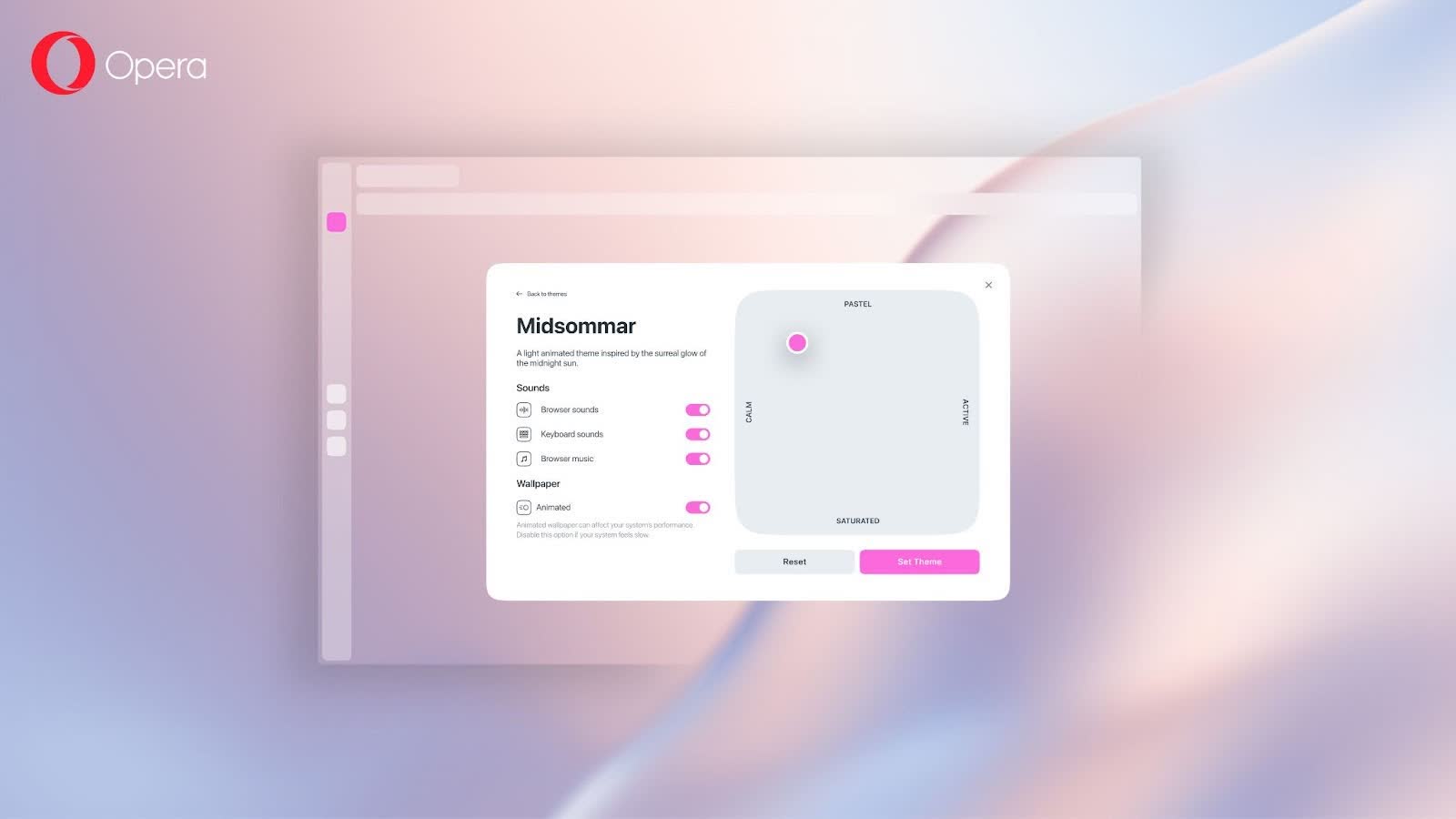
With this release, we are also giving you the chance to change the appearance of the UI with Dynamic Themes. Say hello to glass elements! They make the UI transparent so it blends with your background.
Additionally, Opera One R2 brings a couple new features to improve the way you interact with your tabs: Split Screen and Tab Traces. These features help you work on two tabs at the same time or simply see which tabs you have interacted with last.
Last but not least, with Opera One R2 you can now detach the music player that appears when you hover over the player icon – and move it around as you wish. Like with the video pop-out feature, you can now have your music always at hand.
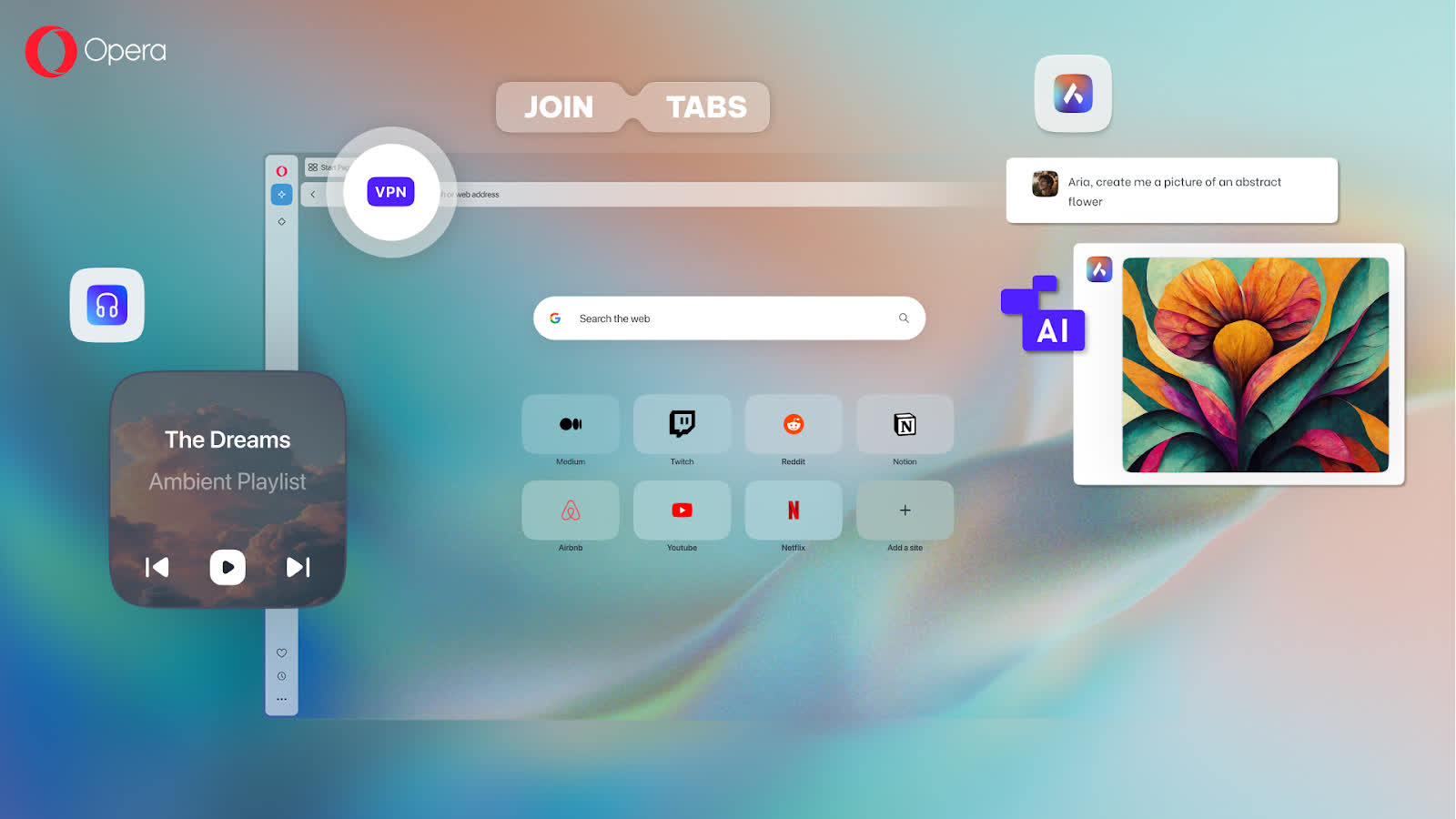
Without further ado, let's check out what's coming your way with the release of Opera One R2.
From beta testing feature drops to your desktop
Opera One was the first web browser designed with native browser AI: Aria. Since then, we've been constantly working to add and test new AI features – in the Developer stream of the browser – through our AI Feature Drops program.
With the release of Opera One R2, we're bringing you the best and most useful AI features we tested throughout the year.
Improved Command Line that brings AI to browsing
Opera One R2 brings a more powerful Command Line interface that brings Aria out of the chat box and helps you browse the web aided by AI as you go. When you open the Command Line* – by pressing Ctrl+/ or Cmd+/ – you can switch to the new Page Context mode by pressing the tab key.
This mode allows you to use Aria to summarize the webpage you're currently viewing. You can also ask questions about the topic you're browsing and explore it further. Do you have doubts about a product you're considering buying, or a complicated article? Use Page Context mode.
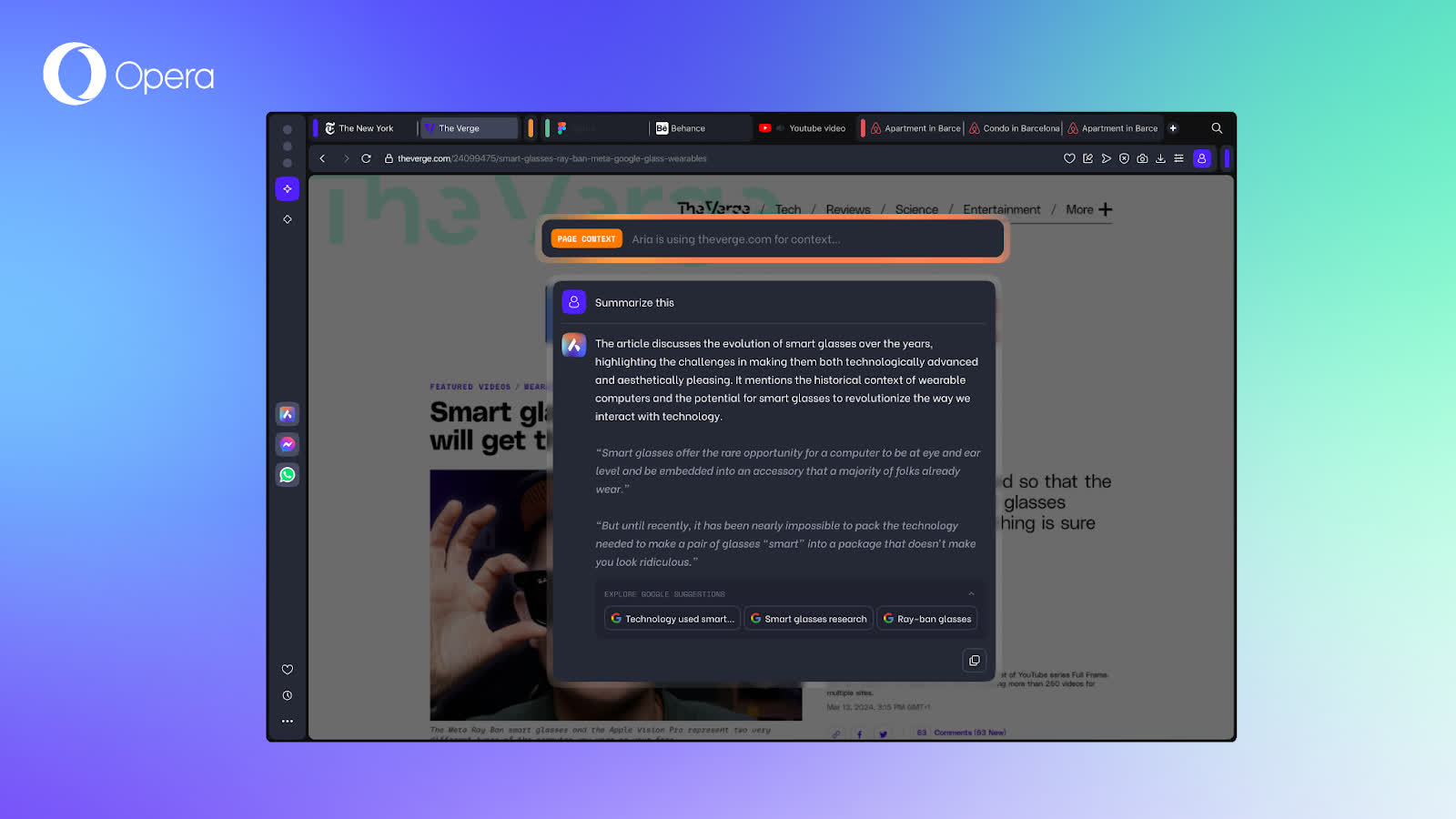
Page Context mode allows you to do deep dives on a webpage, making it ideal to digest heavy loads of text and information. Now, you can fully dive into those topics that you've been researching with Aria's help.
Image Generation and Image Understanding
One of the most useful AI features that you'll find in Opera One R2 is Image Generation. You can have Aria generate all sorts of images to help you get inspired with a simple prompt – to get wallpapers, fantasy characters for your novel, and even futuristic inspiration if you want. To use this, you simply need to request an image from Aria in the AI Command Line or the sidebar chat.
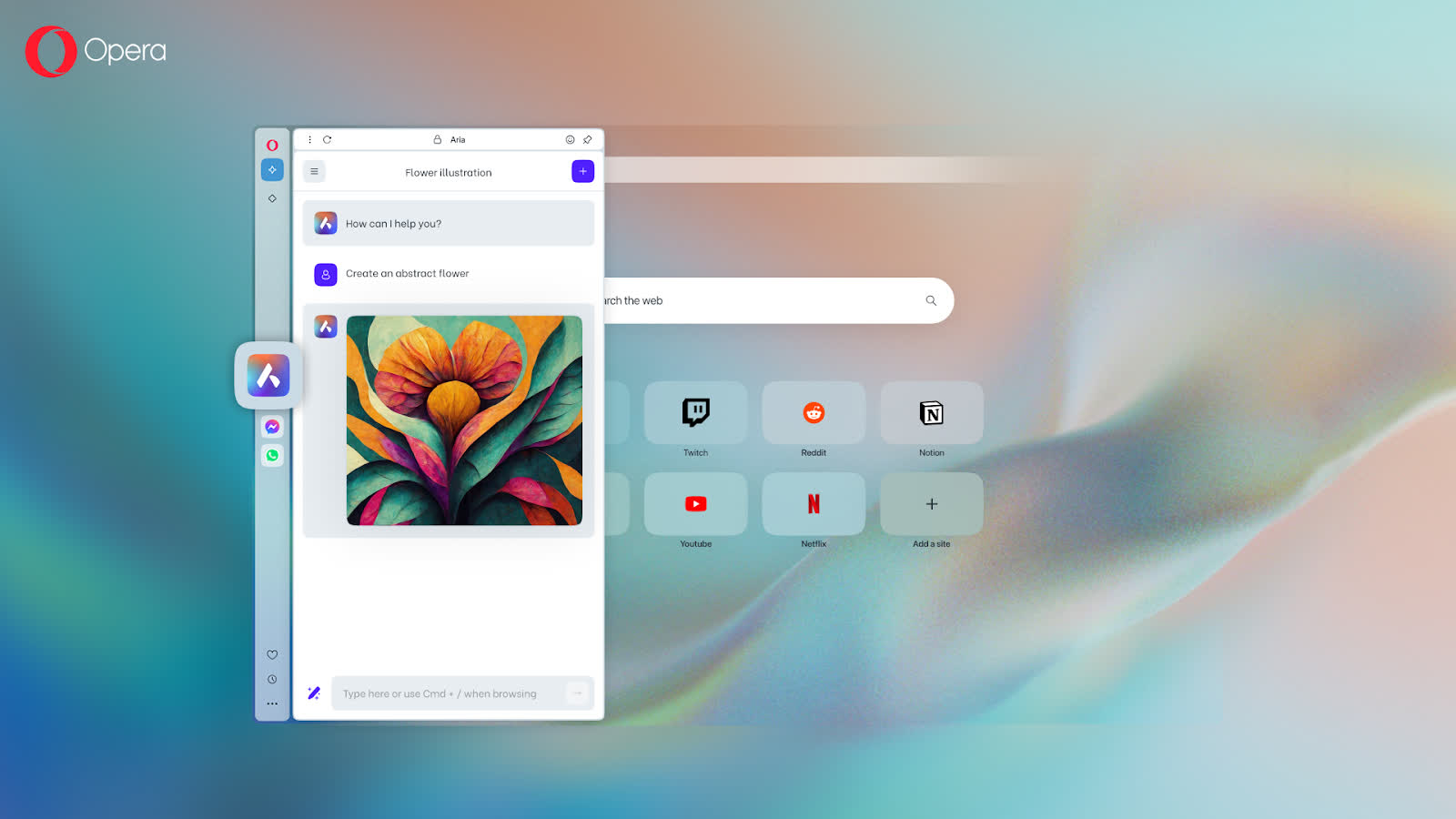
When it comes to images, Aria has also got Image Understanding capabilities. You can upload images to Aria to get more information and context about them – making the chat with Aria go beyond only words. Images are an important piece of the web, and it's good to have a built-in AI that can help you get the most out of every image. You can upload images to Aria from your files in the sidebar chat.

We're also committed to making Aria as accessible as possible, that's why we recently made it available for all Opera users without login.
This means that you now have access to all of Aria's features as if you were signed in, albeit with a limit on image generation – which has been set to be five. Signing into your (free) Opera account will let you increase that limit to 30 images that you can generate every day and for free. To use Aria without login, you need to accept the one-time-only terms of service message.
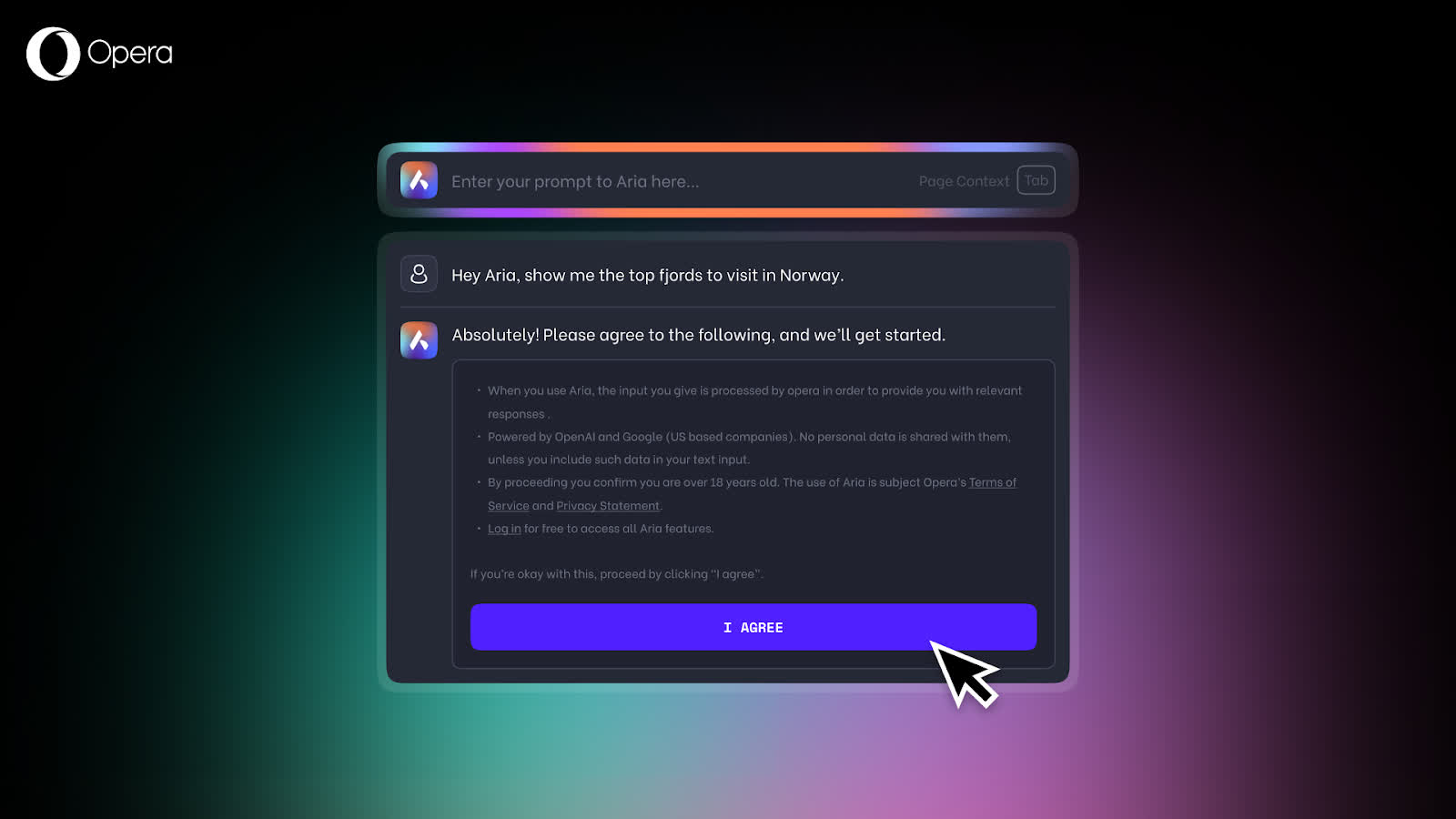
Improved look and design with dynamic Themes
Opera One R2 is here to show you what the future of browsing looks like – literally. The new dynamic Themes are more than just a simple color change or a new background image. They let you alter the entire look and feel of your browser, including animated backgrounds, UI colors, and browser sounds. There's (background) music with the Midsommar Theme – and more Themes like this will come in the near future. You can even have glass elements! They make the UI transparent so it blends with the background of each Theme.
The new Themes are powered by the Shaders technology and use your device's GPU for smooth rendering. You can configure each Theme using a multi-dimensional color picker, allowing you to experiment with countless combinations to find your perfect look. You can even adjust the intensity of the background animation's movement. Now, Themes also support browser sounds and music. They include keyboard and animation sound effects – as well as background music in the Midsommar Theme – which you can configure to your liking.
Three different Themes are making their way into Opera One R2: Classic, Aurora, and Midsommar. The Classic one lets you keep the Opera looks that you're used to – in case you prefer it – and allow you to tweak the UI colors to your liking. However, the Aurora and Midsommar Themes are quite an update to the browser, to say the least.
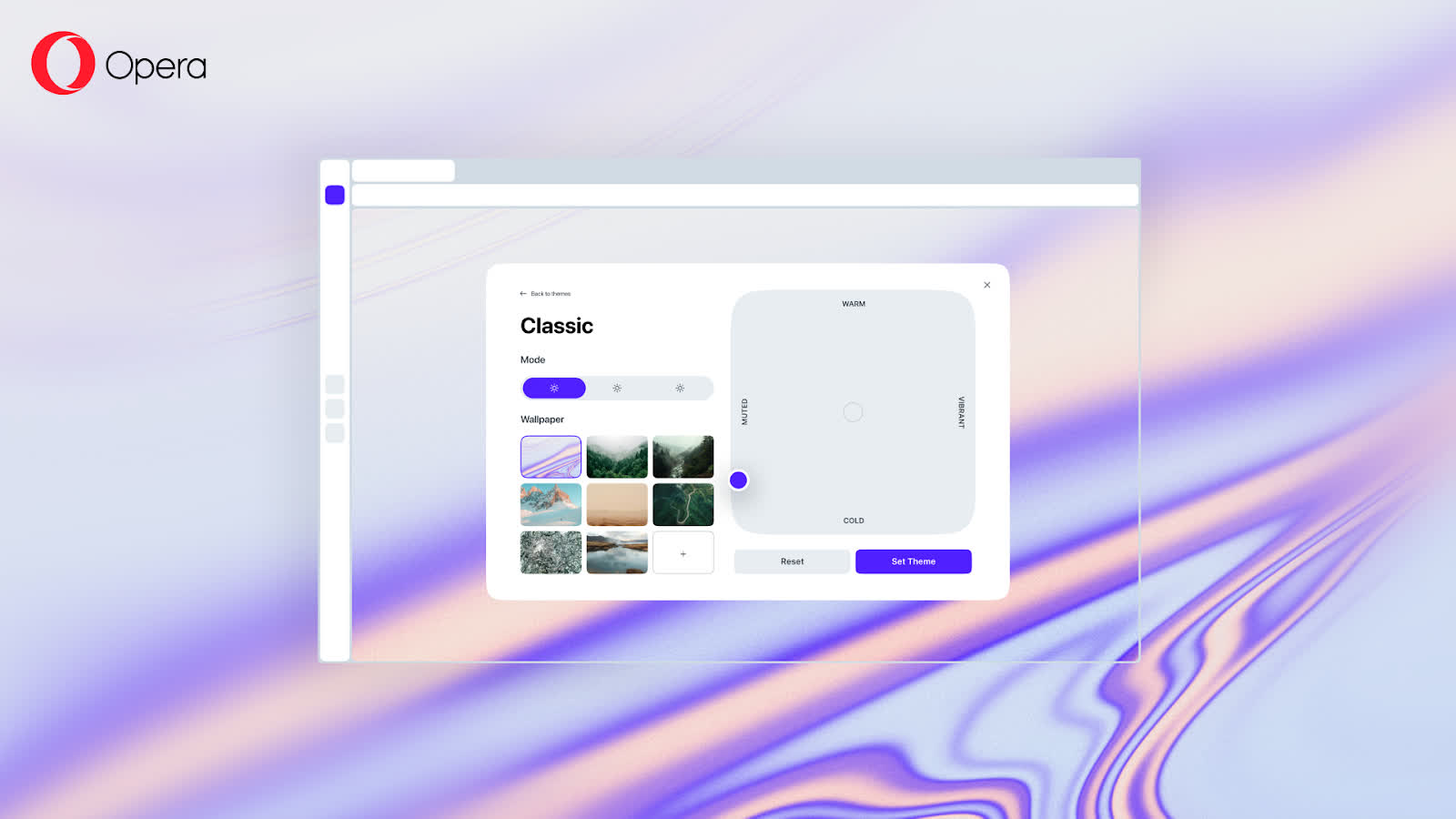
The Aurora Theme comes in dark mode only, and transforms your browser into a Northern Lights show. You can choose to have an animated Aurora to make your browser feel like it's in the middle of the polar night, or you can set it to be static. You can also choose how active the animations of the Aurora are in the multi-dimensional color picker.
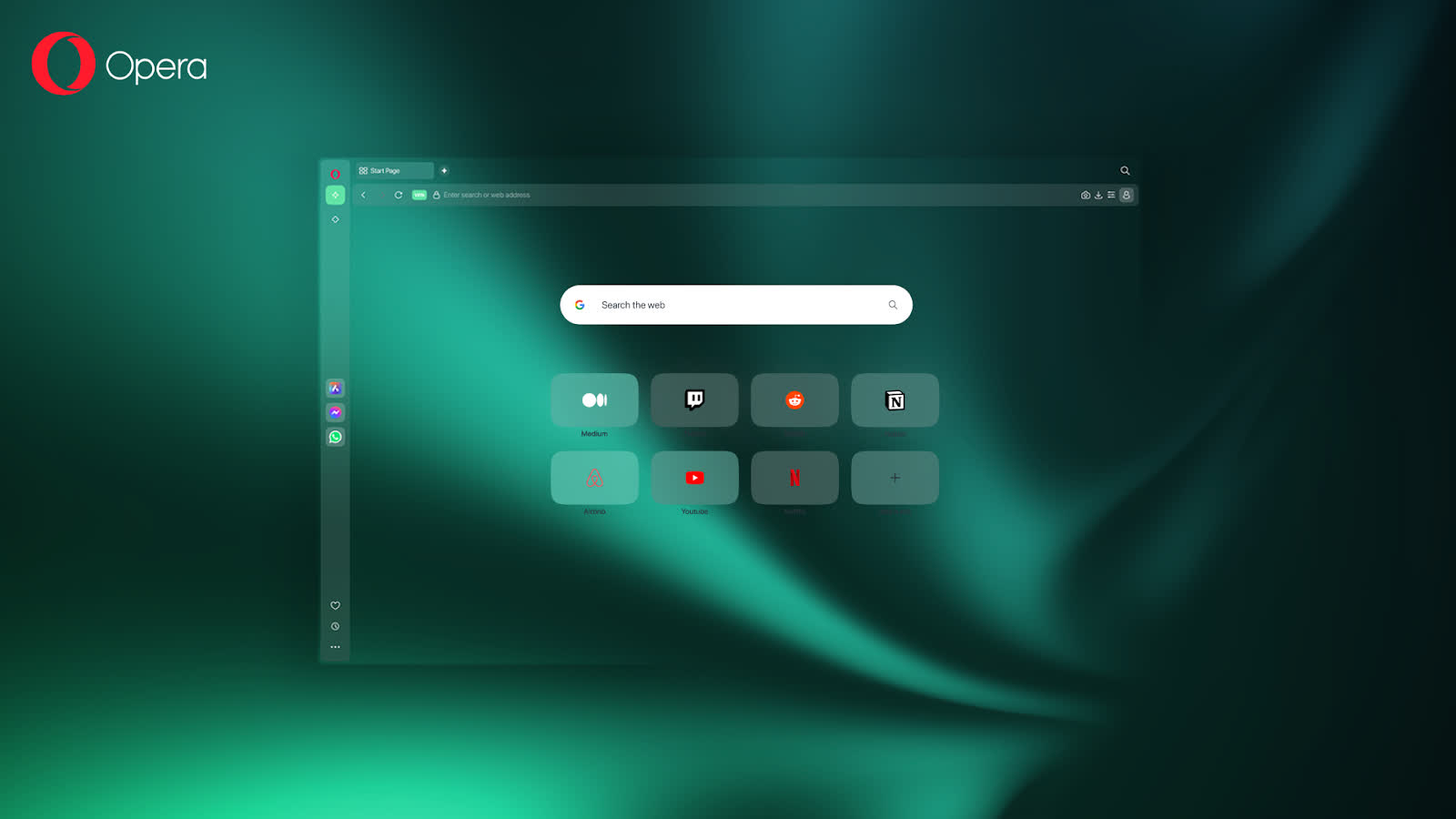
Finally, the Midsommar Theme comes in light mode, and brings to your browser the joyful vibes of the midnight sun. Just as with the Aurora one, you can have it animated or static, and choose the intensity of the animation in the color picker. In addition to that, you can also activate keyboard sounds and browser sounds – for actions like opening and closing a tab. But that's not all, this Theme comes with music that plays in the background and pauses automatically when you play a video or a song – and you can deactivate it at any time if you want.
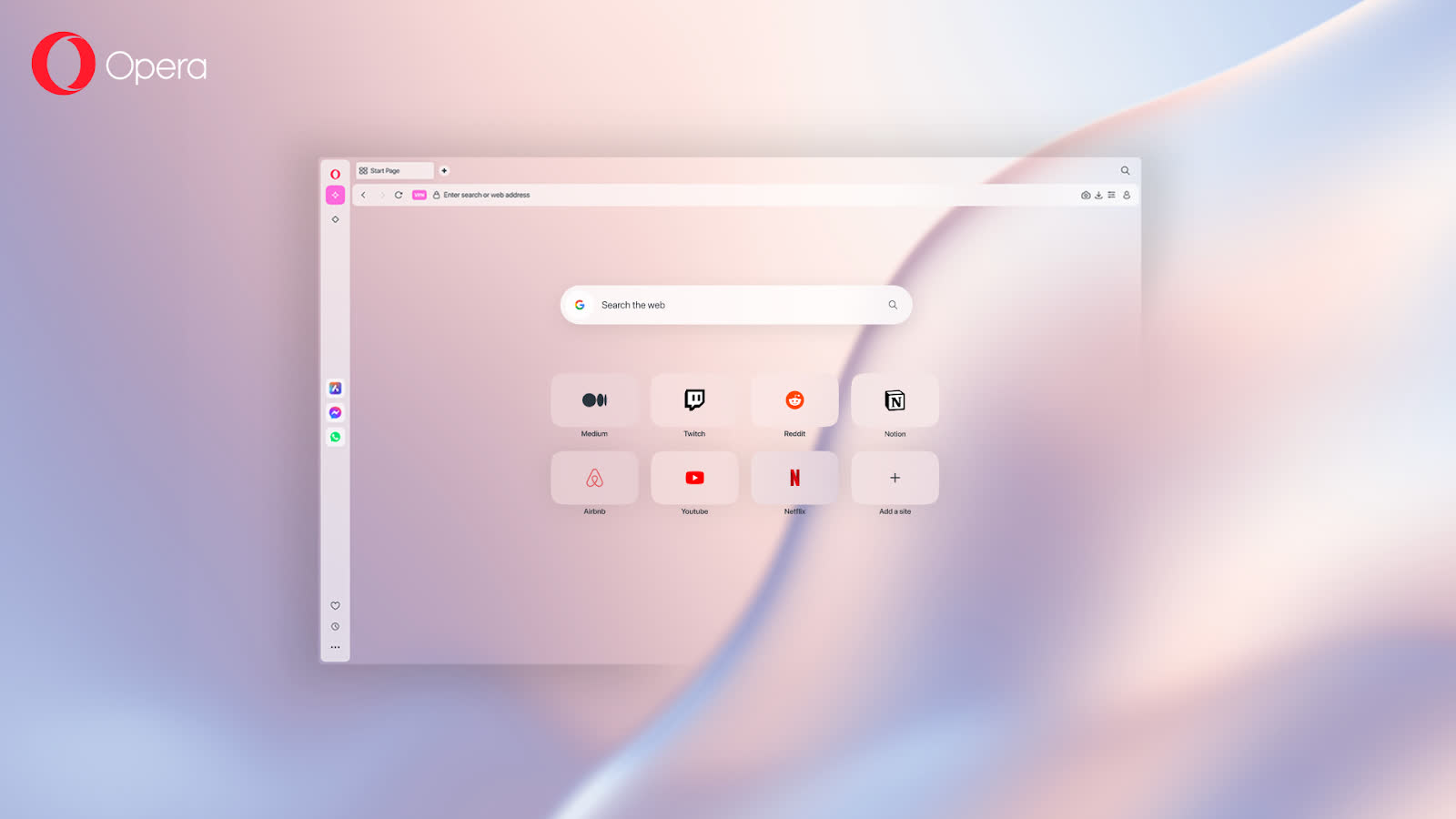
If you want to know more about Themes, how to configure them, and the tech behind them, check this blog post out.
Improved work with tabs for an improved browser
Tabs have been in the heart of the Opera browser since the very beginning of this feature – we literally introduced them to the browser world back in the year 2000. Then, in 2023 we introduced Tab Islands – a feature that helps you group your tabs intuitively. So, it felt only natural to bring yet another tab-related innovation to Opera One R2: Split Screen. This feature lets you join two tabs, and divide the screen in halves to have them open at the same time.

This feature can be easily activated by dragging down another tab to join your current tab. And, if you want, you can resize the division's proportion by sliding the dividing bar in the middle to one side or the other. To exit Split Screen mode, click on the three dots in between the two address bars and select "Exit split screen".
But that's not all in terms of tabs, there's another feature making it to Opera One R2 that will make recently visited tabs leave traces. Tab Traces help you quickly find your five most recently used tabs. They highlight them with a subtle underscore, making it easy to retrace your steps. The stronger the underscore's highlight, the more recently you visited the tab.
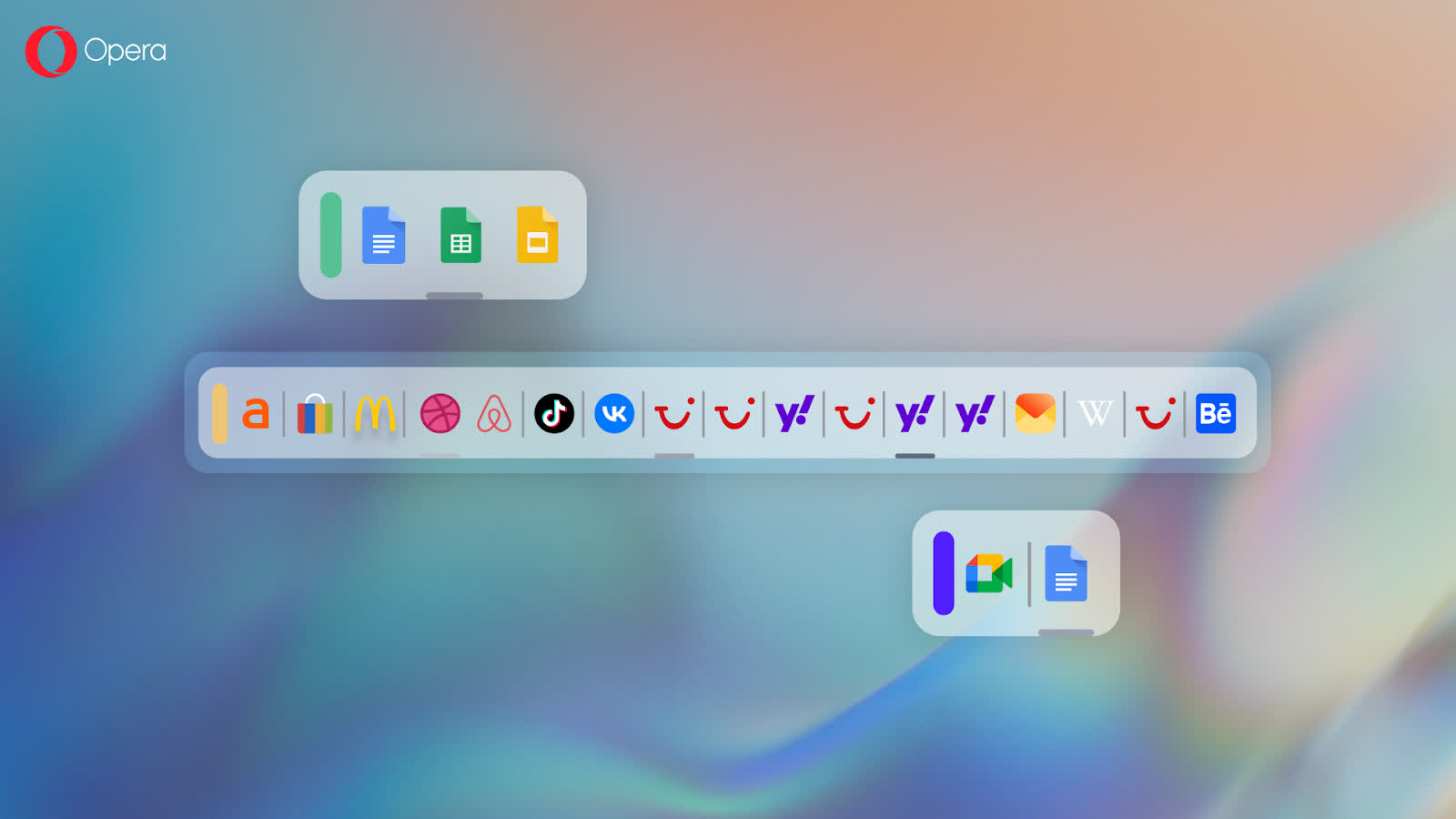
These new features join Opera One's Tab Islands and Workspaces. They work together in harmony to bring true Tabfulness to your Opera One R2 browser.
Detachable music & video controls thanks to Modular Design
One of the things that most of you are probably doing right now, as you read this, is listening to some music – and, why not? Opera One R2 enables you to control your music & video content: now you can control your music and videos without interrupting the flow of your browsing activities.
When listening to music with Opera One R2, you can hover over the player icon – integrated in the sidebar panel – and pause or skip a song in the mini player pop-up. And, what's more is that you can drag this mini player around to have it always at hand; so you can control your music at all times without the need of switching tabs or apps.
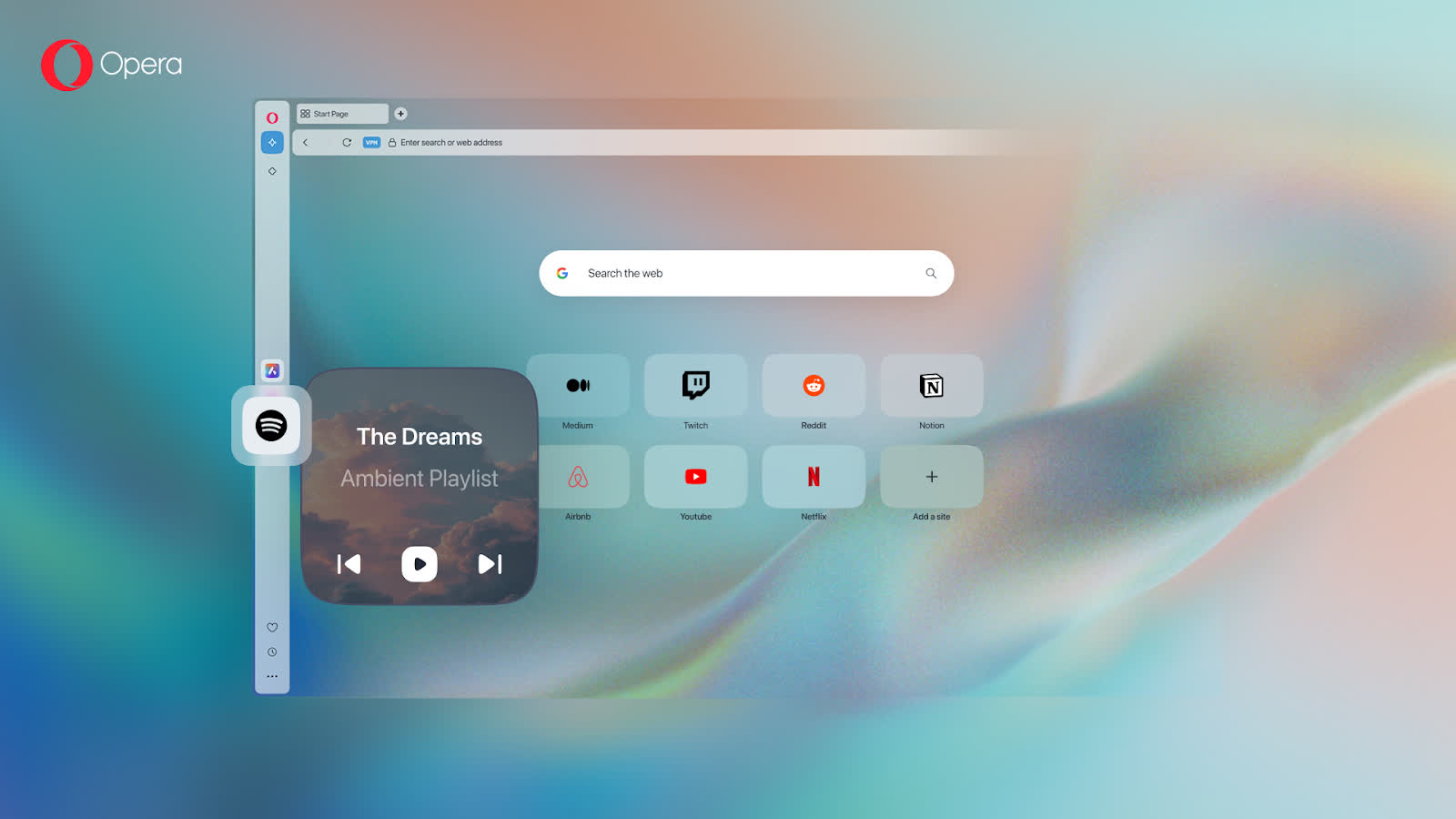
The Player feature allows you to choose your preferred music streaming service and attach it to the sidebar panel. This feature has been made to work in harmony with your browser – for example, it will pause the music whenever you're playing a video, and resume it whenever you pause it. The same goes for those moments in which you have to answer a call from within the browser – the music will fade out and pause while you're in the call.
We know that videos are also a huge part of the internet, actually more than two thirds of it. So, when you're playing a video with Opera One R2 you can detach it in a video pop out window that you can resize to your liking. This feature also works with video calls, which means that you can have your call detached from its tab in a video pop out – making it easier for you to keep browsing while still having an eye out for the things happening in the call.
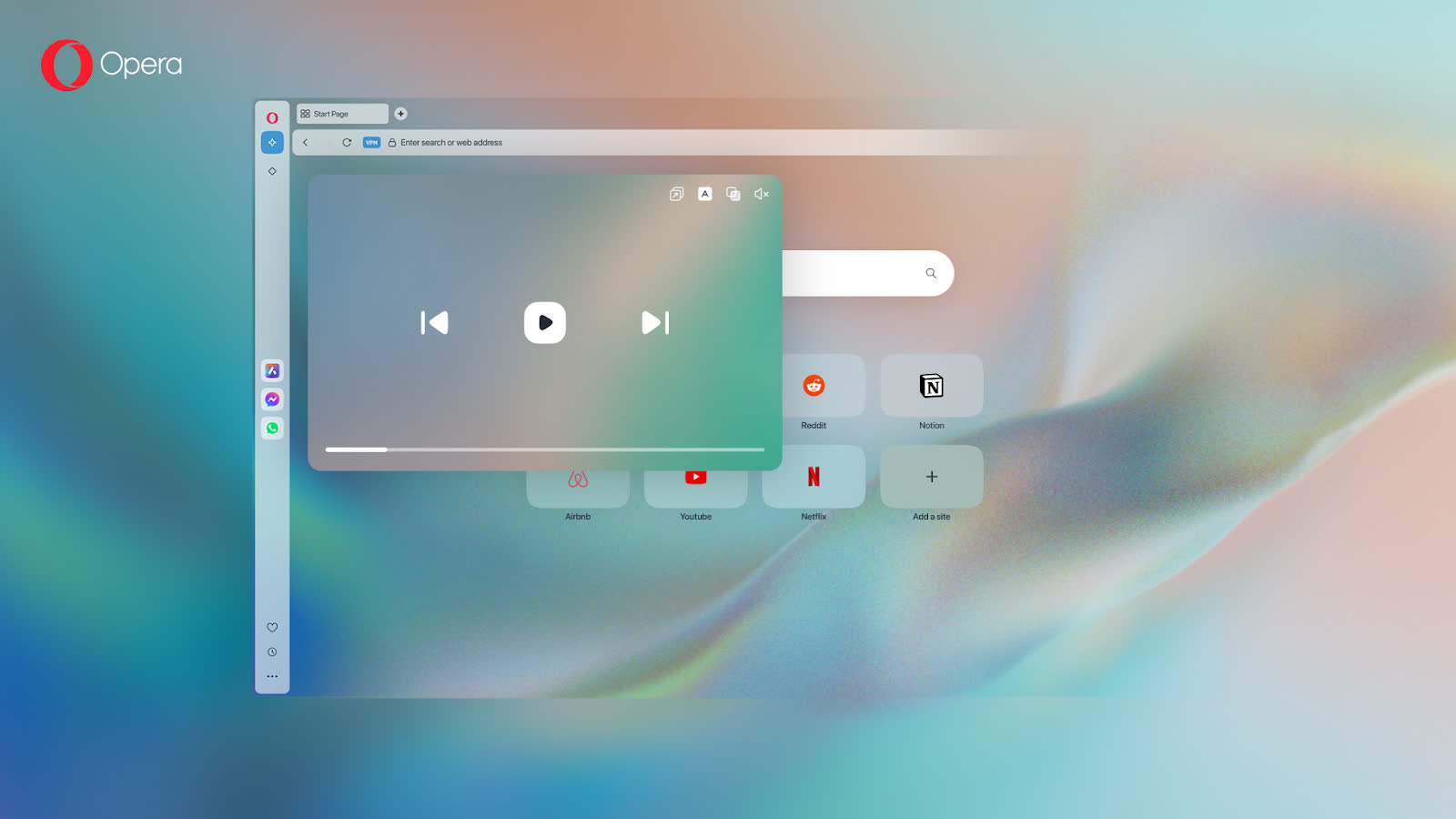
Built on Multithreaded Compositor
With Opera One, we re-engineered the browser. We integrated a Multithreaded Compositor that manages the rendering of the UI separately, and powers the browser's modular design. Opera One R2's Multithreaded Compositor architecture makes the floating modules for your music & video content feel smooth and responsive. You can move these modules around your screen, or even across multiple screens, and resize them to your liking. This takes Opera One R2's modular design concept to a whole new level.
Robust ad blocking built into the browser
Opera has offered a native ad blocker built right into the browser since 2016, allowing you to browse uninterrupted and keeping intrusive ads at bay. It doesn't require any additional installation and can be customized according to your wishes. Using the ad blocker makes your browser cleaner, safer, and more private – not to mention faster, since web pages load up to 90% faster without the additional clutter of bulky ads. In addition to that, Opera R2 will continue supporting Manifest V2 extensions, allowing you to continue using your favorite ad blocking and privacy-enhancing extensions just like before.

