
Instantly access to your favorite games on Steam, with thousands of games, exclusive deals, automatic game updates and other great perks. With Steam you can also join the Steam Community of PC gamers, join game groups, form clans, chat in-game and more.
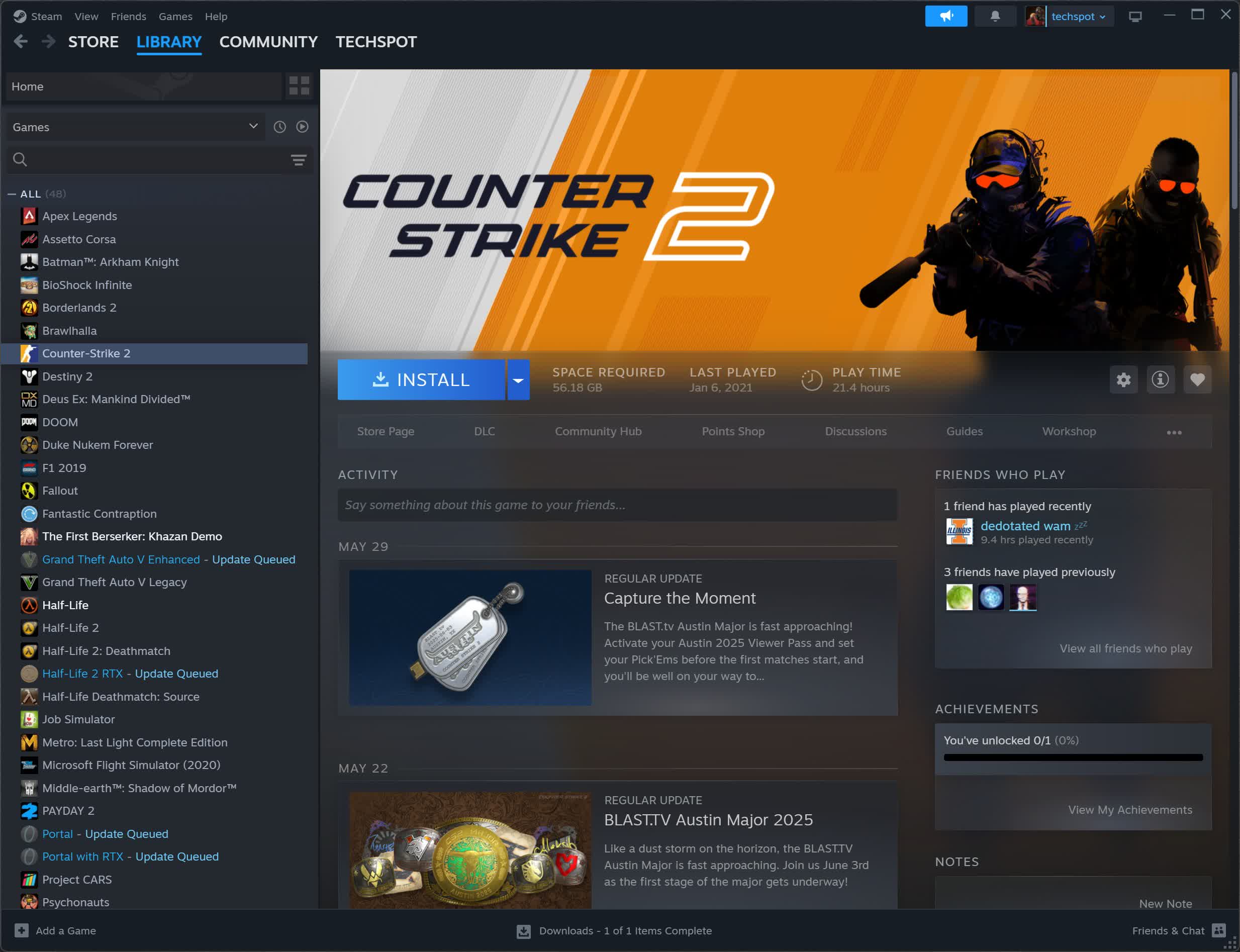
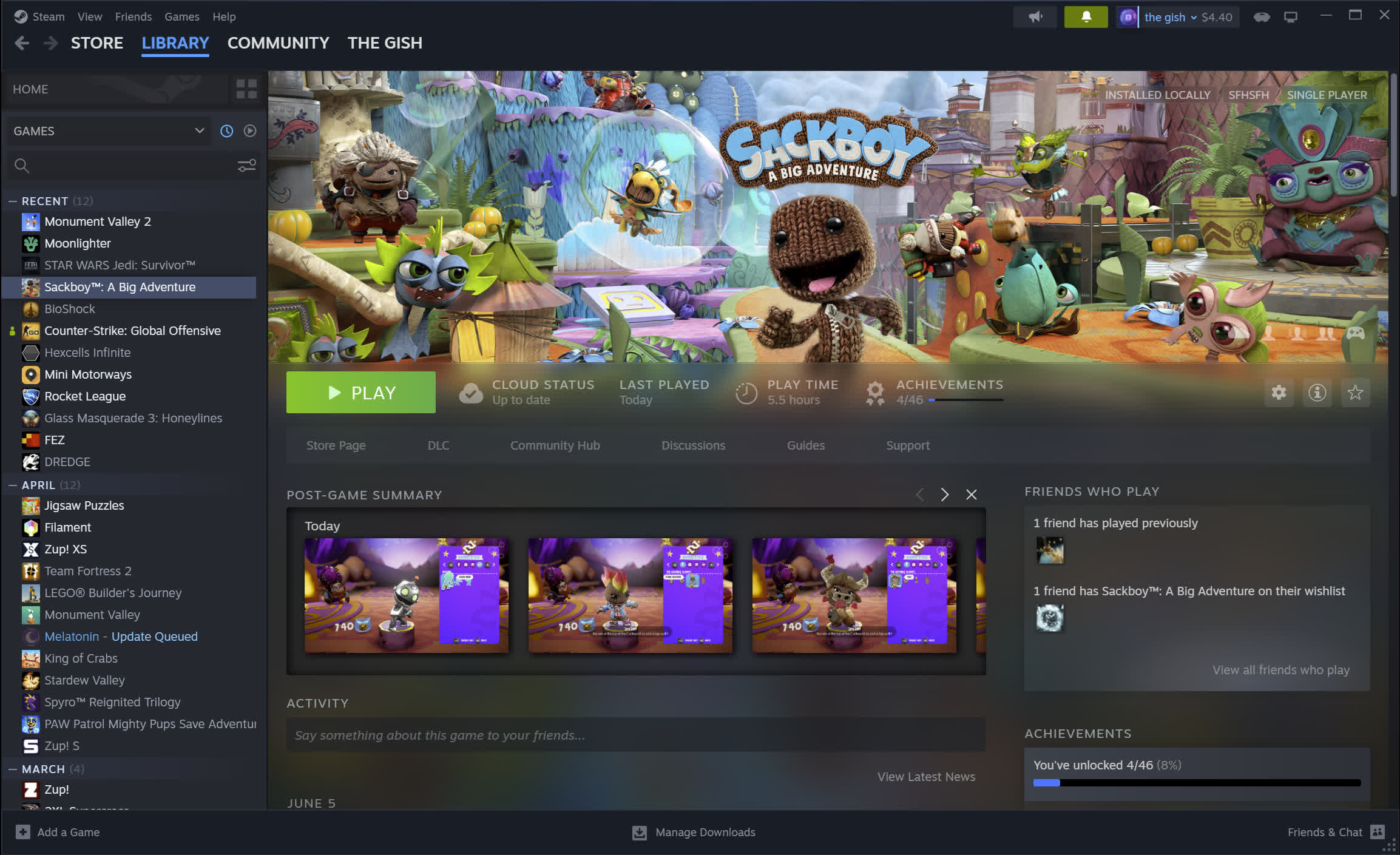
Steam simplifies game management with features like auto-updates and cloud saves. The platform includes strong social features, user reviews, and mod support through the Steam Workshop.
Name a few great free games available on Steam...
We have two dedicated articles highlighting great titles available for free on Steam, but to name a few popular ones: Counter-Strike 2, Brawlhalla, Apex Legends, Warframe, PUBG, Destiny 2, War Thunder, Dota 2, Path of Exile, Team Fortress 2, and World of Warships.
These games offer high-quality multiplayer or co-op experiences without requiring any payment to start playing.
Why is Steam so popular?
Steam is popular because it offers a massive game library, frequent discounts, and reliable digital ownership where games are tied to your account. Steam was created by Half-Life developer Valve as a platform to update their games and distribute them digitally back in 2003. The service had a slow start, but it didn't take too long until it became the top digital distribution platform for PC gamers.
Is there anything better than Steam?
Steam remains the biggest PC gaming platform, but there are good alternatives like the Epic Games Store, GOG Galaxy, Ubisoft Connect, Origin and Itch.io.
Does Steam have Fortnite?
Fortnite is not on Steam. Fortnite is developed by Epic Games, who have their own competing platform.
Is Steam available for Android devices?
Yes, Steam offers an official app for Android devices. The app allows you to chat with friends, browse the store, and manage your game library. However, it's primarily for account management and does not support game installations or gameplay on Android devices.
Is there a monthly fee for Steam?
No, Steam does not require a monthly fee to use its platform. Creating a Steam account and accessing its core features are entirely free. You only pay when purchasing individual games or downloadable content (DLC).
How do I install Steam Beta?
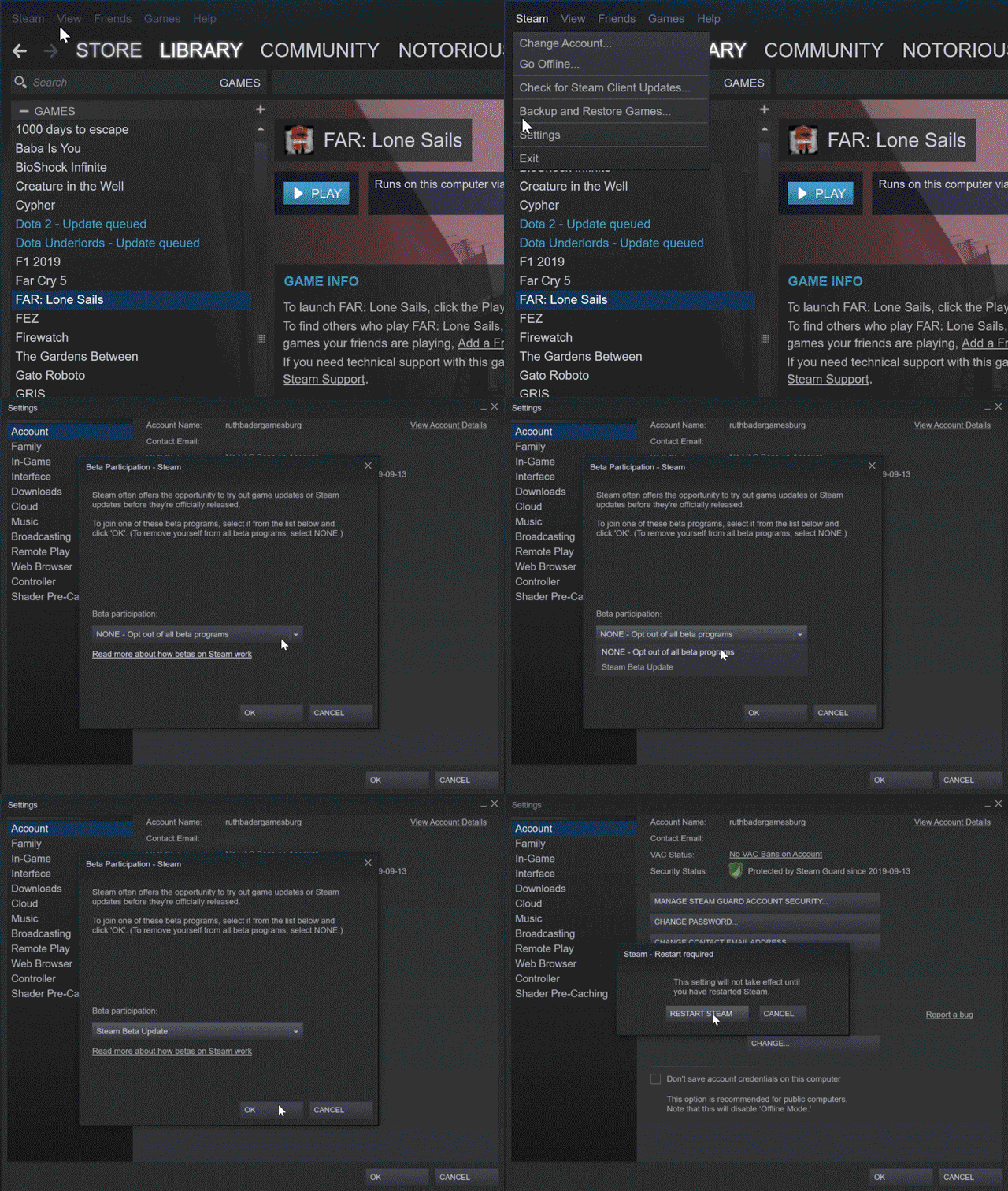
Opting in to the Steam Beta Client lets you use the latest features before they're released. Follow these instructions to participate in the beta:
- With Steam running, click on "Steam" in the upper left, then choose the "Settings" menu. (Preferences on Mac)
- On the "Account" tab under "Beta Participation" click the "Change..." button.
- Select the "Steam Beta Update" from the drop down list and click "OK".
- You will be prompted to restart Steam, please select the "Restart Steam" button.
Create and Share Content
Gift your friends, trade items, and even create new content for games in the Steam Workshop. Help shape the future of your favorite games.
Entertainment Anywhere
Whether you're on a PC, Mac, Linux box, mobile device, or even your television, you can enjoy the benefits of Steam. Take the fun with you.
Available on PC, Mac, and Linux
We offer a catalog of PC, Mac, and Linux games, many of which support Steam Play so you can buy once and play anywhere, and Cross-Platform Multiplayer so you can play with all your friends, no matter where they log in.
What's New
More Steam Community Market Updates
In our last Community Market update we released a beta with new item pages, listings, and search to make better use of game-provided item data. Today we're launching a brand new Market Home page and a handful of improvements centered on tracking items and managing your listings.
A New Market Home Page
We've rebuilt the Market Home to load faster and present you with the most relevant items from your games. Instead of the Popular Items section, which was a small and static slice of millions of items, Trending Items will give you a glimpse into what's new in the games you're currently playing.
The game links move up to the top spot and are now personalized, so rather than a flat and unchanging list, you get quick access to the items you're most likely to be interested in.
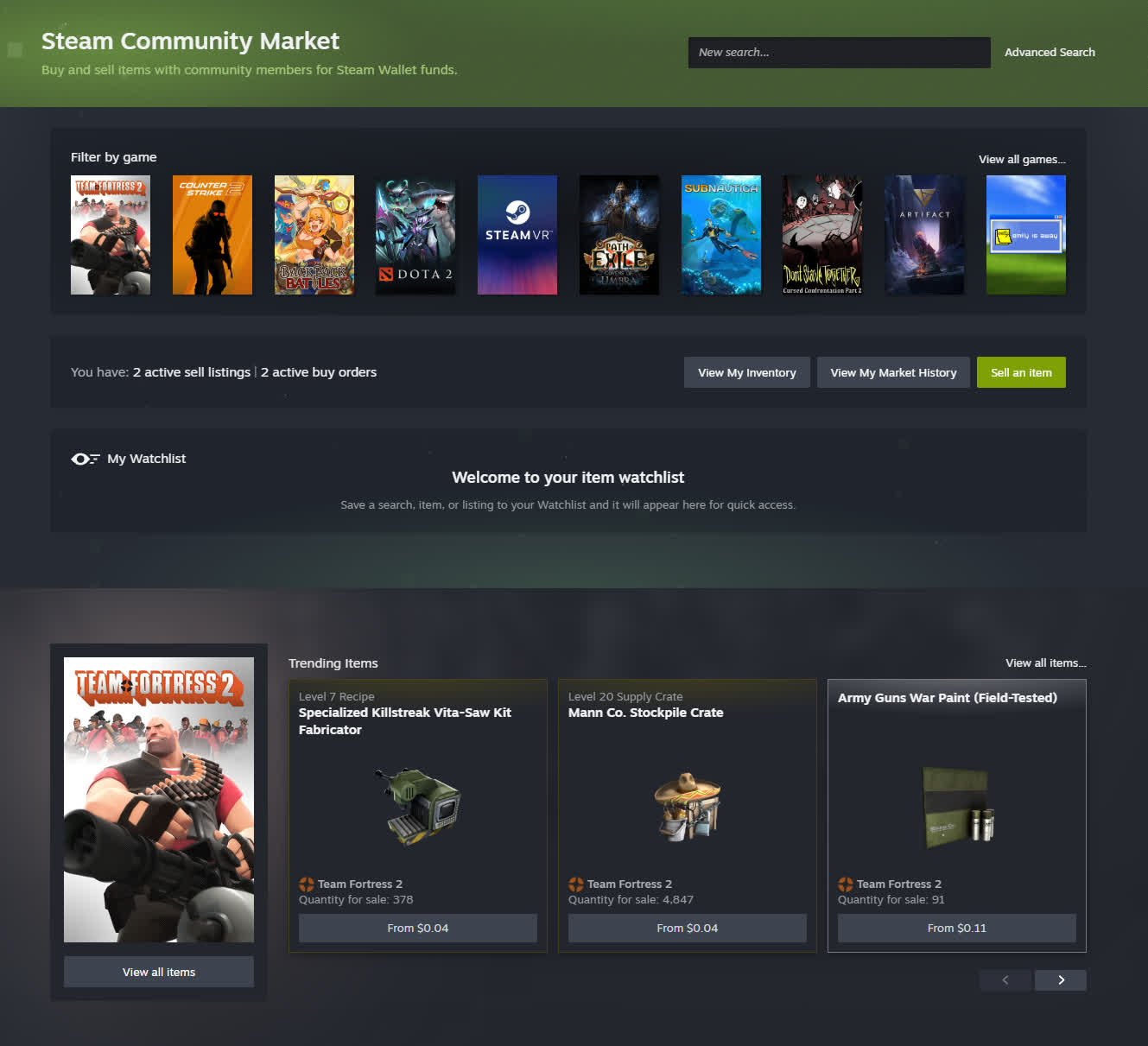
My Watchlist
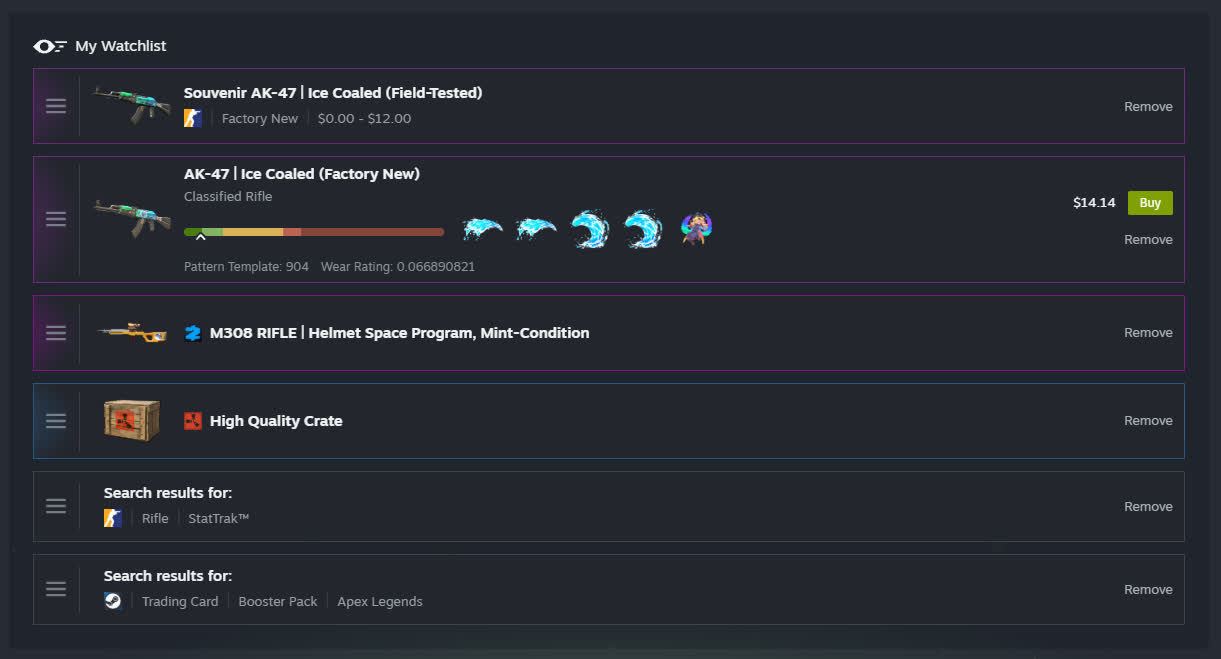
Keeping an eye on a few items used to mean a lot of bookmarks or a lot of repetitive searching. The new Market Watchlist lets you save things for quick access from the Market home page.
You can save:
- A specific listing
- An item type, including filters you've applied
- A search, including filters and search text
So if you're waiting on a particular item with a particular set of filters, you can set up the filters once and check those results whenever you like.
Watchlist entries can be given custom names, which helps when two saved searches look similar. You can reorder your Watchlist however you want.
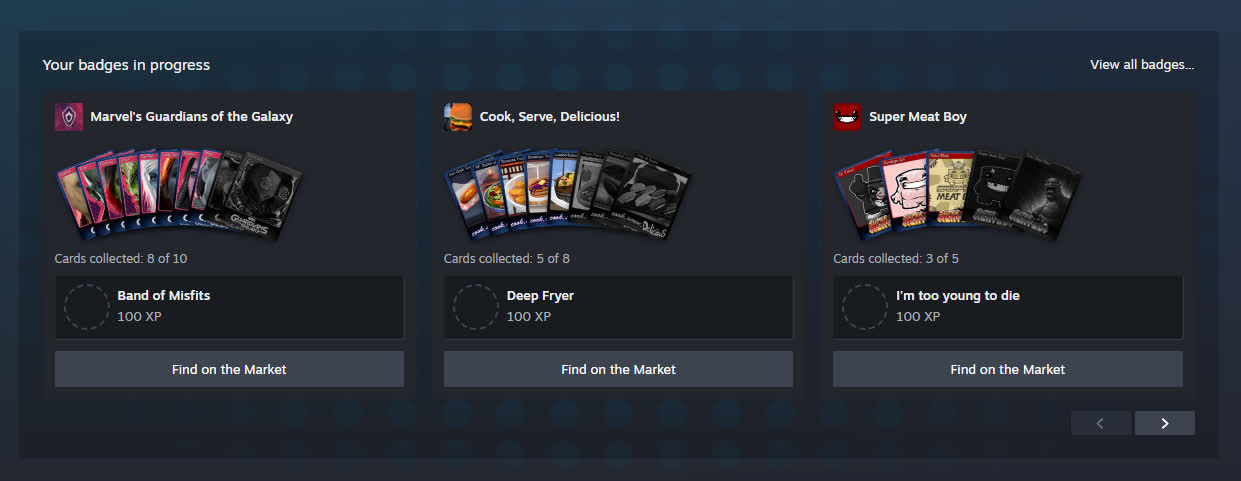
Steam Community Items
You'll also find a new section highlighting Steam Community items (trading cards, emotes, and profile backgrounds) from the games you play.
If you have any badges in progress we'll feature them here, making it easy to pick up the remaining cards.
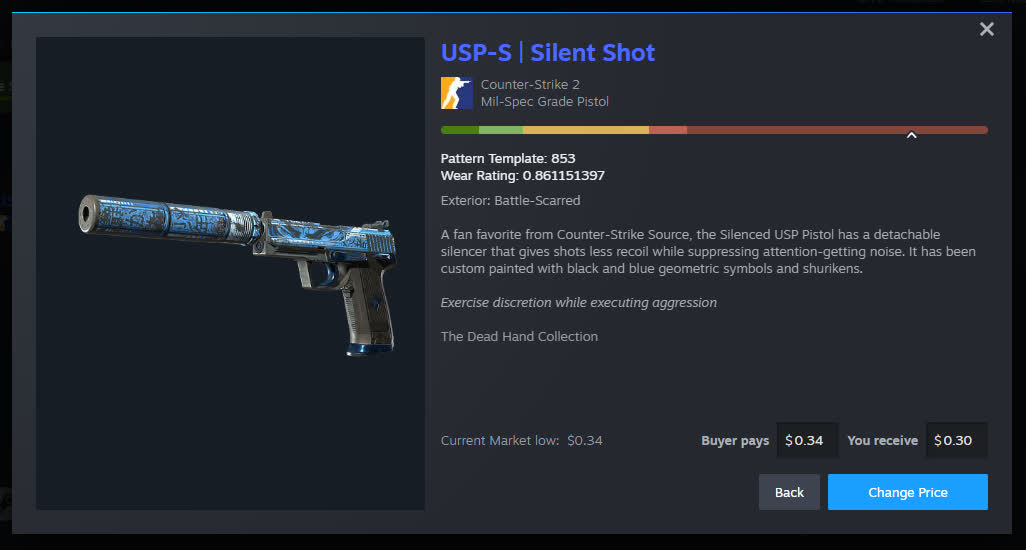
Change Your Price Without Relisting
You can now reprice a live listing. Just pick a new price and you're done.
List View
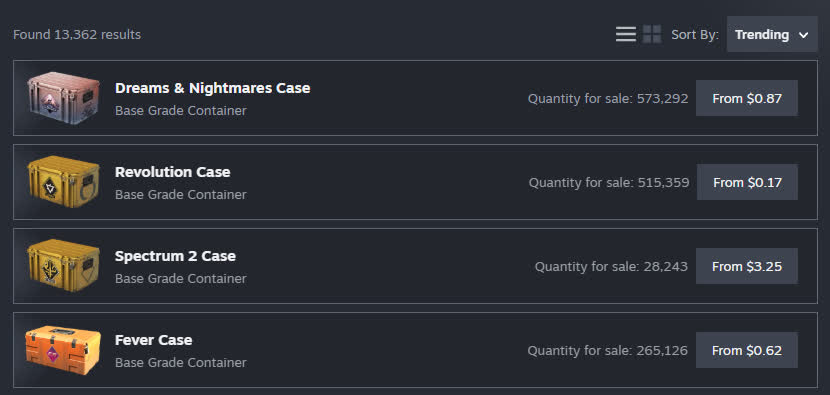
Search results and buy/sell listings now have a list view option in addition to the card view.
Simpler Mobile Confirmations
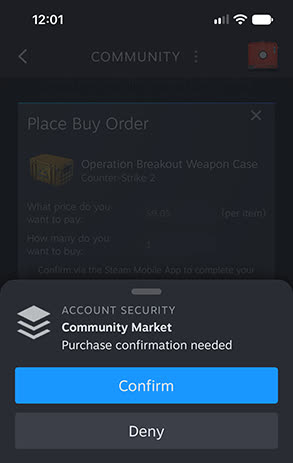
Buying or selling from the Steam Mobile App? If that's also the device with your Steam Guard Mobile Authenticator, the app will now ask you to confirm inline. No need for you to leave the Market and navigate to the Confirmations page. Buying and selling from the mobile app should feel a lot smoother now.
And more
- My Listings and History are now on a dedicated page, with a summary on the Market Home page
- "Trending", or items that are newly popular, is now a sort option for results and buy/sell listings
- Updated Sell Dialog with the newer graphs, with improved usability on mobile devices
- Counter-Strike 2 containers show and link to their possible contents
- Sort by Popularity and Sort by Price return better results, faster
- All Market pages load faster and are more responsive
Steam Achievement Sets – Now Available to Everyone
Today, the recent achievements update featuring Steam Achievement Sets and a new achievements page, is available to all Steam users.
Achievement Sets are ideal for organizing achievements within a game, making it easier for players to track their progress and discover new achievements as games add them. They also allow games to add new achievements, or new DLC with achievements, without breaking prior game completion.
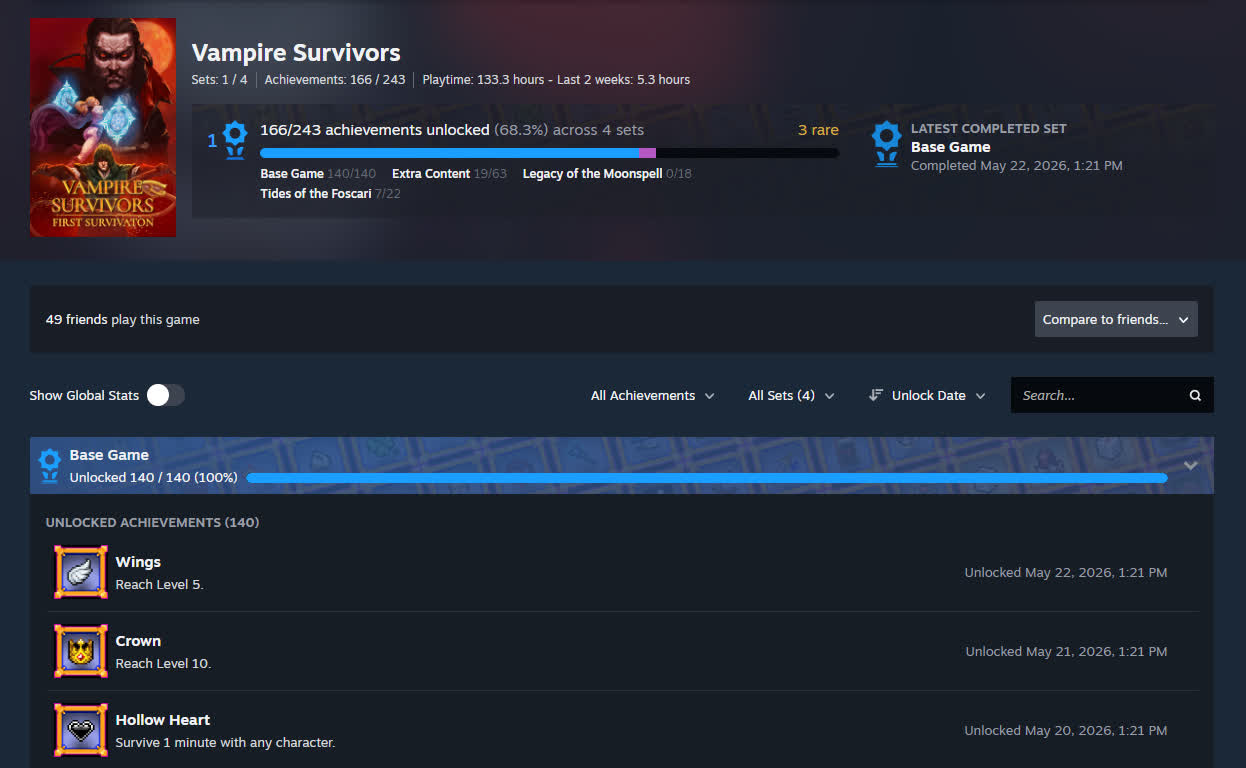
Track progress by achievement set - You can track progress across each achievement set in a game, each with their own progress bar and trophy.
Keep game completion intact - If new achievements are added to a game, it won't break previously completed sets or take away your game completion.
DLC achievements - Achievements can now be tied to DLC and can be organized into their own sets, with progress reflected separately from the base game.
Complete games or sets with retired achievements - Developers can archive or retire achievements and sets when they're no longer available, preserving them for players who earned them without affecting future completion for everyone else.
We've also revamped the achievements page to bring together overall game progress, individual set progress, achievement details, Global Stats, and expanded search and filtering. Enjoy competing with friends? Players can now compare their achievements progress with up to three friends, based on a more accurate total achievement count.
Throughout the beta, we've continued to make improvements based on feedback from both players and developers, and we'll continue to do so. We'd like to thank everyone who participated and took the time to share their thoughts.
You can read the full blog post here.